What Is the WhatsApp Business API? How to Get It in India
What the WhatsApp Business API (Business Platform) is, how it differs from the Business app, what you need to apply, messaging limits in 2026 and how to get access step by step.

The WhatsApp Business API is the official way for a business to send and receive WhatsApp messages from software instead of a single phone. Meta now calls it the WhatsApp Business Platform, and the version almost everyone uses today is the Cloud API, which Meta hosts. It lets a whole team share one number, connect a CRM, send approved template messages to opted-in customers and run chatbots and AI.
To get it you need a Meta business portfolio, a phone number you own, a display name that matches your business and, for higher limits, a verified business. You can apply directly with Meta or through a provider such as Automate AI. This guide covers each step and the rules that apply from day one, as of October 2026.
Key takeaways
- The WhatsApp Business app is free and built for chatting from a phone; the API (Business Platform) is for teams, automation and integrations.
- You need a business portfolio, a number you own (not already on WhatsApp, unless you use a partner’s coexistence onboarding), an approved display name and a payment method.
- New accounts start at 250 unique recipients per 24 hours for template messages; business verification is one way to reach 2,000, and limits then rise automatically.
- Outside the 24-hour customer service window you can only send approved templates, and only to people who opted in.
- There is no access fee from Meta, but delivered template messages are charged per message; see our pricing guide.
What the WhatsApp Business API is
Meta’s WhatsApp Business Platform is a set of APIs: the Cloud API for sending and receiving messages, the Business Management API for numbers and templates, the Marketing Messages API for marketing templates, and webhooks that tell your software when messages are delivered, read or answered.
Software built on these APIs (a shared inbox, a CRM, a chatbot builder) is what you actually use day to day. Businesses rarely call the API by hand; they use a platform that does it for them.
Cloud API, Marketing Messages API and the end of On-Premises
- The On-Premises API, which businesses hosted themselves, reached end of life on 23 October 2025. New setups use the Cloud API.
- The Marketing Messages API for WhatsApp became generally available on 19 November 2025. Meta has announced that the Cloud API will stop supporting marketing messages on 13 October 2027, so marketing sends are moving to this API.
- For a business owner this mostly means: choose a provider that is on the Cloud API today and has a plan for the Marketing Messages API.
WhatsApp Business app vs API
| WhatsApp Business app | WhatsApp Business API (Platform) | |
|---|---|---|
| Cost | Free app | No access fee; per-message charges for delivered templates, plus your provider’s fee |
| Who uses it | One person on a phone (plus a few linked devices) | Any number of agents, bots and integrations on one number |
| Tools | Catalogue, quick replies, greeting and away messages, labels | Shared inbox, CRM, chatbots, AI, campaigns, webhooks, analytics |
| Messaging people first | Broadcast lists reach only people who saved your number | Approved templates to any opted-in contact, within your messaging limit |
| Automation | Greeting and away messages only | Full automation through software |
Keeping your app number (coexistence)
Meta’s coexistence onboarding lets a business keep using the WhatsApp Business app on a number that is also connected to the API. It runs through a Solution Partner or Tech Provider, needs app version 2.24.17 or later, syncs up to six months of one-to-one chats (not groups), makes app broadcast lists read-only and fixes throughput at 20 messages per second. Messages you send from the app stay free; API messages are billed. Country availability can vary, so confirm it with your provider before you plan on it.
What you need before you apply
- A Meta business portfolio (formerly Business Manager) for your company.
- A phone number you own, with country and area code. Mobile numbers are recommended; short codes are not allowed. If the number is already on WhatsApp, either delete that WhatsApp account first or use coexistence.
- A display name that clearly relates to your legal business name or brand. Generic words, place names, “Official” or “Verified”, references to Meta or WhatsApp, promotional text, URLs and emails are not allowed.
- A website on HTTPS and your legal business details, needed for business verification.
- A payment method. India accounts are moving to INR billing, with a deadline of 31 December 2026.
How to get WhatsApp API access, step by step
Choose direct access or a provider
You can build on the Cloud API yourself, or sign up with a platform that connects your number for you and gives you the inbox, templates, campaigns and automation on top. Most small and mid-sized businesses choose a platform, because the raw API has no user interface.
Add and register your number
Add the number to your WhatsApp account, confirm it with a code, set the display name and create a two-step verification PIN. A business portfolio can register two numbers at first, rising to 20 after business verification or after reaching the 2,000 messaging limit.
Verify your business
In Meta Business Suite, open the Security Centre and start business verification. Meta asks for your legal name, address, phone and website, and requests documents if it can’t match a public record. Meta says decisions take up to 14 working days. Verification raises your limits and is required for an Official Business Account, but on its own it does not add a badge.
Add a payment method and start sending
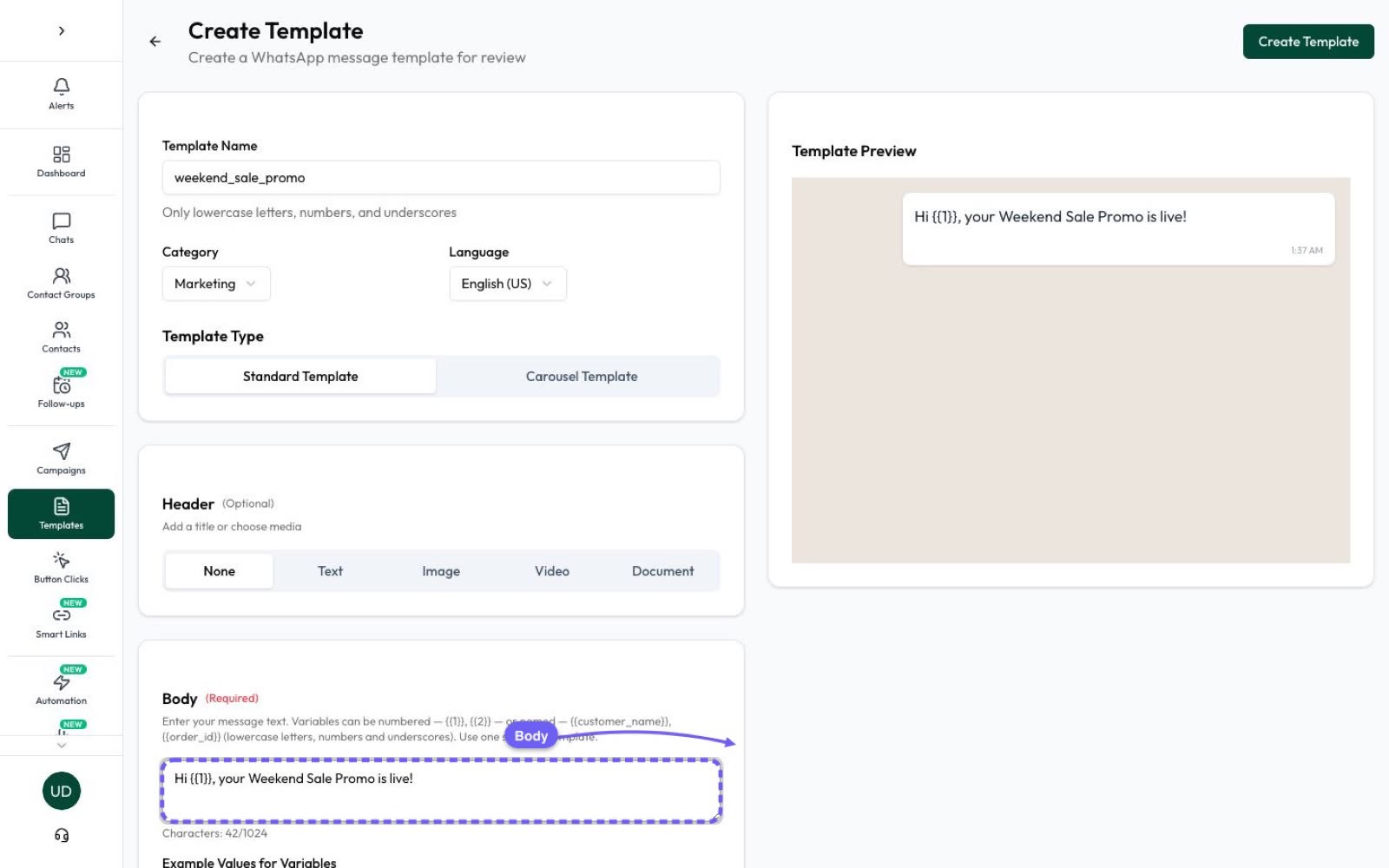
Add billing, create your first templates and wait for approval (Meta reviews templates within 24 hours). Then you can message opted-in contacts.
Messaging limits in 2026 and how they increase
Messaging limits cap how many unique people you can start conversations with (send templates to) in a rolling 24 hours. Since October 2025 they apply to the whole business portfolio, not each phone number, and replies inside an open customer service window don’t count.
- New portfolios start at 250 unique users per 24 hours.
- You reach 2,000 through business verification, partner-led verification, or by delivering 2,000 high-quality template messages in 30 days.
- After that, limits rise automatically to 10,000, 100,000 and unlimited, within about six hours, when you have used at least half your limit in the last seven days and your quality is high.
Rules from day one: opt-in, templates and the 24-hour window
- Opt-in: only message people who gave you their number and agreed to hear from your business. The opt-in can be collected anywhere (a website form, in store) as long as it names your business; it doesn’t have to happen on WhatsApp. Honour opt-outs.
- 24-hour customer service window: when a customer messages you, you can reply freely for 24 hours. Outside that window you can only send approved template messages.
- Quality: blocks and reports lower your quality rating, which can pause templates and slow your limit increases.
Our guide to WhatsApp template messages explains categories and approval in detail.
Blue tick, Official Business Account and Meta Verified
The old “green tick” is now a blue checkmark. Businesses on the API can request an Official Business Account (OBA), which needs business verification and is approved by Meta; there are no follower or press thresholds to meet. Separately, WhatsApp Business app users can buy a paid Meta Verified subscription, but subscribing doesn’t guarantee a badge on every account.
What the WhatsApp Business API costs
Meta charges per delivered template message, by category and the recipient’s country. From 1 October 2026 Meta’s list rate in India is ₹0.8631 for a marketing message and ₹0.1150 for utility and authentication, plus 18% GST, and each number gets 1,000 free service messages a month. Providers add their own fee. Full details and examples are in WhatsApp Business API pricing in India.
Getting started with Automate AI
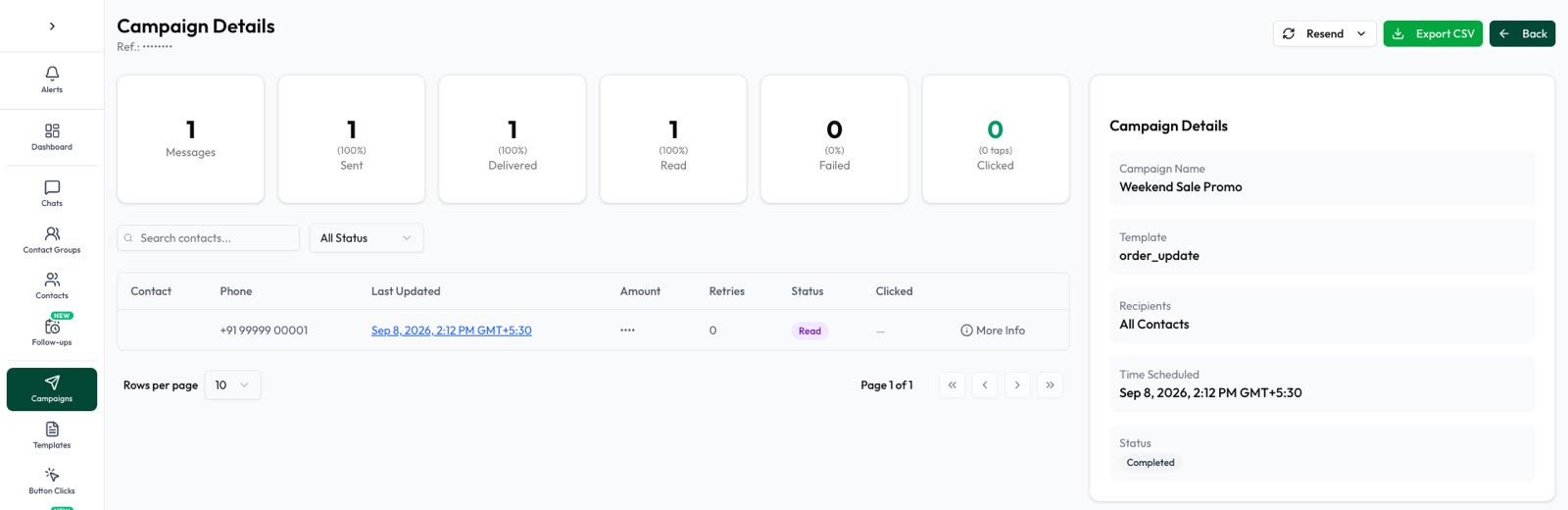
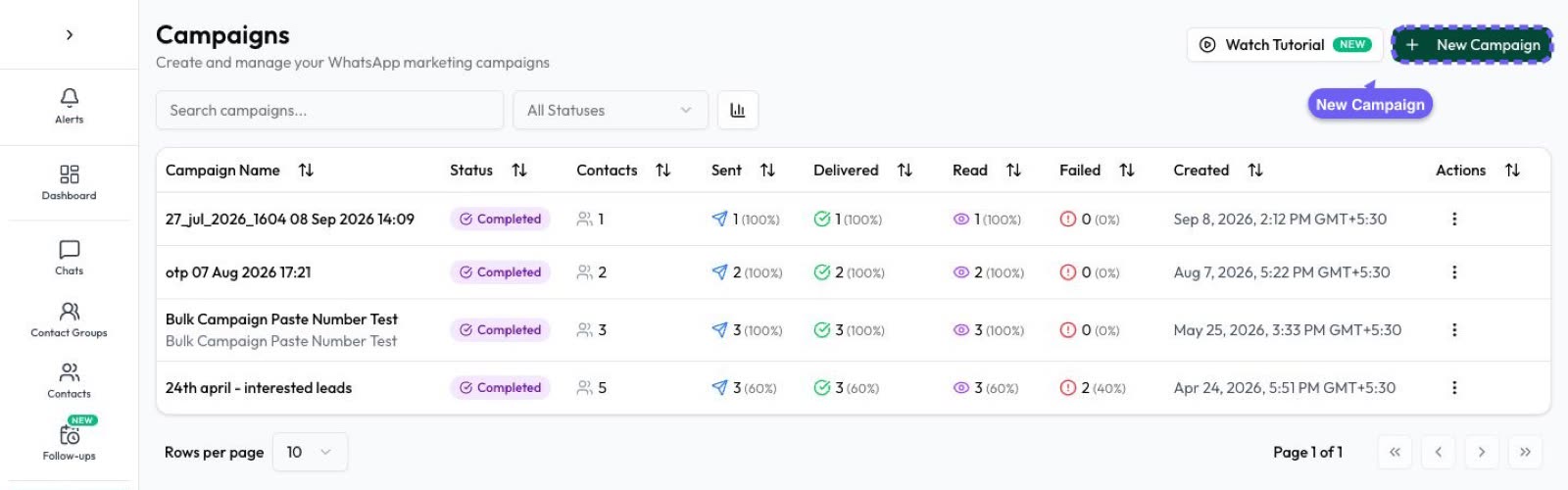
Automate AI gives you the inbox, templates and campaigns on top of the official platform: connect your number, create templates in the app, choose an audience and send or schedule campaigns with live sent, delivered and read tracking. When you’re ready to automate, add chatbots and the AI Assistant.
Frequently asked questions
Is the WhatsApp Business API free?
There is no access fee from Meta, but Meta charges per delivered template message by category and country, and from October 2026 each number gets 1,000 free service messages a month. Providers charge their own fees.
Can I use my existing WhatsApp Business app number?
Yes, through a partner’s coexistence onboarding (app version 2.24.17 or later), with some limits. Otherwise you delete the WhatsApp account on that number and register it on the API.
How long does Meta business verification take?
Meta says decisions take up to 14 working days.
Do I need business verification to start?
No. You can start at 250 unique users per 24 hours. Verification is one way to reach 2,000 and is required for an Official Business Account.
Sources
- Meta: About the WhatsApp Business Platform
- Meta Business Help: WhatsApp Business Platform vs app
- Meta: Messaging limits
- Meta Business Help: Business verification
- Meta Business Help: Display name guidelines
- Meta: Official Business Accounts
- Meta: Pricing on the WhatsApp Business Platform
- Meta: On-Premises API sunset
WhatsApp rules and prices change. We check these guides against Meta’s documentation, but always confirm current terms with Meta before you rely on them. Questions? Message us on WhatsApp at +91 79000 03693.