WhatsApp Marketing in 2026: A Guide for Indian Businesses
How to do WhatsApp marketing the right way in 2026: opt-in, message types, templates that get approved, segmented campaigns, Click-to-WhatsApp ads, measuring results and the limits that affect reach.
WhatsApp marketing means sending offers, launches and reminders to customers who agreed to hear from you on WhatsApp, and turning the replies into sales. For Indian businesses it works because customers already chat there, read their messages and can reply in one tap.
Doing it well in 2026 takes six steps: build an opt-in list, use the right message type, write templates that get approved, send to the right segment at the right time, bring new people in with Click-to-WhatsApp ads, and measure what happens. This guide walks through each step with the rules Meta applies today.
Key takeaways
- Only message people who opted in to hear from your business, and honour opt-outs.
- Outside a customer’s 24-hour window, promotions must be sent as approved marketing templates (₹0.8631 each in India from October 2026, plus GST).
- WhatsApp limits how many marketing messages each person receives based on engagement, so relevant, segmented campaigns reach more people than blasts.
- Click-to-WhatsApp ads start conversations you can answer free for a limited window.
- Track sent, delivered, read, replies and button clicks for every campaign, and prune what doesn’t work.
Why WhatsApp marketing works in India
WhatsApp has more than 3 billion monthly users worldwide (Meta, Q1 2025). For customers it’s where friends, family and businesses already are, so a message doesn’t need a new app, a login or an email filter to get through.
Unlike SMS, a WhatsApp campaign can carry images, video, buttons and carousels, and the customer can reply. Every reply opens a 24-hour window where your team, a chatbot or an AI assistant can continue the conversation.
App broadcasts or the API: which to use
| Option | Good for | Limits |
|---|---|---|
| WhatsApp Business app broadcast lists | A handful of loyal customers | Up to 256 contacts per list; only people who saved your number receive it |
| App “business broadcasts” (paid, limited countries) | Small app-based businesses where available | Not available on the API; spam can mean a 3-day suspension |
| WhatsApp Business API (with a platform) | Growing businesses and teams | Approved templates to opted-in contacts, within your messaging limit |
If you send to more than a few hundred people, need several agents on one number, or want automation, use the API through a platform. See what the WhatsApp Business API is.
Step 1: Build a compliant opt-in list
WhatsApp’s Business Messaging Policy lets you contact people who gave you their number and agreed to receive messages from your business. Since the November 2024 policy update, the opt-in can be general (for example a checkbox on your website or a form in your shop) as long as it clearly names your business and follows the law. Indian data-protection law (the DPDP Act 2023 and its rules) also applies to how you collect and use contact data; take legal advice for your situation.
- Collect opt-in at checkout, on lead forms, at the counter or in the first chat.
- Record when and where each contact opted in.
- Keep separate opt-ins for different message types if you can (offers vs order updates).
- Make opting out easy, for example with a “Stop promotions” button, and honour it.
Step 2: Know your message types
- Marketing templates for promotions, launches, festival offers, reminders to buy and retargeting.
- Utility templates for updates about a specific order, booking or account. Add an offer and it becomes marketing.
- Service messages: free-form replies inside the 24-hour window after the customer messages you.
Customers can also turn off marketing messages from a business. WhatsApp then stops delivering your marketing templates to them, and your platform is told through a webhook.
Step 3: Create templates that get approved and read
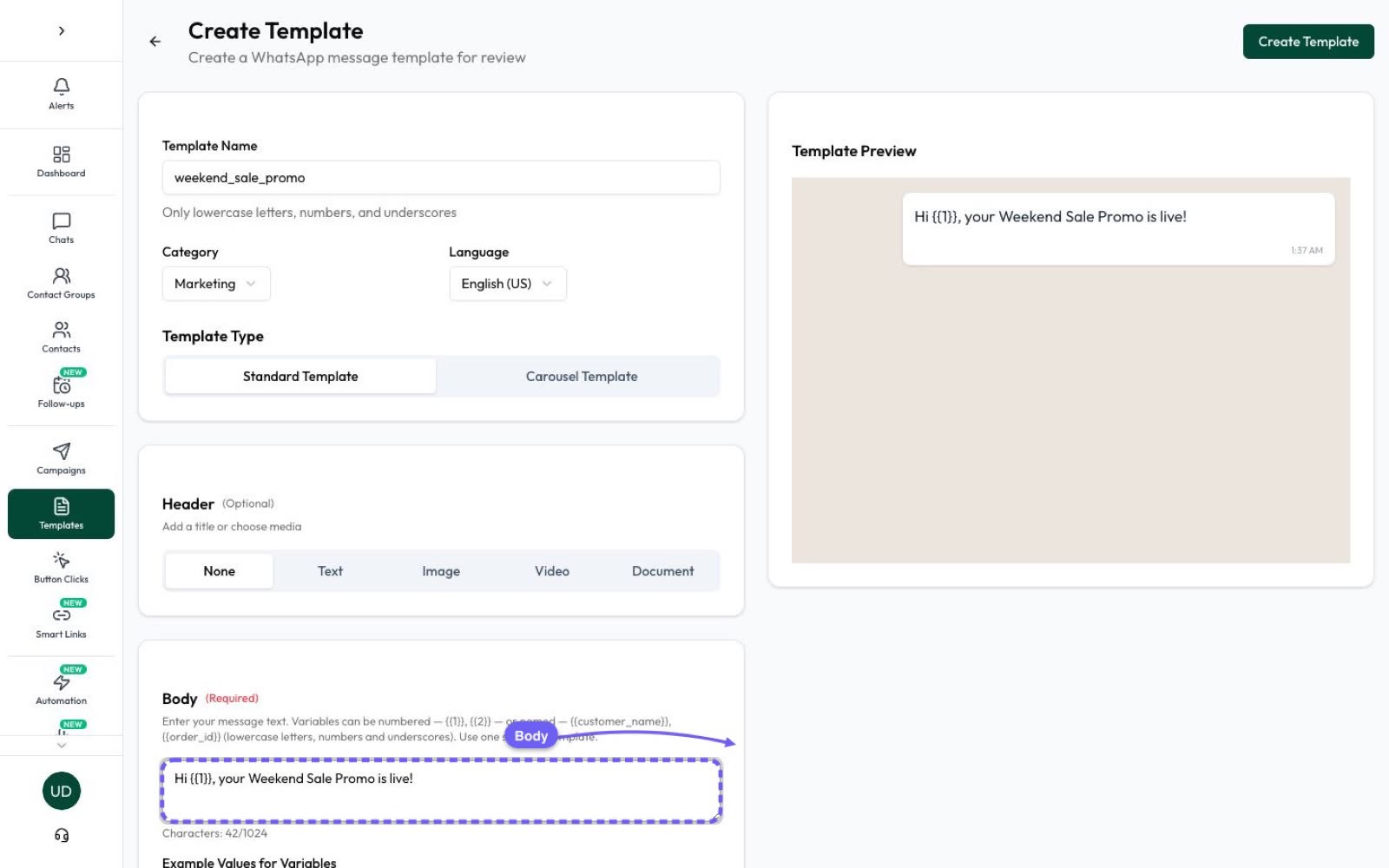
Templates are reviewed by Meta, usually within 24 hours. Write one clear message, personalise it with variables like the customer’s first name, add a strong image or video, and give people buttons: a quick reply (“Show me”), a website link, or “Stop promotions”. Carousels, coupon codes and limited-time offers are supported for marketing.
Our template guide has examples and the approval rules.
Step 4: Segment, schedule and send campaigns
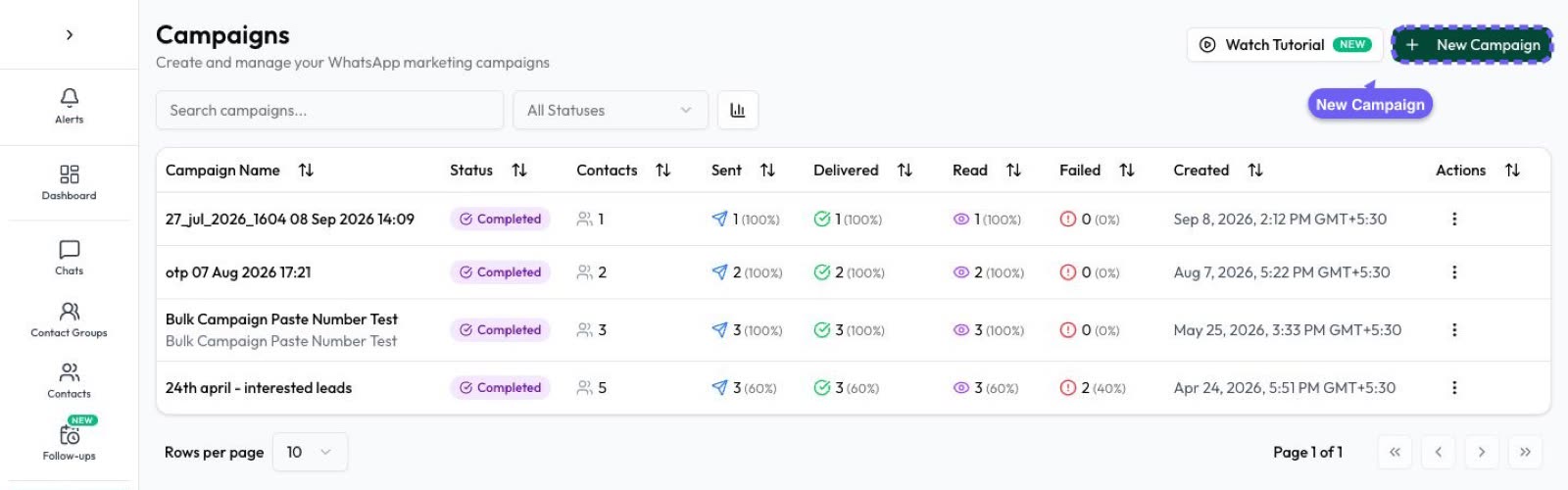
Send each campaign to the people it’s for: recent buyers, website leads, a city, customers tagged “VIP”. Smaller, relevant campaigns get more reads and fewer blocks than sending everything to everyone, which protects your quality rating and messaging limit.
Time matters too. Schedule campaigns for when your customers are likely to read them, and avoid late nights.
Step 5: Bring new customers in with Click-to-WhatsApp ads
Click-to-WhatsApp ads on Facebook and Instagram open a WhatsApp chat with your business. If you reply within 24 hours, Meta doesn’t charge for messages in the free window that follows (Meta’s developer docs now say up to 7 days). It’s the cheapest way to start new conversations, and a good moment to ask for opt-in. More in our lead generation guide.
Step 6: Measure sent, delivered, read, clicks and replies
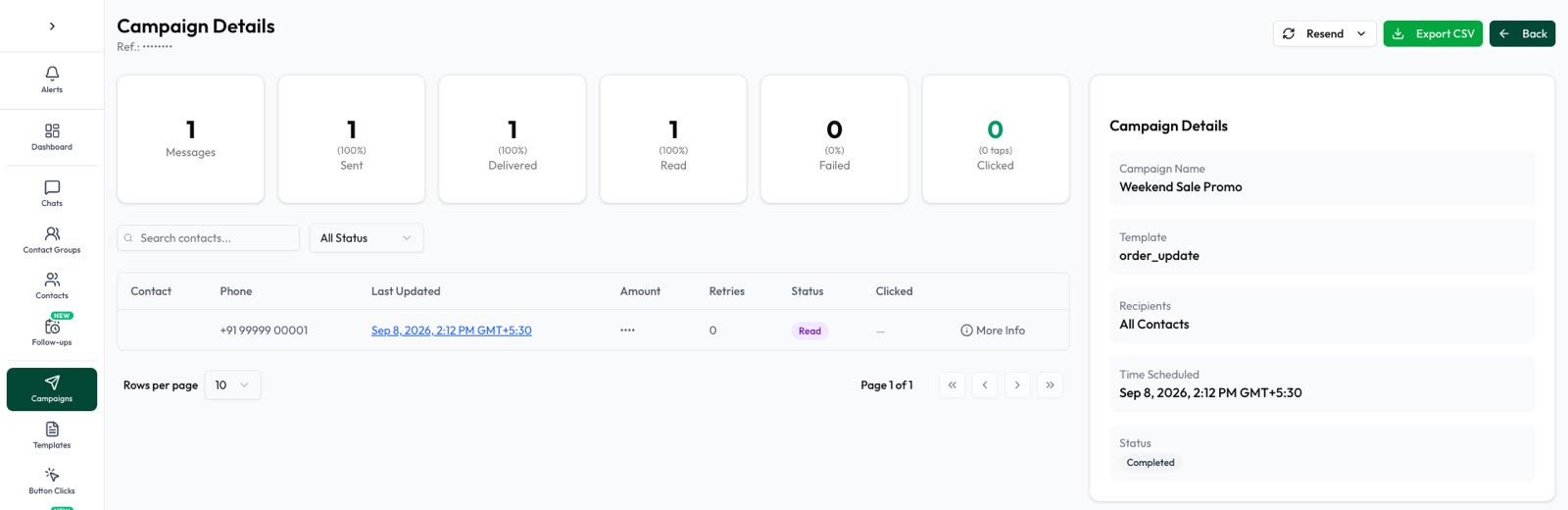
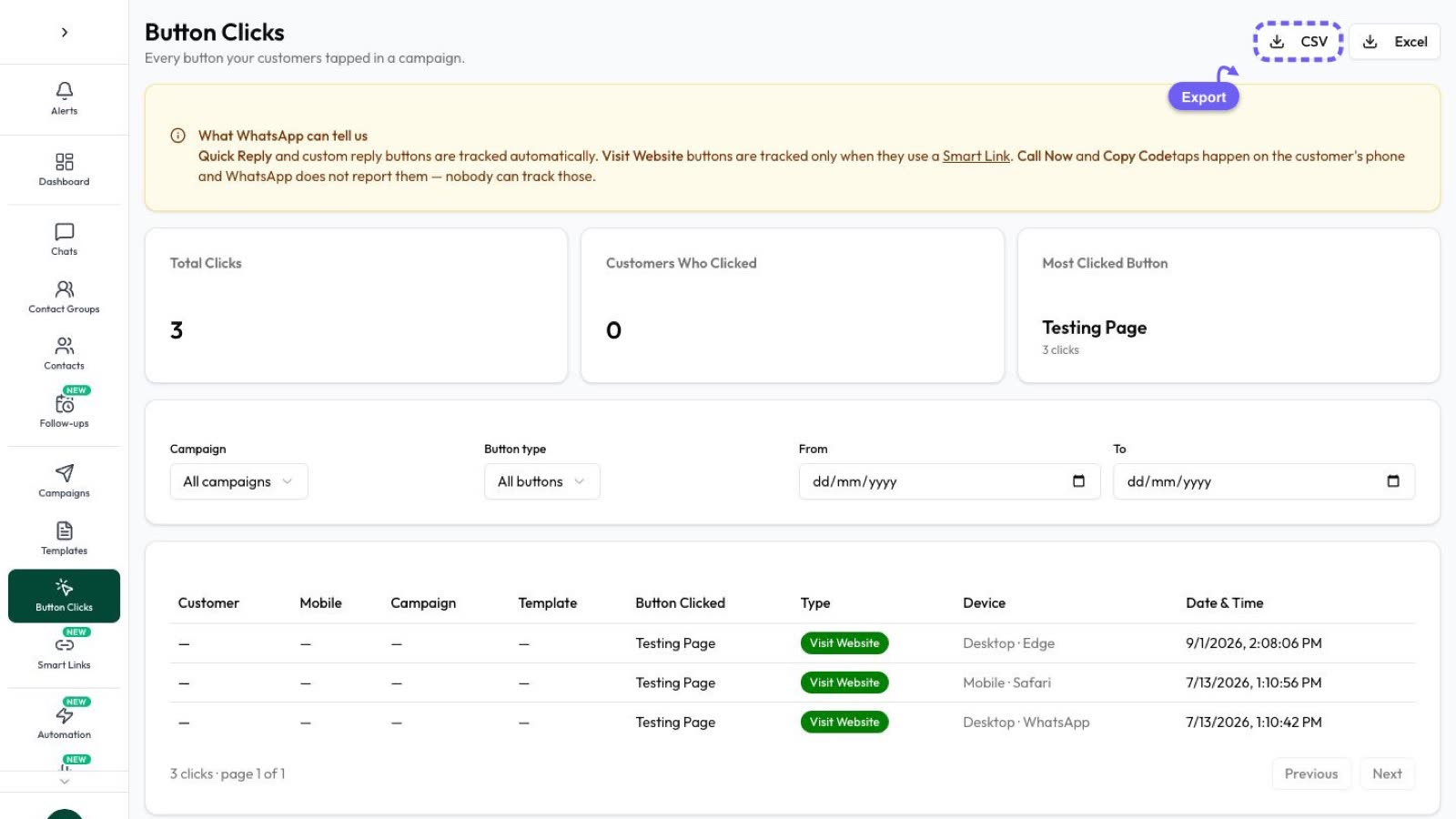
For every campaign, watch delivery rate, read rate, replies and button clicks, and compare segments and templates. Retarget people who read but didn’t act, and resend to numbers that failed.
Limits that affect your reach
- Messaging limit: caps unique recipients per 24 hours for your business portfolio (250 to start, rising to unlimited).
- Per-user marketing limits: WhatsApp caps marketing templates per person based on their engagement; a capped send returns error 131049, and you should wait before retrying.
- Quality rating and pacing: low-quality templates are slowed or paused; new portfolios get large campaigns released in batches.
Details are in WhatsApp broadcast limits.
Campaign ideas by industry
- D2C and e-commerce: new arrivals, festival sales, back-in-stock alerts, cart reminders.
- Real estate: new project launches, site-visit invitations, price updates for interested buyers.
- Education and coaching: admission windows, demo-class invitations, fee reminders.
- Clinics: health camp announcements and follow-up check-ups (keep health details out of messages).
- Travel: seasonal packages and early-bird offers for past travellers.
With Automate AI Marketing you can create templates, choose your audience, send now or schedule, and track every message live.
Frequently asked questions
Is WhatsApp marketing legal in India?
Yes, when you message people who opted in, as WhatsApp’s policy requires, and follow Indian data-protection law.
How many WhatsApp marketing messages can I send?
Your messaging limit caps unique recipients per 24 hours (250 to start, rising to unlimited), and WhatsApp also limits marketing messages per person based on their engagement.
Can I message customers who haven’t saved my number?
Yes, through the WhatsApp Business API with approved templates, if they opted in. App broadcast lists only reach people who saved your number.
What does a WhatsApp marketing message cost?
₹0.8631 per delivered message in India at Meta’s list rate from 1 October 2026, plus 18% GST and your provider’s fees.
Sources
- WhatsApp Business Messaging Policy
- Meta: Getting opt-in
- Meta: Per-user marketing template limits
- Meta: Marketing templates
- Meta: Pricing on the WhatsApp Business Platform
- WhatsApp Help: Broadcast lists
- TechCrunch: WhatsApp now has more than 3 billion users a month (1 May 2025)
WhatsApp rules and prices change. We check these guides against Meta’s documentation, but always confirm current terms with Meta before you rely on them. Questions? Message us on WhatsApp at +91 79000 03693.