WhatsApp Chatbot for Business: Build One Without Code
What a WhatsApp chatbot is, what it can do (buttons, lists, forms), chatbot ideas by industry, how to build one without code step by step, the rules it must follow and what it costs to run in 2026.
A WhatsApp chatbot is an automated conversation that answers customers on your business number: it greets them, offers choices as buttons or lists, collects details, answers common questions and hands over to your team when needed. Rules-based bots follow a flow you design; AI bots understand free text.
You can’t build a real chatbot in the WhatsApp Business app, which only has greeting and away messages and quick replies. You need the WhatsApp Business Platform (API) and a chatbot builder, and with a no-code flow builder you can have one live in an afternoon.
Key takeaways
- Chatbots need the WhatsApp Business API; the Business app only has greeting and away messages and quick replies.
- Bots can use reply buttons (up to 3), lists, website buttons, location requests and WhatsApp Flows forms.
- Bots answer inside the 24-hour window as service messages: 1,000 free per number per month, then ₹0.1150 each in India (from October 2026).
- Every bot must offer a clear way to reach a person, and must never ask for full card or national ID numbers.
- Start with one job (book a demo, answer FAQs, qualify a lead), then add more.
What a WhatsApp chatbot is
A rules-based chatbot follows a flow: “If the customer taps Book a demo, ask which day suits them.” It’s predictable, cheap and easy to approve internally. An AI chatbot reads free text and answers from your documents; it handles questions you didn’t predict. Many businesses use both: a flow for the main journeys and AI as a fallback. Read more in WhatsApp AI agents for business.
Can you build a chatbot in the WhatsApp Business app?
No. The free Business app offers greeting messages, away messages and quick replies, which save typing but can’t hold a conversation. For buttons, branching, forms and integrations you need the WhatsApp Business Platform and a chatbot builder on top of it.
What a WhatsApp chatbot can do
- Reply buttons: up to three tappable options (“Book a demo”, “Talk to sales”).
- Lists: a menu of options in sections, for services or products.
- Website buttons: open a page, such as a booking or payment link.
- Media: send images, videos and PDFs such as price lists.
- Location and address requests.
- WhatsApp Flows: in-chat forms for bookings, lead details and surveys.
- Typing indicators, so the customer knows a reply is coming.
Chatbot ideas by industry
| Industry | Chatbot job | Sample flow |
|---|---|---|
| Real estate | Qualify buyers and book site visits | Budget → location → BHK → pick a visit slot → assign to an agent |
| Education | Answer admission questions | Course → batch timings → fees PDF → book a counselling call |
| Clinics and salons | Book appointments | Service → date → time → confirmation (no health details in chat) |
| E-commerce | Order status and returns | Order number → status → return or exchange options → human help |
| Travel | Package enquiries | Destination → dates → travellers → brochure → call back |
How to build a WhatsApp chatbot without code, step by step
- Pick one job for the first bot, such as booking demos.
- Create a flow in your chatbot builder and give it a name.
- Choose the trigger: keywords in the customer’s message (for example “demo”, “price”), or a new contact being added.
- Add steps: a welcome message, reply buttons, a question, then actions such as adding the contact to a group or updating their status.
- Add a way out: a “Talk to a person” option that alerts your team.
- Test it on your own phone.
- Publish it. A saved flow stays inactive until you publish it.
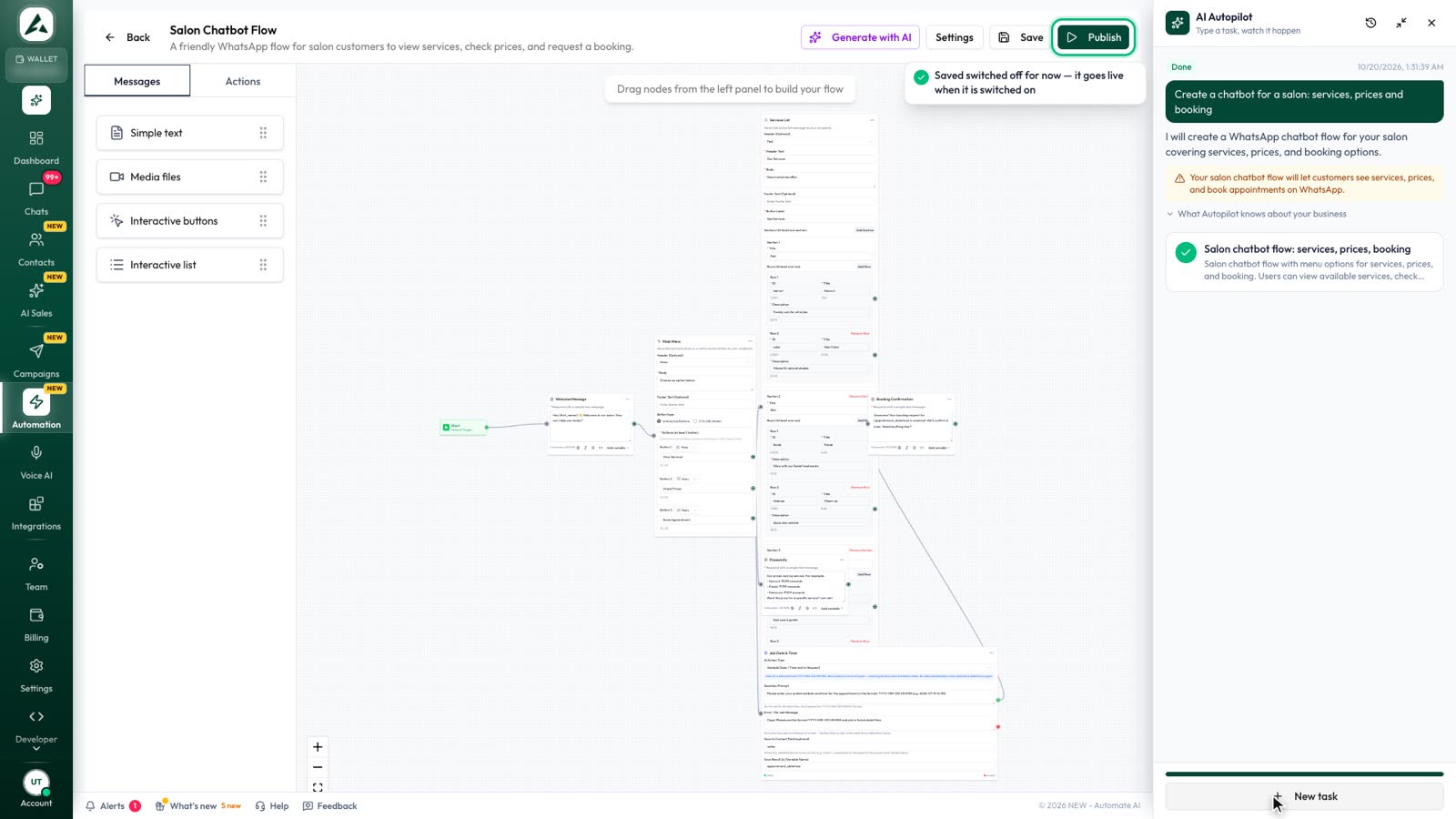
In Automate AI’s chatbot builder you drag steps onto a canvas: text, media, reply buttons and lists, plus actions like add to group, update contact, delay, condition, send email and webhook. Or describe the bot in plain words and let Generate with AI draft the flow for you to edit.
Rules your chatbot must follow
- 24-hour window: a bot replies freely while the customer’s window is open; to message someone first, it must use an approved template, and they must have opted in.
- Human handover: WhatsApp policy requires a clear way to reach a person.
- Sensitive data: never ask for full card numbers or national ID numbers in chat.
- Restricted categories: medical and healthcare products are restricted under WhatsApp’s Commerce Policy, and Meta’s terms say the platform is not HIPAA compliant, so clinics should keep health details out of chats.
- AI rules: businesses can use AI to serve their own customers, but general-purpose AI assistants as a product are not allowed on the platform since 15 January 2026.
What a WhatsApp chatbot costs to run in 2026
Bot replies inside the customer’s window are service messages. From 1 October 2026 each number gets 1,000 free service messages a month; after that, Meta charges ₹0.1150 per message to Indian numbers, plus GST. Chats that start from a Click-to-WhatsApp ad are free during the free window if you reply within 24 hours. Your chatbot platform’s own fee comes on top. See WhatsApp API pricing in India.
Measuring your chatbot
- Completion rate: how many people reach the end of the flow.
- Drop-off step: where people stop; shorten or reword it.
- Handover rate: how often people ask for a person, and why.
- Outcome: demos booked, leads qualified, orders tracked.
Frequently asked questions
Is a WhatsApp chatbot free?
No. From October 2026, bot replies beyond 1,000 service messages a month per number are charged by Meta (₹0.1150 each in India), plus your chatbot platform’s fees.
Can I build a chatbot in the WhatsApp Business app?
No. The app only has greeting and away messages and quick replies. Chatbots need the WhatsApp Business Platform (API).
Can a chatbot message people first?
Only with approved template messages to people who opted in.
Must a WhatsApp chatbot offer a human?
Yes. WhatsApp’s policy requires automated experiences to give a clear way to reach a person.
Sources
- Meta: Sending messages (interactive messages, 24-hour window)
- Meta Business Help: WhatsApp Business Platform vs app
- WhatsApp Business Messaging Policy
- Meta Terms for WhatsApp Business Platform
- Meta: Pricing on the WhatsApp Business Platform
WhatsApp rules and prices change. We check these guides against Meta’s documentation, but always confirm current terms with Meta before you rely on them. Questions? Message us on WhatsApp at +91 79000 03693.