WhatsApp Automation: Follow-Ups and Drip Campaigns
What you can automate on WhatsApp, the rules automated follow-ups must follow, how to design a drip campaign that stops on reply, six ready-made sequences and how to measure them.
WhatsApp automation means letting software send the right message at the right time without someone typing it: instant replies, chatbots, reminders and drip campaigns, which are series of follow-up messages sent over days or weeks and stopped as soon as the customer replies.
Automation works on WhatsApp as long as it follows the platform’s rules: after 24 hours you need approved templates and opt-in, promotional nudges count as marketing, and people must always be able to reach a human. This guide shows how to design follow-ups that respect those rules and still convert.
Key takeaways
- Any automated follow-up sent more than 24 hours after the customer’s last message must be an approved template to an opted-in contact.
- Nudges, recommendations and renewals are marketing; updates about a specific order or booking can be utility.
- Design drips to stop on reply, respect business hours and space steps out; WhatsApp caps marketing messages per person.
- Automated experiences must give customers a clear way to reach a person.
- Measure every step: reads, replies, clicks and blocks.
What you can and can’t automate on WhatsApp
| You can automate | You can’t (or shouldn’t) |
|---|---|
| Instant replies and chatbots inside the 24-hour window | Free-form messages after the window closes |
| Template follow-ups to opted-in contacts | Messages to people who never opted in |
| Order, booking and payment updates (utility) | Promotions disguised as utility |
| Drip sequences that stop when the customer replies | Endless follow-ups that ignore replies or opt-outs |
| AI answers about your own business | A general-purpose AI assistant as your product |
Auto-replies vs chatbots vs drip sequences vs AI
- Auto-replies: a fixed answer to a keyword or outside business hours.
- Chatbots: guided conversations with buttons and lists that qualify leads or answer FAQs. See how to build a WhatsApp chatbot.
- Drip sequences: a series of templates sent over time after someone joins a list.
- AI assistants: free-text answers from your own documents, inside the customer’s window. See WhatsApp AI agents.
Rules every automated follow-up must follow
- Window: after 24 hours, only approved templates.
- Opt-in and opt-out: only opted-in contacts; stop immediately when they ask.
- Category: promotional follow-ups are marketing templates; an update about a specific order or booking can be utility. “Continue the conversation on WhatsApp” is utility only if the customer asked for it.
- Per-user limits: WhatsApp caps marketing messages per person based on engagement; marketing sent inside a window the customer opened by replying doesn’t count.
- Human handover: customers must be able to reach a person.
- Pace: send at most one message every six seconds to the same person, and wait for “delivered” before the next step.
Designing a drip: timing, steps and stopping on reply
- Trigger: who enters the sequence (new lead, enquiry from an ad, abandoned enquiry).
- Step 1: a welcome or confirmation, sent on enrollment.
- Steps 2–4: useful content first (a guide, a price list, a reminder), the offer later.
- Spacing: days, not minutes, apart.
- Stop rules: stop on reply, on purchase or on opt-out.
- Business hours: hold messages until you’re open, so replies reach a person.
Six ready-made WhatsApp sequences
- Lead nurture (coaching, SaaS, services): welcome → free resource → case example → offer.
- Site-visit or demo reminder (real estate, software): confirmation → reminder the day before → follow-up after the visit.
- Admission enquiry (education): course details → batch dates → fee reminder before the deadline.
- Appointment reminder (clinics, salons): confirmation → reminder → feedback request.
- Cart reminder (e-commerce): reminder with the product → help offer → (optional) incentive.
- Renewal (subscriptions, insurance): renewal notice → reminder → last-day note.
Writing follow-up templates
Keep each step short and specific, personalise with the contact’s name and what they asked about, add one clear button, and include “Stop promotions” on marketing steps. Each marketing step costs ₹0.8631 per delivered message in India (Meta’s list rate from October 2026), so fewer, better steps usually win. The template guide covers approval.
Measure and prune
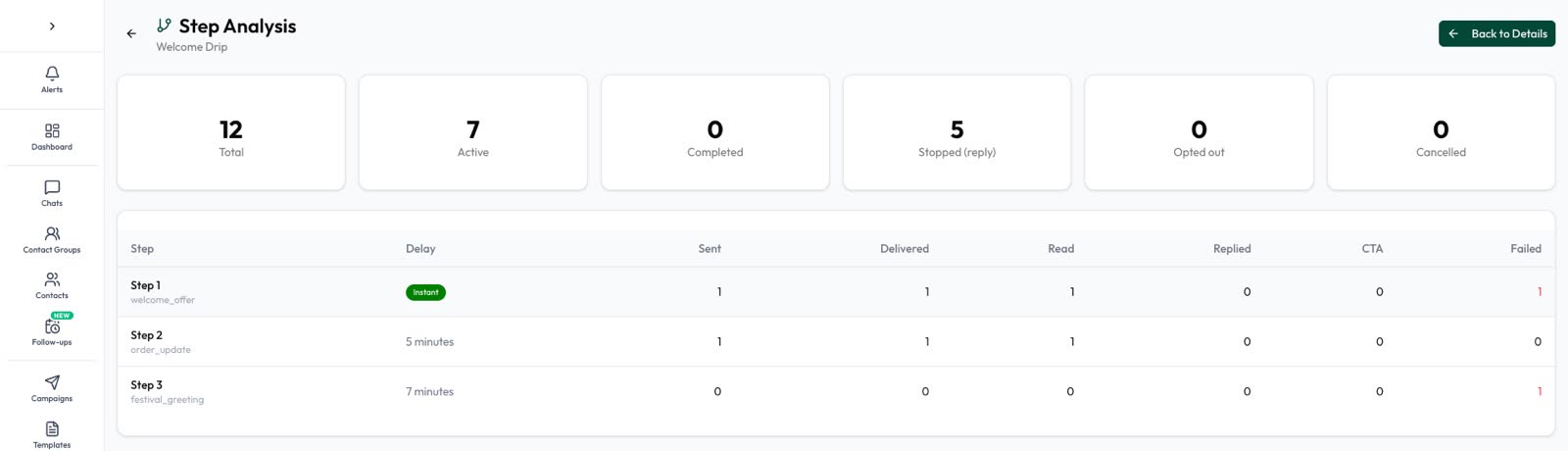
Look at each step’s sent, delivered, read, replied and clicked numbers, and at how many contacts completed the sequence or stopped by replying. Cut steps that nobody reads, and watch blocks: if people block you after a step, rewrite it or remove it.
Set it up in Automate AI
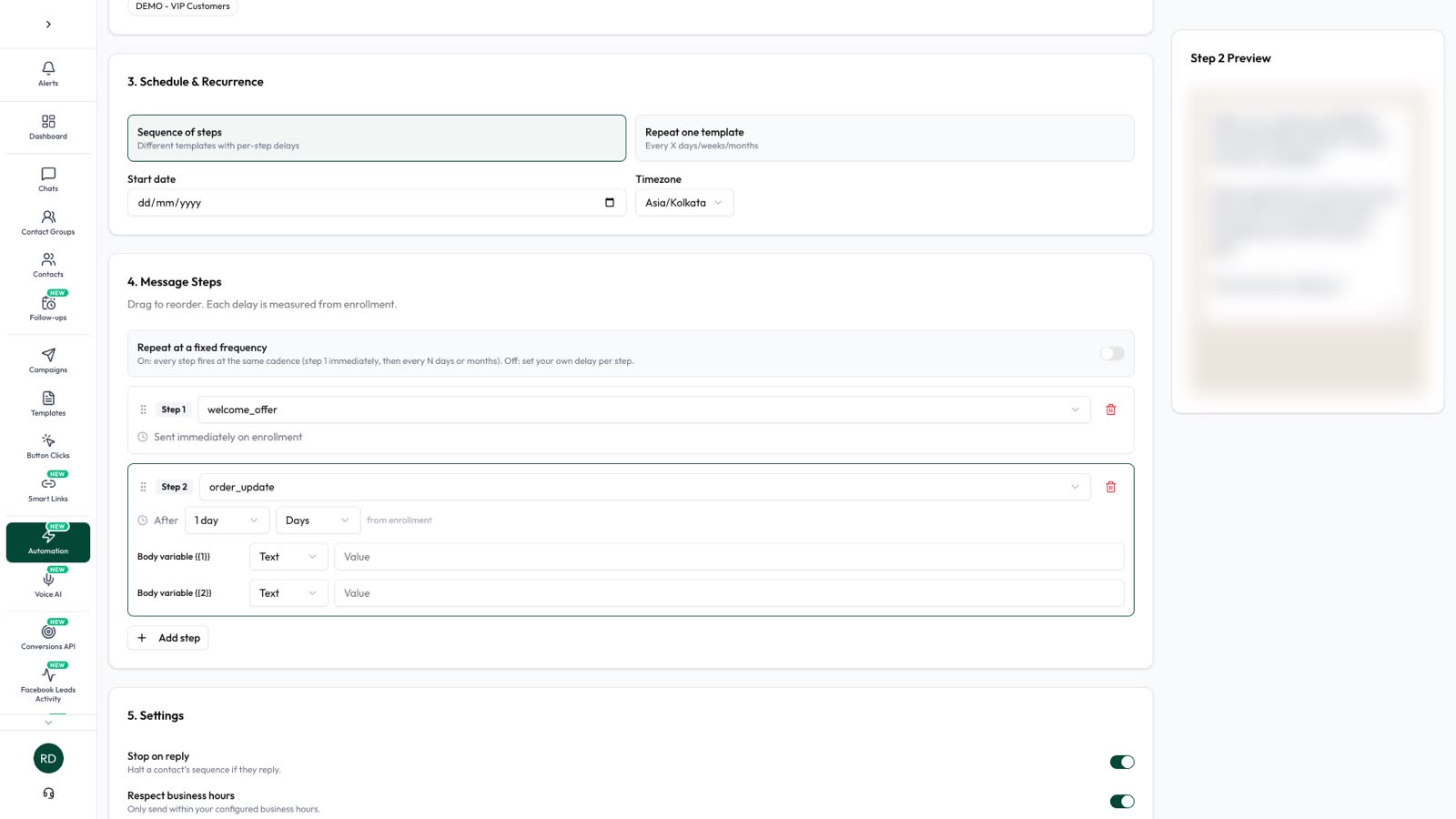
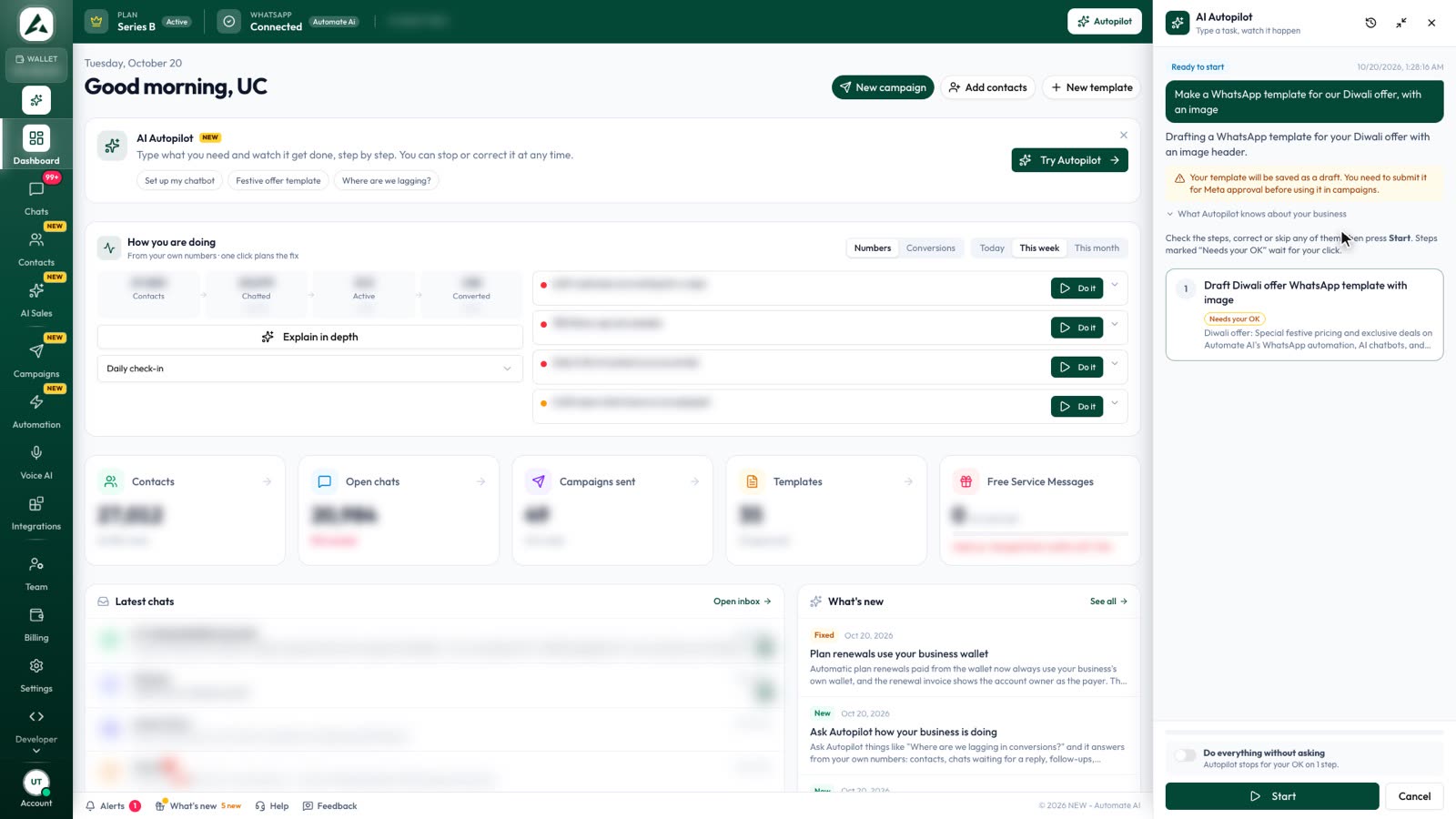
With Automate AI Drip Campaign you pick the audience by status and group, add template steps with delays from minutes to months, switch on stop-on-reply and business hours, set a daily, weekly or monthly budget and track every step. If you have the AI Copilot add-on (AI Autopilot in the app), you can describe what you need and let it draft the templates and campaign for your approval.
Frequently asked questions
Can WhatsApp follow-ups go out automatically after 24 hours?
Yes, as approved template messages to contacts who opted in.
Are WhatsApp follow-ups marketing or utility?
Promotional nudges, recommendations and renewals are marketing. Updates about a specific order or booking can be utility.
How many follow-ups is too many?
Meta publishes no fixed number, but it limits marketing messages per person based on engagement. Stop when the contact replies and watch block rates.
What is a WhatsApp drip campaign?
A scheduled series of template messages sent over days or weeks that stops when the contact replies.
Sources
- Meta: Sending messages and the customer service window
- Meta: Template categorization
- Meta: Per-user marketing template limits
- WhatsApp Business Messaging Policy
- Meta: Pricing on the WhatsApp Business Platform
WhatsApp rules and prices change. We check these guides against Meta’s documentation, but always confirm current terms with Meta before you rely on them. Questions? Message us on WhatsApp at +91 79000 03693.