Use the WhatsApp Business App and the API on the Same Number (Coexistence)
How WhatsApp coexistence works: keeping the WhatsApp Business app on a number that is also connected to the API. Requirements, what syncs, which app features change, throughput, pricing and how onboarding through Embedded Signup works.

WhatsApp coexistence lets a business keep using the WhatsApp Business app on its existing number while the same number is also connected to the WhatsApp Business Platform (Cloud API). You keep chatting from your phone, and software such as a team inbox, chatbot or campaign tool uses the API on the same number. Meta calls it onboarding WhatsApp Business app users.
It is set up through a Meta Solution Partner or Tech Provider using Meta’s Embedded Signup, needs app version 2.24.17 or later, can sync your contacts and up to six months of one-to-one chats, and fixes throughput at 20 messages per second. Some app features switch off, such as broadcast lists. This guide explains what changes, as of October 2026.
Key takeaways
- Coexistence keeps your WhatsApp Business app working on a number that is also on the Cloud API.
- You need app version 2.24.17 or later and a provider that is a Meta Solution Partner or Tech Provider.
- Contacts and up to 6 months of one-to-one chats can be synced once, within 24 hours of onboarding; group chats are not synced.
- In the app, broadcast lists become read-only, and disappearing messages, view once and live location are switched off for one-to-one chats.
- Messages you send from the app stay free; messages sent through the API are billed at API rates.
What coexistence is, and why businesses want it
Until coexistence, moving a number to the WhatsApp Business API meant deleting its WhatsApp account first, and losing the app on that number. Many small businesses didn’t want to give up the app their staff and customers already knew.
With coexistence, the WhatsApp Business app stays on the owner’s phone and the number is also connected to the Cloud API. Meta says messaging history between the app and the API stays in sync, so a business can, for example, keep answering regulars from the phone while a team inbox, a chatbot or template campaigns run on the API.
| Business app only | API only | Coexistence | |
|---|---|---|---|
| Chat from the WhatsApp Business app | Yes | No | Yes |
| Team inbox, chatbots, AI and integrations | No | Yes | Yes |
| Approved templates to opted-in contacts | No | Yes | Yes |
| Broadcast lists in the app | Yes | No | Read-only |
| Throughput | App limits | Scales with your account | Fixed at 20 messages per second |
Requirements
- WhatsApp Business app version 2.24.17 or later on the number you want to connect.
- A provider that is a Meta Solution Partner or Tech Provider, using Meta’s Embedded Signup. You can’t switch it on yourself in the app alone.
- Access to the phone with the app. You confirm the connection in the app during onboarding.
- Keep the app in use. Meta lists inactivity of the main device for about 14 days, or of a companion device for about 30 days, among the reasons a number gets disconnected.
Meta’s developer page doesn’t list country restrictions, but availability and eligibility can change. Confirm with your provider that your number qualifies before you plan around it.
What syncs from the app
| Data | What Meta allows to sync |
|---|---|
| Contacts | All contacts with a WhatsApp number |
| Chat history | One-to-one chats from the last 6 months, if the business chooses to share history |
| Group chats | Not synced |
| Media in old messages | Only for media messages from the 14 days before onboarding |
| New messages | Messages sent from the app are passed to the provider as they happen |
Contacts and history can each be requested once, within 24 hours of onboarding; otherwise the business has to disconnect and onboard again. You decide during onboarding whether to share chat history. What your provider then does with that data, and whether it shows old chats in its own inbox, depends on the provider.
What changes in the WhatsApp Business app
Switched off or limited
- Broadcast lists: you can’t create new ones, and existing lists become read-only. Use API campaigns with approved templates instead; see WhatsApp broadcast limits.
- Disappearing messages: turned off for all one-to-one chats.
- View once messages: disabled for one-to-one chats.
- Live location messages: disabled for one-to-one chats.
- Linked devices: onboarding unlinks all companion devices; you can re-link supported ones afterwards (up to four). WhatsApp for Windows and WearOS are not supported.
Still works in the app
Contacts, group chats, voice and video calls, catalogue, orders, status, greeting and away messages, quick replies, labels, your business profile and Channels. Message edit and delete are supported.
Not available through the API
Group chats, disappearing messages, view once, live location, broadcast lists, calls, the app’s business and messaging tools, business profile management and Channels are app-only on a coexistence number.
Throughput, pricing and the 24-hour window
Throughput: a number used with both the app and the Cloud API has a fixed throughput of 20 messages per second. That is plenty for most small businesses, but it is fixed.
Pricing: messages you send from the WhatsApp Business app remain free. Messages sent through the API are billed at Cloud API rates. In India from 1 October 2026 that is ₹0.8631 per marketing template and ₹0.1150 per utility or authentication template, with 1,000 free service messages per number per month and ₹0.1150 each after that, plus 18% GST. See WhatsApp API pricing in India.
The 24-hour window: messages sent from the app don’t open or affect API customer service windows. An API window opens only when a customer messages the business after onboarding; if their last message came before onboarding, the API can only answer with a template.
How onboarding works, step by step
- Start your provider’s WhatsApp connection, which opens Meta’s Embedded Signup.
- Choose the option to connect your existing WhatsApp Business app account, and enter the app’s number.
- You receive a verification code and confirm the connection in the WhatsApp Business app. Meta says to expect a message from the official Facebook Business account during the flow.
- Choose whether to share your chat history.
- Your provider finishes setup. Your WhatsApp Business account ID stays the same, and the number doesn’t go through the usual API registration step.
- Keep the app open while contacts and history sync.
Disconnecting later
To stop, open Settings › Account › Business Platform in the WhatsApp Business app and choose Disconnect Account. Providers can’t deregister a coexistence number through the API.
Is coexistence right for you?
| Coexistence suits you if… | A full API move may suit you better if… |
|---|---|
| The owner wants to keep chatting from the app | Everyone will work from a shared inbox |
| You rely on WhatsApp groups or calls in the app | You need more than 20 messages per second |
| You want to try API campaigns or a chatbot without changing numbers | You don’t need the app on that number at all |
Either way, the API rules still apply to API messages: opt-in, approved templates outside the 24-hour window, and quality ratings.
Coexistence and Automate AI
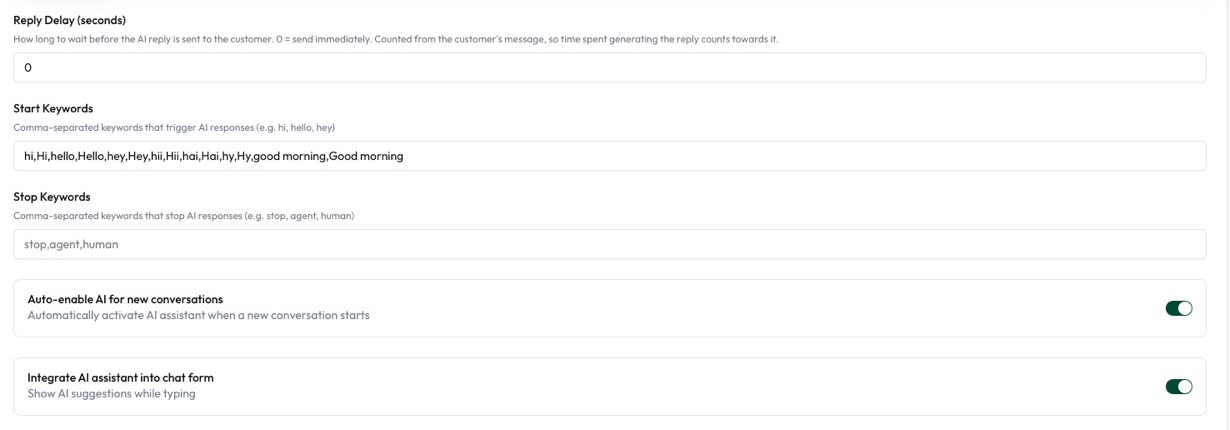
Automate AI’s WhatsApp connection supports two paths: Connect a new number, or Use my WhatsApp Business App number, which runs Meta’s WhatsApp Business app onboarding so you can keep chatting in the app and use the same number in Automate AI. If you don’t see the second option when you connect, our team can set it up with you.
At the time of writing, Automate AI doesn’t import the chat history Meta can share during onboarding, so the shared inbox starts with conversations from the day you connect.
Not sure whether your number qualifies, or what to keep in the app? Contact our team before you connect an existing number.
Frequently asked questions
Can I use the WhatsApp Business app and the API on the same number?
Yes, with Meta’s coexistence onboarding through a Solution Partner or Tech Provider. You need app version 2.24.17 or later.
Will my old chats move to the API?
If you choose to share history, up to six months of one-to-one chats can be synced, once, within 24 hours of onboarding. Group chats are not synced.
Can I still send broadcasts from the app?
No. Broadcast lists become read-only and you can’t create new ones. Send campaigns through the API with approved templates.
Are messages sent from the app charged?
No. Messages sent from the WhatsApp Business app stay free. Messages sent through the API are billed at API rates.
What is the sending speed on a coexistence number?
A fixed throughput of 20 messages per second.
How do I disconnect coexistence?
In the WhatsApp Business app, go to Settings › Account › Business Platform and choose Disconnect Account.
Sources
- Meta: Onboarding WhatsApp Business app users (coexistence)
- Meta: Pricing on the WhatsApp Business Platform
WhatsApp rules and prices change. We check these guides against Meta’s documentation, but always confirm current terms with Meta before you rely on them. Questions? Message us on WhatsApp at +91 836 977 8812.