
WhatsApp Opt-In: How to Collect Consent the Right Way
What Meta’s WhatsApp opt-in rules require, what valid opt-in wording must say, where to collect consent (website, checkout, QR, IVR, chat), how to honour opt-outs and keep records, with sample wording for Indian businesses.
Before a business messages anyone on WhatsApp, Meta requires two things: the person has given you their phone number, and they have agreed to receive messages from your business. A valid opt-in must clearly say that the person is opting in to hear from you and must name your business. It does not have to be collected on WhatsApp: a website form, a checkout page, an IVR call or a signed paper form all work, as long as it meets these rules and local law.
Opt-in is not a one-time box to tick. People can stop your marketing messages, block or report you, and WhatsApp watches that feedback. This guide explains what Meta’s opt-in rules say as of October 2026, where to collect consent, how to handle opt-outs, what records to keep, and gives sample wording you can adapt.
Key takeaways
- You may only message people who gave you their number and opted in to messages from your business.
- The opt-in must clearly say they are opting in, and name your business. It can be general rather than WhatsApp-specific, as long as local law is followed.
- Any method works if it meets those rules: Meta gives website, SMS, IVR and in-person or paper as examples.
- You must honour every opt-out request, on or off WhatsApp. Users can also stop your marketing messages from WhatsApp’s own settings.
- Meta doesn’t prescribe a record format, but it may review your opt-in flows, so keep a record of who agreed, when, where and to what.
What Meta’s opt-in rules actually say
The WhatsApp Business Messaging Policy (last updated 23 September 2026 at the time of writing) says you may only contact people on WhatsApp if they have given you their mobile number (or username) and you have received opt-in permission confirming they want to receive messages or calls from you. Since Meta’s November 2024 update, that permission can be general and need not mention WhatsApp specifically, provided you follow local law.
Meta’s developer guide “Get opt-in for WhatsApp” sets out three requirements:
- Clearly state that the person is opting in to receive communication from your business.
- Clearly state the name of the business they are opting in to hear from.
- Comply with applicable law.
You alone are responsible for choosing the method of opt-in and for any notices and permissions the law requires. The policy also requires a published privacy policy and the consents needed to collect and use people’s information.
What a good opt-in looks like
Meta’s requirements are the minimum. Its best-practice tips go further, and following them is the simplest way to avoid blocks and reports:
- Set expectations. Cover the kinds of messages you will send, such as order updates, relevant offers and product recommendations.
- Consider separate opt-ins by category. Meta suggests this because people who get messages they didn’t expect are more likely to block you.
- Say what’s in it for them, for example delivery updates or early access to sales.
- Explain how to opt out, by category, and honour it.
- Keep both flows clear and simple. No pre-ticked boxes or consent buried in long terms.
- Watch your quality rating when you launch a new opt-in method.
Where to collect WhatsApp opt-in
Meta lists SMS, websites, phone calls through an IVR flow, and in person or on paper as examples of supported methods, and says any method that meets the requirements is policy compliant. In practice, Indian businesses usually collect it at these points:
| Where | How | Tip |
|---|---|---|
| Website or landing-page form | An unticked checkbox next to the phone field | Name your business and the message types in the checkbox text |
| Checkout | A checkbox for order updates, and a separate one for offers | Lets customers accept updates but skip promotions |
| In store | A QR code or click-to-chat link on a counter card, plus a signed form or register | The QR opens a chat; still ask before sending promotions later |
| Phone (IVR) | “Press 1 to get updates from Example Store on WhatsApp” | Log the call time and the key pressed |
| SMS or email | A message asking the customer to reply or tap to confirm | Keep the reply as your record |
| Inside a WhatsApp chat | When a customer messages you, ask with buttons: “Yes, send me offers” / “Only order updates” | Their reply is a clear, timestamped record |
When someone starts a chat with you, for example from a click-to-chat link or an ad, you can reply freely within the 24-hour window. Before you send them marketing templates later, ask whether they want to hear from you and save the answer. Our free WhatsApp link and QR generator makes click-to-chat links and QR codes for counters, packaging and print.
Lead forms are the same: a phone number on a form is not enough by itself. Add opt-in wording that names your business to the form. More ideas are in WhatsApp lead generation.
Sample opt-in wording for Indian businesses
Sample text only, using a placeholder business name. Change it to match your business, the messages you will actually send and your legal advice.
Website or checkout checkbox
- ☐ “Send me order and delivery updates from Example Store on WhatsApp.”
- ☐ “Send me offers and new arrivals from Example Store on WhatsApp. I can opt out any time by replying STOP.”
Clinic or service booking (keep health details out of chat)
- ☐ “I agree to receive appointment confirmations and reminders from Example Clinic on WhatsApp at +91 XXXXX XXXXX.”
Education enquiry
- ☐ “I’d like Example Academy to send me batch timings, fee reminders and course updates on WhatsApp.”
In-chat question
- “Hi! Would you like Example Store to send you offers on WhatsApp? You can stop any time.” [Yes, send offers] [Only order updates]
Opt-outs: “Stop promotions” buttons and WhatsApp’s own controls
The policy says you must respect every request to block, stop or opt out of your WhatsApp messages, whether it comes on WhatsApp or anywhere else (an email, a phone call, a shop visit), including removing that person from your contact list.
Give people an easy way out
Meta’s template documentation says a common use of a quick-reply button is to let customers opt out of marketing messages, for example a “Stop promotions” button. When someone taps it, the reply comes to you, and you must stop sending them marketing messages.
WhatsApp’s “Offers and announcements” setting
Users can also stop or resume marketing messages from your business in WhatsApp’s Offers and announcements setting. If you send a marketing template to someone who has stopped them, it is not delivered and fails with error 131050. Users can mark themselves “Not interested”, which can also reduce how many of your marketing messages they receive.
Per-person marketing limits
Even with a valid opt-in, WhatsApp limits how many marketing templates a person receives, based on how they engage. Blocked sends fail with error 131049. See WhatsApp broadcast limits for the details.
Keeping records of consent
Meta’s opt-in guide doesn’t specify a record format, but the policy says WhatsApp may review a business’s opt-in flows, including user feedback, to flag violations. A simple record protects you if a customer says they never signed up. For each contact, keep:
- The phone number and name.
- The date and time of the opt-in.
- Where it happened (website form, checkout, store, IVR, chat) and the exact wording shown.
- Which message types they agreed to (updates, offers, or both).
- The date of any opt-out, and the channel it came through.
India’s data protection law
The Digital Personal Data Protection Rules, 2025 were notified on 14 November 2025 under the DPDP Act, 2023, with an 18-month period for phased compliance. According to the Government’s summary, consent must be clear and informed, people can withdraw it at any time, and businesses must give a separate, easy-to-understand consent notice explaining the specific purpose. Check with your legal adviser how these rules apply to you; WhatsApp’s policy separately requires you to comply with local law.
Collect and respect opt-in with Automate AI
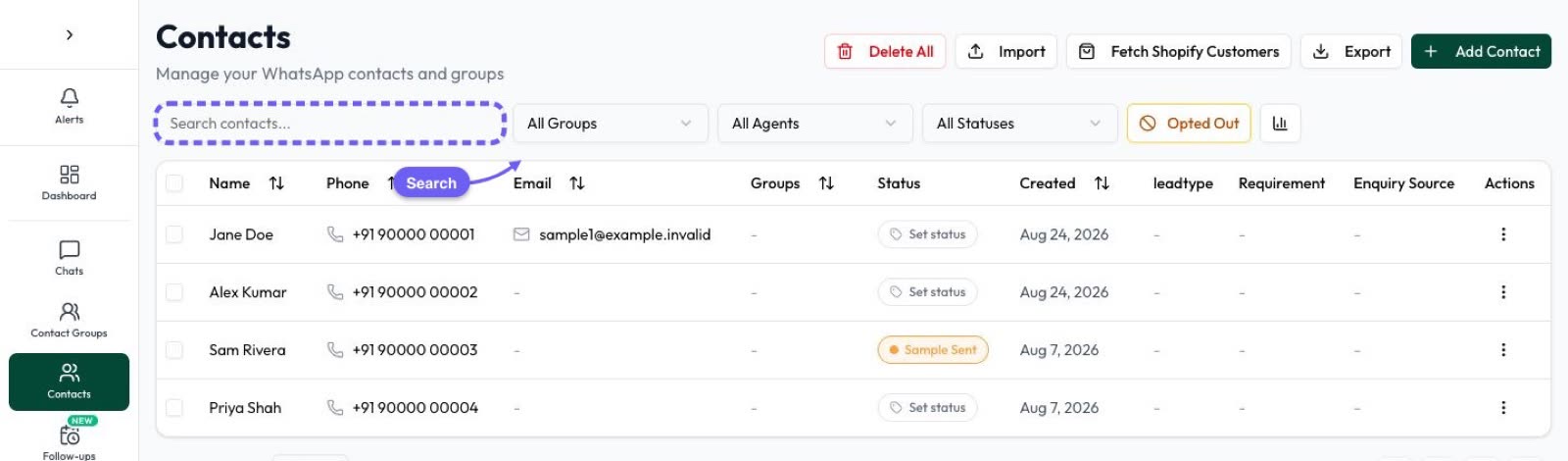
- Capture leads with their source. Contacts can come in from Facebook Lead Ads, IndiaMART, JustDial and your website form (by webhook), or by import. Store the consent details in tags, statuses or custom fields.
- Ask in chat. A chatbot flow can ask “Would you like offers on WhatsApp?” with buttons when a customer messages you.
- Track opt-out taps. Button Clicks logs quick-reply and URL button taps on your templates, so you can see who tapped “Stop promotions”.
- Keep opted-out contacts out of campaigns. You can mark contacts as opted out and filter them out before you send a campaign.
- Make QR codes and links for stores and print with the free link generator.
Frequently asked questions
Is opt-in mandatory for the WhatsApp Business API?
Yes. WhatsApp’s Business Messaging Policy says you may only message people who have given you their number and opted in to receive messages from your business.
Does the opt-in have to mention WhatsApp?
No. Since November 2024 Meta allows a general opt-in that isn’t WhatsApp-specific, as long as it names your business, makes clear the person is agreeing to messages from you, and meets local law. Naming WhatsApp still helps set expectations.
Can I collect opt-in offline?
Yes. Meta lists in-person or paper forms and IVR phone calls as supported methods, alongside websites and SMS.
If a customer messages me first, can I send them promotions?
You can reply to them freely for 24 hours. To send marketing templates later, ask them whether they want offers and keep a record of their answer.
What happens if someone stops my marketing messages?
If they stop marketing messages in WhatsApp’s Offers and announcements setting, your marketing templates to them fail with error 131050. If they ask you directly, you must stop messaging them as requested.
Can I buy a list of numbers and message them?
No. Those people haven’t opted in to hear from your business, which breaks WhatsApp’s policy and quickly leads to blocks, reports and restrictions.
Sources
- Meta: Get opt-in for WhatsApp
- WhatsApp Business Messaging Policy
- Meta: Marketing templates (user preferences for marketing messages)
- Meta: Template components (quick-reply buttons)
- Meta: Per-user marketing template limits
- Meta Business Help: About your WhatsApp Business phone number’s quality rating
- Press Information Bureau: DPDP Rules, 2025 notified (backgrounder)
WhatsApp rules and prices change. We check these guides against Meta’s documentation, but always confirm current terms with Meta before you rely on them. Questions? Message us on WhatsApp at +91 836 977 8812.
