WhatsApp Template Rejected? Reasons and How to Fix Them
Why Meta rejects WhatsApp message templates (variable mistakes, wrong category, policy issues, duplicates, missing samples) and how to fix and resubmit, appeal a rejection or request a category review, with Meta’s current length and button limits.
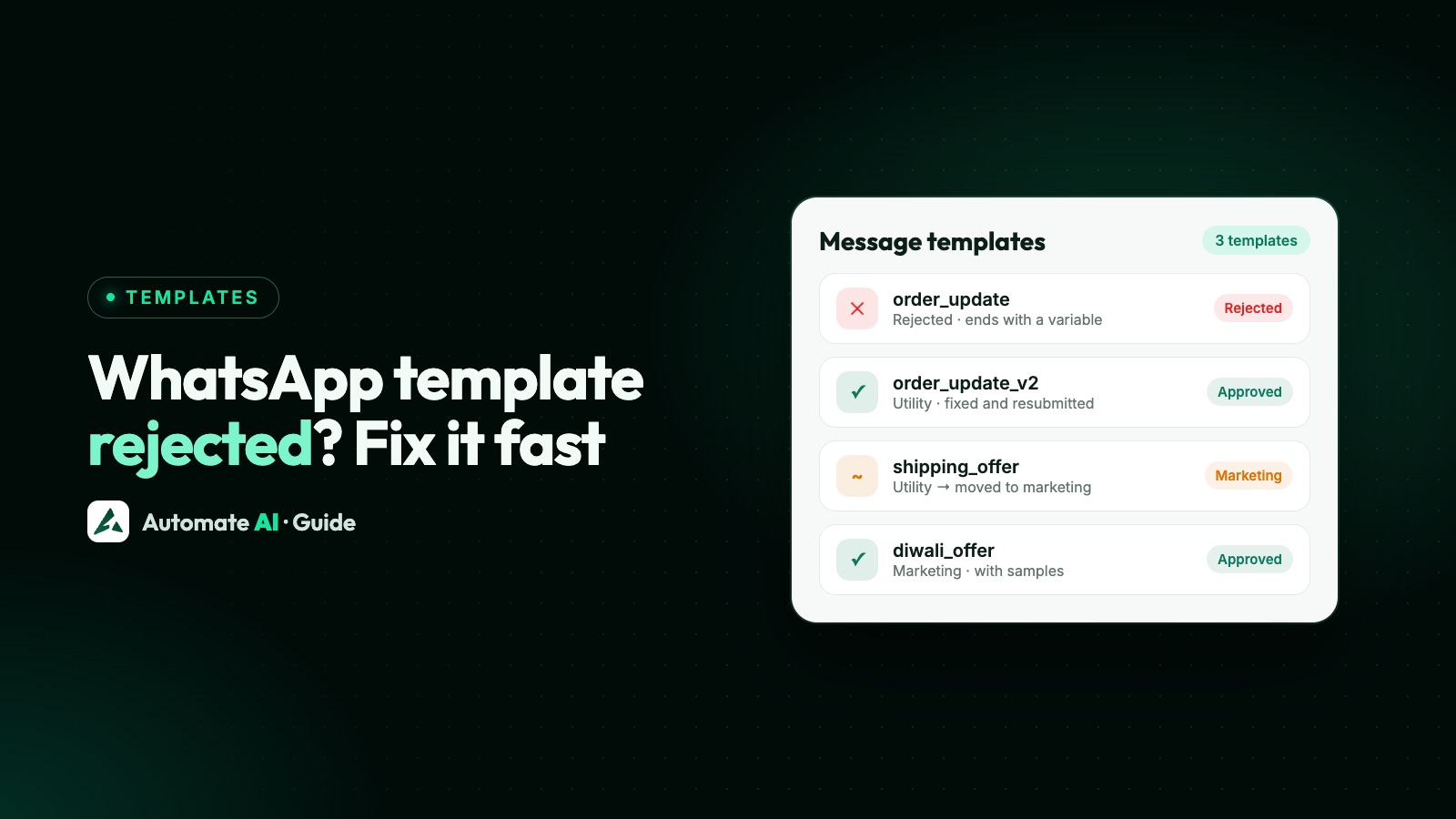
Most WhatsApp template rejections come from a handful of fixable mistakes: variables written the wrong way, a template starting or ending with a variable, too many variables for the length of the text, promotional wording in a utility template, content that breaks WhatsApp’s policies, or a copy of a template you already have.
Meta reviews new templates within 24 hours and tells you why one was rejected. This guide explains each reason in plain words, how to fix and resubmit, when to appeal or request a category review, and the limits that trip people up.
Key takeaways
- Write variables as
{{1}},{{2}}in order, never at the very start or end of the message. - Keep utility templates free of offers; promotional wording makes them marketing.
- Always add sample values for every variable and media header.
- Don’t ask for full card, bank account or ID numbers, and avoid threatening language.
- Fix and resubmit a rejected template, or appeal through WhatsApp Manager if you think Meta got it wrong.
Where to see the rejection reason
Meta emails the reason and shows it in Business Support Home (Account Overview → your WhatsApp Business Account → Rejected message templates). Your provider usually shows it next to the template too. The reason is one of a few codes:
| Reason | What it means |
|---|---|
| INVALID_FORMAT | Something in the structure is wrong, usually the variables |
| INCORRECT_CATEGORY / TAG_CONTENT_MISMATCH | The content doesn’t match the category you chose |
| PROMOTIONAL | Promotional content where it isn’t allowed |
| ABUSIVE_CONTENT | Content that breaks WhatsApp’s policies, such as threats or shaming |
| SCAM | Content that looks deceptive or fraudulent |
Variable mistakes (the most common)
| Mistake | Rejected | Fixed |
|---|---|---|
| Wrong braces | Hi {1}, your order… | Hi {{1}}, your order… |
| Special characters in a variable | Your total is {{#amount}} | Your total is ₹{{2}} |
| Variables out of order | Hi {{1}}, order {{3}} ships today | Hi {{1}}, order {{2}} ships today |
| Starts with a variable | {{1}}, your appointment is tomorrow | Hi {{1}}, your appointment is tomorrow |
| Ends with a variable | Your code for today is {{1}} | Your code for today is {{1}}. Valid for 10 minutes. |
| Too many variables for the text | {{1}} {{2}} {{3}} at {{4}} | Hi {{1}}, your table for {{2}} is booked at {{3}}. See you soon! |
Meta doesn’t publish an exact variable-to-text ratio. If a template is mostly placeholders, add real wording around them. Every variable needs a sample value when you submit, and media headers need a sample image, video or document.
Wrong category: utility vs marketing
A utility template must be non-promotional and about something the customer asked for or needs, such as an order, booking, payment or account update. Anything that promotes, upsells or re-engages is marketing, and so is a utility message with an offer tacked on.
- “Your order #1042 has shipped” is utility.
- “Your order #1042 has shipped. Use code SAVE10 on your next order” is marketing.
- “Happy Diwali from Example Store” is marketing (it builds the relationship but isn’t about a transaction).
Since April 2025, a template submitted as utility that Meta judges to be marketing is usually approved as marketing instead of rejected. Approved templates can also be re-categorised later, with at least a day’s notice by email. Businesses that repeatedly mislabel templates face escalating limits, from warnings to utility messages being treated as marketing for 7 or 30 days.
Policy reasons
- Sensitive identifiers. Don’t ask for full payment card numbers, bank account numbers or national ID numbers (such as full Aadhaar or PAN). Partial values like the last 4 digits are fine.
- Threats and shaming. “Pay today or we’ll take legal action and tell your employer” gets rejected. State the facts and the due date politely; see payment reminder messages.
- Restricted products. Templates selling things WhatsApp’s Commerce Policy doesn’t allow are rejected. See businesses WhatsApp doesn’t allow.
- Misleading content. Fake urgency, fake prizes or anything that looks like a scam.
Duplicates and limits
A template with the same body and footer as one you already have is rejected as a duplicate (authentication templates are exempt). Change the wording or reuse the existing template. Also check the limits:
| Part | Limit |
|---|---|
| Body | 1,024 characters |
| Header (text) | 60 characters, 1 variable |
| Footer | 60 characters |
| Button label | 25 characters |
| Buttons | Up to 10 in total: quick replies, up to 2 website buttons, 1 phone and 1 copy-code |
| Website button URL | Up to 2,000 characters, one variable at the end |
| Template name | Lowercase letters, numbers and underscores |
With more than 3 buttons, WhatsApp shows 2 and a “See all options” button. A business can have up to 250 templates until its business portfolio is verified, and up to 6,000 after.
Fix and resubmit, or appeal
- Read the reason and fix the cause above. Rejected templates can be edited as many times as needed.
- Resubmit. Review usually finishes within 24 hours.
- Appeal if you think Meta is wrong. In WhatsApp Manager open the template, make sure it has samples, and request a review. Meta decides within about 24 hours.
- Request a category review if a utility template was moved to marketing and you disagree: WhatsApp Manager → Business Support → Template category updates → Request review, within 60 days.
Fewer rejections with Automate AI
Automate AI’s AI Template Studio writes templates that follow Meta’s rules, with a matching image, and shows each template’s status and rejection reason in one place. Ask AI Copilot for “a Diwali offer template” or “an order-shipped update” and it drafts the template in the right category, ready for your approval before anything goes to Meta. See WhatsApp campaigns, AI Copilot and pricing.
Frequently asked questions
Why was my WhatsApp template rejected?
Usually because of variable mistakes (wrong braces, out of order, at the start or end), promotional content in a utility template, policy issues such as asking for full card or ID numbers, a duplicate of an existing template, or missing sample values.
How long does WhatsApp template approval take?
Meta reviews templates within 24 hours, often within minutes. Appeals are also decided within about 24 hours.
Can I edit a rejected WhatsApp template?
Yes. Rejected and paused templates can be edited and resubmitted as many times as needed. Approved templates can be edited once a day, up to 10 times in 30 days.
What does INVALID_FORMAT mean for a WhatsApp template?
The structure is wrong, most often the variables: they must be written as {{1}}, {{2}} in order, can’t contain special characters, and can’t be at the very start or end of the message.
Why did my utility template become marketing?
Meta judged the content to be promotional or not tied to something the customer requested. You can request a category review in WhatsApp Manager within 60 days.
Sources
- Meta: Template review
- Meta: Template categorization
- Meta: Template components and limits
- Meta: Template management (editing limits)
- WhatsApp Business Messaging Policy
WhatsApp rules and prices change. We check these guides against Meta’s documentation, but always confirm current terms with Meta before you rely on them. Questions? Message us on WhatsApp at +91 836 977 8812.