Instagram DMs Not Coming In? Turn On Allow Access to Messages
Instagram DMs stop reaching your inbox tool when “Allow access to messages” is off. Where the switch is, how to check it worked and how to get missed DMs back.
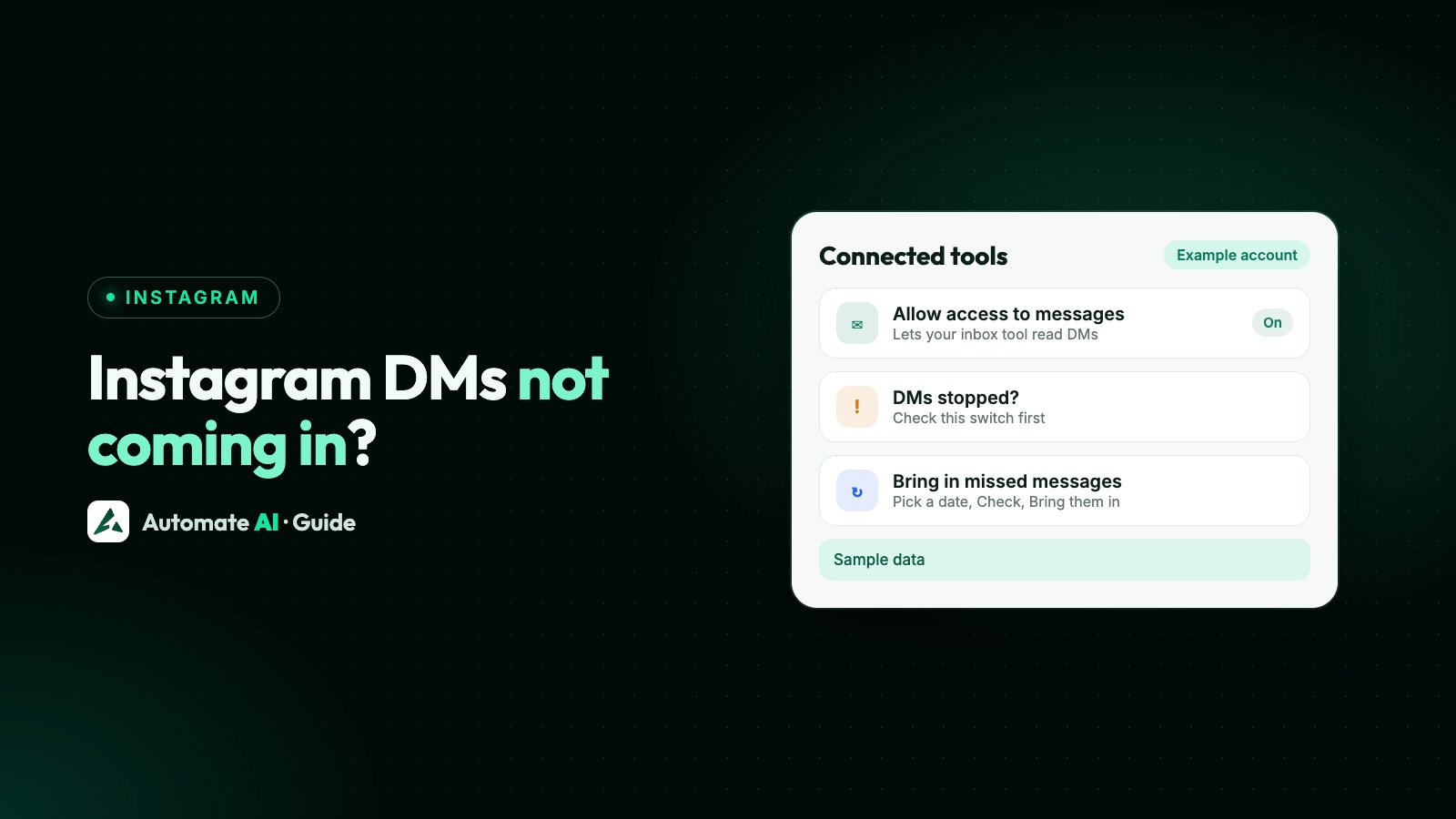
If Instagram DMs have stopped reaching your inbox tool, a common cause is the “Allow access to messages” switch in the Instagram app. When it is off, Instagram stops sharing DMs with connected tools and shows no error. Turn it on in Settings › Messages and story replies › Message controls › Connected tools, then send a test DM.
This guide shows where the switch is, who has to change it, how to check it worked, and what to do about the messages that were missed while it was off. It also covers the other reasons DMs stop arriving, as of November 2026.
Key takeaways
- Tools that read Instagram DMs need Allow access to messages turned on under Connected tools in the Instagram app.
- When it’s off, DMs quietly stop arriving in the tool. Nothing looks wrong in the Instagram app itself.
- Only someone logged in to the Instagram account can turn it on, in the Instagram app.
- DMs sent while it was off don’t arrive later by themselves. Fetch them with an import, if your tool has one.
- Old DMs still follow Instagram’s reply windows: any reply within 24 hours, a reply from a person for up to 7 days.
Why Instagram DMs stop reaching your inbox tool
Inbox tools, chatbots and CRMs read Instagram DMs through Meta’s Instagram messaging API. Meta’s own setup guide says the professional account must turn on a switch in its message settings before any connected tool can use its messages: Allow access to messages, under Connected tools.
If that switch goes off, Instagram simply stops sending new DMs to the tool. The DMs still reach the Instagram app, so you may not notice for days. The tool may still look connected, because its login is fine; it just receives nothing. Anyone with the account’s login can change the switch, so it can be off without the people who answer DMs knowing.
| What you notice | Likely cause | Fix |
|---|---|---|
| No new Instagram DMs in the tool, but they show in the Instagram app | Allow access to messages is off | Turn it on under Connected tools |
| No DMs and the tool asks you to reconnect | The saved Instagram login stopped working | Connect the Instagram account again in the tool |
| No DMs from the start | The tool’s Instagram inbox feature is off, or the account isn’t professional | Turn the feature on; switch to a professional account |
| Only some old messages are missing | They were sent while access was off | Import the missed messages |
How to turn on Allow access to messages
Do this in the Instagram app, logged in as the business account. Meta’s guide gives this path:
- Open your profile and tap the menu (☰) for Settings.
- Tap Messages and story replies.
- Tap Message controls. In some versions of the app this part is called Message requests.
- Tap Connected tools.
- Turn on Allow access to messages.
The names can move a little between app versions. If you can’t find it, search the Instagram app’s settings for “Connected tools”.
Who has to do it
Only someone logged in to the Instagram account can change this switch, because it lives in the account’s own settings. A team member who answers DMs in your inbox tool can’t change it from there, and neither can the tool’s support team.
- If an agency or one person owns the login, ask them to do it.
- If you’ve lost the login, recover it in the Instagram app first.
- Tell everyone with the login that the switch must stay on, so it isn’t turned off by mistake.
Check that DMs arrive again
- Send a DM to the business account from another Instagram account, such as a staff member’s.
- Wait a minute and look for it in your inbox tool.
- If your tool has a check button for Instagram access, run it too.
- Reply from the tool and confirm the reply shows in the other account’s Instagram app.
If the test DM still doesn’t arrive, look at the tool’s Instagram settings next: the account may need connecting again, or the tool’s own Instagram inbox switch may be off.
What happens to the messages you missed
Messages sent while access was off don’t arrive later by themselves. They’re still in the Instagram app, so you can read and answer them there. To get them into your inbox tool, the tool has to fetch them from Instagram.
Meta’s API lets a tool read recent messages of each conversation, but not the whole history. So an import brings back the most recent messages of each chat, which is usually enough to see who wrote and what they asked.
Reply windows for DMs you missed
Instagram’s messaging rules decide whether you can still reply from a tool:
| Time since the customer’s last message | Who can reply from a tool |
|---|---|
| Up to 24 hours | Anyone, including automatic replies and AI |
| 24 hours to 7 days | Only a person, as a human agent reply |
| More than 7 days | No reply from a tool; answer in the Instagram app if needed |
So after you fix the switch, answer the oldest missed DMs first, while they’re still inside 7 days.
Other reasons Instagram DMs stop
- The saved login stopped working: Meta can stop accepting the tool’s saved login. Connect the account again in the tool.
- The account is personal: Meta’s Instagram tools work with professional accounts (business or creator) only.
- The tool’s Instagram inbox is off: many tools have their own switch to bring DMs into the shared inbox.
- A different account was connected: check the username shown in the tool matches the account customers message.
Instagram DMs in Automate AI
In Automate AI, Instagram DMs can come into the same shared inbox as WhatsApp, with keyword replies and the AI Assistant: see Instagram auto-reply. An owner or manager turns on Instagram DMs in the inbox in Integrations › Instagram › Link Instagram. Since 27 and 28 November 2026:
- A warning: Automate AI asks Instagram every 30 minutes whether DMs can reach your inbox. If “Allow access to messages” is off, a red notice shows at the top of Chats and in Integrations › Instagram, with the steps and a Check again button.
- Bring in missed messages: in Integrations › Instagram › Link Instagram, choose a start date, click Check to see how many messages are missing, then Bring them in. They appear in Chats with their real time, no automatic replies are sent and nobody is notified. Instagram shares the last 20 messages of each chat.
- Reconnect notice: if Instagram stops accepting the saved login, the notice says to connect the account again.
Step-by-step help is in our help center. Running ads that open Instagram chats too? See how to link Instagram to a Facebook Page for ads.
Frequently asked questions
Why are my Instagram DMs not showing in my inbox tool?
Most often “Allow access to messages” is off under Connected tools in the Instagram app. Instagram then stops sharing DMs with every connected tool, without an error. Turn it on and send a test DM.
Where is Allow access to messages on Instagram?
In the Instagram app: Settings › Messages and story replies › Message controls › Connected tools › Allow access to messages. Some versions call the third step Message requests.
Will Instagram resend the DMs I missed?
No. They stay in the Instagram app, but a tool only receives them if it fetches them. In Automate AI, use Bring in missed messages in Integrations › Instagram › Link Instagram.
Can my team turn the switch on from the inbox tool?
No. It is a setting of the Instagram account, so someone logged in to that account must turn it on in the Instagram app.
Can I still reply to a DM from a week ago?
From a tool, a person can reply up to 7 days after the customer’s last message, marked as a human agent reply. After 7 days, answer in the Instagram app instead.
Sources
- Meta for Developers: Get started with Instagram Messaging (Connected Tools setting)
- Meta for Developers: Instagram Platform overview (professional accounts)
- Meta: Send messages, Instagram API with Instagram Login
- Meta for Developers: Conversations API, Instagram API with Instagram Login
- Meta: Send messages, Messenger Platform (Human Agent tag)
- Automate AI help: Instagram DMs stopped arriving in Chats
WhatsApp rules and prices change. We check these guides against Meta’s documentation, but always confirm current terms with Meta before you rely on them. Questions? Message us on WhatsApp at +91 836 977 8812.