Best WhatsApp API Providers in 2026: 10 Providers Compared
Ten WhatsApp API providers compared from their own sites: pricing, trials, seats, Meta’s fees and 20 features, from AI agents and voice AI to Shopify.
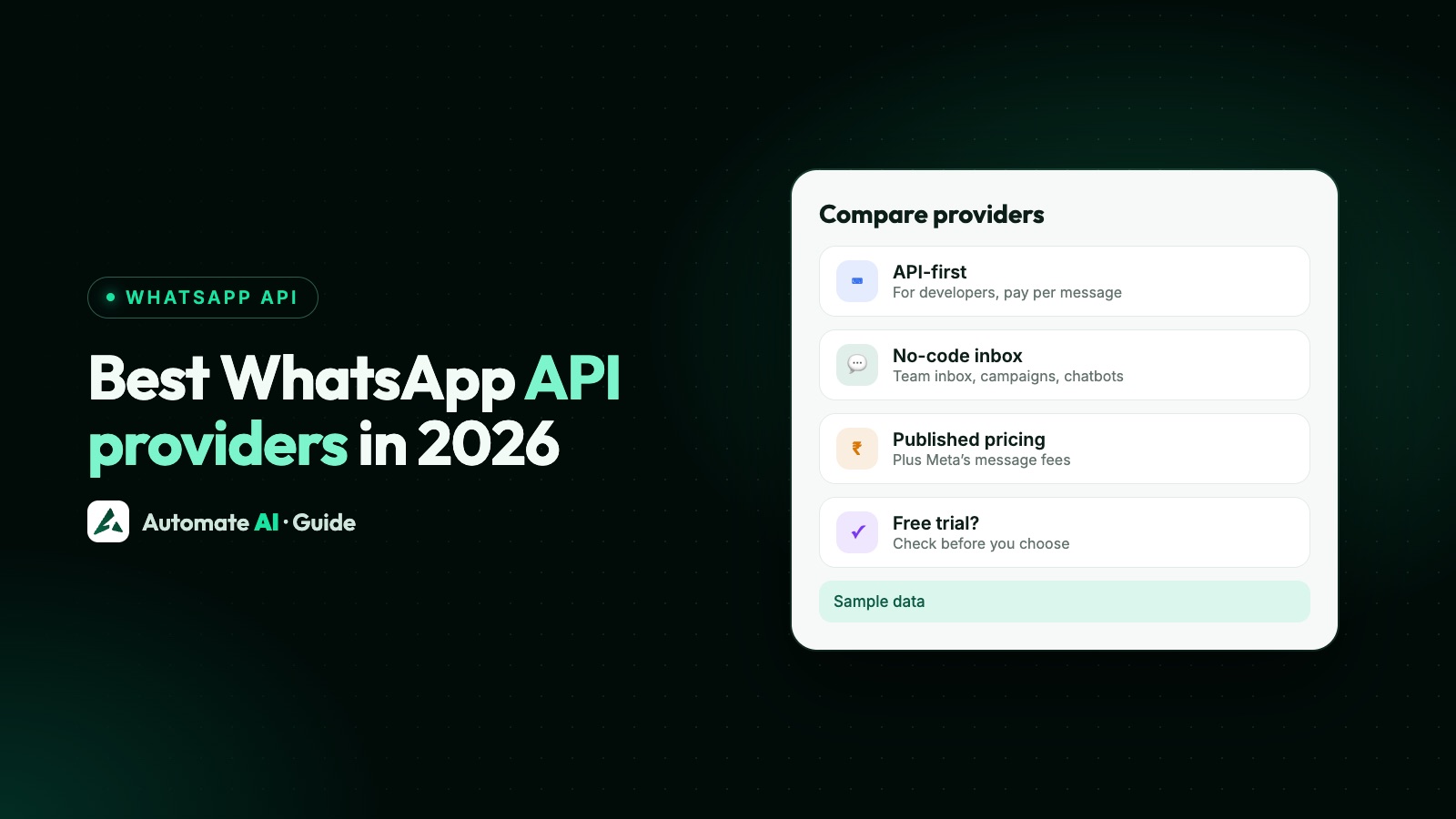
There’s no single best WhatsApp API provider. The right one depends on three things: whether you need raw API access for your developers or a no-code inbox and marketing tool for your team, the country and currency you want to pay in, and how many people will reply to customers. Every provider uses Meta’s same WhatsApp Business Platform, so the differences are the software, the pricing and the support.
Below, 10 providers are compared on type, published pricing, trial and who each one suits, then feature by feature, with a close look at AI. Automate AI is our product, so we list it first; the other nine follow in alphabetical order. We make Automate AI, one of the providers below. Every other provider’s details come from its own website, checked on 8 November 2026, with links. We give no scores, and we say where others are ahead of us.
Key takeaways
- Meta’s message rates are the same whichever provider you use, so compare each provider’s platform fee, how it bills messages and its extra-user charges.
- API-first providers (360dialog, Infobip, Twilio) suit developers building their own app; no-code platforms add a shared inbox, campaigns and chatbots.
- Most no-code platforms now have AI agents that answer from your documents. The differences are the plan they start on and how AI is charged: credits, per message, included, or your own AI key.
- Team seats range from 3 users on some entry plans to unlimited users on every Automate AI plan.
- Instagram in the same inbox, App Store apps, HubSpot or Salesforce connectors and in-chat payments are where several others are ahead of Automate AI.
- Automate AI and DoubleTick don’t offer a trial, and we found none for 360dialog; AiSensy, Gallabox, Infobip, respond.io, Twilio and WATI let you try before you pay.
The 10 providers at a glance
Prices are each provider’s entry plan as its pricing page showed it from India on 8 November 2026; they may differ in your region. WhatsApp message fees are extra unless the row says otherwise. “Both” means an API for developers plus no-code tools for teams.
| Provider | Type | Published pricing (entry plan) | Trial | Best for |
|---|---|---|---|---|
| Automate AI | No-code inbox, with an API on the higher plans | ₹1,500 a month billed yearly (₹17,999); per-message rates published, Meta’s fee included | No | Teams that want unlimited users, AI and ad creation, billed in INR |
| 360dialog | API-first; inbox add-ons on Premium | €49 per number a month (Regular, API only), plus Meta’s fees | No | Developers who want API access with Meta’s fees passed on |
| AiSensy | No-code inbox | Free Forever plan without broadcasting; Basic ₹1,500 a month billed monthly | 14 days | Small businesses starting with broadcasts on a tight budget |
| DoubleTick | No-code inbox | ₹3,000 a month billed yearly (₹36,000 plus GST; Starter, 5 agents) | No; demo only | Teams that want Android and iOS apps for their agents |
| Gallabox | No-code inbox | ₹2,399 a month billed yearly, or ₹2,999 billed quarterly (Basic, 3 users) | 7 days, no card | Growing teams that want AI agents on WhatsApp and Instagram |
| Gupshup | Both | Pay as you go: ₹0 monthly platform fee (confirm with Gupshup), all-in message rates, plus 18% GST | None stated | Businesses that want bots, APIs and ad tools, paying per message |
| Infobip | Both | Per message by country and category, in its pricing calculator (EUR or USD) | “Try for free” sign-up, no length stated | Enterprise-grade omnichannel messaging, from API to contact centre |
| respond.io | No-code inbox | US$79 a month billed yearly (Starter, 5 users; broadcasts from Growth), plus Meta’s fees | 7 days, no card | Mid-market B2C teams handling many conversations |
| Twilio | API-first | Pay per message: US$0.005 a message plus Meta’s fee | Yes, no card; no length stated | Developers and high-volume senders building their own app |
| WATI | No-code inbox | ₹2,199 a month billed yearly, or ₹2,999 billed monthly (Growth, 3 users) | 7 days, no card (its AI page says 14) | Small teams that want WhatsApp, Instagram and more in one tool |
Automate AI is our product, so we list it first; the other nine follow in alphabetical order.
How we compared them
We checked each provider’s own website on 8 November 2026 for six things:
- Type: an API for developers, a no-code inbox and marketing tool, or both.
- Pricing transparency: published plan prices and message rates, currency and billing period.
- Meta fee handling: passed through, marked up, included in one rate, or not stated.
- Team seats: users included and the cost of extra ones.
- Trial: whether you can try before paying.
- Features: 20 features in four groups (AI, automation and marketing, inbox and channels, commerce and developers), as each provider describes them.
There are no ratings, scores or overall winner, because the right choice depends on your team and volume. Partner status is in each provider’s own words, not from Meta’s directory. Where a provider’s pages disagree, we say “its pages differ”. Prices change often, so check before you buy.
Best for developers: 360dialog, Infobip and Twilio
An API-first provider gives your developers the building blocks and leaves the interface to you.
360dialog
360dialog (360dialog GmbH) is a WhatsApp API platform for developers. It describes itself as a Meta partner and as Meta’s largest WhatsApp Partner Enabler worldwide, and says it passes on Meta’s fees with no markup. Plans are priced per number per month, in euros or US dollars: Regular (€49) is API only, Premium (€99) adds Inbox, Sendout, Automation and Measurement add-ons, and Scale is €500, all with Meta’s fees on top.
We found no trial; its Marketplace offers a 30-day money-back on matched partner tools. Resellers have a separate Partner Platform, from €250 plus €49 per channel.
Infobip
Infobip is an enterprise-grade omnichannel platform aimed at businesses of all sizes, including enterprises and telecoms providers. It describes itself as a Premier Meta Partner and one of the first Business Solution Providers for WhatsApp, and says you can use WhatsApp through its API, Broadcast or AgentOS.
AgentOS, its contact centre, chatbot and AI suite, starts at US$530 a month with 30 inbox seats and AI credits, plus a fee per outbound message it handles. WhatsApp messages are priced by country and category in its pricing calculator. There’s a “Try for free” sign-up across the site; no length is stated.
Twilio
Twilio is a developer platform with WhatsApp API docs and code samples, aimed at enterprises, high-volume senders and software companies. It mentions a Tech Provider Program for software vendors rather than calling itself a Business Solution Provider. Pricing is pay as you go: US$0.005 per message, sent or received, plus Meta’s fee passed through, and US$0.001 for a failed message.
There’s no ready-made WhatsApp inbox: you build one on its APIs or use Flex, its contact centre, priced per user. You can open a trial account at no cost and without a card; no length is stated.
Or use Meta’s Cloud API directly
Developers can also skip providers altogether: connect to Meta’s Cloud API with your own payment method and pay only Meta’s message fees. You then build the inbox, template workflow and webhooks yourself. Our WhatsApp Cloud API guide explains how.
Best no-code platforms for small and growing teams
These five platforms give your team a shared inbox, template campaigns and chatbots without code, and all five publish their prices. Entry plans include unlimited users on Automate AI, 1 owner and 5 agents on AiSensy, 5 agents on DoubleTick, and 3 users on Gallabox and WATI.
Automate AI
Automate AI is our own product, made by UC Tech Private Limited, which is a Meta Business Partner. Every plan includes unlimited users, contacts and campaigns, a shared team inbox, A/B tests and Click-to-WhatsApp ad creation in its own Meta Ads menu.
Plans are billed in INR, plus GST as applicable. The Marketing Plan is ₹1,500 a month billed yearly (₹17,999) or ₹1,833 a month billed every 3 months (₹5,499). The AI Assistant + Marketing + Automation Plan is ₹2,333 a month billed yearly (₹27,999) or ₹2,833 a month billed every 3 months (₹8,499). Series 4 is ₹2,899 a month billed yearly (₹34,788) and gets new features as they launch. The AI plan and Series 4 add the AI features below, chatbots, drips, Shopify, an online store and the API.
Message rates are published and include Meta’s fee: to Indian numbers, ₹0.99 per marketing message and ₹0.19 per utility or OTP message (₹0.95 and ₹0.15 on Series 4), with the first 1,000 service replies per number free each month. We don’t offer a public trial, and the tables below show where others are ahead.
AiSensy
AiSensy, from AiSensy Communications Pvt Ltd in India, is a no-code WhatsApp marketing platform and describes itself as an official WhatsApp Business Solution Partner. After a Free Forever plan without broadcasting, Basic is ₹1,500, Pro ₹3,200 and Premium ₹9,100 a month billed monthly, with 5% off quarterly and 10% off yearly.
Its “Unlimited Users” means customers you reach, not team seats: Basic includes 1 owner and 5 agents, with extra agents at ₹750 a month each. Messages are charged on top, the chatbot builder and AI Agent Builder are add-ons, and there’s a 14-day trial.
DoubleTick
DoubleTick, from Apport Software Solutions Pvt Ltd in Mumbai, calls itself a WhatsApp CX suite. It describes itself as an award-winning WhatsApp Technology Partner, and its home page shows a Meta “Emerging Technology Partner of the Year” award.
Starter is ₹3,000 a month billed yearly (₹36,000 plus GST) with 5 agents and no AI agents; Pro is ₹4,200 without AI, and Pro + AI ₹7,700 a month billed yearly (₹92,400 plus GST) with 10 agents and up to 10 AI agents; Enterprise is custom, and there’s a quarterly option too. On AI in Starter, its pages differ. It offers a demo rather than a trial.
Gallabox
Gallabox offers AI agents on WhatsApp, Instagram, voice and the web, and its pricing FAQ describes it as a Meta Business Partner and a WhatsApp Business Solution Provider. Basic is ₹2,999 a month billed quarterly or ₹2,399 billed yearly, Essential ₹6,999 or ₹5,599, and Advanced ₹16,999 or ₹13,599.
Basic is capped at 3 users; Essential includes 6 and Advanced 10, with paid extra users. WhatsApp fees are billed separately with Gallabox’s markup, which its pricing FAQ states, and Enterprise shows a “Discounted markup”. There’s a 7-day trial with no card.
WATI
WATI, from Clare.ai Limited, is a no-code platform for WhatsApp, Instagram and other channels, and shows a Meta Business Partner badge. Growth is ₹2,999 a month billed monthly, ₹2,699 quarterly or ₹2,199 yearly; Pro starts at ₹4,899 and Business at ₹14,799 a month billed yearly. Growth includes 3 users and Pro and Business 5.
Template messages are charged on top, and automation triggers, AI credits, Shopify and an extra number are paid add-ons.
Best for mid-market and enterprise inboxes
Larger teams usually need routing, many agents, CRM connections and several channels in one place. Infobip’s AgentOS, covered above, fits here too.
Gupshup
Gupshup calls itself a conversational AI platform, with no-code tools alongside APIs. It says Meta named it Partner of the Year in 2023 and 2024. Its pay-as-you-go plan shows a ₹0 monthly platform fee with a prepaid wallet, plus 18% GST, and includes 10 agent seats and 5 AI agents; Enterprise is custom.
An FAQ on the same page mentions a ₹5,999 monthly fee, so confirm with Gupshup. Its FAQ says every rate is all-in, including Meta’s charges, and its rate card (updated 13 October 2026) lists India marketing at ₹1.15 and utility, authentication and service at ₹0.145. We didn’t find a trial mentioned.
respond.io
respond.io, based in Kuala Lumpur, Malaysia, is a no-code customer conversation platform for WhatsApp, Instagram, TikTok, Messenger, email and calls. It describes itself as an official WhatsApp Business Solution Provider and shows a Meta Premier Partner badge. Starter is $79, Growth $159 and Advanced $279 a month billed yearly ($99, $199 and $349 monthly), with 5, 10 and 10 users; extra users cost $12 to $24 a month.
Starter lacks broadcasts, workflows, AI Agents and the developer API, which start on Growth, where pricing is by monthly active contacts from 1,000. Meta’s fees are on top, with no markup, it says. It says it isn’t built for cold bulk messaging and is a poor fit when one person handles under 500 conversations a month.
Features compared, provider by provider
“Build with API” means the provider gives developers the parts, not a ready feature.
AI
| Provider | AI agent from your documents or website | AI lead scoring | AI that builds flows, templates or campaigns | AI voice calls | How AI is charged |
|---|---|---|---|---|---|
| Automate AI | Yes (AI + Automation, Series 4) | Yes: 0 to 100 with the reason (own AI key) | Yes: AI Copilot; never sends | Outbound phone calls, 11 languages (AI + Automation, Series 4) | Included: Basic AI daily limit, or own AI key; Voice AI per minute from the wallet; most extras need your own key |
| 360dialog | Partial: Meta Business Agent (beta) | Partial: qualifies leads, no score | Yes: Automation add-on (Premium) | Not listed | Billed by Meta, or bring your own agent |
| AiSensy | Add-on ₹1,350/mo (1,000 AI messages) | Yes: says leads are scored | Yes: Campaign Agent (paid plans) | Partial: named, no product page | Add-on credits; own AI model on Enterprise |
| DoubleTick | Add-on from Pro (₹3,500/mo) | Yes: score fields (Enterprise) | Partial: reply help for agents | Yes: inbound and outbound (AI add-on) | Add-on credits |
| Gallabox | Yes (WhatsApp from Essential) | Yes: custom scores (Advanced) | Partial: bots and agent setup | Inbound only: WhatsApp, and phone calls via your telephony provider (Advanced) | Credits in each plan, plus top-ups |
| Gupshup | Yes (5 AI agents on pay as you go) | Partial: qualifies leads | Early access (Superagent) | Yes: inbound and outbound | 1,000 AI messages free a month, then ₹1 each |
| Infobip | Yes (AgentOS) | Yes: AI sales agent scores leads (AgentOS) | Yes: workflows from plain language | Yes: inbound and outbound | AI credits with the AgentOS fee |
| respond.io | Yes (Growth+) | Partial: lifecycle stages, no score | Partial: Copilot drafts AI agents | Inbound (Advanced+); outbound not described | Credits in each plan; $15 per 1,000 extra |
| Twilio | Build with API | Partial: lead-qualification operator (beta) | Not listed | Build with API | Bring your own AI, plus usage fees |
| WATI | Yes (Growth+, Astra) | Yes: says leads are scored (Pro) | Yes: agents, campaigns, templates (beta) | Yes: inbound and outbound (Business, beta) | Credits in each plan; own model on enterprise plans |
“Not listed” means we couldn’t find it on the provider’s own site on 8 November 2026, not that it doesn’t exist. Plan names show where a feature starts.
Automation and marketing
| Provider | No-code chatbot builder | Drip or sequences | A/B testing | Create Click-to-WhatsApp ads in the product | Conversions API |
|---|---|---|---|---|---|
| Automate AI | Yes (AI + Automation, Series 4) | Yes (AI + Automation, Series 4); campaign follow-ups on every plan | Yes, every plan | Yes, every plan | Yes |
| 360dialog | Yes (Automation add-on, Premium) | Partial: one follow-up and reminders | Not listed | Partial: ads made in Ads Manager | Add-on (360Pilot); included in Scale |
| AiSensy | Add-on ₹2,500/mo | Yes | Partial: Campaign Agent only | Yes, from Free Forever | Yes, through the chatbot add-on |
| DoubleTick | Yes (Pro+) | Partial: built in Bot Studio | Not listed | Partial: ads made in Ads Manager | Add-on |
| Gallabox | Yes, every plan | Yes (Essential+) | Partial: an FAQ line, no product doc | Partial: ad analytics; ads made in Ads Manager | Yes (Essential+) |
| Gupshup | Yes | Yes | Partial: in a blog, no product doc | Yes | Yes |
| Infobip | Yes | Yes (Journeys) | Yes (Journeys) | Partial: ads made in Ads Manager | Yes |
| respond.io | Yes (Growth+) | Partial: wait steps in Workflows | Not listed | Partial: ads made in Ads Manager | Yes (Growth+) |
| Twilio | Yes (Studio) | Build with API | Partial: not named for WhatsApp | Partial: ads made in Ads Manager | Build with API |
| WATI | Yes, every plan | Yes, every plan | Partial: claimed on its comparison page, no product doc | Partial: ads made in Ads Manager | Yes (Business; add-on on Growth, Pro) |
Inbox and channels
| Provider | Auto-assignment | Voice calls with customers on WhatsApp | Mobile apps | Coexistence | |
|---|---|---|---|---|---|
| Automate AI | Yes, every plan | Yes, every plan (each business switches it on) | Partial: auto-replies only, no inbox | Partial: Android app from dashboard; iPhone web app | Yes, every plan; app contacts and up to 6 months of one-to-one chats brought in on request |
| 360dialog | Partial: manual in Hosted Inbox (Premium) | Build with API | Not listed | Not listed | Yes |
| AiSensy | Yes (Pro) | Not listed | Not listed (ads only) | Yes (Google Play, App Store) | Yes (beta; support switches it on) |
| DoubleTick | Yes (Pro+) | Add-on | Same inbox (incoming DMs only) | Yes (Google Play, App Store) | Yes |
| Gallabox | Yes (Essential+) | Yes (Essential+) | Same inbox, every plan | Yes (Google Play, App Store) | Yes (support switches it on) |
| Gupshup | Yes (routing rules) | Partial: API only confirmed | Yes (Enterprise, per its pricing page) | Not listed | Its pages differ |
| Infobip | Yes | Yes (contact centre) | Same inbox | Yes (Google Play, App Store, AppGallery) | Yes |
| respond.io | Yes (Growth+) | Yes | Same inbox, every plan | Yes (App Store, Google Play) | Yes |
| Twilio | Yes (Flex, per user) | Yes (Twilio Voice, Flex) | Not listed | Partial: Flex Mobile, end of sale | Not listed |
| WATI | Yes (Pro routing, Business round robin) | Yes, every plan | Same inbox, every plan | Yes (App Store, Google Play) | Yes (its pages differ) |
Commerce and developers
| Provider | Shopify (abandoned carts) | Own online store | Payments | REST API and webhooks | Zapier, Make, MCP and CRMs |
|---|---|---|---|---|---|
| Automate AI | Yes (AI + Automation, Series 4) | Yes (AI + Automation, Series 4) | Partial: store page (Razorpay, cash on delivery); not in chat | Yes (AI + Automation, Series 4) | AI Connections MCP server (every plan), Zapier (through Webhooks by Zapier for now), Google Sheets, Postman collection and SDKs; no HubSpot or Salesforce |
| 360dialog | Partial: Marketplace partner tools | Not listed | Build with API | Yes, every plan | Zapier, Make, MCP; CRMs via partners |
| AiSensy | Yes (Basic+) | Not listed | Yes: Razorpay, PayU | Tiered: webhooks from Premium | Zapier, Zoho, LeadSquared; HubSpot via Zapier |
| DoubleTick | Yes (Pro+) | Not listed | Add-on: WhatsApp Pay | Yes | MCP; Zapier, HubSpot, Salesforce, Zoho as add-ons |
| Gallabox | Add-on $5/mo | Partial: shop inside WhatsApp | Yes: Razorpay, WhatsApp Pay | Tiered: webhooks from Essential | Zapier, HubSpot, Zoho, Salesforce (by plan) |
| Gupshup | Yes | Not listed | Yes: in chat or via gateways | Yes | Zapier (enterprise), Salesforce, HubSpot, Zoho CRM |
| Infobip | Yes | Not listed | Yes: WhatsApp Payments in India | Yes | MCP, Zapier; HubSpot, Salesforce, Zoho and more |
| respond.io | Partial: via Zapier, Make or n8n | Not listed | Partial: payment links from AI agents | Yes (API Growth+, webhooks Advanced+) | Zapier, Make, MCP, HubSpot, Salesforce (by plan) |
| Twilio | Not listed | Not listed | Build with API (Brazil only) | Yes | Partial: MCP for docs; Salesforce for Flex |
| WATI | Add-on US$4.99/mo | Not listed | Partial: WhatsApp Pay (India) | Yes (webhooks from Pro) | Zapier, MCP, Zoho, HubSpot, Salesforce (by plan) |
Conflicts we found on providers’ own pages: Gupshup’s pricing FAQ and developer docs differ on coexistence; WATI’s pricing FAQ still says to delete the app account; AiSensy’s pages differ on whether its AI agent handles voice notes; Gallabox’s pages give two prices for AI credits.
AI features compared
AI is where the platforms differ most, and the same label can mean different things.
AI agents that answer from your documents
Most no-code tools have one; the plan and price differ, as the AI table shows (AiSensy and DoubleTick sell it as an add-on, Gallabox’s knowledge base grows with the plan). 360dialog sets up Meta’s own Business Agent (beta), which Meta doesn’t offer to some industries such as finance and health. On Twilio you connect your own AI.
Lead scoring
Automate AI scores each lead from 0 to 100 and shows the reason. AiSensy and WATI say leads are scored, Infobip’s AI sales agent in AgentOS scores leads (it also has rule-based scoring), Gallabox has custom scores on Advanced, and DoubleTick has score fields on Enterprise. Gupshup, respond.io and 360dialog qualify or route leads, and Twilio has a beta lead-qualification operator.
AI that sets things up for you
The main design choice is whether the AI may send. Automate AI’s AI Copilot drafts flows, templates, groups, campaigns and the online store, but never sends. AiSensy’s Campaign Agent sends broadcasts and follow-ups itself. Gupshup’s Superagent (early access), Infobip, WATI and 360dialog’s Automation add-on build from plain language; respond.io’s Copilot drafts AI agents, and DoubleTick’s co-pilot helps agents reply.
Voice AI
Who calls whom matters. Automate AI’s Voice AI makes outbound phone calls in 11 languages and doesn’t answer incoming calls. Gallabox’s voice agent answers incoming calls only, and respond.io’s answers incoming calls with no outbound described (both on Advanced plans). DoubleTick, Gupshup, Infobip and WATI (Business, beta) list both directions; WATI mentions multiple languages and accents. Twilio gives developers the parts, and AiSensy names voice AI without a product page.
How AI is billed
- Included: Automate AI includes its AI in the AI + Automation Plan and Series 4. Without a key, Basic AI answers up to a daily number of replies; with your own connected AI key there’s no limit from us, and that usage is billed by your AI provider. Voice AI is charged per minute from the wallet, and most extras need your own key.
- Credits: DoubleTick, Gallabox, Infobip, respond.io and WATI charge AI credits per reply, action or call minute.
- Per message: AiSensy’s add-on includes 1,000 AI messages, and Gupshup gives 1,000 free a month, then ₹1 each.
- Your own AI: Twilio expects you to bring your own, Gupshup’s voice agents let you bring your own, and WATI and AiSensy allow your own model on enterprise plans.
- Meta billing: 360dialog’s Meta Business Agent is billed by Meta directly.
Automate AI’s AI features in full
“Own key” means your own AI key, connected in Settings › AI. Basic AI (Free AI) is the free option without one.
- AI Assistant (AI + Automation, Series 4): answers from your PDF, Word and text files and a knowledge base built from your website (own key for the website part). Basic AI gives text replies, by default up to 100 a day; with your own key there’s no limit from us, and usage is billed by your AI provider.
- Handover to a person: 7 triggers, such as a customer asking for a person; alerts go to up to 10 WhatsApp numbers, and the AI can pause.
- AI follow-up: one personal message when a customer goes quiet, within the 24-hour window. Own key.
- Voice notes and voice replies: transcribes voice notes and replies by text, voice or both; voice replies in English, Hindi, Hinglish, Marathi, Tamil, Kannada, Urdu and Arabic. Own key.
- Photos, PDFs and videos: understands what customers send, within size limits. Own key.
- AI Media Library: the AI picks a brochure, price list or video to send when the chat calls for it. Own key.
- AI Sales Center (AI + Automation, Series 4): scores leads 0 to 100 with the reason and suggests the next step. Own key. It never messages customers itself.
- AI Copilot (shown as AI Autopilot in the app; AI + Automation, Series 4): builds flows, templates, groups, campaign drafts and the online store, and waits for your OK unless you choose Do everything without asking. It never sends and never touches the wallet. Free AI gives 5 tasks a day, or use your own key.
- Ask AI (same plans) and Ask your business on WhatsApp (every plan): answers about your own numbers; on WhatsApp, up to 5 approved numbers can also send a template to a group after a confirmation.
- AI Template Studio (AI + Automation, Series 4): describe a message and choose from 3 versions; templates still go to Meta for approval.
- Chatbot flows written by AI and drip “Set up with AI” (same plans): drafts that stay inactive until you publish them.
- Chat summary and AI status (every plan, off by default): a one-tap chat summary, and AI that sets the chat status within your rules. Own key.
- AI-written Click-to-WhatsApp ads (every plan, Meta Ads menu): AI drafts the headline, text, audience and greeting from one line. Own key.
- Voice AI (AI + Automation, Series 4): outbound phone calls to one contact or a list, in 11 languages including Hindi, English, Tamil and Telugu, with the summary, transcript and recording in the chat. Charged per minute from the wallet; no own key needed. It doesn’t answer incoming calls.
- AI Connections (every plan): connect outside AI tools through MCP to read contacts, chats, templates and results. An owner or manager approves every send, and what the AI tool reads goes to that AI company.
- Call transcripts (every plan): transcripts of recorded voice calls with customers on WhatsApp. Own key.
Where Automate AI stands out, and where others are ahead
Automate AI is the only one of the ten whose own pages list a store and website builder (Gallabox builds a shop inside WhatsApp). Its app also works in English, Hindi and 8 more Indian languages (since 8 November 2026), so a team can use it in the language they’re most comfortable with. Few of the ten show a 0 to 100 lead score with the reason, and few combine unlimited users, A/B tests, ad creation and AI Connections on every plan.
Others are ahead in places. Gallabox, Infobip, respond.io and WATI put Instagram DMs in the same inbox (DoubleTick incoming DMs only, Gupshup with live-agent handover on Enterprise); we only auto-reply on Instagram. AiSensy, DoubleTick, Gallabox, Infobip, respond.io and WATI have App Store and Google Play apps; ours is an Android download and an iPhone web app. DoubleTick, Gallabox, Gupshup, Infobip, respond.io and WATI connect to HubSpot or Salesforce; we don’t. AiSensy, Gallabox, Gupshup and Infobip offer in-chat payments (DoubleTick as an add-on, WATI for catalogue orders in India); we take store payments by Razorpay or cash on delivery.
Meta’s fees vs provider fees
Every WhatsApp API bill has two parts, and only one changes between providers.
- Meta’s message fee. Since 1 July 2025 Meta charges per message, by category (marketing, utility, authentication, service and, from 1 July 2026, Meta Business Agent) and the recipient’s country. These rates are the same whichever provider you use.
- The provider’s fee. A monthly or yearly platform fee, a margin on each message, or both.
Some messages are free from Meta. Each business number gets 1,000 free service messages a month (replies within the 24-hour customer service window), and when someone messages you from a Click-to-WhatsApp ad and you reply within 24 hours, the messages that follow are free for up to 7 days, except Meta Business Agent messages. Meta’s own list rates for India are ₹0.8631 per marketing message and ₹0.115 per utility message.
| Provider | How message fees are billed | Published India rates (marketing / utility) |
|---|---|---|
| Automate AI | One rate per message, Meta’s fee included | ₹0.99 / ₹0.19 (₹0.95 / ₹0.15 on Series 4) |
| 360dialog | Meta’s fees on top; says no markup | Not quoted |
| AiSensy | Charged on top of the plan | ₹1.09 / ₹0.145 (its pricing page) |
| DoubleTick | Not stated | Not quoted |
| Gallabox | Billed separately, with Gallabox’s markup (its pricing FAQ) | Not quoted |
| Gupshup | All-in rates that include Meta’s charges (its FAQ) | ₹1.15 / ₹0.145 (its rate card) |
| Infobip | Per message by country and category, in its calculator | Not quoted |
| respond.io | Meta’s fees on top; says no markup | Not quoted |
| Twilio | Meta’s fee passed through, plus US$0.005 per message | Not quoted |
| WATI | Template messages charged extra | Not quoted |
When you compare, ask each provider for its all-in price per message for the countries you send to, then add the platform fee and any extra-user charges. Meta’s rates are explained in our WhatsApp API pricing in India guide, other countries are on our WhatsApp API pricing by country page, and you can estimate a month with the pricing calculator.
A checklist before you choose
- Decide whether you need an API for developers, a no-code tool for your team, or both.
- Get it in writing. Before you pay any provider, including us, ask its sales team to confirm in writing which plan includes each feature you need, and test those features in a demo or trial. A feature on a website isn’t always in the plan you’re quoted, so compare the website with the provider’s actual plan table.
- Count the people who’ll reply to customers, and price each plan with that many users.
- Ask for the all-in price per marketing, utility and authentication message for your main countries.
- Check the billing currency and period, and whether you pay upfront.
- List the add-ons you’d need, such as chatbots, AI credits, Shopify or an extra number, and add their cost.
- For AI, ask which plan it starts on, how replies are counted and what happens when credits run out.
- Check the integrations you rely on: your CRM, shop, payment gateway and lead sources.
- If you want to keep the WhatsApp Business app on the same number (coexistence), most providers here list it; ask how past chats and calls are handled.
- Confirm you can export your contacts and move your number if you leave.
For a deeper walk-through for India, read how to choose a WhatsApp Business API provider in India. To see Automate AI side by side with three of the platforms above, see Automate AI vs AiSensy, Automate AI vs Gallabox and Automate AI vs WATI, or all of them on the compare page.
Our plans and message rates are on the pricing page, and how to get the API with us is on the WhatsApp Business API page.
Frequently asked questions
Which is the best WhatsApp API provider?
There isn’t one best provider for everyone. 360dialog and Twilio are built for developers who want raw API access; Automate AI, AiSensy, DoubleTick, Gallabox and WATI are no-code platforms for small and growing teams; Gupshup, Infobip and respond.io aim at larger teams. Compare type, all-in message price, seats and trial for your case.
Which WhatsApp API provider has the best AI?
It depends on the job. Most no-code platforms have AI agents that answer from your documents; compare the plan and how replies are charged. For AI that answers incoming calls, look at DoubleTick, Gallabox, Gupshup, Infobip, respond.io or WATI. Automate AI scores leads 0 to 100 with the reason, sets things up without sending, and makes outbound AI phone calls.
Which WhatsApp API provider is cheapest?
It depends on your volume. Meta’s fees are the same everywhere, so compare the platform fee, the price per message and extra-user charges. With few messages, a low or zero platform fee (AiSensy’s free plan, Gupshup’s pay as you go, Twilio’s pay per message) can cost least; with many messages or agents, per-message and seat prices matter more.
Which WhatsApp API providers bill in Indian rupees?
Of the 10 here, Automate AI, AiSensy, DoubleTick, Gallabox, Gupshup and WATI publish prices in INR (Gallabox also shows US dollars and UAE dirhams). 360dialog prices in euros or US dollars, Infobip’s calculator in euros or US dollars, and respond.io and Twilio in US dollars.
Which providers let me try before paying?
Automate AI has no public trial. On 8 November 2026: AiSensy (14 days, plus a Free Forever plan), Gallabox, respond.io and WATI (7 days, no card), Infobip (a “Try for free” sign-up) and Twilio (a trial account at no cost, no card, no length stated). We found no trial at 360dialog, and DoubleTick offers a demo.
Is Automate AI the right choice for me?
It fits teams that want unlimited users, published prices and rates in INR, and AI, automation, a store and ad creation in one place. It suits you less if you want raw API access only, a trial, Instagram DMs in the inbox, App Store apps or HubSpot or Salesforce.
Sources
- 360dialog: home page
- 360dialog: pricing
- 360dialog: Automation
- 360dialog: Marketplace
- 360dialog docs: Meta Business Agent
- 360dialog docs: controlling your agent
- 360dialog docs: Hosted Inbox
- 360dialog docs: Calling
- 360dialog docs: coexistence
- 360dialog docs: Meta CAPI with 360Pilot
- 360dialog docs: MCP
- 360dialog: integrations
- AiSensy: home page
- AiSensy: pricing
- AiSensy: Meta Ads Manager
- AiSensy: WhatsApp AI agents
- AiSensy: build WhatsApp AI agents (tutorial)
- AiSensy: AI campaign agent
- AiSensy: AI chatbot
- AiSensy: WhatsApp chatbot
- AiSensy: WhatsApp payments
- AiSensy: mobile app
- AiSensy: coexistence
- AiSensy: Shopify
- AiSensy: WhatsApp for lead generation
- AiSensy: integrations
- AiSensy wiki: Conversions API
- DoubleTick: home page
- DoubleTick: about us
- DoubleTick: pricing
- DoubleTick: AI agents
- DoubleTick: AI co-pilot
- DoubleTick help: introduction to AI agents
- DoubleTick help: AI agents for calls
- DoubleTick help: AI custom fields
- DoubleTick help: Instagram
- DoubleTick help: coexistence
- DoubleTick help: MCP server
- Gallabox: pricing
- Gallabox: WhatsApp marketing
- Gallabox docs: Chat AI Agent
- Gallabox docs: post-session settings
- Gallabox docs: Voice AI agent
- Gallabox docs: AI wallet
- Gallabox docs: sequences
- Gallabox docs: ad campaigns
- Gallabox docs: calling
- Gallabox docs: coexistence
- Gallabox docs: shop
- Gallabox docs: payments
- Gallabox docs: integrations
- Gupshup: WhatsApp API
- Gupshup: pricing
- Gupshup: rate card
- Gupshup: AI agents
- Gupshup: AI copilot
- Gupshup: voice AI agents
- Gupshup: Advertise
- Gupshup: Agent Assist
- Gupshup: Instagram API
- Gupshup docs: coexistence
- Gupshup: Shopify
- Gupshup: integrations
- Infobip: WhatsApp Business
- Infobip: AgentOS cloud contact center
- Infobip: AgentOS AI chatbot builder
- Infobip: AgentOS AI agents
- Infobip: AgentOS voice AI agents
- Infobip: AgentOS conversational AI for sales
- Infobip docs: lead scoring in People
- Infobip: AgentOS pricing
- Infobip: pricing
- Infobip docs: A/B testing
- Infobip docs: Instagram in Conversations
- Infobip docs: Conversations mobile app
- Infobip docs: coexistence
- Infobip docs: WhatsApp payments in India
- Infobip docs: integrations
- respond.io: WhatsApp Business API
- respond.io: pricing
- respond.io: AI agents
- respond.io help: AI credits
- respond.io: lead qualification
- respond.io: mobile app
- respond.io: WhatsApp Business Calling API
- respond.io: Shopify
- Twilio: WhatsApp Business API
- Twilio: WhatsApp pricing
- Twilio: Flex
- Twilio: Studio
- Twilio docs: Agent Connect
- Twilio docs: Generative Custom Operators
- Twilio: ConversationRelay
- Twilio docs: WhatsApp Business Calling
- Twilio docs: Flex Mobile
- Twilio docs: MCP
- Twilio docs: twilio/pay
- WATI: home page
- WATI: about us
- WATI: pricing
- WATI: pricing comparison
- WATI: WATI vs Gallabox
- WATI: Astra
- WATI: Wati AI
- WATI: Astra voice AI
- WATI: business calling
- WATI: Instagram automation
- WATI: coexistence
- WATI: click-to-WhatsApp ads
- WATI help: drip campaigns
- WATI: MCP
- Meta: Pricing on the WhatsApp Business Platform
WhatsApp rules and prices change. We check these guides against Meta’s documentation, but always confirm current terms with Meta before you rely on them. Questions? Message us on WhatsApp at +91 836 977 8812.