How to Track Which Ads Bring WhatsApp Buyers
Track which ads bring WhatsApp buyers: the webhook referral and ctwa_clid, prefilled messages for each ad, the Conversions API, and where UTMs fall short.
To track which ads bring WhatsApp customers, read the referral object that WhatsApp attaches to messages from Click-to-WhatsApp ads, save its ad ID and click ID against the contact, and report each sale back to Meta through the Conversions API. That way you can link a sale in a chat to the ad that started it, and Meta can see it too.
Ads Manager on its own shows chats started, not who bought. This guide explains what data you get, how to use it with or without a developer, where UTM tags fall short, and exactly what you’ll see in Automate AI.
Key takeaways
- Messages from these ads carry a
referralobject with the ad ID, headline and usually actwa_clidclick ID. - WhatsApp Status ads leave out
ctwa_clid, so click-based tracking doesn’t work for them. - A different prefilled message per ad is a simple no-code backup, but customers can edit it.
- UTM tags can’t follow a person into a chat, so they only work on a website step.
- The Conversions API sends leads and purchases to Meta using
ctwa_clid. Meta rejects events more than 7 days old. - In Automate AI, Meta Ads shows spend, chats and new contacts per ad, but only for ads created there.
Why tracking WhatsApp ads is harder than a website
On a website, a pixel watches the visitor from click to checkout. A chat has no pixel. The customer taps the ad, WhatsApp opens, and everything after that happens in a conversation your ad reports don’t show, often ending in a payment link or a shop visit.
So there are two jobs. The first is attribution for you: knowing which ad each customer came from. The second is feedback to Meta: telling it which clicks became sales, so it has more to learn from than chats started. The sections below cover both. For how to set up these ads in the first place, see Click-to-WhatsApp ads.
What the referral object contains
When someone messages you from a Click-to-WhatsApp ad, Meta’s messages webhook includes a referral object. Meta says it’s only included for messages sent via one of these ads. Its main fields are:
| Field | What it is | Use it for |
|---|---|---|
source_id | The ad’s ID | Grouping customers by ad |
source_url | The URL of the ad | Opening the ad to see which one it was |
source_type | The type of source, such as ad | Filtering |
headline, body | The ad’s headline and main text | Showing staff what the customer saw |
media_type | Image or video, with its URL | Comparing creatives |
ctwa_clid | The click ID | Reporting conversions to Meta |
welcome_message | The ad’s greeting text | Reference |
There’s no referral on an ordinary message, so a customer who saves your number and writes a week later looks like anyone else. The chat that came from the ad is the one that counts. To see the field in a real webhook, see WhatsApp Cloud API webhooks.
Three ways to attribute chats to ads
| Method | Needs | Accuracy | Best for |
|---|---|---|---|
Read the referral object | A platform or developer | Strong: it comes from Meta | Anyone on the API |
| A different prefilled message per ad | Nothing technical | Fair: customers can change the text | Testing a few ads |
| Ask the customer | A staff habit or chatbot question | Weak: people forget | A final check, or other channels |
On the WhatsApp Business app, you have no webhook, so you’re limited to the last two. Moving to the API is what gives you the first. See what the WhatsApp Business API is.
Prefilled messages: the simple backup
Every Click-to-WhatsApp ad can set the text that appears in the customer’s message box. Meta’s default is “Hello! Can I get more info on this?”, and you can change it. Automate AI’s ad form has a box for it too, up to 120 characters. Give each ad its own wording:
| Ad | Prefilled message |
|---|---|
| Summer sale carousel | Hi, I’d like the summer sale price list |
| Video on delivery | Hi, please tell me about delivery to my area |
| Pune audience | Hi, I’m interested in the Pune offer |
Your team can now read the source from the first line, and you can count these messages by hand. In a chatbot, one keyword in each prefilled message can start a matching flow. In Automate AI, keywords work word by word, so use a distinct word such as “SUMMER”.
Two limits: the customer can edit the text before sending, and it tells you nothing about what the ad cost. It’s a good backup for the referral data, not a replacement. For help writing them, see generating quality leads with WhatsApp ads.
Where UTM tags fall short
UTM tags are made for websites. They sit on a link, and your analytics reads them when the page loads. A Click-to-WhatsApp ad doesn’t load a page, so there’s nothing to read them, and WhatsApp messages don’t pass tags to your analytics.
- Ad straight to WhatsApp: UTM tags do nothing. Use the referral object.
- Ad to a landing page, then a WhatsApp button: UTMs tell you who reached the page, and how many clicked the button. They don’t tell you who bought, and these chats don’t carry a
referral, since Meta only adds it to messages sent from the ad itself. - Payment or product link inside the chat: you can tag this link, for example
utm_source=whatsapp. That shows sales from WhatsApp as a whole in your analytics, but not which ad started the chat.
To link a landing page visit to a chat, some teams put a short code in the prefilled message on the WhatsApp button. It’s the same idea as above, and the same limit applies.
Report sales back with the Conversions API
Meta’s Conversions API accepts business messaging events, so a sale in a chat can be reported back to Meta, which says this helps with optimisation and understanding ad performance. In outline, for developers:
- Save
ctwa_clidwith the conversation when the first message arrives. Meta calls it a personal identifier that’s unique per click, so store it with care. - Get the dataset for your WhatsApp Business Account through the Dataset API.
- When a sale happens, post an event to
/{DATASET_ID}/eventswithaction_sourceset tobusiness_messaging,messaging_channelset towhatsapp, andctwa_clidandwhatsapp_business_account_idinuser_data. - Remove duplicates yourself. Meta says it doesn’t deduplicate events for this API.
Events for business messaging include Purchase, LeadSubmitted, QualifiedLead, AddToCart and OrderCreated, and Meta says they should only represent things that happened in the messaging thread. Two limits matter:
- The 7-day limit on
event_time. Meta rejects a request if any event’s time is more than 7 days in the past, so send events soon after they happen. - No click ID: there’s a fallback using hashed customer details, but it needs
page_id, covers only some countries, and only credits ad interactions from the past seven days. Matches aren’t certain, so sendctwa_clidwhen you have it.
Meta also has automatic events, where it analyses new chats from these ads, detects leads and purchases, and sends a webhook. Businesses must opt in, it isn’t available in the EU, UK, Japan or South Korea, and Automate AI doesn’t use it, so its events come from what you do in the app.
What you see in Automate AI
Automate AI reads the referral on every incoming message. If the message has a ctwa_clid, it saves the click ID and ad ID on the contact, and keeps a history of ad clicks, so a customer who returns through a new ad counts as last touch on that ad. Here’s what that gives you on screen, and what it doesn’t:
| Where | What you see | What you don’t |
|---|---|---|
| Campaigns › Meta Ads | For each ad created there: spent, chats started and new contacts, plus totals | Ads you made in Meta Ads Manager are not listed |
| Integrations › Conversions API | Setup, a health check, and a log of recent events sent to Meta | Sales by ad. Check events in Meta’s Events Manager |
| The chat and contact screens | The usual contact details | Which ad a contact came from. Saved, but not shown there |
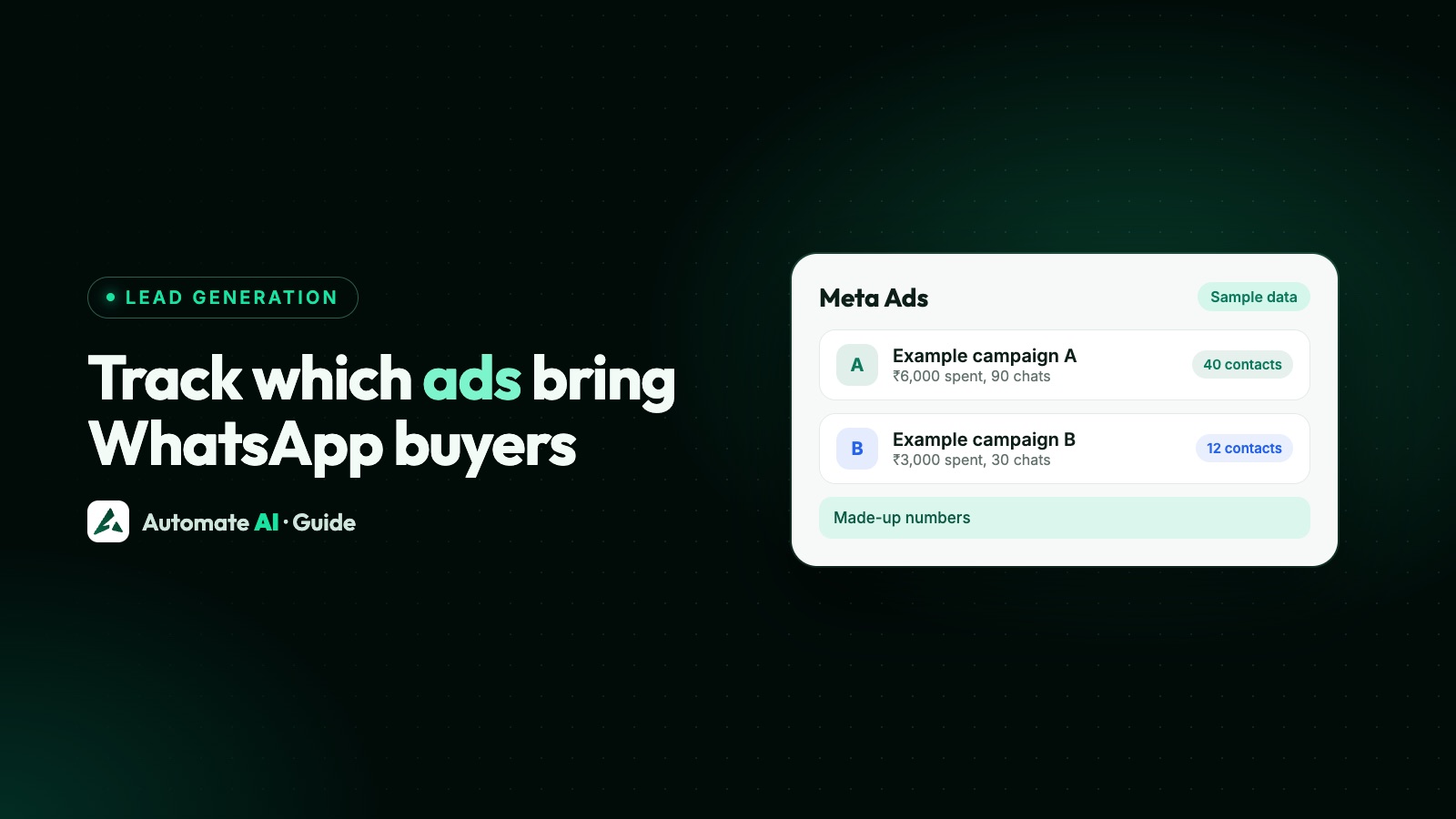
“Chats started” and “spent” come from Meta. “New contacts” is Automate AI’s own count of people whose message carried that ad’s ID. Despite the name, existing contacts who tap the ad count too, and someone who taps two ads counts under both. If you create ads under Click-to-WhatsApp Ads, that gives you a quick cost-per-contact check. For example, with made-up numbers: ₹6,000 spent and 40 contacts from the ad is ₹150 each.
If your ads run in Ads Manager, the ad data is still captured and the Conversions API still works. You just won’t have a per-ad list in the app, so use the prefilled message trick to show your team the source, and check events in Events Manager.
Sending results back to Meta
Set up Integrations › Conversions API: it needs a dataset plus your WhatsApp connection or a pasted token, and the main Enabled switch starts off. Each event only goes out for contacts who came from an ad:
| Event | What triggers it |
|---|---|
| Lead | The first ad click seen for that contact |
| Purchase | A paid Shopify order (Series 2, 3 and 4) matched to a contact from an ad. Online Store orders need the status route |
| Status change | A contact moves into a status you’ve mapped to a Meta event in Settings › Statuses |
| Custom flow event | A chatbot reaches a Conversion Event step |
Status and Purchase events respect an attribution window you set, 7 days by default and up to 90, so an old click doesn’t get the credit. If you sell in person or by bank transfer, the status route is the one to use: when a salesperson moves a chat to “Won”, Meta gets the event. That makes honest statuses important.
A simple tracking routine
- Name ads clearly so an ad ID leads to something a person understands.
- Give each ad its own prefilled message as a backup.
- Pick your stages. Keep it to Lead, Qualified and Won, as statuses your team uses.
- Map those statuses to Meta events: Lead to Lead, Won to Purchase, and Qualified to a custom event such as QualifiedLead. Send a test event with a test code first.
- Check once a week: cost per contact from the ad, qualified leads, and sales per ad if you track them yourself, for example from your own ad IDs or prefilled messages.
- Move budget slowly, and give an ad time before judging it. Sales in chats can take days.
Don’t expect the numbers to match perfectly. Meta counts chats, you count contacts, and returning customers or Status ads will appear differently. Use the numbers to compare ads with each other, not as exact accounts. For the bigger picture, see Click-to-WhatsApp ads vs website vs lead forms.
Frequently asked questions
How do I know which ad a WhatsApp customer came from?
On the API, the first message from a Click-to-WhatsApp ad includes a referral object with the ad’s ID and URL. Your platform or developer needs to save it. On the Business app, use a different prefilled message per ad.
What is ctwa_clid?
It’s the click ID Meta generates when someone taps a Click-to-WhatsApp ad. You send it back through the Conversions API, unhashed, to link a sale to that click.
Do UTM parameters work with WhatsApp ads?
Not on an ad that opens WhatsApp directly, because no page loads to read them. They only help on a landing page or on links you send in the chat.
Why is ctwa_clid missing from some messages?
Meta leaves it out of messages from ads in WhatsApp Status. It’s also absent from ordinary messages that didn’t come from an ad.
Can I see which ad each contact came from in Automate AI?
Automate AI saves it, but the chat and contact screens don’t show it. The Meta Ads page shows new contacts per ad, for ads created in Automate AI.
How long do I have to report a sale to Meta?
Each event’s time must be within the last 7 days when you send it. Report sales soon after they happen.
Sources
- Meta: Messages webhook reference (text)
- Meta: Conversions API for business messaging
- Meta: Conversions API server event parameters
- Meta: Customer information parameters
- Meta: Ads that click to WhatsApp
- Meta: Automatic Events API
WhatsApp rules and prices change. We check these guides against Meta’s documentation, but always confirm current terms with Meta before you rely on them. Questions? Message us on WhatsApp at +91 836 977 8812.