How to Run a Loyalty Programme on WhatsApp
Run a simple WhatsApp loyalty program: a stamp or tier scheme, sample messages, a balance reply, template categories, and what has to be done by hand.
To run a loyalty programme on WhatsApp, keep each customer’s stamps or tier in your own records, let them check their balance in a chat, and send updates and rewards through approved templates. Start with something simple, such as “buy 10, get 1 free”, or two or three tiers. You don’t need an app or a plastic card.
WhatsApp has no loyalty feature, and Automate AI has no points system, so nothing adds up stamps from a sale by itself. Someone, or your own software, has to record each purchase. This guide shows a scheme a small business can actually run, the messages to send, how the template rules apply, and what you can set up with contact fields, groups and a keyword reply.
Key takeaways
- WhatsApp has no built-in loyalty or points feature, and neither does Automate AI. You hold the balance as a contact field and update it yourself.
- A stamp card is the easiest scheme to run. Use tiers only if you can update them regularly.
- A chatbot can answer “my stamps” from a custom field, if the field has a value.
- A plain balance update can fit utility. Anything that pushes people to buy or spend is marketing.
- Campaigns target groups, tags or statuses, not a field’s value, so keep a group for each tier.
What a WhatsApp loyalty programme can and can’t do
WhatsApp is a good place for the messages around a loyalty scheme: the balance, the reminder and the reward. It isn’t where the scheme’s data lives. The chat doesn’t know what someone bought in your shop, so a record of purchases has to come from somewhere else.
| Job | WhatsApp does it? | How you handle it |
|---|---|---|
| Show a balance when asked | Yes, with a chatbot | A keyword reply reads the customer’s saved field |
| Send a reward note | Yes | An approved template, or a normal reply inside the 24-hour window |
| Add a stamp after a sale | No | Staff update the contact, or your own system does through the API |
| Work out tiers | No | A spreadsheet, then a bulk import |
| Redeem a reward at the till | No | Staff check the code against your records |
If you already use loyalty software or a shop system with points, keep it as the source of truth and use WhatsApp only for messages. If you have nothing yet, the spreadsheet scheme below is enough to start.
Choose a simple scheme
Pick the simplest one your team will keep up to date. An out-of-date balance is worse than no scheme, because it starts arguments at the counter.
| Scheme | How it works | Suits | Effort |
|---|---|---|---|
| Stamp card | One stamp per visit or order, with a reward at a set number | Cafés, salons, car washes, clinics for routine services | Low |
| Tiers | Silver and Gold, based on spend over a year | Shops with repeat customers and a sales record | Medium |
| Members’ list | Join to get early access and member-only offers | Brands with regular drops or events | Low |
| Points | Points per amount spent, redeemed for money off | Businesses with a till or software that can count them | High |
A worked example with made-up numbers: a café gives one stamp per visit and a free coffee at 10. Staff update the sheet at closing time, and it’s imported once a week. The balance can be up to a week old, which is fine as long as you say so.
Write the rules on one short page: what earns a stamp, what the reward is, how long it lasts, and whether it can be swapped for cash. Local consumer and tax rules can apply to rewards with money value, and this isn’t legal advice.
Getting customers to join
Joining a loyalty scheme is a good moment to ask for WhatsApp opt-in, because the customer can see what they get. WhatsApp’s policy says you need their number and their permission, and Meta says the opt-in has to name your business and make clear what they’re agreeing to.
- At the counter: a QR code that opens a chat with “JOIN” already typed. See how to make a WhatsApp link and QR code.
- On a receipt or in a parcel: the same QR code, with one line on what they get.
- On your website: a form with an unticked box naming your business.
- In a chat: ask anyone already talking to you, and record the answer.
Keep proof of consent, and treat loyalty updates and offers as separate choices if you can. WhatsApp’s best practice is separate opt-ins by message type. More in WhatsApp opt-in.
Sample loyalty messages
These use demo data, so change them to fit your scheme. Templates need Meta’s approval before you send them, and the marketing ones end with an opt-out line.
Stamp update
Reward ready
New tier
A customer who has gone quiet
Don’t send a stamp update after every visit if nobody asked for it. Each template is a paid message. A balance people can ask for costs less and annoys no one.
Utility or marketing? How Meta’s rules apply
Meta’s categorisation page doesn’t mention loyalty points directly, so go by its general rules. A utility template must have no promotional or persuasive intent, and has to be specific to the user or requested by them, or essential to them. Meta’s own utility examples include a plain account balance update. A thank-you discount on a next order is one of its marketing examples, and content that mixes the two counts as marketing.
| Message | Likely category | Why |
|---|---|---|
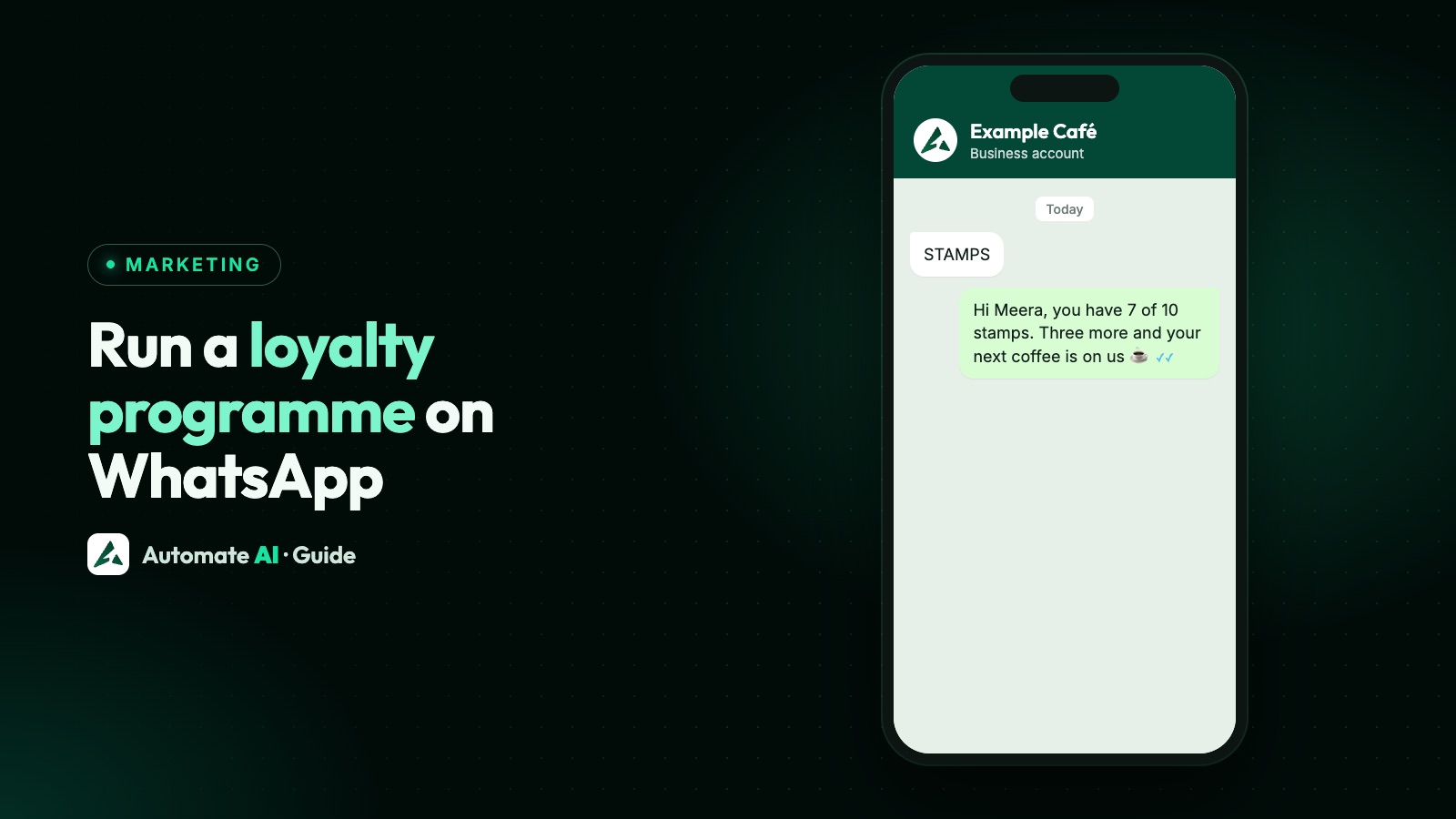
| “Your card has 7 of 10 stamps.” | Could be utility | A plain, personal balance with no nudge |
| “3 more stamps for a free coffee, come in soon!” | Marketing | It encourages a purchase |
| “Your reward is ready, use it by Friday.” | Treat as marketing | It’s a nudge to come in and buy |
| “You’re Gold now, see new arrivals.” | Marketing | Promotional content |
| “How was your visit on 12 May?” | Could be utility | A survey tied to one specific interaction |
Meta has the final say, and can change a template’s category later. Submit honestly, because a recategorised template is charged as marketing. See WhatsApp template messages.
On cost, Meta charges for each delivered template, including utility ones inside an open window. Non-template replies are service messages, and each number gets 1,000 free a month. So a customer asking “my stamps” and getting an answer usually costs very little. Rates by country are on our WhatsApp API pricing page.
Set it up in Automate AI
Automate AI has no points or rewards feature for your customers. Here’s how to run a stamp card with what it does have. Contacts, custom fields and campaigns are on every plan. The balance reply and the yearly message need Series 2, 3 or 4 (the chatbot builder and automations). On Series 1, your team answers by hand.
- Add a field. In Settings › Contact Fields, add an Input field called Stamps. Its key is
stamps. If you use tiers, add Tier too. - Keep your sheet. One row per customer: phone number, name, stamps.
- Import updates. In Contacts › Import, map the Stamps column and choose Update existing only. Contacts are matched on phone number. That option skips numbers not yet in your contacts, so use Create new and update existing when the file has new members. For a single change, edit the contact directly.
- Build the balance reply. At Automation › Flows, start a flow on the keyword
stamps. A keyword matches that word anywhere in a message, so “why are my stamps wrong?” gets this reply too; pick a more unusual word if that would annoy people. Add a text step: “Hi {first_name}, you have {stamps} of 10 stamps.” Type{stamps}by hand, as the variable menu lists only built-in fields. Publish the flow. - Make tier groups. Keep a contact group per tier, such as “Gold members”. A
group_namecolumn can set them, but each row’s groups replace the contact’s current groups, so list every group they should stay in. To keep existing groups, tick contacts and use Assign Group › Add to groups. - Send campaigns. Pick the group or a tag as your audience. In the campaign, a template variable can use a custom field, so {{2}} in the stamp update can show each customer’s own stamps.
- Add a yearly message. At Campaigns › Drip Campaigns, a Scheduled Automation can send a template on a contact’s birthday or anniversary, such as a membership date.
Basic Replies at Automation › Basic Replies can’t read custom fields, so use a flow for the balance. Update Contact doesn’t suit stamps either: it saves the customer’s next typed reply, so customers could write their own balance. Keep the numbers in staff hands.
If your own till or software can make API calls, a developer can update contacts through the REST API, included from Series 2, instead of the import. That removes the delay.
Keep the data and the customers happy
- Update on a fixed day, and say so: “Balances update every Monday.”
- Offer a person. WhatsApp’s policy requires a clear way to reach help when a bot handles chats, and balance disputes need a human.
- Never ask for card or ID numbers to join or redeem. The policy bars asking for them in chat. A phone number is enough.
- Don’t share other customers’ details, such as a leaderboard of what members spent.
- Honour opt-outs. A typed STOP opts a contact out automatically in Automate AI. A button tap doesn’t, so use the STOP footer on marketing templates. Someone who opts out of messages can stay in your scheme at the counter.
- Set an end date for rewards, and remind people once, not every week.
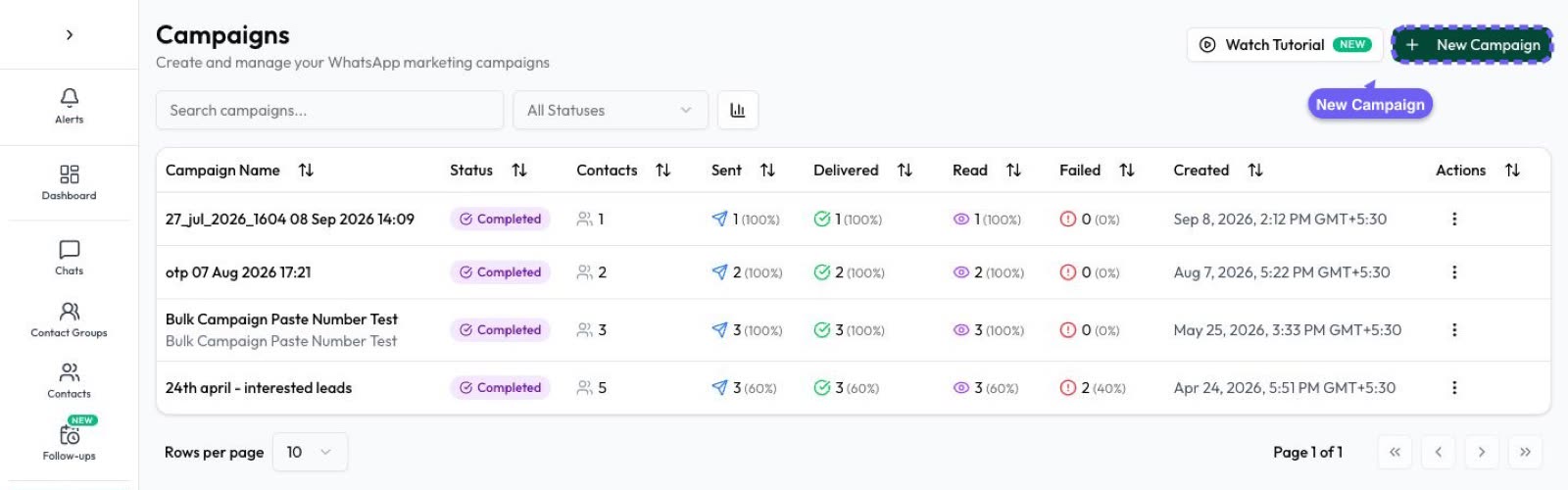
To see if it’s working, compare visits or orders from members with your other customers, using your own sales data. Automate AI’s campaign reports show delivered and read counts, which tell you about the message, not about loyalty. For a scheme people pass on to friends, see how to run a referral programme on WhatsApp.
Frequently asked questions
Does WhatsApp have a loyalty program feature?
No. WhatsApp has no points or rewards system for businesses. You keep the balance in your own records and use WhatsApp for the messages.
Does Automate AI have loyalty points?
No. It has no points or rewards feature for your customers. You can store a stamp count in a custom contact field, let a chatbot show it, and send campaigns to a group for each tier.
Can a customer check their points on WhatsApp?
Yes, if the balance is saved on their contact. In Automate AI, a keyword flow can reply with a custom field such as {stamps}. The number is only as fresh as your last update.
Do I need a template for loyalty messages?
Yes, if the 24-hour window is closed or you’re starting the conversation. Inside the window you can reply with a normal message, such as a balance the customer just asked for.
Are loyalty messages marketing or utility?
A plain balance update may fit utility, but Meta decides. Anything that encourages a purchase, or mixes a balance with an offer, is marketing.
Can stamps update automatically after a sale?
Only if your own system sends the change. Automate AI doesn’t count purchases into a stamp field. Your developer can update contacts through the REST API.
Sources
- Meta: Template categorization
- WhatsApp Business Messaging Policy
- Meta: Get opt-in for WhatsApp
- Meta: Pricing on the WhatsApp Business Platform
- Meta: Per-user marketing template limits
- Meta: Send messages (customer service window)
WhatsApp rules and prices change. We check these guides against Meta’s documentation, but always confirm current terms with Meta before you rely on them. Questions? Message us on WhatsApp at +91 836 977 8812.