How to Run a Referral Programme on WhatsApp
Run a WhatsApp referral program by hand: make a referral link for each customer, track who referred whom, pay rewards and stay inside WhatsApp’s opt-in rules.
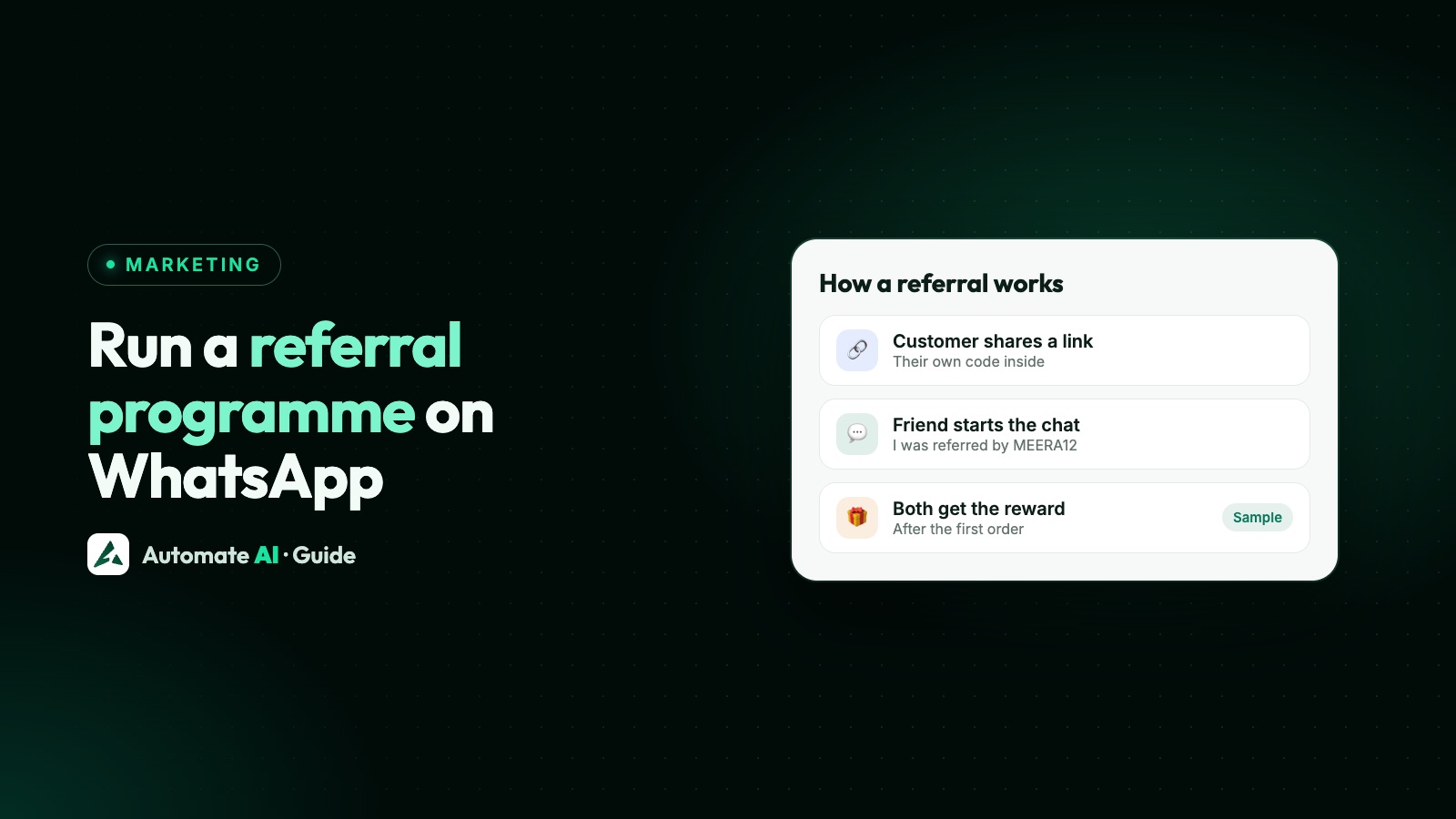
To run a referral programme on WhatsApp, give each customer a wa.me link that carries their code, ask them to share it with friends, and reward them when a friend who messages you buys. The key rule: the friend has to message you first. You can’t message a number a customer gave you, because that friend hasn’t agreed to hear from you.
WhatsApp has no customer referral feature for businesses, and neither does Automate AI, so there’s no button that counts referrals and pays rewards. You run the scheme with ordinary tools: a spreadsheet, custom fields, groups and keyword replies. This guide shows how to make the links, what to send, how to track who referred whom and which rules to keep to.
Key takeaways
- WhatsApp offers no built-in referral tool for a business’s customers. You build the scheme from links, keywords and a record of who referred whom.
- A referral link is a wa.me link with a pre-filled message that holds the customer’s code.
- The friend starts the chat. Never message a number passed on to you, because that person hasn’t opted in.
- A message from the friend lets you reply for 24 hours, but sending them offers later needs their own opt-in.
- In Automate AI, referral counts and rewards are manual: custom fields hold the data, and a person checks each reward.
How a WhatsApp referral programme works
Every version of this has the same five steps. Only the first and the last need any care.
- You invite a customer who has opted in to hear from you, and give them a personal link.
- They share it with friends in their own chats, status or groups. That’s a person talking to a friend, not you messaging anyone.
- The friend taps the link. A chat with your business opens with a message already typed, such as “I was referred by PRIYA12”.
- The friend sends it, you reply and, if it goes well, they buy.
- You check the sale and pay the reward to whoever owns that code.
Since a link is all the friend needs, this works for shops, gyms, clinics, tuition classes and agencies alike. It suits businesses where customers already talk about what they bought. If you need volume from strangers, Click-to-WhatsApp ads or other lead generation will do more.
What WhatsApp’s rules allow
WhatsApp’s Business Messaging Policy has no rule about referrals or rewards as such. The rules that matter are about who you may contact. It says you can contact people only if they’ve given you their number and you’ve received opt-in permission. Meta adds that the opt-in has to name your business.
| Situation | Allowed? | Why |
|---|---|---|
| A customer forwards your link to a friend | Yes | It’s a personal message, and the friend chooses whether to tap |
| A friend taps the link and messages you | Yes | You can reply inside the 24-hour customer service window |
| A customer types a friend’s number into your form | Don’t message it | The friend gave you nothing and hasn’t opted in |
| You offer a reward for “adding 10 numbers” | Don’t | You’d be collecting numbers from people who never agreed |
| You send the friend offers next month | Only with opt-in | Replying to a question isn’t the same as agreeing to marketing |
| You tell a customer which friend bought what | Don’t | The policy bars sharing customer chat information with other customers |
More on consent, with sample wording, in WhatsApp opt-in.
How to make a WhatsApp referral link
A referral link is a normal click-to-chat link with the customer’s code in the pre-filled text. Use your number in full international format, with no plus sign, spaces or leading zero. The basics are in how to create a WhatsApp link and QR code.
| Part | Example (sample data) |
|---|---|
| Your number | https://wa.me/91XXXXXXXXXX |
| Start of the message | ?text=I%20was%20referred%20by%20 |
| The customer’s code | PRIYA12 |
| Finished link | https://wa.me/91XXXXXXXXXX?text=I%20was%20referred%20by%20PRIYA12 |
For one link, our free WhatsApp link generator handles the encoding. For hundreds of customers, use a spreadsheet. Put each code in column A, then build the links in column B with a formula:
Keep codes short, with letters and numbers only, because spaces and symbols would need encoding too. Avoid codes that could be mistaken for each other, such as O and 0.
Two limits to plan for. A plain wa.me link has no tracking, so you can’t see who tapped without sending anything. And the friend can edit the text before sending, so a code can get deleted. Ask “Who told you about us?” if a new chat has no code.
A QR code of the same link works on a printed card. Hand one to each customer only if the scheme is small enough to manage, because each card needs its own code.
Set the rules before you launch
Disputes come from vague rules. Decide these first, and write them on one short page you can link to.
| Decide | A sensible default |
|---|---|
| Who can refer | Existing customers who opted in |
| Who counts as a new customer | A number that isn’t already in your contacts |
| What triggers the reward | The friend’s first completed purchase, not just a chat |
| What the reward is | Store credit or a discount on the next order, for both people if you can afford it |
| When it’s paid | After your return or cancellation period ends |
| Limits | A cap per customer and an end date |
| Who wins a tie | The first code in the chat |
Work out what you can afford before picking a reward: your margin on a first order, less the reward for both people, less the message costs. Don’t copy a number from another business. And check the code against your own records before paying, so nobody can refer themselves from a second phone.
Sample referral messages
These are samples with demo data and a made-up reward, so change them to suit. Anything you send first needs an approved template, and an invitation like this is a marketing template, as Meta treats promotional content as marketing.
The invitation (marketing template)
The link, sent after they tap (inside the 24-hour window)
The message they forward
The welcome for the friend
The reward message
Leave the friend’s name out of the reward message unless they’ve agreed. Meta’s utility category excludes anything persuasive, so treat a reward nudge as marketing. Meta makes the final call on every template, and won’t always agree with your choice. See WhatsApp template messages.
A few delivery limits apply. WhatsApp caps how many marketing templates a person gets, and doesn’t currently deliver them to US numbers. There, ask in person or by email, and let customers message you for a link. WhatsApp also says users can forward a message to only five chats at once, so sharing happens a few friends at a time.
Run it in Automate AI, step by step
Automate AI has no tool for referrals from your customers: it won’t issue them codes, count referrals or pay rewards. It can hold the data and answer the messages. Campaigns, contacts and custom fields are on every plan. The two chatbot flows below need the chatbot builder, included in Series 2, 3 and 4. On Series 1, your team sends the same replies by hand.
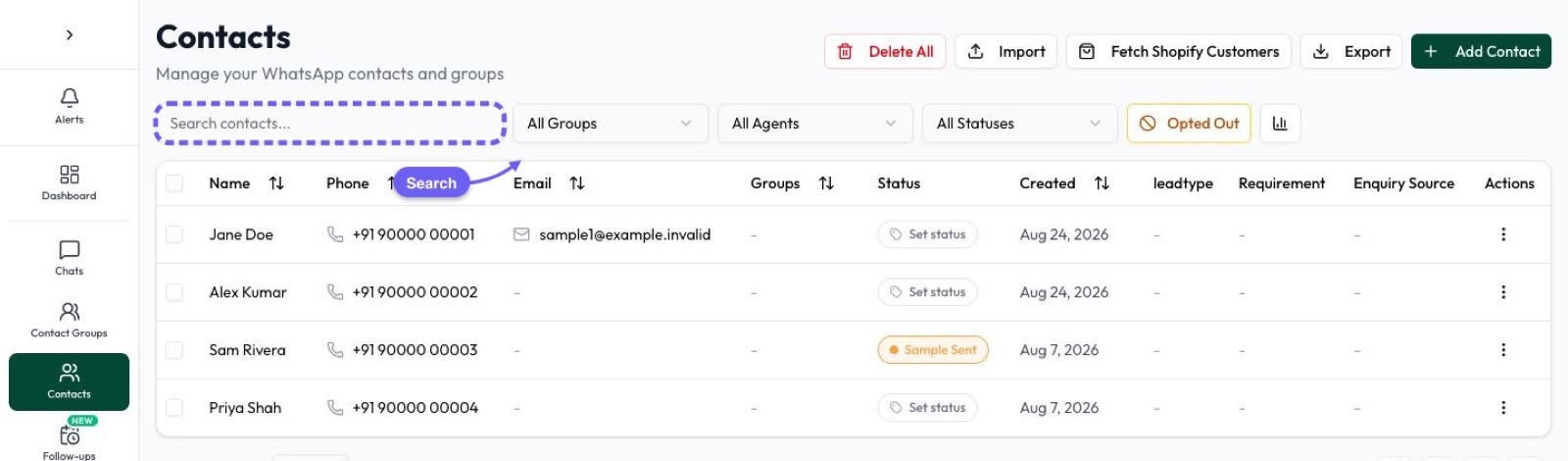
- Create the fields. In Settings › Contact Fields, add Referral code, Referral link, Referred by and Referrals count. Labels become keys such as
referral_link. - Load the codes. Export your contacts, add the code and link columns, and bring the file back through Contacts › Import. Choose Update existing only, which matches on phone number and skips anyone new.
- Make a group. Add customers who opted in to a group such as “Referral customers”, and add a separate “Referred friends” group.
- Build the “send my link” flow. At Automation › Flows, start on the keywords
get my link, mylink. Add a text step with your message and{referral_link}typed in by hand, since the variable menu lists only the built-in fields. Publish it. - Build the friend’s flow. Start on the keyword
referred, which appears in the pre-filled text. Keep any other flow’s keywords out of that text, because if two flows match, either could run. That’s why the sample doesn’t start with “Hi”. Add the welcome text, an Add to Group step for “Referred friends”, and Yes and No buttons. On the Yes branch, add them to a group such as “Offers opt-in”. - Send the invitation. Create the template with a quick-reply button labelled “Get my link”, and send a campaign to the group. A button tap reaches the app as the customer’s message, so the flow starts and a new window opens.
- Pay rewards by hand. When a referred friend buys, read the code in their first message, update Referred by on their contact and the count on the referrer’s, then send the reward.
Update Contact won’t help on the first message: it saves the customer’s next typed reply, not the message that started the flow. If you want the code saved automatically, the friend’s flow can ask “Who told you about us?” and save the typed answer to Referred by, but that asks people to type a code they’ve just sent. Most small schemes find reading it easier.
Track what the scheme is doing
Keep one sheet as your record, with a row per referred friend. It’s your proof if someone disputes a reward.
| Column | What it tells you |
|---|---|
| Friend’s number and date of first message | When the referral started |
| Code used | Who gets the credit |
| First order date and value | Whether it qualifies |
| Reward status and date | What you still owe |
Once a month, look at four numbers: invitations sent, links requested, friends who messaged and friends who bought. Requests come from Button Clicks, which logs quick-reply taps on your templates. Add up the rewards and compare them with the sales. If customers ask for links but friends don’t message, the reward or the forwarded text is the weak spot. If friends message but don’t buy, look at your replies.
Your own numbers are what count. Be wary of benchmarks, because results depend heavily on what you sell and who your customers are.
Common mistakes
- Collecting friends’ numbers. A “refer 3 friends, enter their numbers” form creates contacts who never opted in. Expect blocks and reports, which can hurt your number’s quality.
- Paying on the first chat. People will message from a spare phone. Pay on a real purchase.
- Promising what you can’t track. With a manual process, don’t promise instant rewards.
- Adding every friend to campaigns. Keep Referred friends apart from your marketing list until they say yes.
- Ignoring opt-outs. In Automate AI, a typed STOP opts someone out automatically, but a button tap doesn’t, so put “Reply STOP to opt out” in the footer of marketing templates.
- Sending a broadcast and calling it referrals. Asking every customer to “share with 10 friends” every week wears people out. Run it for a set time, then stop.
Frequently asked questions
Does WhatsApp have a referral program for businesses?
No. There’s no built-in feature for a business to run customer referrals. You build one with wa.me links, a code for each customer and your own records.
How do I create a WhatsApp referral link?
Add a pre-filled message with the customer’s code to your click-to-chat link, such as https://wa.me/91XXXXXXXXXX?text=I%20was%20referred%20by%20PRIYA12. Use your full number with the country code, and no plus sign or spaces.
Can I message a friend whose number a customer gave me?
Not under WhatsApp’s rules. The policy requires that the person gave you their number and opted in to hear from you. Have the customer forward your link, so the friend can message you first.
Does Automate AI have a customer referral or rewards feature?
No. It has no tool that issues referral codes, counts referrals or pays rewards to your customers. You use custom fields, groups, keyword flows and campaigns, and a person checks each reward.
Is a referral message marketing or utility?
Treat an invitation or reward nudge as marketing. Meta’s utility templates can’t have promotional or persuasive intent, and it classes mixed content as marketing.
Can I see who clicked a referral link?
Not with a plain wa.me link. You only see the chats that were actually sent. Keep a code in the pre-filled text, and compare those chats with sales.
Sources
- WhatsApp Business Messaging Policy
- WhatsApp Help Center: How to use click to chat
- Meta: Get opt-in for WhatsApp
- Meta: Template categorization
- Meta: Template components
- Meta: Per-user marketing template limits
- Meta: Send messages (customer service window)
- WhatsApp Blog: More changes to forwarding
WhatsApp rules and prices change. We check these guides against Meta’s documentation, but always confirm current terms with Meta before you rely on them. Questions? Message us on WhatsApp at +91 836 977 8812.