Event Invitations on WhatsApp (Samples)
Event invitation WhatsApp messages for business: 20 samples for store openings, workshops, webinars and launches, what to include, and how to send them.
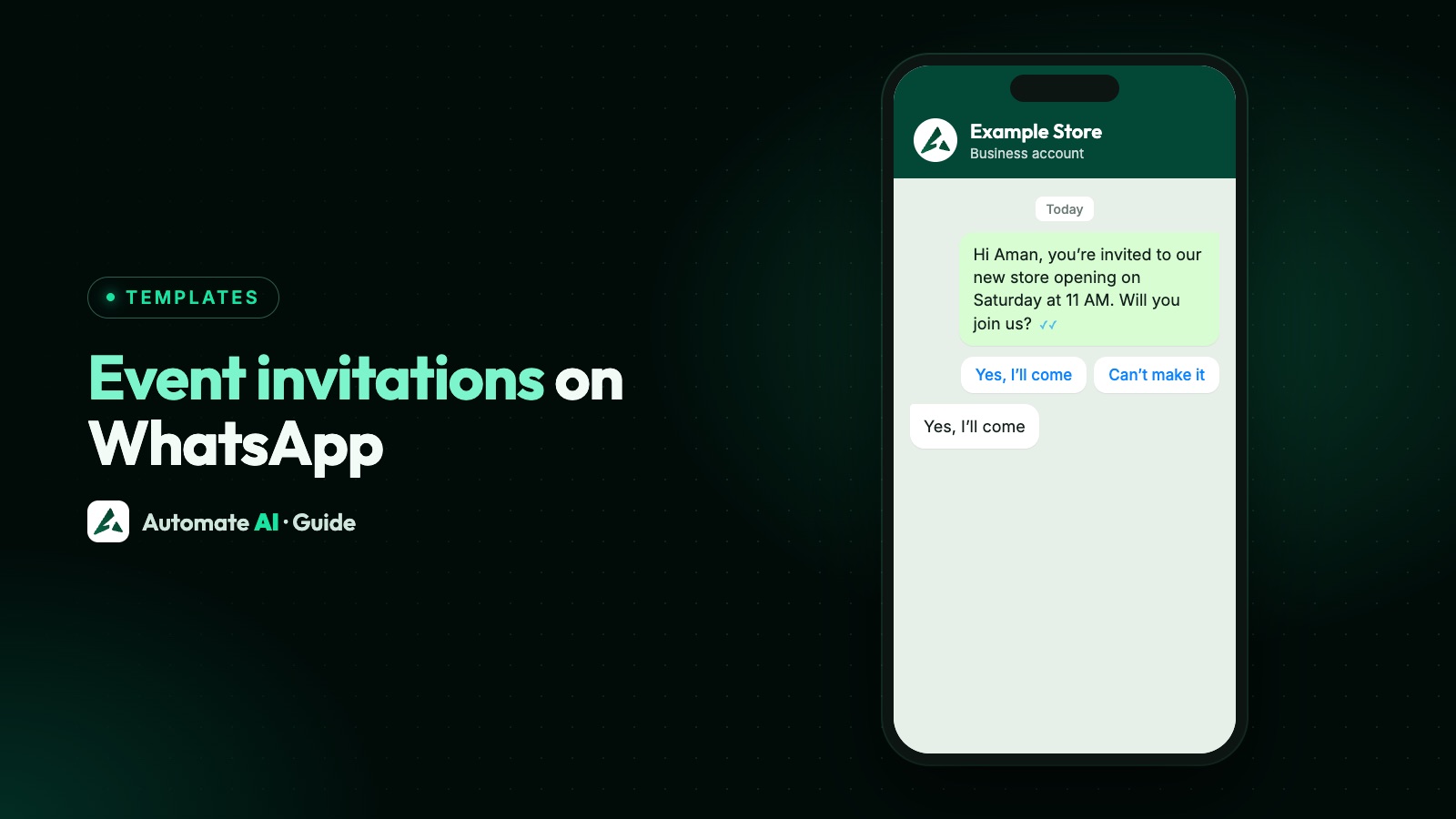
A good event invitation on WhatsApp says what the event is, when and where it happens, why it’s worth coming, and how to confirm, all in a few lines. For example: “Hi Riya, you’re invited to the opening of Example Store, Park Street, on Saturday 14 November at 11 AM. Reply YES to save your spot. Reply STOP to opt out.”
This guide gives you 20 invitation samples for store openings, workshops, webinars, launch events and more, and explains how to send them to customers. Running registrations and reminders too? Our events and webinars page covers what happens after someone says yes.
Key takeaways
- Inviting someone to an event is a marketing template, so it needs opt-in and Meta’s approval.
- Every invitation needs the what, when, where, why and how to confirm.
- A reply such as YES is the simplest way to confirm, and it opens a 24-hour window.
- Send to people the event suits: a local group for a store opening, past attendees for the next workshop.
- Marketing templates aren’t delivered to US numbers, so invite those guests another way.
What to include in an event invitation
People read a WhatsApp message in seconds, often on the move. They should be able to decide without opening anything else.
| Part | What to write | Example |
|---|---|---|
| What | The event, in plain words | Free soap-making workshop |
| Who from | Your business name, early on | Example Studio |
| When | Day, date and time, plus time zone for online events | Saturday 14 November, 11 AM |
| Where | Full address, or “online” | Example Store, 12 Park Street |
| Why come | One real reason | Taste the new menu with the chef |
| How to confirm | One action | Reply YES, or tap Save my seat |
Keep the first line about the customer: “you’re invited” works better than “we are pleased to announce”. A photo or short video in the template header helps too. If seats are limited, say so only when that’s true.
Store openings and in-person events
These are our own samples to adapt. {{1}} is the first name, and all names and dates are examples. Each is a marketing template.
- Store opening: Hi {{1}}, you’re invited to the opening of Example Store, 12 Park Street, on Saturday 14 November at 11 AM. Come early for a welcome gift. Reply YES if you’re coming. Reply STOP to opt out
- New branch: Good news, {{1}}! Example Café is opening closer to you, at Lake Road, on 20 November. Join us for free coffee from 9 to 11 AM. Reply STOP to opt out
- Renovated showroom: Hi {{1}}, our showroom at Example Motors has a new look. See it at our open day on Sunday 22 November, 10 AM to 6 PM. Tap below for directions. Reply STOP to opt out
- Customer evening: Hi {{1}}, as one of our regular customers, you’re invited to a private evening at Example Jewels on Friday 27 November, from 6 PM. Reply YES to book your place. Reply STOP to opt out
- Tasting: Hi {{1}}, Example Kitchen is hosting a tasting of our new menu on Thursday 19 November at 7 PM. There are 20 seats. Reply YES and we’ll confirm yours. Reply STOP to opt out
- Trunk show or exhibition: Hi {{1}}, Example Studio will show its new collection at the City Hall on 28 and 29 November, 11 AM to 7 PM. Entry is free. Tap below for directions. Reply STOP to opt out
- Open house: Hi {{1}}, you’re invited to walk through the show flat at Example Heights on Sunday 15 November, 10 AM to 5 PM. Reply with a time that suits you. Reply STOP to opt out
- Festive event: Hi {{1}}, join us for a Christmas evening at Example Store on 19 December from 5 PM, with carols, snacks and gifts for the kids. Reply YES if you’ll be there. Reply STOP to opt out
Workshops and classes
- Hands-on workshop: Hi {{1}}, Example Studio is running a soap-making workshop on Saturday 21 November at 3 PM. It takes 2 hours and materials are included. Tap below to book. Reply STOP to opt out
- Free demo class: Hi {{1}}, try a free demo class at Example Academy on Sunday 15 November at 10 AM. It’s a good way to meet the teacher first. Reply YES to save a seat. Reply STOP to opt out
- Customer training: Hi {{1}}, Example Software is running a live training on reports on Wednesday 18 November at 4 PM. Bring your questions. Tap below to join the list. Reply STOP to opt out
- Kids’ activity: Hi {{1}}, Example Books has a story-time morning for children on Saturday 14 November at 10 AM. It’s free, but seats are limited. Reply YES with the number of seats. Reply STOP to opt out
Webinars and online events
For anything online, write the time zone, and link to a registration page rather than sending the joining link to everyone. Then you know who’s coming and can remind them.
- Webinar: Hi {{1}}, join our free webinar on growing repeat sales, on Thursday 19 November at 6 PM India time. It runs for 45 minutes with live questions. Tap below to register. Reply STOP to opt out
- Expert talk: Hi {{1}}, our nutrition coach is going live on Friday 20 November at 7 PM UK time to talk about meal planning for busy weeks. Tap below for your place. Reply STOP to opt out
- Product demo: Hi {{1}}, want to see Example Software in action? We’re running a 30-minute live demo on Tuesday 17 November at 3 PM Gulf time. Tap below to register. Reply STOP to opt out
- Past attendee: Hi {{1}}, thanks for joining our last webinar. The next one is on 3 December at 6 PM India time, on winning back old customers. Tap below to register. Reply STOP to opt out
Launch events and a last invitation
- Launch event: Hi {{1}}, be the first to see the new Example Air range, at our launch event on 26 November at 6 PM at Example Store. Reply YES to get on the list. Reply STOP to opt out
- Car launch: Hi {{1}}, Example Motors is unveiling its new model on Saturday 28 November at 11 AM. Come for a first look and a test drive. Reply YES to book a slot. Reply STOP to opt out
- Partner meet: Hi {{1}}, Example Traders invites you to our annual dealer meet on 5 December at Hotel Example. Reply YES to confirm your seat. Reply STOP to opt out
- One last invite: Hi {{1}}, there’s still room at our opening on Saturday at 11 AM, Example Store, 12 Park Street. We’d love to see you. Reply YES if you can make it. Reply STOP to opt out
Planning the wider launch? See how to announce a product launch on WhatsApp. More samples are in our events template library.
Why an invitation is a marketing template
Meta’s category guide uses an event invitation as a marketing example: its sample invites people to join a holiday celebration at a location on a date. That gives you a few things to plan around:
- Opt-in comes first. Only invite people who agreed to hear from your business on WhatsApp. See WhatsApp opt-in.
- Don’t submit it as Utility. A purely informational message about an event the person signed up for may fit Meta’s utility rules, because it’s non-promotional and specific to them, but Meta makes the final call, and any promotion makes it marketing. A message inviting them to a new one is marketing, and Meta treats mixed content as marketing too.
- It’s charged per delivery. The rate depends on the customer’s country. See rates by country.
- Per-person limits apply. A blocked send fails with error 131049, and Meta says to wait at least 24 hours before trying again.
- US numbers won’t get it. Meta doesn’t deliver marketing templates there.
- Give a way out. People must be able to stop your messages, and you must honour it. In Automate AI a typed STOP opts a contact out automatically; a button tap doesn’t.
How to send invitations in Automate AI
- Write the template. In Campaigns › Templates, choose the Marketing category and add your wording, a header image and a button. Meta’s review can take up to 24 hours, so submit a few days ahead.
- Add a website button if you’re using a registration page or directions. Automate AI’s template builder has no map attachment, so write the full address in the text and link the button to your map. Put a Smart Link on it to see who tapped.
- Pick the audience. In Campaigns, choose by tags, group, status, date or saved Country field. For an in-person event, build a group of people near the venue first. For a follow-up event, use past attendees.
- Schedule it. Pick a date and time, or send straight away. The audience is fixed when you create the campaign, and the time is read in your own device’s time zone, so use one campaign per region for an online event.
- Handle the replies. Have a person watch the team inbox, or, on Series 2, 3 and 4, start a chatbot on a keyword and add them to a group. A keyword matches that word anywhere in any incoming message, not only a plain YES, so use a word unique to the event, such as a one-word event code, in your invitation, or have the chatbot ask a confirm question first.
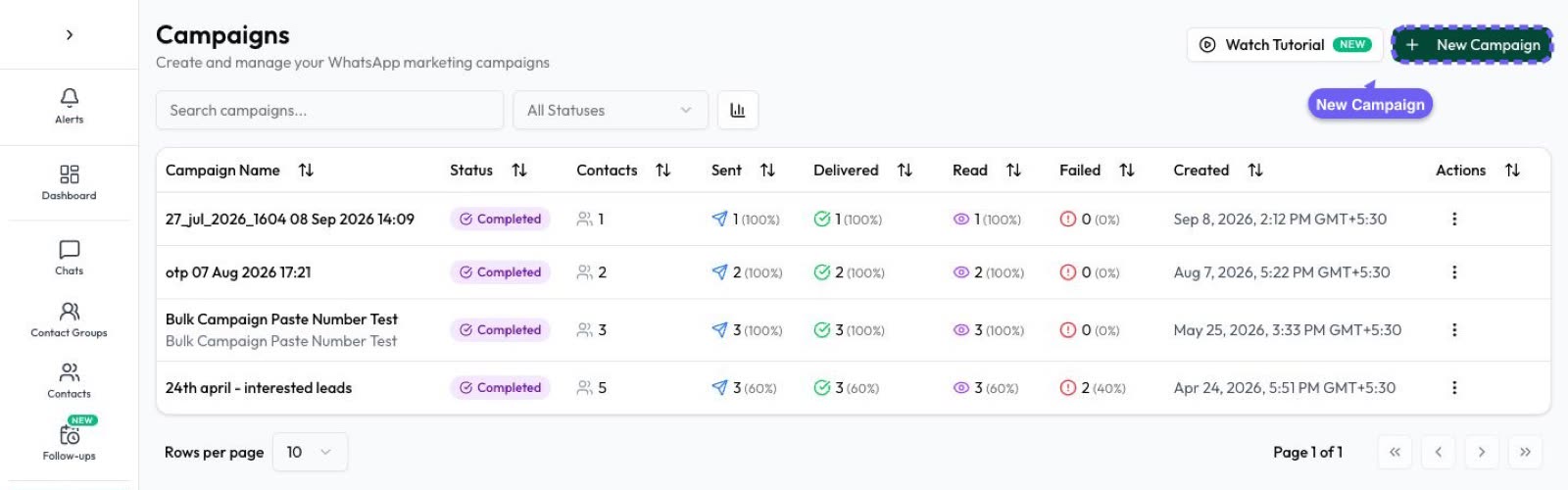
- Check results. Open the campaign to see sent, delivered, read and failed, and use Campaigns › Button Clicks to see who tapped. One follow-up is enough: see retargeting a campaign.
Three ways to let people confirm
| Method | Works best for | Good to know |
|---|---|---|
| “Reply YES” | Small events and local customers | Opens a 24-hour window, so you can ask how many seats and share details in the chat |
| Quick-reply button | Any event with a simple yes | A tap is recorded in Button Clicks and reaches you as a message from the customer, so it shows in the inbox as an open chat. Test it with your own number if a chatbot needs to act on it |
| Registration page link | Webinars, paid tickets, longer forms | Use a Smart Link to see who tapped. Take any payment on a secure page, never in the chat |
Once someone confirms, the job changes: confirmations, reminders and joining links are covered on our events and webinars page.
When to send your invitation
There’s no official best time, so treat this as a starting point and adjust it for your customers.
| Event | First invitation | Last invitation |
|---|---|---|
| Store opening or local event | 1 to 2 weeks before | 2 to 3 days before |
| Workshop or class | 2 weeks before | 3 to 4 days before |
| Webinar | 1 to 2 weeks before | The day before |
| Dealer meet or big launch event | 3 to 4 weeks before | 1 week before |
Send two invitations at most, and leave out anyone who has already said yes or no.
Frequently asked questions
How do I write an event invitation on WhatsApp?
Say what the event is, when and where it is, why it’s worth coming, and how to confirm. Keep it to a few lines, and put your business name near the start.
Is an event invitation a marketing or utility template?
Marketing. Meta’s category guide gives an event invitation as a marketing example. A purely informational message about an event the person signed up for may fit Meta’s utility rules, because it’s non-promotional and specific to them, but Meta makes the final call, and any promotion makes it marketing.
Can I send event invitations to all my WhatsApp contacts?
Only to people who opted in to hear from your business on WhatsApp. It’s also better to invite only those the event suits, such as customers near the venue.
How can guests RSVP on WhatsApp?
Ask them to reply YES, add a quick-reply button, or link to a registration page. A reply opens a 24-hour window, so you can talk to them normally after that. A button tap reaches you as a message from the customer and shows in the inbox as an open chat.
Can I send an invitation with an image?
Yes. Marketing templates can have an image or video header, so you can use your event poster. Keep the key details in the text as well, because not everyone reads a poster.
How many invitations should I send for one event?
Two at most: a first invitation and one last one, skipping anyone who has already answered.
Sources
- Meta: Template categorization
- Meta: Template components
- Meta: Template review
- Meta: Per-user marketing template limits
- Meta: Get opt-in for WhatsApp
- Meta: Pricing on the WhatsApp Business Platform
- WhatsApp Business Messaging Policy
WhatsApp rules and prices change. We check these guides against Meta’s documentation, but always confirm current terms with Meta before you rely on them. Questions? Message us on WhatsApp at +91 836 977 8812.