How to Add WhatsApp to Your Email Signature
Add a WhatsApp link to your email signature in Gmail and Outlook, with a pre-filled message, a copy-ready HTML snippet and the rules for using the logo.
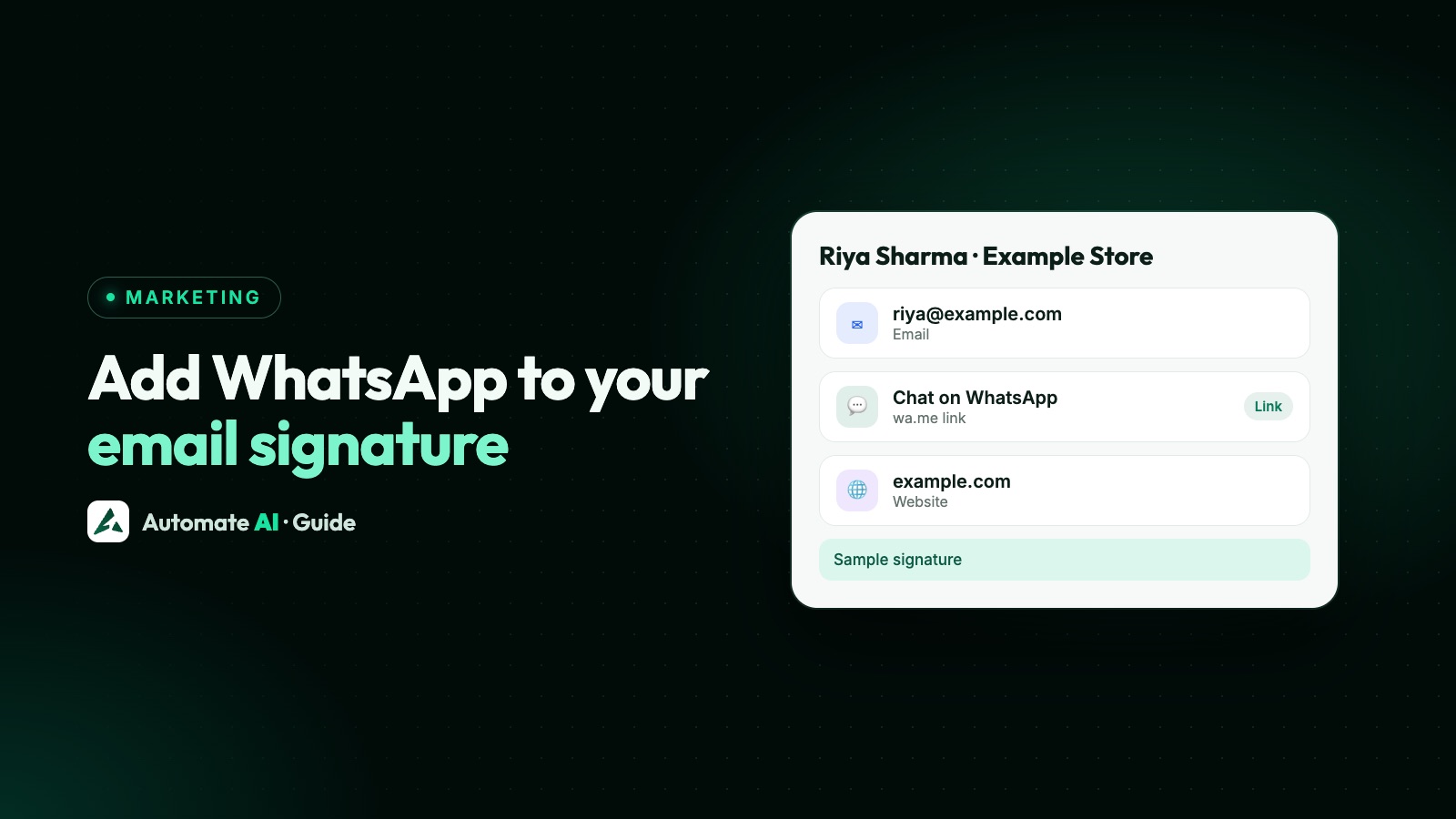
To add WhatsApp to your email signature, create a wa.me link with your number, then add it as a text link in your signature settings: in Gmail, Settings › See all settings › Signature, and in Outlook, Settings › Accounts › Signatures. Anyone reading your email can tap it and land in a chat with you, without saving your number.
This guide gives the exact steps for Gmail and Outlook, ready-made link wording for different teams, an HTML snippet, and what WhatsApp’s brand rules mean for adding the logo. For everything about links themselves, including QR codes and short links, see our WhatsApp link and QR code guide.
Key takeaways
- Use
https://wa.me/plus your full international number, with no plus sign, leading zeros, brackets or dashes. - A text link is enough, and it still works when an email app blocks images.
- Use a different pre-filled message for each team, so you can see where a chat came from.
- WhatsApp’s rules: use official logo files, don’t change their colours, and don’t make the logo the most prominent thing.
- Gmail’s mobile signature is separate. Classic Outlook keeps its signature on that computer, so set up Outlook on the web separately.
Step 1: build the link for your signature
WhatsApp’s click to chat format is https://wa.me/ followed by your full number in international format. Leave out any leading zeros, brackets and hyphens. Adding ?text= and a URL-encoded message puts that text in the customer’s typing box, and they can edit it before sending.
A signature has one job that a website button doesn’t: it goes out with every person’s email, so each team can have its own opening line. Sample links, where 91XXXXXXXXXX is your number:
| Whose signature | Message the customer sees | Link |
|---|---|---|
| Sales | Hi, I saw your email and I’d like a quote | https://wa.me/91XXXXXXXXXX?text=Hi%2C%20I%20saw%20your%20email%20and%20I%27d%20like%20a%20quote |
| Support | Hi, I need help with my order | https://wa.me/91XXXXXXXXXX?text=Hi%2C%20I%20need%20help%20with%20my%20order |
| Accounts | Hi, I have a question about an invoice | https://wa.me/91XXXXXXXXXX?text=Hi%2C%20I%20have%20a%20question%20about%20an%20invoice |
Our free WhatsApp link generator encodes the message for you. Tap the finished link on your own phone before you paste it anywhere.
Add a WhatsApp link to your Gmail signature
- Open Gmail on a computer.
- At the top right, click Settings, then See all settings.
- On the General tab, scroll to Signature and click your signature, or create a new one.
- Type your link text, such as Chat with us on WhatsApp.
- Select that text, click the link icon in the toolbar and paste your wa.me link.
- Scroll to the bottom of the page and click Save Changes.
Adding an image in Gmail
- You can add a signature image from a public web address, from My Drive, or by uploading it from your device. If one way fails, Google suggests trying another.
- An image from Drive must be shared publicly, with anyone who has the link able to view it.
- Gmail allows up to 10,000 characters in a signature, and images count towards that.
Gmail on your phone
On Android, open the Gmail menu, go to Settings, choose the account and tap Mobile signature. On iPhone, open the menu, go to Settings › Compose and Reply › Signature settings and turn on Mobile Signature; with several accounts, set it for each one. It shows only on emails sent from the app. If you create one, it replaces your computer signature there, so paste your full wa.me link as plain text and test it from your phone.
Add WhatsApp to your Outlook signature
New Outlook, Outlook on the web and Outlook.com
- Select the Settings gear, then Accounts › Signatures.
- Choose the account if you have more than one.
- Select Add signature and give it a name.
- Type your signature and your link text, then add the wa.me link to that text.
- Tick whether it should go on new messages, on replies and forwards, or both.
- Select Save.
Classic Outlook for Windows
- Open a new message, then select Message › Signature › Signatures.
- Under Select signature to edit, choose yours or select New.
- In Edit signature, select your link text or picture.
- Use the link option in the formatting bar, or Insert › Hyperlink, and put your wa.me link in the Address box.
- Under Choose default signature, set it for new messages and for replies.
- Select OK.
HTML snippet for an email signature
Replace the number, the message and the sender details. Plain text link:
<p style="margin:0;font:14px Arial,sans-serif">Asha Rao, Sales | Example Traders<br><a href="https://wa.me/91XXXXXXXXXX?text=Hi%2C%20I%20saw%20your%20email" style="color:#075e54">Chat with us on WhatsApp</a></p>
With an icon you host yourself. The word stays in the text, so the link still makes sense when images are blocked:
<a href="https://wa.me/91XXXXXXXXXX" style="font:14px Arial,sans-serif;color:#075e54"><img src="https://www.example.com/images/whatsapp-icon.png" alt="" width="20" height="20" style="vertical-align:middle"> Chat with us on WhatsApp</a>
Gmail’s signature box and the new Outlook editor take formatted text rather than code. A simple way in: save the snippet as a .html file, open it in your browser, select what you see, copy it and paste it into the signature box. For classic Outlook, Microsoft suggests building a formatted signature in Word and pasting it into Edit signature.
Then send a test email to yourself at a different provider and tap the link on a phone. Signatures can look different in other people’s email apps.
Adding the WhatsApp logo or icon: what the brand rules say
WhatsApp’s brand guidelines don’t cover email signatures specifically, but their general rules apply.
| Do | Don’t |
|---|---|
| Download the logo from WhatsApp’s brand resources page | Use a copy from an image search or an icon site |
| Use it at a size that suits your signature | Make it the most prominent part of your signature |
| Keep its original colours | Recolour it to match your brand |
| Write the word WhatsApp in the same style as the text around it | Use the logo in place of the word in a sentence |
| Write “Message us on WhatsApp” | Use the name as a verb, as in “WhatsApp us” |
| Keep the logo separate from your own | Combine it with your logo, company name or other words |
| Make clear the business is yours | Imply that WhatsApp sponsors or endorses you |
Google’s guidance for signature images is a height of 70 to 100 pixels and a width of 300 to 400, with a maximum of 100 by 1,000. That’s Google’s guidance for signature images in general. For one small icon beside your text, about 20 by 20 pixels is usually enough: it’s our suggestion, not a rule. Host it on your own website so nobody depends on a shared Drive file.
Signature wording that gets used
A bare “WhatsApp” label says little. Tell people what they’ll get, and when.
| Situation | Signature line |
|---|---|
| Sales | Quick question? Message us on WhatsApp, Monday to Saturday, 10am to 7pm |
| Support | Need help with an order? Chat with support on WhatsApp |
| Consultant or agency | Prefer chat to email? Message me on WhatsApp |
| Clinic or finance | Book or reschedule on WhatsApp. Please don’t send medical details or card numbers in a chat |
Use a business number that someone actually watches. Only state hours you really keep, and if your number is shared by a team, say “message us” rather than “message me”.
What happens when someone taps the link
WhatsApp opens with your number and the pre-filled message. Nothing is sent until they press send. Once they do, a 24-hour customer service window opens and you can reply freely.
- A chat isn’t marketing permission. Someone asking about an invoice hasn’t agreed to receive your offers. See WhatsApp opt-in.
- Don’t add everyone you email to WhatsApp lists just because you have their mobile number.
- Plain links don’t report clicks in WhatsApp. The pre-filled message is your simplest clue to where a chat came from.
If you run on Automate AI, chats from every signature land in one shared inbox. A word in the pre-filled message can also act as a chatbot keyword, so “Hi, I need help with my order” could start a flow keyed on “order”. Chatbots are included in the AI + Automation Plan and Series 4. If you later want to promote offers to people who agreed, that’s Campaigns.
If it doesn’t work
| Problem | Check |
|---|---|
| Link says the number isn’t on WhatsApp | Remove any +, spaces, dashes or leading 0, and include the country code |
| The message arrives garbled or cut off | Encode spaces and symbols, using the link generator |
| Icon doesn’t show in Gmail | A Drive image must be public. Try a web address or an upload, or resize it |
| Icon arrives as an attachment in Outlook | Microsoft warns that VML tags can do this. Insert the picture with the signature editor instead |
| Signature missing on replies | Tick replies and forwards in Outlook, and check the default settings in Gmail |
| Signature missing on your phone | Set the mobile signature in the Gmail app. It’s separate from the computer one |
| Work account won’t let you change it | Your administrator may control signatures or Drive sharing, so ask them |
Frequently asked questions
How do I add a WhatsApp link to my email signature?
Create a link in the form https://wa.me/ plus your full international number. In your signature settings, type some link text, select it, add the link and save.
How do I add the WhatsApp icon to my email signature?
Download the official logo from WhatsApp’s brand resources page, insert it as a small picture in your signature and link it to your wa.me address. We’d also keep the word WhatsApp in text next to it, because it still makes sense when images are blocked, and don’t change the logo’s colours.
Can I add a pre-filled message to the link?
Yes. Add ?text= and a URL-encoded message after your number. It appears in the typing box, and the customer can change it before sending.
Do I need the WhatsApp Business app for this?
No. The link works with any active WhatsApp number, on the app, on WhatsApp Web or on the Business Platform. The person tapping it needs WhatsApp too.
Can I link to WhatsApp from Gmail on my phone?
The Gmail app has its own mobile signature, which shows only on emails sent from the app. Paste the full wa.me address as text and test it by sending yourself an email.
Can I message everyone who clicks my signature link?
You can reply when they write to you, within the 24-hour window. Promotional messages need their opt-in and an approved template.
Sources
- WhatsApp Help Center: How to use click to chat
- WhatsApp brand assets and guidelines
- Gmail Help: Create a Gmail signature
- Gmail Help: Troubleshoot issues with Gmail signatures
- Gmail Help: Format your messages
- Microsoft Support: Create and add an email signature in Outlook
- Microsoft Support: Insert hyperlinks in your Outlook email signature
WhatsApp rules and prices change. We check these guides against Meta’s documentation, but always confirm current terms with Meta before you rely on them. Questions? Message us on WhatsApp at +91 836 977 8812.