WhatsApp Business Categories: The Full List and How to Choose
The full list of WhatsApp Business API categories (verticals), how the app’s category picker works, how to choose, and what to do if yours isn’t showing.
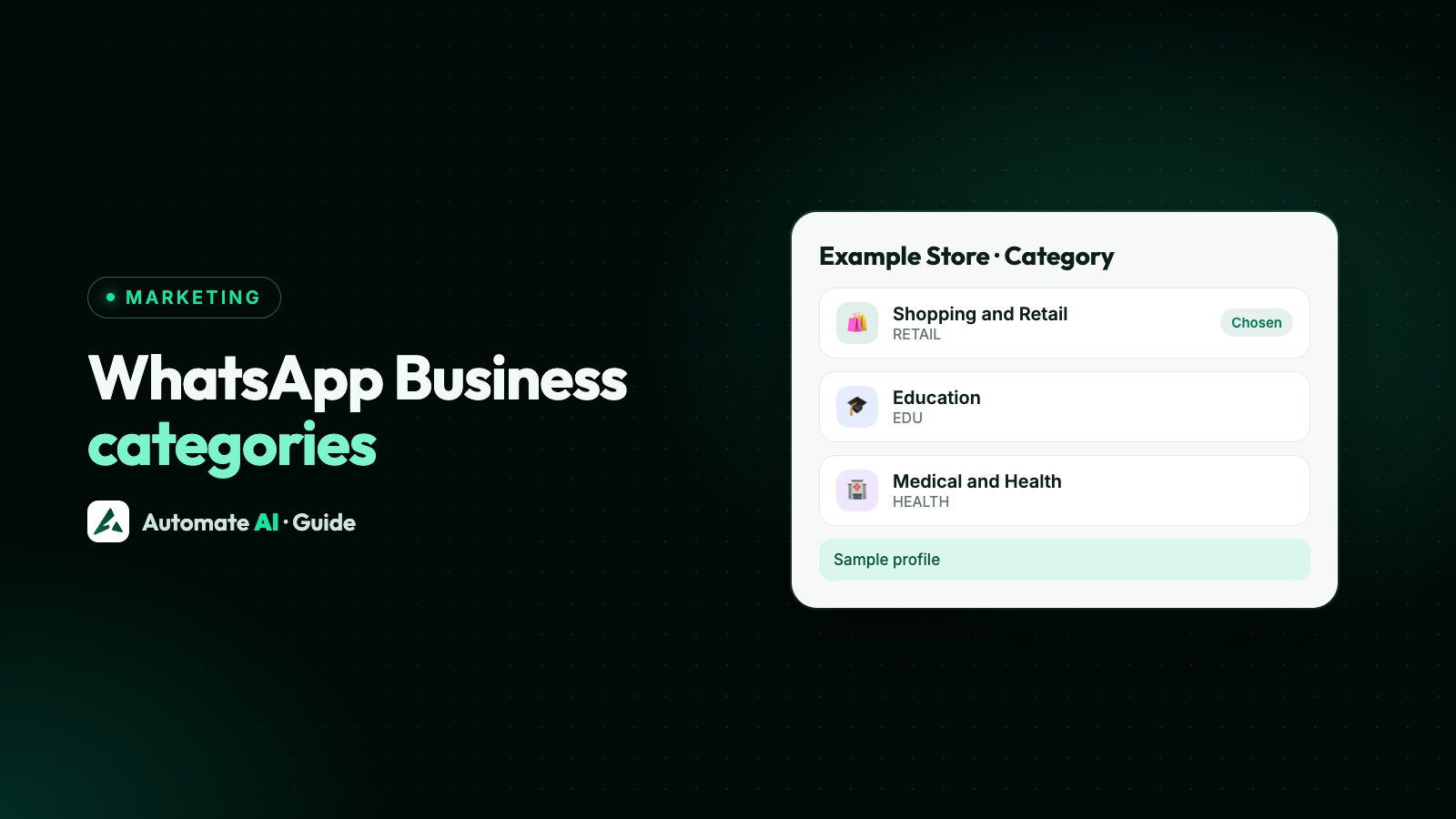
On the WhatsApp Business API, your business category is one of 21 fixed values that Meta publishes, such as Education (EDU), Shopping and Retail (RETAIL) and Professional Services (PROF_SERVICES). In the WhatsApp Business app you pick up to three categories from WhatsApp’s own list, and if yours isn’t there you choose a broader one or Other Business.
Meta doesn’t publish the app’s full list as a document or PDF, so the API list below is the only complete official one. This guide gives every value with the label customers see, how to choose, how to set it in the app and on the API, and the usual reasons a category isn’t showing.
Key takeaways
- The API has 21 categories (Meta calls the field
vertical); the full list is below. - In the Business app you can choose up to three categories, and you can’t create a custom one.
- Pick the category a customer would expect; if none fits, use a broader one or Other.
- Three API categories are regulated verticals (alcohol, online gambling and over-the-counter drugs), and brick-and-mortar gambling has its own policy rules. Having a category doesn’t mean the policy allows you to message about them.
- Your business category is not your template category. Templates are marketing, utility or authentication, and that’s what affects pricing.
The full list of WhatsApp Business API categories
Meta’s business profile reference lists these accepted values for vertical. The second column is the label WhatsApp shows customers.
| API value | Label customers see | Typical businesses |
|---|---|---|
ALCOHOL | Alcoholic Beverages | Regulated, see below |
APPAREL | Clothing and Apparel | Fashion stores, boutiques, tailors |
AUTO | Automotive | Car and bike dealers, service centres |
BEAUTY | Beauty, Spa, and Salon | Salons, spas, beauty brands |
EDU | Education | Schools, coaching, tuition, online courses |
ENTERTAIN | Entertainment | Cinemas, gaming cafés, venues |
EVENT_PLAN | Event Planning and Service | Wedding planners, decorators, caterers |
FINANCE | Finance and Banking | Banks, insurers, lenders, accountants’ portals |
GOVT | Public Service | Government and civic services |
GROCERY | Food and Grocery | Grocers, dairies, food brands |
HEALTH | Medical and Health | Clinics, hospitals, diagnostics |
HOTEL | Hotel and Lodging | Hotels, homestays, resorts |
NONPROFIT | Non-profit | NGOs, charities, trusts |
ONLINE_GAMBLING | Online Gambling and Gaming | Regulated, see below |
OTC_DRUGS | Over-the-Counter Drugs | Regulated, see below |
OTHER | Other | When nothing else fits |
PHYSICAL_GAMBLING | Non-Online Gambling and Gaming (e.g. brick and mortar) | Own policy rules, see below |
PROF_SERVICES | Professional Services | Agencies, consultants, lawyers, software firms |
RESTAURANT | Restaurant | Restaurants, cafés, cloud kitchens |
RETAIL | Shopping and Retail | Shops, online stores, electronics |
TRAVEL | Travel and Transportation | Travel agents, airlines, logistics |
The field is optional: Meta accepts an empty value or one from the list, and nothing else. You’ll see INDUSTRY in Meta’s sample requests, but it isn’t one of the accepted values. The “Typical businesses” column is our own guide, not Meta’s.
The app’s list is different
The WhatsApp Business app has its own category picker. WhatsApp’s Help Center explains how to use it but doesn’t publish the whole list, which is why there’s no official “category list PDF”. The rules it does give:
- Up to three categories. Tap a category again to remove it.
- No custom categories. If yours isn’t listed, pick a broader one or Other Business.
- Customers see it. The category shows on your business profile with your name, description, address and hours.
So a business on the app might choose two or three specific categories, while the same business on the API gets one value from the 21 above. If you move from the app to the API, expect to pick the closest broad match. The other profile fields and their limits are in our guide to the WhatsApp Business profile.
How to choose the right category
- Think like a customer. Ask what a stranger would call your business in two words. A tuition centre is Education, even if it sells course packages.
- Pick by what you do most. A café that also sells coffee beans is a Restaurant first.
- Go broad when unsure. Shopping and Retail or Professional Services fit far more businesses than a narrow guess that confuses people.
- Use Other last. It tells a customer nothing. Use it only when no category is close.
- Keep it consistent. Match the category on your Facebook Page and Google listing, so customers recognise you.
| If you are a | API category | Why |
|---|---|---|
| Coaching or tuition centre | Education (EDU) | Customers come to learn, whatever you charge for |
| Online clothing store | Clothing and Apparel (APPAREL) | More specific than Shopping and Retail |
| Digital marketing agency | Professional Services (PROF_SERVICES) | You sell expertise, not goods |
| Dental clinic | Medical and Health (HEALTH) | The closest match for any clinic |
| Real estate broker | Professional Services (PROF_SERVICES) | There’s no property value on the list |
| Tour operator | Travel and Transportation (TRAVEL) | Covers trips, tickets and transfers |
In the app, search the picker for the same idea and add up to two more specific categories if WhatsApp lists them.
Regulated categories: alcohol, gambling and OTC drugs
Four values on the API list cover things WhatsApp’s Business Messaging Policy restricts. Three are regulated verticals, and brick-and-mortar gambling has a rule of its own:
| Category | What the policy allows |
|---|---|
| Alcoholic Beverages | Only on the WhatsApp Business Platform, in listed countries, never to under-18s |
| Online Gambling and Gaming | Only in a few listed countries, with Meta’s permission and proof of a licence |
| Over-the-Counter Drugs | Only OTC drugs, on the Platform, in listed countries, never to under-18s |
| Non-Online Gambling and Gaming | Brick-and-mortar gambling can message on the WhatsApp Business Platform without Meta’s permission, as long as it follows local law |
The policy prohibits messaging about any regulated vertical on the WhatsApp Business app, and messages must not go to people outside the allowed countries. Choosing one of these categories doesn’t grant permission. Check the policy for your country first, and read which businesses can’t use WhatsApp.
How to set or change your category
In the WhatsApp Business app
- Go to the Tools tab and tap Profile.
- Tap Category.
- Choose up to three categories. Tap one again to remove it.
- Tap Save.
On the API
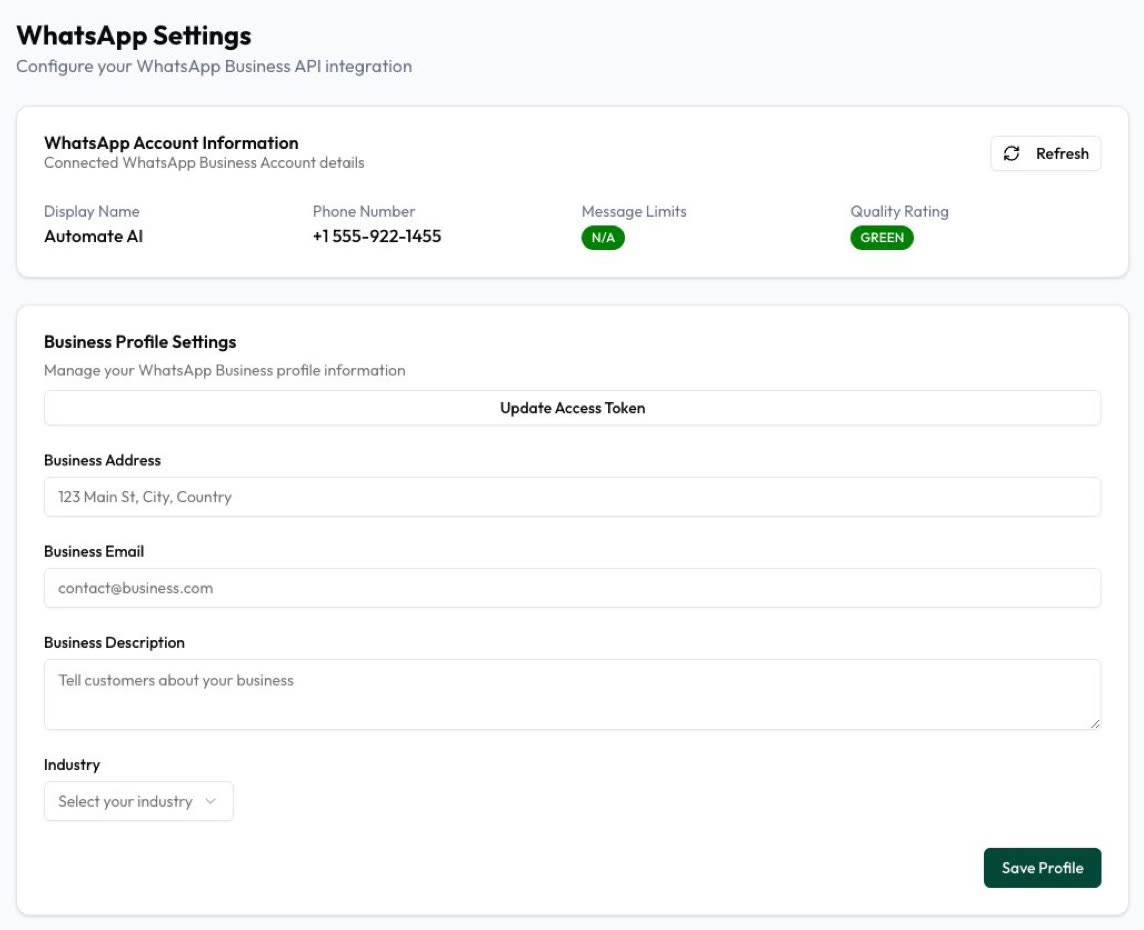
You can set it in WhatsApp Manager, through your provider, or by sending vertical to the business profile endpoint. In Automate AI, open the WhatsApp settings for your connected number and use the Industry menu in Business Profile Settings, then Save Profile. It sends the value to WhatsApp along with your address, email and description.
Automate AI’s menu offers 17 of the 21 values. It leaves out the four regulated ones above, so a business that’s allowed to use one of those sets it through WhatsApp Manager or the API.
Category not showing? Common causes
| Problem | Likely cause | Fix |
|---|---|---|
| Your exact category isn’t in the app’s list | WhatsApp doesn’t allow custom categories | Choose a broader category or Other Business |
| You can’t change the category at all | You subscribed to Meta Verified, which locks your business name, category, address, email and website | Leave it, or accept losing verified status to change it |
| The category you used in the app isn’t on the API | The API has only 21 broad values | Pick the closest match from the list above |
| The API rejects your value | It isn’t one of the accepted values, or is spelled differently | Use the exact code, such as PROF_SERVICES |
| Your provider’s menu is missing a value | Some tools show only part of the list | Set it in WhatsApp Manager or through the API |
For Meta Verified, WhatsApp’s Help Center says you can’t update those locked details without losing your verified status, so get the category right before you subscribe.
Business category vs template category
These get mixed up a lot. Your business category describes your business on your profile. A template category describes one message you send.
| Business category | Template category | |
|---|---|---|
| What it labels | Your business | Each template message |
| Options | Up to 3 in the app; 1 of 21 on the API | Marketing, utility or authentication |
| Who sees it | Customers, on your profile | Meta, when reviewing and charging |
| What it changes | How customers recognise you | Review rules and what each delivered message costs |
Choosing Education as your business category doesn’t make your offers “utility”. A promotion is a marketing template whatever your business is. See WhatsApp template types and the WhatsApp marketing feature.
Frequently asked questions
How many categories does WhatsApp Business have?
The API has 21 values for the vertical field, listed above. The WhatsApp Business app has its own longer list, which WhatsApp doesn’t publish in full; you can pick up to three from it.
Is there a WhatsApp Business category list PDF?
Not an official one. The only complete list Meta publishes is the 21 API values in its business profile reference. The app’s list is only shown inside the app.
Why is my business category not showing?
WhatsApp doesn’t allow custom categories, so choose a broader one or Other Business. If the field is locked, Meta Verified may be the reason, since it locks the category.
What category should a school or coaching centre choose?
Education. On the API the value is EDU. In the app, search the category list for Education or the closest match WhatsApp shows.
Can I choose more than one category?
In the WhatsApp Business app, yes, up to three. On the API you set one vertical value.
Does my business category affect message prices?
Meta’s pages don’t say it does. What a message costs depends on its template category (marketing, utility or authentication) and the customer’s country.
Sources
- Meta: Business profiles (API fields and vertical values)
- WhatsApp Help Center: How to edit your business profile
- WhatsApp Help Center: About your business profile
- WhatsApp Help Center: Updating business information in your Meta Verified profile
- WhatsApp Business Messaging Policy
WhatsApp rules and prices change. We check these guides against Meta’s documentation, but always confirm current terms with Meta before you rely on them. Questions? Message us on WhatsApp at +91 836 977 8812.