Can You Change Your WhatsApp API Number?
You can’t edit the number on a WhatsApp API account, but you can add a new one. What carries over, what starts again, the steps and how to tell customers.
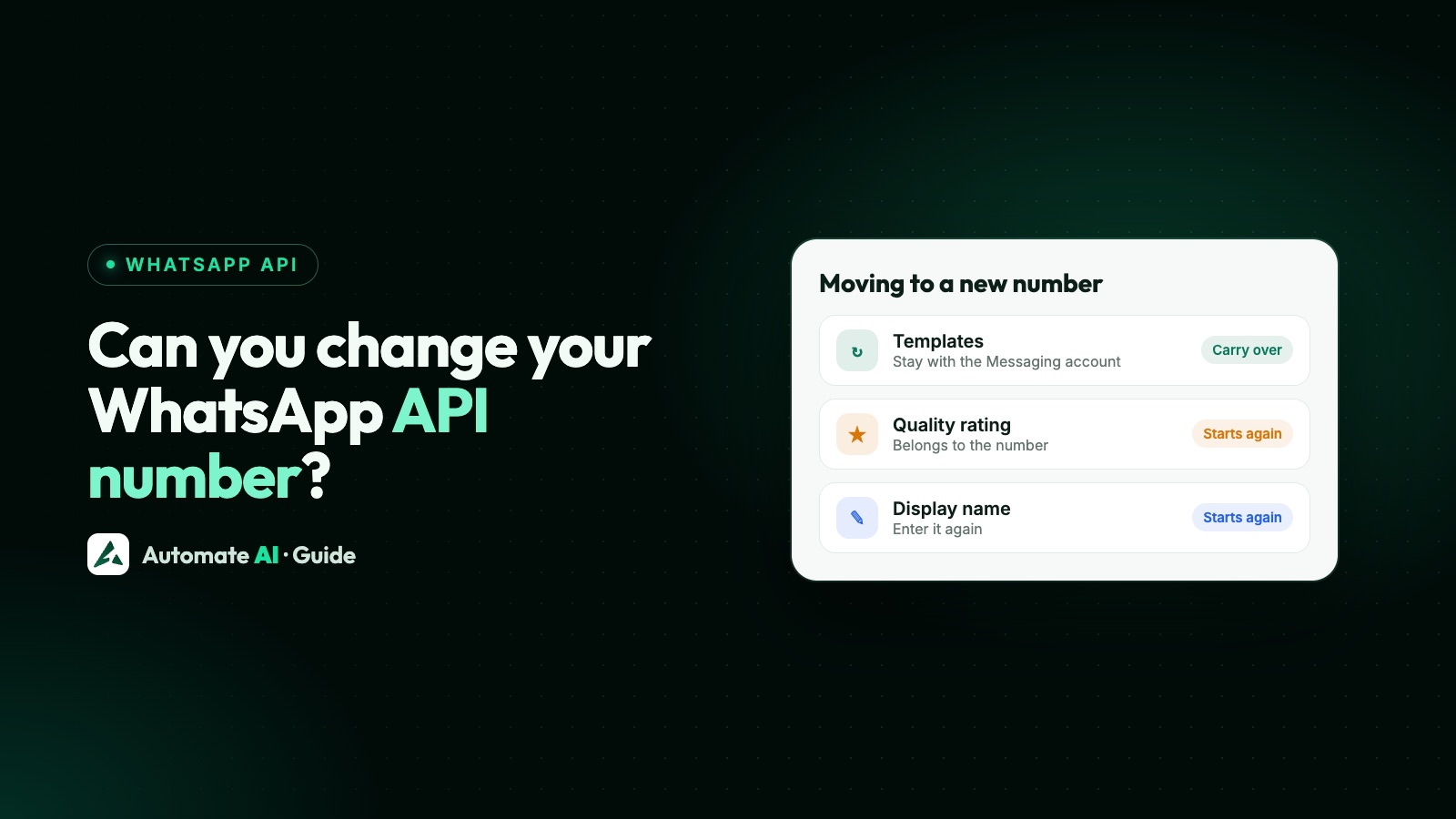
No, you can’t edit the phone number on a WhatsApp API account. Under Meta’s account model each WhatsApp account holds one number, so “changing” it means adding a new number, setting it up, and then moving your customers across. Some things come with you, because they belong to your business or your Messaging account. Others belong to the old number and start again.
This guide sets out exactly what carries over, a step-by-step switch, sample messages for telling customers, and what to do with the old number. Every carry-over point was checked on Meta’s pages.
Key takeaways
- There’s no change-number button on the API. The WhatsApp Business app has one; the API doesn’t.
- Stay with you: your business portfolio, its shared messaging limit, and templates in the same Messaging account.
- Start again on the new number: display name, quality rating, blue badge, two-step PIN and links or QR codes.
- Chats on the old number don’t move to the new one. Your provider’s inbox may still keep the old messages.
- Tell customers from the old number first. In Automate AI, once you switch, messages to the old number no longer reach your inbox, so give a clear date.
The short answer: you add a number, you don’t edit one
Meta’s 2026 account model calls the WhatsApp account “a container to hold a single business phone number”. The number is the account’s identity, so there’s nothing to edit. To switch, you add a second number to your business portfolio, register it on the Cloud API, and then stop using the first. Meta is rolling this model out in stages from 23 September 2026, so some businesses still see a WhatsApp Business Account (WABA), where templates sit on that WABA.
Meta does let you migrate a number from one WhatsApp account to another, and link or unlink WhatsApp accounts inside the same portfolio, where the number keeps its conversations. That moves the same number around. It doesn’t give you a different number.
What carries over and what doesn’t
| Item | Belongs to | On the new number |
|---|---|---|
| Messaging limit | Your business portfolio, shared by all its numbers | Shared with the new number; nothing to rebuild |
| Templates | The Messaging account | Still there if the new number uses the same Messaging account; otherwise re-create or migrate them |
| Business verification | Your business portfolio | Stays |
| Display name | Each phone number | Enter it again when you add the number |
| Quality rating | The WhatsApp account and its number | The new number has its own; the old one’s history doesn’t transfer |
| Blue badge (Official Business Account) | Each phone number | Request it again for the new number |
| Two-step verification PIN | Each phone number | Set a new one when registering |
| Conversation history | The old WhatsApp account and number | Doesn’t move; check what your provider keeps |
| Opt-ins | Your business, by name | Meta’s rule is that people opt in to a named business; tell them about the new number anyway |
| wa.me links and QR codes | The old number | Make new ones |
The template point needs care. Meta calls templates “Messaging account assets”, not number assets. If you add the new number under a different Messaging account, Meta’s template migration can copy them, but it resets their quality rating and messaging tier for about 2 to 4 weeks. See WhatsApp templates.
On opt-in, Meta says businesses must clearly state the business’s name that a person is opting in to. It doesn’t say a new number needs fresh consent, and it isn’t legal advice to say so. Customers who see an unknown number may block or report it, though, which hurts the new number’s quality rating.
Before you switch: a checklist
- Can the new number take a code? It needs a country code and must receive an SMS or voice call. It mustn’t be active on WhatsApp, unless it’s on the WhatsApp Business app and you connect it through coexistence.
- Do you have room? New portfolios can register 2 numbers; Meta raises this to 20 after business verification or the 2,000 messaging limit.
- Which Messaging account? Adding the new number to the same one keeps your templates in place.
- Who’s an admin? Deleting a number needs a business portfolio admin.
- Who has the old PIN? You need it to delete a Connected number later. If you connected through Automate AI, it set the PIN for you: contact us, or turn off two-step verification in WhatsApp Manager (Meta emails a link to the portfolio’s address).
- What prints the old number? Website, ads, Google profile, invoices, packaging, QR codes and email signatures.
Adding, verifying and registering a number, with the API calls, is covered in phone numbers on the WhatsApp Cloud API, so this guide doesn’t repeat it.
Step by step: moving to a new number
- Add the new number through your provider’s Connect WhatsApp, or in WhatsApp Manager, and verify it by SMS or call.
- Enter the display name you used before, following the display name rules.
- Register it on the Cloud API with a 6-digit two-step PIN. Automate AI does this step, and sets the PIN, for you.
- Fill in the business profile: description, address, email, website and photo.
- Check templates show for the new number, and send one to your own phone as a test.
- Tell customers from the old number (samples below).
- Update everything public: links, QR codes, ads, website and printed material.
- Plan for the old number. If your provider connects one number at a time, as Automate AI does, messages to the old number stop reaching it once you switch. Give customers a clear date, and talk to your provider first if you need both running.
- Retire the old number when traffic has moved (see the last section).
Start gently on the new number. The messaging limit is shared, but blocks and reports count against the new number’s own quality rating, so message people who already know you first.
Telling customers about the new number
Send the notice from the old number, so people see it in a chat they already trust. Outside the 24-hour window that means an approved template; you choose its category, and Meta can change it if it doesn’t fit. These samples use demo data; change them to fit your business:
- “Hi {{1}}, Example Bakery is moving to a new WhatsApp number: +91 98XXX XX123. From 15 November please message us there for orders and support. This number will stop replying after 30 November.”
- “Hello {{1}}, your account updates from Example Clinic will now come from +91 97XXX XX456, the same team with a new number. Save it so our messages reach you.”
- “Hi {{1}}, quick update from Example Motors: we’ve changed our WhatsApp number to +91 99XXX XX789. Tap the button below to start a chat on the new number.”
A button that opens a chat with the new number helps, because the customer’s first message opens the 24-hour window there. Make the link with wa.me links and QR codes. Then send a short welcome from the new number once they’ve written.
Keep the old number or let it go?
| Option | How | Things to know |
|---|---|---|
| Keep both for a while | Keep the old number connected with a provider that handles both | Both share one messaging limit and count towards your number limit |
| Delete it from the API | A portfolio admin, in WhatsApp Manager | Not possible within 30 days of a paid message from it; needs its two-step PIN if it’s Connected (or turn two-step verification off first) |
| Move it back to the WhatsApp app | Delete it in WhatsApp Manager first | Same 30-day rule as deleting |
| Coexistence number | Disconnect from the Business app | Meta also disconnects it from the API if you change the number in the app |
Don’t delete the old number on day one. Meta won’t allow it within 30 days of a paid message anyway, and customers will keep writing to it for a while. The steps for deregistering and deleting are in the Cloud API phone number guide.
Changing your number in Automate AI
An Automate AI account connects one WhatsApp number at a time. To switch numbers:
- Send your “new number” template to customers from the old number, as above, while it’s still connected.
- Go to Settings › WhatsApp, scroll to Danger Zone and click Delete Integration. Only owners and managers can.
- Click Connect WhatsApp and choose Connect a new number, or Use my app number to keep the WhatsApp Business app on it.
- Finish Meta’s window. Automate AI registers the number and sets up its webhooks.
- Open Templates and click Sync from WhatsApp to load templates from the connected account. They also sync every hour.
As the confirmation says, deleting the integration removes your WhatsApp settings but leaves your contacts and messages unaffected. From then on, messages to the old number no longer arrive in Automate AI. It doesn’t delete the old number from Meta: it stays registered until you deregister or delete it there. If the new number sits in a different WhatsApp account with its own Messaging account, create your templates again.
Want to run the old and new numbers side by side for a while? Contact our team before you start, and we’ll talk through the options for your plan on the pricing page.
Frequently asked questions
Can I change my WhatsApp API number?
Not by editing it. Each WhatsApp account holds one number, so you add and register a new number, move customers across, and then retire the old one.
Will my templates work on the new number?
Templates belong to the Messaging account. If the new number uses the same one, they’re still there. If not, re-create them or copy them with Meta’s template migration, which resets their quality rating and messaging tier for about 2 to 4 weeks.
Do I keep my messaging limit?
Yes. Meta sets messaging limits for the whole business portfolio and shares them across all its numbers, so a new number in the same portfolio uses the same limit.
Does my quality rating move to the new number?
No. Quality rating sits with the WhatsApp account and its number, so the new number builds its own.
Do I need a new display name approval?
You enter a display name for every number you add, and each number shows its own. Keep the same name and follow Meta’s guidelines so it isn’t refused.
Can I use WhatsApp’s Change number feature for an API number?
No. Change number is in the WhatsApp and Business apps. For a coexistence number, Meta lists changing the phone number as a reason it disconnects the number from the API.
Will customers need to opt in again?
Meta’s rule is that people opt in to a named business, and it doesn’t say a new number needs new consent. Still, tell customers about the change from the old number first. This isn’t legal advice.
Sources
- Meta: Phone numbers
- Meta: Account model evolution
- Meta: Messaging limits
- Meta: Display names
- Meta: Official Business Accounts
- Meta: Templates overview
- Meta: Get opt-in for WhatsApp
- WhatsApp Help Center: How to change your phone number
WhatsApp rules and prices change. We check these guides against Meta’s documentation, but always confirm current terms with Meta before you rely on them. Questions? Message us on WhatsApp at +91 836 977 8812.