Meta Ads Payment Threshold and Spending Limits: How They Work
How the Meta ads payment threshold works, how to change it, and how it differs from the account spending limit, Meta’s daily spending limit and prepaid funds.
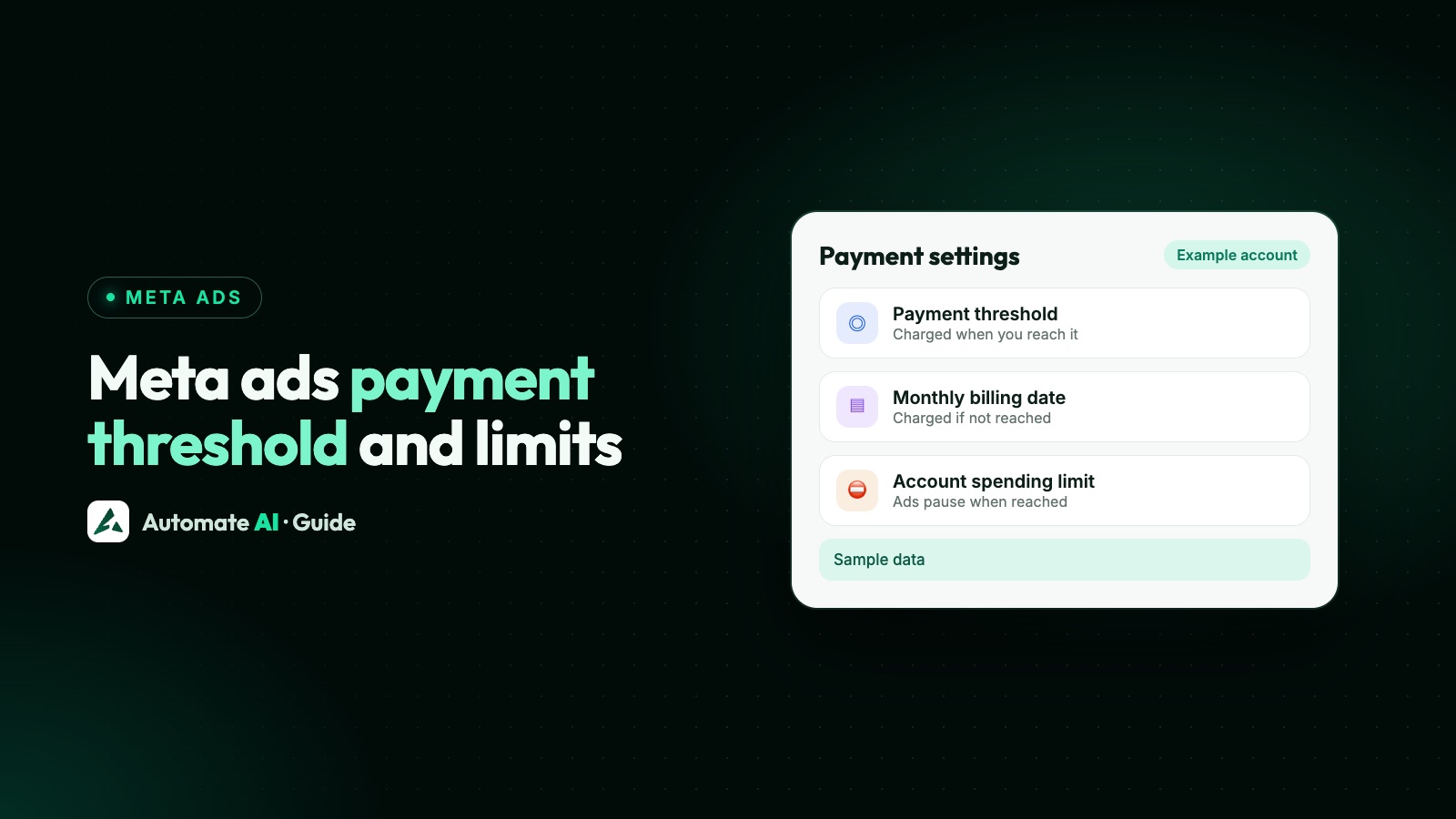
The Meta ads payment threshold is the amount your ad account can spend before Meta charges your card or other automatic payment method. Each time your ad costs reach it, Meta charges that amount, and it may raise the threshold after successful payments. It decides when you pay, not how much you spend: your ads keep running after you hit it.
Spending is controlled by other settings: your budgets, an account spending limit you set, and a daily spending limit Meta sets. Prepaid accounts work differently again. This guide explains each one from Meta’s Help Centre, how to change them, and what to check when ads stop. It describes how Meta’s billing works; it isn’t financial advice.
Key takeaways
- A payment threshold only applies to automatic billing. Meta starts it small and may raise it as payments succeed. Reaching it triggers a charge; it doesn’t pause ads.
- You can lower your threshold at once in Payment settings. Asking for a higher one needs Meta’s approval, and the threshold then rises gradually towards it.
- An account spending limit is a lifetime cap you set across all campaigns. When it’s reached, ads pause until you change, remove or reset it.
- The daily spending limit is set by Meta from your history and resets at midnight in your ad account’s time zone.
- Prepaid (available funds) accounts usually have no payment threshold (unless they also have automatic billing) and can’t set an account spending limit: Meta deducts from the money you’ve added, up to once a day.
How the payment threshold works
Meta’s Help Centre describes it like this. When you first advertise with an automatic payment method, Meta sets your threshold to a small amount. As your ads run, costs build up. When they reach the threshold, Meta charges you that amount and clears the balance. After successful payments, Meta may raise the threshold, until your account reaches a final amount. Whatever is left at the end of the month is charged on your monthly bill date.
Meta’s own example uses a $25 threshold: when outstanding costs reach $25, you’re charged $25, the balance clears, and the threshold may go up. It’s an illustration, not a fixed starting amount for every account.
That explains two things people often ask about:
- Several charges in one month, or even one day, while running a single ad. You can reach the threshold more than once in a billing period.
- A charge after your ads have stopped. Costs that built up before the ads stopped are charged at the threshold or on the bill date.
Meta also says the threshold can go down as well as up, based on payment history (including successful payments and charge disputes) and whether you follow its terms and advertising standards. The same data decides whether you get a short grace period to keep ads running after reaching the threshold.
Budgets, spending limits and thresholds compared
Meta has a page just on how these differ. In short:
| Setting | Who sets it | What it does | Pauses ads? |
|---|---|---|---|
| Daily budget | You | The average you want to spend per day on an ad set or campaign. Not a hard cap | No |
| Lifetime budget | You | The total for the whole campaign or ad set. A hard cap | Yes, at the end of the budget |
| Campaign spending limit | You | The most one campaign can spend | Yes, that campaign |
| Ad account spending limit | You (an admin) | A lifetime cap across all campaigns in the account | Yes, the whole account |
| Daily spending limit | Meta | The most the account can spend in a day | Yes, until midnight in the account’s time zone |
| Payment threshold | Meta (you can set a maximum) | When you’re charged, with automatic billing | No |
| Prepaid balance limits | Meta | How much you can add to available funds per day and hold in total | Ads stop when the funds run out |
Meta sums it up: your ads run until you reach your budget or one of your spending limits, whichever is lower. You can set a daily budget higher than the daily spending limit; as Meta raises the limit, you’ll spend up to it. How daily budgets pace through the day is in Meta ads budget per day.
How to change your Meta ads payment threshold
You can set a maximum threshold to control how large each automatic charge can get. Meta’s steps, on a computer or phone:
- In Meta Ads Manager, go to Billing & payments.
- Select Payment settings.
- In the Current balance section, select the pencil icon next to When you’ll pay.
- Enter the threshold amount you want.
- Select Save.
| If you enter | What happens (per Meta) |
|---|---|
| A lower amount than now | It takes effect immediately |
| A higher amount than now | Needs Meta’s approval. The threshold keeps rising over time with successful payments and stops at your requested value |
Payment thresholds in India: the e-mandate rules
Meta says thresholds for automatic billing in India may differ because of the Reserve Bank of India’s e-mandate rules for recurring card payments. Its page for ad accounts with Meta India as the legal entity that pay by recurring card says:
- Only cards from banks and networks that support e-mandate are accepted for automatic billing. Meta lists them on its page, and the list changes.
- To verify the card, Meta requests a charge of INR 3, which you approve with a one-time password from your bank. Meta refunds it, usually within a few days.
- After that, your card is charged each time you reach your billing threshold, up to a maximum of INR 5,000 or INR 15,000 per transaction. So you may see several charges in a day, adding up to your daily spending limit.
- Your bank sends a pre-debit notification at least 24 hours before each charge. Until the card is debited, the payment shows as processing in Payment activity, and Meta says ad delivery isn’t affected unless the payment fails.
Meta adds that some accounts are part of a test of a new billing experience, so the details may not match what you see. Check your own Payment settings. Taxes on Meta ads in India, such as GST and TDS, are covered on our Meta Ads hub.
Meta ads account spending limit: set, change, reset
If you want a firm ceiling on what the whole ad account can spend, this is Meta’s tool for it. It’s a lifetime cap from the moment you set it, and it doesn’t reset on its own, though Meta says some advertisers can choose an automatic reset on the 1st of each month. Meta also says it doesn’t affect delivery or performance until it’s reached.
To set one on a computer:
- Go to Payment settings for the ad account. Meta may ask for your password again.
- In the Account spending limit section, click Options.
- Click Set limit (or Change or Remove for an existing one).
- Enter the amount, click Save, then Done.
- Only an ad account admin can set or change it.
- Changes take about 15 minutes. If you see an error about too many changes, Meta says to wait about an hour.
- The limit can’t be lower than what’s already been spent towards it. Raise it, or reset the amount spent to zero.
- When it’s reached, ads pause and you get a notification, but they still show as active in Ads Manager. That surprises people.
- It isn’t available on prepaid (available funds) accounts.
The daily spending limit Meta sets
If your ads pause and you haven’t reached your budget or account spending limit, Meta suggests checking this one. Meta sets it for most advertisers based on advertising and payment history, and you can see it in the Current balance section of Payment settings. Accounts on monthly invoicing don’t have one.
It usually rises on its own as you:
- Build advertising history on the account.
- Follow Meta’s advertising policies.
- Spend up to or near the limit, which shows Meta you need more.
Meta may readjust it if you have a new business portfolio, ad account, Page or app, after violations of its advertising standards, or when ads or accounts have issues such as low ad quality rankings or low feedback scores. Meta lets some advertisers raise the limit faster; if you’re eligible, a notice appears in Payment settings, and verifying your business is one of the routes Meta offers (see our Meta business verification guide). Otherwise you wait for the limit to reset at midnight in your ad account’s time zone, and for it to rise over time.
Meta ads prepaid funds (available funds)
With available funds you add money before your ads run, and Meta deducts from it up to once a day as ads deliver. Meta says your payment method decides this when you create your first ad: a local manual method (Meta’s examples include UPI) sets the account up for available funds, while a card or PayPal that supports recurring payments sets up automatic billing. Some accounts have both, and then Meta uses the available funds first.
To add money: open Payment settings, find Available funds, select Add funds, enter an amount up to the limit shown, choose a payment method and confirm. Points from Meta’s pages:
- No payment threshold and no account spending limit. Your ads run until the funds run out, so top up in time, or set up auto reload to add money when the balance drops below an amount you choose.
- Limits: a minimum per top-up, a daily top-up limit and a stored balance limit, all set by Meta. Local payment providers may cap single transactions, so you can add funds in batches.
- Timing: funds may appear at once or take several days, depending on the method.
- Fees: Meta charges no provider fee, but your bank might. Money added in the Facebook or Instagram iOS apps carries an Apple App Store fee; Meta suggests Ads Manager or a web browser to avoid it.
- Funds don’t expire, but Meta says advertiser balances are non-refundable except where required by law; closing an account may allow a refund request, decided case by case.
- You may be locked in. Once set up for available funds, you might not be able to switch to automatic billing, and you can’t change the account’s tax country.
What to check when ads stop, and Automate AI
These are the billing reasons ads stop. For delivery problems that have nothing to do with payments, see Meta ads not delivering.
| What you see | Most likely setting | Where to look |
|---|---|---|
| Ads paused, resume next day | Daily spending limit (Meta’s) | Payment settings › Current balance |
| All ads stopped, still “active” in Ads Manager | Account spending limit reached | Payment settings › Account spending limit |
| Ads stopped on a prepaid account | Available funds ran out | Payment settings › Available funds |
| One campaign stopped | Lifetime budget or campaign spending limit | The campaign in Ads Manager |
| Extra charges, ads still running | Payment threshold reached | Billing & payments › Payment activity |
| Ads paused and account disabled | A failed payment | See below |
A failed payment is a different problem from all of these: it can disable the ad account until the amount due is paid. The fixes are in why Click-to-WhatsApp ads get rejected, which covers failed payments and restricted accounts.
If you run Click-to-WhatsApp ads from Automate AI, these settings stay in Meta. Meta Ads is on every plan for owners and managers; you connect your own ad account, nothing is spent until you publish, and Meta bills the ad spend to your ad account under whatever threshold, limits or prepaid balance it has. Automate AI doesn’t take ad payments. More on the builder is on the Click-to-WhatsApp Ads feature page, and Automate AI’s own plans are on the pricing page.
Frequently asked questions
What is a payment threshold on Meta ads?
The amount you can spend with automatic billing before Meta charges you. Each time your ad costs reach it, Meta charges that amount, and it may raise the threshold after successful payments.
How do I change my Meta ads payment threshold?
In Ads Manager go to Billing & payments › Payment settings and click the pencil next to When you’ll pay. A lower amount applies at once; a higher one needs Meta’s approval and is reached gradually.
Does reaching the payment threshold stop my ads?
No. Meta charges you and the ads keep running. Only budgets, spending limits or running out of prepaid funds pause ads.
What is the difference between the account spending limit and the daily spending limit?
You set the account spending limit as a lifetime cap across all campaigns. Meta sets the daily spending limit from your history, and it resets every day at midnight in your ad account’s time zone.
Why was I charged several times in one day?
You can reach your payment threshold more than once a day. In India, Meta says card charges under e-mandate rules go up to INR 5,000 or INR 15,000 per transaction, so there may be several.
Do prepaid Meta ad accounts have a payment threshold?
Usually not, unless the account also has automatic billing. With available funds, Meta deducts from the money you added, up to once a day. You can’t set an account spending limit on those accounts either.
Does Automate AI charge for my Meta ad spend?
No. Ads created in Automate AI are billed by Meta to your own ad account, under that account’s payment settings.
Sources
- Meta Business Help Centre: About payment thresholds for Meta ads
- Meta Business Help Centre: How to adjust your payment threshold for Meta ads
- Meta Business Help Centre: How budgets, spending limits, prepaid balance limits and your payment threshold differ
- Meta Business Help Centre: About daily spending limits set by Meta
- Meta Business Help Centre: About ad account spending limits
- Meta Business Help Centre: How to set an ad account spending limit
- Meta Business Help Centre: How to add money to your Meta ad account using available funds
- Meta Business Help Centre: Ad billing changes due to new e-mandate regulation
WhatsApp rules and prices change. We check these guides against Meta’s documentation, but always confirm current terms with Meta before you rely on them. Questions? Message us on WhatsApp at +91 836 977 8812.