WhatsApp for NGOs and Non-Profits: How to Reach Donors, Volunteers and Beneficiaries
How NGOs can use WhatsApp for donors, volunteers and beneficiaries: what Meta’s policy says, how donation messages are categorised, costs and sample messages.
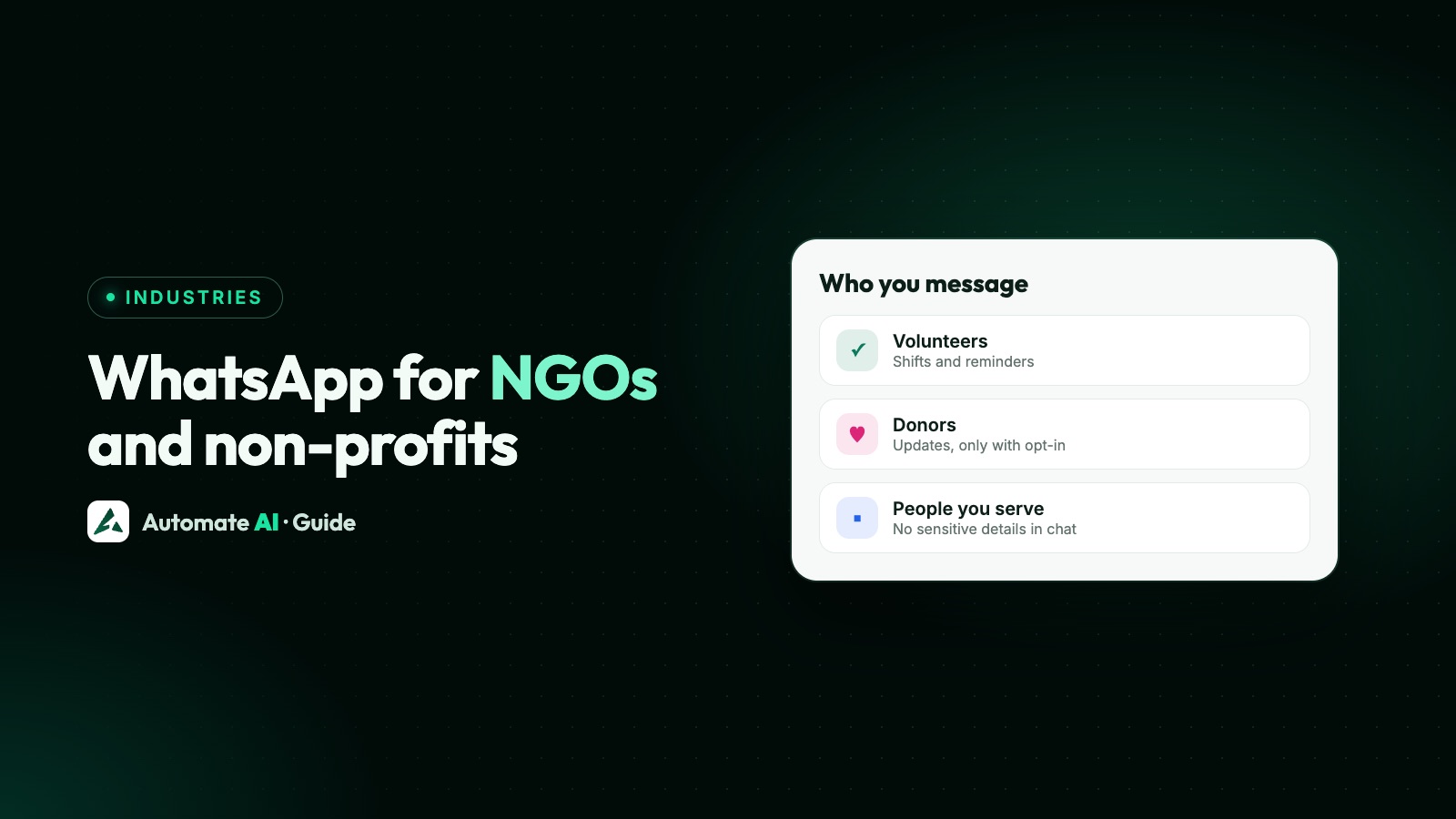
Yes, NGOs and non-profits can use WhatsApp, including the WhatsApp Business Platform (API). Meta’s business policy has no separate rules for them, so the normal rules apply: people must opt in, sensitive details stay out of chats, and a message asking for donations counts as marketing.
This guide covers what the policy says, what Meta’s free service messages for eligible non-profits actually include, which messages count as utility or marketing, and sample messages for donors, volunteers and the people you serve. It isn’t legal advice, so check the fundraising and data rules where you work.
Key takeaways
- WhatsApp’s Business Messaging Policy doesn’t mention non-profits, charities or donations, so the same rules apply as for any business.
- Political parties, candidates, campaigns and companies offering politics-related services can’t use the Platform. Check this if your work touches elections.
- Meta’s own example of a donation request sits under marketing. A receipt for a gift someone already made is about a specific transaction, so it can fit utility.
- Eligible non-profits get free service messages to 31 December 2027. Meta decides who qualifies, and templates are still charged.
- Keep health details, ID numbers and card or account numbers out of chats, above all with beneficiaries.
What WhatsApp’s policy says about NGOs
We read the WhatsApp Business Messaging Policy (last updated 23 September 2026) for this guide. The words non-profit, charity, donation and fundraising don’t appear in it. There’s no special permission and no specific ban, so these general rules are the ones that matter:
| Rule | What it means for an NGO |
|---|---|
| Opt-in | You may contact people only if they gave you their number and agreed to hear from you. A donor list from an old event isn’t enough on its own. |
| Opt-out | You must respect every request to stop, whether it’s made on or off WhatsApp. |
| Sensitive identifiers | Don’t share or ask for full card numbers, financial account numbers, personal ID card numbers or other sensitive identifiers. |
| Health information | Don’t send or request it where applicable regulations prohibit that. |
| A way to reach a person | A bot needs a clear path to human help. |
| Political use | Parties, politicians, candidates and campaigns are barred, as are companies offering politics-related services such as campaign strategy. |
| Government use | Allowed, through a Solution Provider. Law enforcement, military and intelligence bodies are barred. |
| Restricted goods | The prohibited goods list covers you too. If you sell items to raise funds, check them against it. |
What it costs, and Meta’s free service messages for non-profits
Meta’s pricing page has a policy for eligible governments and non-profits. It’s narrower than it sounds, so here’s what it does and doesn’t do:
| Question | Answer from Meta’s pricing page |
|---|---|
| What’s free? | Service messages beyond the usual monthly free tier. A service message is a non-template reply inside the 24-hour window. |
| For how long? | From 1 October 2026 to 31 December 2027. |
| Who’s eligible? | Government departments and agencies, inter-governmental organisations and community non-profits, including those in public health, crisis response, disaster relief and non-partisan civic engagement. |
| How do you apply? | You don’t. Meta identifies eligible organisations. It says it’s building a way to request a review, with no date yet. |
| How do you check? | On the WhatsApp account, the service_pricing_policy field shows PAID_EXEMPT or REGULAR. Your provider’s developers can read it. |
| What about templates? | Nothing changes. The policy covers service messages only, so marketing and utility templates are charged as usual. |
Everyone else gets 1,000 free service messages per number each month, then pays Meta’s published rate. On Automate AI, replies after the first 1,000 are charged at the utility rate. The bigger bill for most NGOs is templates, so write donor updates with care and send them to people who want them. See WhatsApp API pricing for rates by country.
Utility or marketing? How NGO messages are usually sorted
Meta categorises every template and has the final say. Its template categorisation page lists a donation request as an example under the marketing objective “Sales”. Utility templates must have no promotional or persuasive intent, and must be specific to or requested by the person, or essential to them. A general survey won’t pass as utility. Here’s how that usually plays out:
| Message | Likely category | Why |
|---|---|---|
| “Please donate to our winter appeal” | Marketing | Meta’s own example of a donation request is marketing |
| Monthly newsletter or field story | Marketing | Not tied to anything the person did |
| Receipt for a specific gift | Utility | About that person’s transaction, if it contains no new appeal |
| Shift confirmation for a volunteer who signed up | Utility | Specific to a request they made |
| “We need volunteers this Sunday” | Marketing | A general call to act, not their own booking |
| Reminder of an appointment someone booked | Utility | Specific to them, with no promotion |
| Receipt with “give again today” added | Marketing | Meta treats a mixed message as marketing |
Templates are also needed only outside the 24-hour window. If a donor messages you first, you can reply freely for 24 hours. More on the categories is in WhatsApp templates.
Messages for donors
Send a thank-you quickly, send a receipt once, and keep appeals occasional. These samples use made-up names and amounts.
Donation receipt (utility)
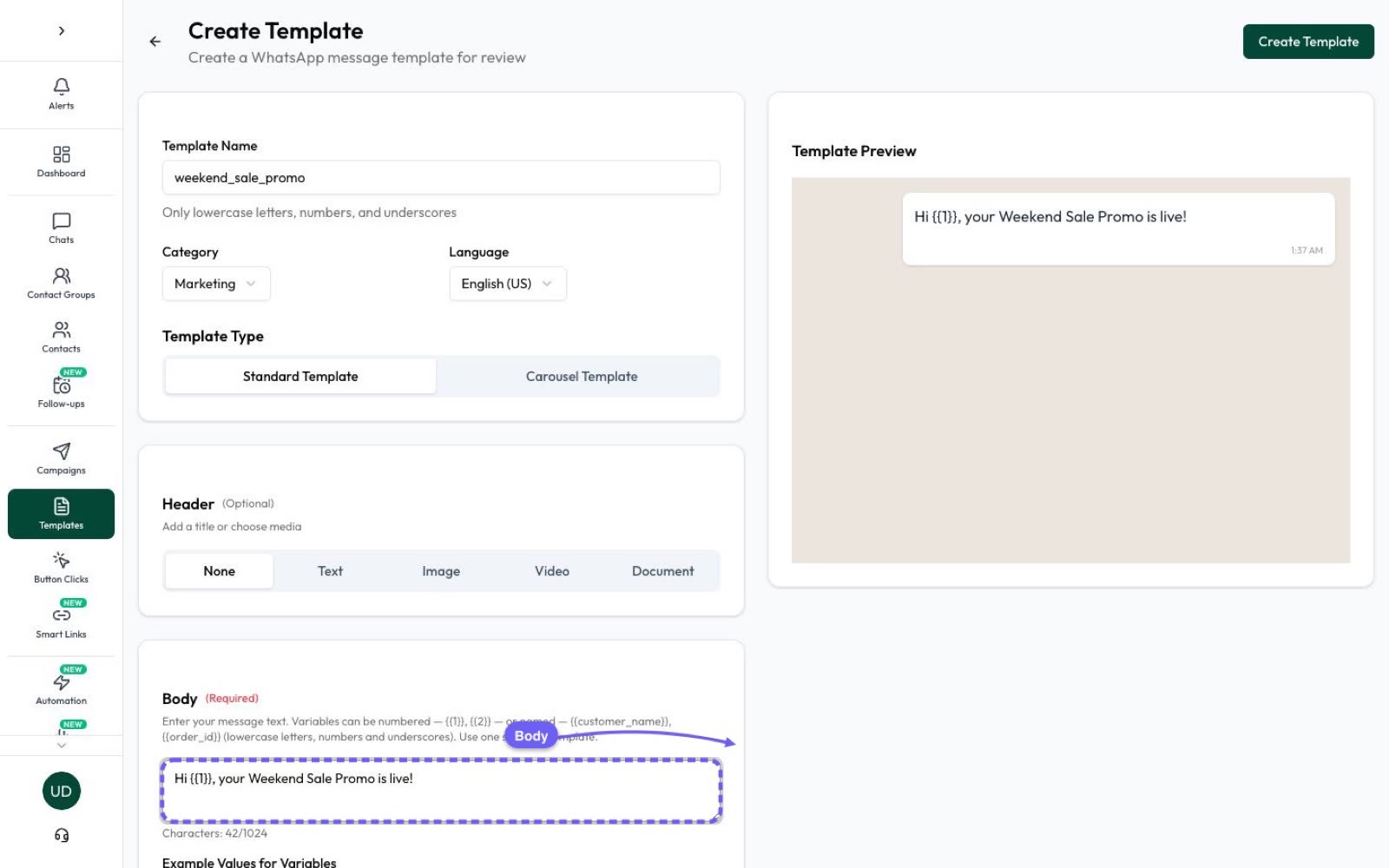
“Hi {{1}}, we’ve received your donation of {{2}} on {{3}}. Your receipt no. {{4}} will reach you by email. Thank you. Example Foundation.” A campaign sends one header file to everyone, so never attach a personal receipt to a campaign. Email it, or send it from the inbox as a reply while the 24-hour window is open.
Project update to opted-in donors (marketing)
“Hi {{1}}, thanks to supporters like you, the Example Foundation school kitchen opened this month. See how it’s going.” Footer: Reply STOP to opt out. [Read the update]
Appeal to opted-in donors (marketing)
“Hi {{1}}, Example Foundation is raising funds for flood relief kits. Each kit goes to one family. Give on our secure page.” Footer: Reply STOP to opt out. [Donate]
- Take money on a secure page. Use a website button to your donation page. Never ask for card or account numbers in a chat.
- Handle tax IDs off WhatsApp. If a receipt needs one, collect it on that secure page, and don’t put a full ID number in a chat. Send any document that legally has to show one by email or a portal.
- Offer a way out. In Automate AI, a typed STOP opts a contact out automatically, but button taps don’t. That’s why the samples say “Reply STOP”.
- Remember US donors. WhatsApp doesn’t currently deliver marketing templates to US numbers, so use email for those appeals.
Messages for volunteers
Volunteers are the easiest place to start, because they want the information and often reply. Here’s a simple setup for a drive or event:
- Collect the opt-in on your sign-up form, naming your organisation, for example “I agree to get volunteer updates from Example Foundation on WhatsApp”.
- Offer a keyword. In Automation › Basic Replies, set a word such as VOLUNTEER to send the details automatically, so anyone who types it gets them straight away.
- Put people in groups by city or activity, so a Pune shift change doesn’t reach Delhi.
- Send a shift confirmation as a utility template, with Yes and No quick-reply buttons.
- Remind them the day before, for a shift they’ve already accepted.
- Follow up in the inbox. Replies land in the shared inbox, so one coordinator can see them all.
A sample shift confirmation: “Hi {{1}}, thanks for signing up to volunteer with Example Foundation. You’re down for {{2}} on {{3}} at {{4}}. Please let us know if you can make it.” [Yes, I’ll be there] [Can’t make it]
For recurring groups, a drip sequence can send timed onboarding messages to new volunteers, and stops when someone replies.
Messages for beneficiaries: privacy comes first
This is where most care is needed. The people you serve may share a phone, may not have chosen to be identified as a client, and may feel they can’t say no. WhatsApp’s policy sets the minimum. The points below are our own advice on top of it:
- Say less on the screen. Message previews show on locked phones. “Your appointment is on Tuesday at 10” is better than naming the service or programme.
- Keep out health and case details. Clinics and shelters can confirm a date and time without saying why.
- Never ask for ID numbers in a chat. Use a paper form, a visit or a secure page.
- Make opting out free of consequences. Tell people that saying no to messages won’t affect their help.
- Be careful with children. The policy has no general section on minors, but it requires age-gating under local law and bars Regulated Vertical messages to under-18s, so talk to a parent or guardian, and follow your local law and safeguarding rules.
- Limit access. Assign chats, and keep “agents can view all chats” off, so other agents don’t see them. Owners and managers still can. A separate number needs its own Automate AI account, which keeps those chats apart.
- Keep records tidy. Store only what you need and follow your country’s data protection rules.
How to set this up
- Decide on the number. Use a number your organisation owns, not a staff member’s. With coexistence, you can keep using the WhatsApp Business app on that number.
- Have your papers ready. Business verification asks for your legal name, address, phone and website. Meta says decisions take up to 14 working days.
- Sort contacts into donors, volunteers and beneficiaries, and record how each one opted in. See WhatsApp opt-in.
- Create your templates: a receipt, a shift confirmation, one reminder and one update.
- Send a small campaign first and read the replies before you go wider.
- Add a chatbot for common questions, such as how to donate or volunteer, with a clear route to a person.
Chatbots, keyword replies and the REST API are included in Series 2, 3 and 4. Series 1 covers marketing campaigns only.
Frequently asked questions
Can an NGO use the WhatsApp Business API?
Yes, as long as it isn’t in a barred group, such as a political party or campaign, and doesn’t promote prohibited goods. WhatsApp’s Business Messaging Policy has no separate rules for non-profits.
Can I ask for donations on WhatsApp?
The policy doesn’t ban it. A donation request to people who opted in goes out as a marketing template, and Meta’s own categorisation page gives one as a marketing example. Take the money on a secure page.
Does WhatsApp offer free messages for non-profits?
Partly. Eligible non-profits get free service messages beyond the monthly free tier until 31 December 2027. Meta decides who’s eligible, and marketing and utility templates are still charged.
How do I apply for Meta’s non-profit pricing?
There’s no application. Meta identifies eligible organisations, and the service_pricing_policy field on your WhatsApp account shows the result. Meta says a way to request a review is being built.
Does Automate AI have a non-profit discount?
No. NGOs use the standard plans on the pricing page, and templates are charged per delivered message.
Is a donation receipt a utility message?
Usually, if it only covers that person’s gift. Adding another appeal can make it marketing. Meta makes the final decision on every template.
Can we message beneficiaries about health services?
Keep to dates, times and places. WhatsApp’s policy says not to send or request health information where regulations prohibit it, and previews show on locked phones, so leave the details out.
Sources
- WhatsApp Business Messaging Policy (last updated 23 September 2026)
- Meta: Pricing on the WhatsApp Business Platform
- Meta: Template categorization
- Meta: Get opt-in for WhatsApp
- Meta Business Help: Business verification
WhatsApp rules and prices change. We check these guides against Meta’s documentation, but always confirm current terms with Meta before you rely on them. Questions? Message us on WhatsApp at +91 836 977 8812.