Meta Ads Attribution Settings Explained: Windows, Changes and How to Compare
Meta ads attribution settings explained: click-through, view-through and engage-through windows, the 2026 changes, and how to change and compare them.
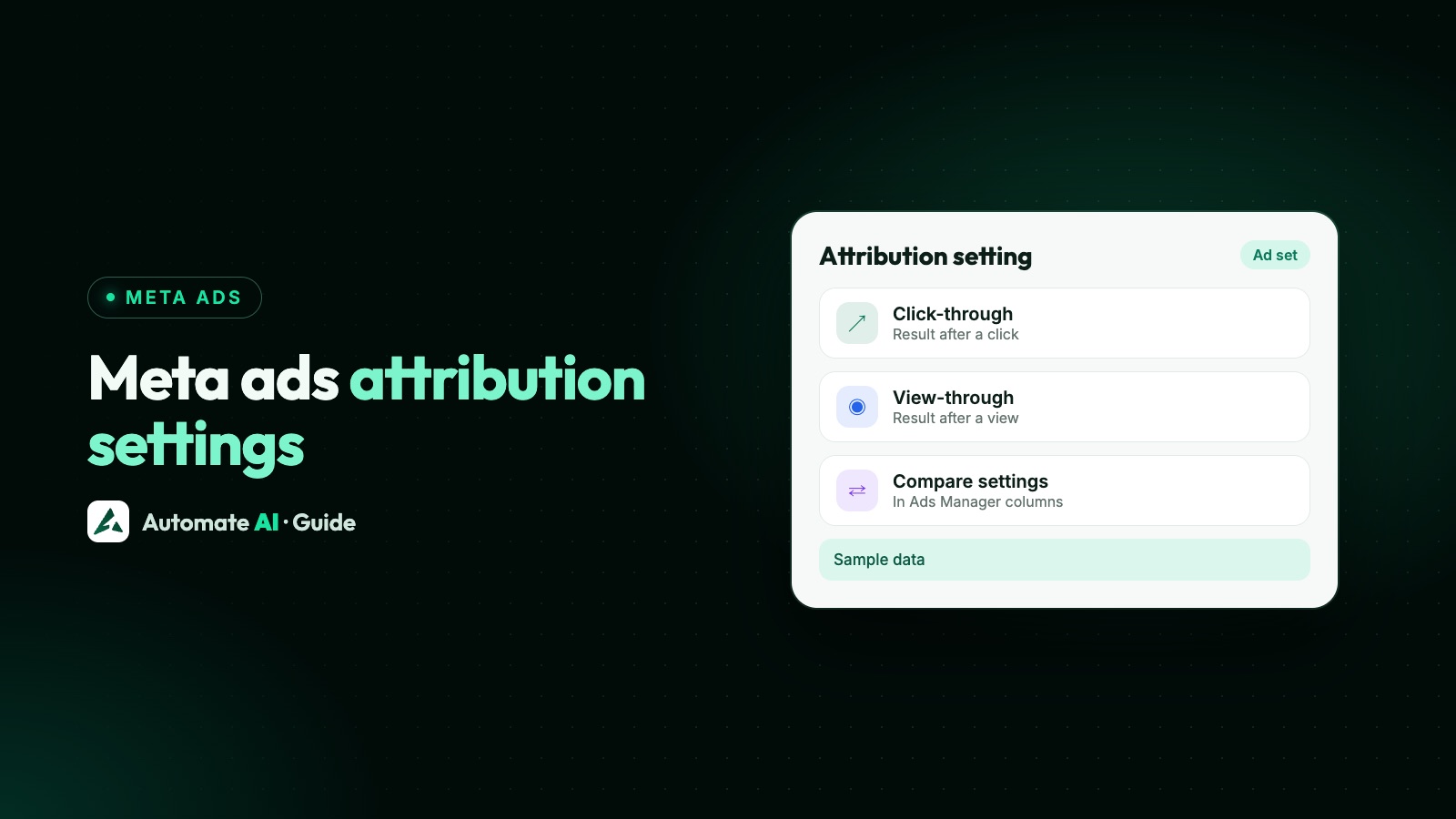
Meta ads attribution settings decide which conversions Ads Manager credits to your ad: by default, those that happen within 7 days of someone clicking the ad or 1 day of seeing it. You choose the setting per ad set, under the conversion section, and you can compare other windows in reports at any time without changing delivery.
This guide covers the windows Meta offers now (click-through, view-through and engage-through), what Meta changed in 2026, the steps to change and compare attribution settings in Ads Manager, and how all of this relates to ads whose result is a WhatsApp chat.
Key takeaways
- For website and in-store conversions, Meta’s standard windows are 1-day or 7-day click-through, 1-day view-through and 1-day engage-through. The default for new ad sets is 7-day click or 1-day view.
- In March 2026 Meta said click-through would count link clicks only, other clicks would move to engage-through, and the video threshold would drop from 10 to 5 seconds. Some accounts may still show the older versions.
- The attribution setting sits at the ad set level. The attribution model (standard or incremental) can’t be changed after you publish.
- Compare attribution settings in the Columns menu shows 1-day view, 1-day click, 7-day click and 28-day click side by side, whatever setting you optimise for.
- For WhatsApp ads, Meta counts a messaging conversation started only from clicks on your ad. Sales made later in the chat need to be sent back through the Conversions API.
What an attribution setting is
Someone sees your ad on Monday, clicks it on Tuesday and buys on Friday. Did the ad cause the sale? Meta can’t know for sure, so it uses rules. Its Help Centre describes two layers of rules, both chosen when you create an ad set:
- The attribution model: standard, incremental or custom. Standard credits conversions that happen within the time windows you pick. Incremental uses models that predict whether a conversion was caused by the ad. Custom lets you share attribution data from your own analytics tool.
- The attribution settings: only for the standard model. These are the windows themselves: how many days after a click, a view or an engagement a conversion still counts.
Meta says the setting does two jobs. It decides which conversions your reports credit to the ad, and it informs delivery, because Meta optimises for the conversions your setting counts. That’s why the choice matters before launch, not only when you read the report.
Meta’s attribution is last touch: credit goes to the last ad the person clicked or interacted with, or, if they didn’t click, the last ad they saw. And Ads Manager reports a conversion on the date of the impression, not the date of the sale. A purchase on Friday from Monday’s ad shows up on Monday.
The attribution windows Meta offers
These are the standard settings Meta’s Help Centre lists for website and in-store conversions:
| Window | What counts | Options |
|---|---|---|
| Click-through | Conversions after a link click on your ad | 1 day or 7 days |
| View-through | Conversions after an impression of your ad, with no click | 1 day, or none |
| Engage-through | Conversions after a non-link click (such as a save or share), or a video played for 5 seconds (or 97% of a shorter video) | 1 day |
Meta’s Commerce Manager help page says the default for all new ad sets is 7-day click or 1-day view, and lists the options as 1-day click, 7-day click, 1-day click or 1-day view, and 7-day click or 1-day view. Engage-through is added on top for video ads.
Some campaign types have fewer options. Meta lists iOS 14 and later app campaigns as the main exceptions, where reporting depends on its aggregated event measurement or on Apple’s SKAdNetwork.
What Meta changed in 2026
On 3 March 2026 Meta announced changes to how it counts conversions for campaigns optimising for website or in-store conversions:
- Click-through now means link clicks only. Before, Meta credited conversions after any click, including likes, shares and saves. Meta said the change brings its numbers closer to analytics tools that only count link clicks.
- Engaged-view became engage-through. Conversions after shares, saves and other non-link clicks move into this window.
- The video threshold dropped from 10 seconds to 5. Meta linked this to faster conversions with Reels.
- Billing doesn’t change. Only how conversions are counted in reports and for optimisation.
Meta said rollout timing varies by advertiser, and its current help page adds that some accounts may still use the earlier versions of click-through and engage-through while the change rolls out. So check the labels your own Ads Manager shows.
An older change still catches people out. Windows such as 28-day click used to be a setting at account level. Meta’s help page says active ad sets keep their old setting so delivery isn’t disrupted, and that reported conversions may fall for advertisers who used a window that’s no longer available. You can still view 28-day click in comparisons, as below.
How to change attribution settings in Ads Manager
You choose the setting while creating or editing the ad set. Meta’s steps for a campaign with a website or app conversion location:
- In Ads Manager, click + Create and choose the Engagement, Leads or Sales objective.
- At the ad set level, in the Conversion section, choose Website or App as the conversion location and fill in the event.
- Click Show more options.
- Hover over Standard attribution selections and click Edit.
- Under Click-through, select 1-day or 7-day. Under Engage-through, select 1-day if you run video. Under View-through, select none or 1-day.
- Finish the ad and publish.
Meta notes the steps may look different if your account doesn’t have the updated engage-through yet. To use the incremental model instead, pick it under Attribution model in the same place. Meta says you can’t change the attribution model after publishing, so changing your mind means a new campaign. Incremental also can’t be used with bid controls.
Check which setting an ad set uses
In Ads Manager, open the Columns menu. The default Performance view shows the Attribution setting column; with custom columns, click Customize columns, search for “attribution setting” and apply. In Ads Reporting, search for the same field in the Customize sidebar.
How to compare attribution settings
Comparing is a reporting view only. Meta says you can compare 1-day view, 1-day click, 7-day click and 28-day click “regardless of the attribution setting you chose to optimize for”, so it doesn’t touch delivery or the learning phase. You need admin, advertiser or analyst access to the ad account.
- Go to Ads Manager and click the Columns: Performance dropdown.
- Select Performance (the default).
- Scroll down and select Compare attribution settings.
- Tick the windows you want side by side.
- Choose the conversion count: All conversions counts every measurable conversion after a click or view; First conversion counts only the first.
- Click Apply. You can export the table afterwards.
In Ads Reporting it’s Customize › Options › Select attribution settings, with the same choices. To see what Meta’s incremental model would have counted, use Compare attribution models › Incremental in the same Columns menu; Meta says those results aren’t available before 1 April 2025.
Two notes from Meta. If a campaign hasn’t run for 28 days, the 28-day click view only covers the time it has run. And when you break results out by window, you may also see an on ad column for actions taken on the ad itself, such as event responses, separate from the actions taken off it.
Reading the comparison: a worked example
Here’s how a comparison might look for one website sales ad set, with made-up example numbers:
| Window | Purchases (example) | What it suggests |
|---|---|---|
| 1-day click | 18 | Buyers who act fast after clicking |
| 7-day click | 31 | Another 13 people bought later in the week after clicking |
| 1-day view | 9 | Purchases from people who saw but didn’t click: least certain |
| 28-day click | 36 | Slow deciders; for reading only, not a setting you can optimise for |
A big gap between 1-day and 7-day click says your customers take time to decide, which is common for higher-priced items. A large view-through share is worth checking against your own sales records, because a view is the weakest signal. Whatever you find, compare ads and periods using the same setting. Our Meta ads metrics guide explains why ROAS and cost per result move when the window does.
Expect differences with other tools too. Meta’s Commerce Manager, for example, uses a fixed 28-day click and 1-day view window for tagged content and reports by conversion date, so it won’t match Ads Manager.
Where WhatsApp chats fit
The windows above are written for website, app and in-store conversions. When the result of your ad is a chat, Meta measures it differently. Its definition of messaging conversations started counts accounts that messaged you for the first time or after 7 days of inactivity, attributed to your ads, and says that for WhatsApp it only includes conversations started from clicks on your ad. A view alone doesn’t count.
So for Click-to-WhatsApp ads, the attribution setting matters most at the next step: when a chat turns into a sale. Meta never sees that sale unless you send it back with the Conversions API. How that works, with the ctwa_clid click ID and Meta’s 7-day limit on event times, is in how to track which ads bring WhatsApp customers.
| Window | Where it’s set | What it decides |
|---|---|---|
| Meta’s attribution setting | Ads Manager, per ad set | Which website, app or in-store conversions Meta credits to the ad |
| Conversion window in Automate AI | Integrations › Conversions API | How old an ad click can be (1 to 90 days, 7 by default) for a sale or status change in the chat to be sent to Meta |
They’re separate settings. If your chats usually close within a week, the 7-day default fits; if a sale takes a month of follow-ups, raise Automate AI’s window so the event still goes out.
Attribution and ads made in Automate AI
Owners and managers on every plan can create Click-to-WhatsApp ads under Meta Ads in the main menu, and Meta bills the spend to your own ad account. Automate AI doesn’t set an attribution setting of its own, so those ad sets use what Meta applies. The same page lists every ad in your connected ad account, including ones made in Ads Manager, with Meta’s spend, clicks, chats started and cost per chat for a period you pick: today, 7 days, 30 days, this month, 90 days or all time.
For conversion counts under a particular window, treat Ads Manager as the reference and use Compare attribution settings there. More on the ad builder is on the Click-to-WhatsApp Ads feature page, and the rest of our Meta ads guides are collected on the Meta Ads hub.
A short routine that works for most small teams:
- Pick one attribution setting per campaign type and keep it, so this month compares fairly with last month.
- Once a month, compare 1-day click with 7-day click to see how long your buyers take.
- For chat ads, judge by chats started and sales sent back, not by view-through numbers.
- Give changes time. A new ad set has to learn first; see the Meta ads learning phase.
Frequently asked questions
What is the default attribution setting on Meta ads?
For new ad sets, Meta’s default is 7-day click or 1-day view: conversions within 7 days of a link click or 1 day of an impression.
How do I change attribution settings in Meta Ads Manager?
In the ad set’s Conversion section, choose a website or app conversion location, click Show more options, then Edit next to Standard attribution selections and pick the click-through, engage-through and view-through windows.
Is 28-day click attribution still available?
Not as a setting for new ad sets. You can still view 28-day click results with Compare attribution settings in the Columns menu.
What is engage-through attribution?
It counts conversions within 1 day of a non-link click on your ad, such as a save or share, or a video played for at least 5 seconds (or 97% of a shorter video). It replaced engaged-view in 2026.
Does comparing attribution settings change how my ads deliver?
No. Meta says you can compare windows regardless of the setting you optimise for. It only changes the columns in your report.
How are WhatsApp chats from ads attributed?
Meta counts a messaging conversation started from a WhatsApp ad only when the chat starts from a click on the ad. Sales made later in the chat have to be sent back to Meta through the Conversions API.
Sources
- Meta Business Help Centre: About attribution models and attribution settings
- Meta Business Help Centre: How to compare attribution settings in Meta Ads Manager
- Meta Business Help Centre: Compare attribution settings in Meta Ads Reporting
- Meta Business Help Centre: Set up engage-through in Meta Ads Manager
- Meta Business Help Centre: About multiple attribution settings
- Meta Business Help Centre: How conversions are attributed in Commerce Manager
- Meta Business Help Centre: Messaging conversations started
- Meta for Business: Simplifying ad measurement for a social-first world
WhatsApp rules and prices change. We check these guides against Meta’s documentation, but always confirm current terms with Meta before you rely on them. Questions? Message us on WhatsApp at +91 836 977 8812.