Meta Ads Prepaid Funds: Adding Money, Balance and Refunds
How Meta ads prepaid funds work: adding money by UPI and more, balance limits, auto reload, what happens when funds run out and how to ask for a refund.
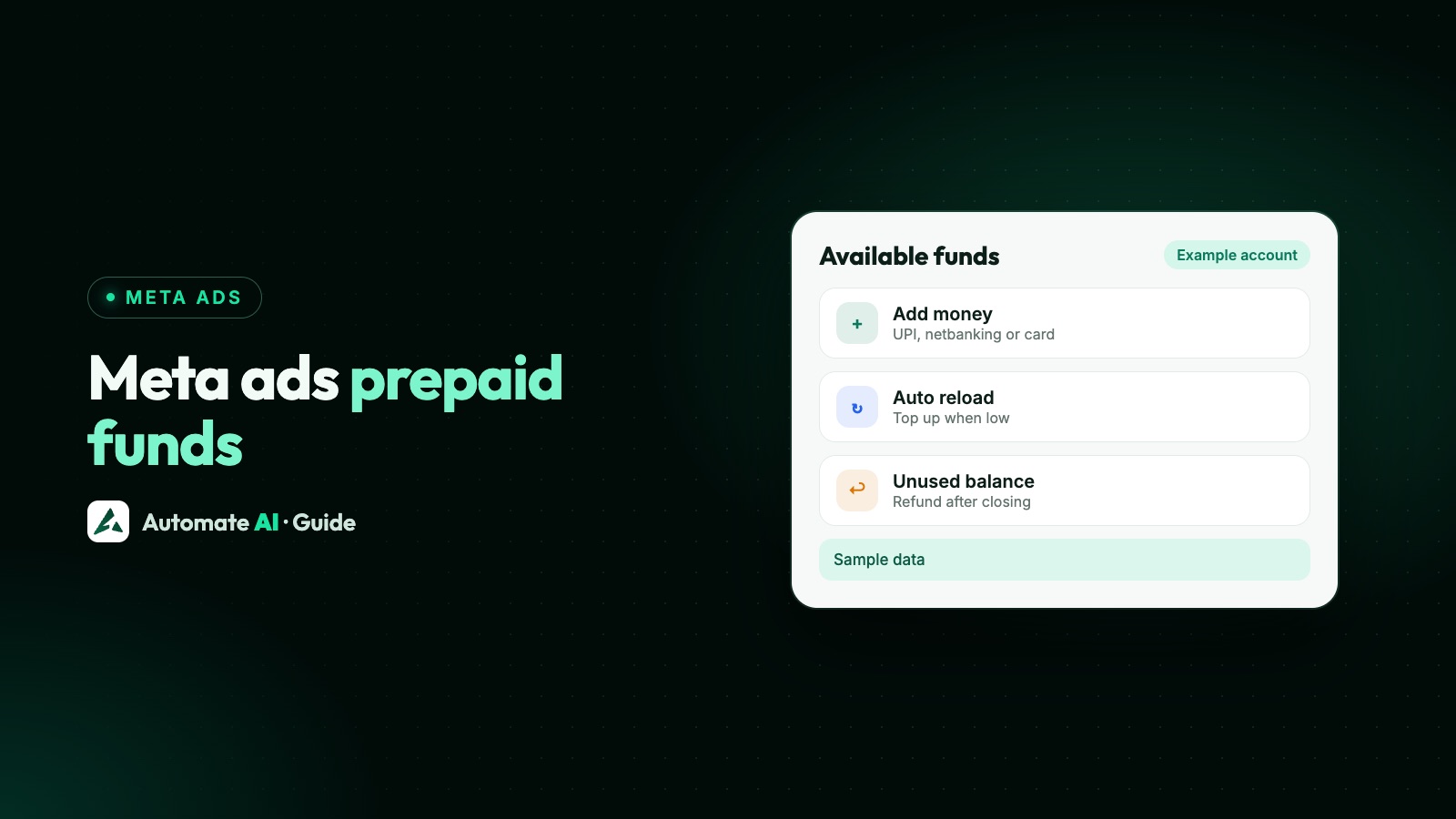
Meta ads prepaid funds, which Meta calls “available funds”, are money you add to your ad account before your ads run. Meta deducts from that balance up to once a day as your ads deliver, and your ads stop when it reaches zero. You add money in Payment settings › Available funds › Add funds, using a local method such as UPI or netbanking in India. The funds don’t expire, and Meta says unused funds are generally non-refundable, except where the law requires a refund or after you close the account and Meta approves your request case by case.
This guide covers the parts of prepaid billing people get stuck on: which payment methods set it up, the two balance limits Meta sets, auto reload with UPI, what happens when the money runs out, and the exact refund steps. It explains Meta’s billing; it isn’t financial or legal advice.
Key takeaways
- Your first payment method decides the billing: a local manual method such as UPI or netbanking in India sets the account up for prepaid funds.
- Meta sets two prepaid limits: a daily top-up limit and a stored balance limit. Both usually rise as you build advertising history.
- Auto reload tops up the balance when it falls below an amount you choose. In India it works with UPI, not cards.
- When the balance hits zero your ads stop. Funds never expire, so leftover money waits in the account.
- For a refund, you must close the ad account first, then submit the request. Meta reviews it case by case and pays approved refunds to the original payment method.
How Meta ads prepaid funds work
Meta has two ways to pay for ads. With automatic billing, Meta charges your card after your ads run. With available funds, you pay first and Meta spends from that balance. Meta says the payment method you add when you create your first ad decides which one your account uses.
| Available funds (prepaid) | Automatic billing | |
|---|---|---|
| When you pay | Before ads run | After ads run |
| How Meta takes the money | Deducts from your balance, up to once a day | Charges your payment method |
| Payment threshold | None (unless the account also has automatic billing) | Yes |
| What stops your ads | The balance running out | Budgets, limits or a failed payment |
| Typical methods | Local methods such as UPI, netbanking, Pix or GCash | Cards and PayPal |
Meta also notes that its billable day is a 24-hour period, not a calendar day. Thresholds and the other spending controls are compared in Meta ads payment threshold and spending limits; this guide stays with the prepaid balance.
Which payment methods use prepaid funds
Meta lists the local methods that add money to available funds by country, and your ad account’s country and currency must match the method. A few from Meta’s list:
| Country | Currency | Methods Meta lists for available funds |
|---|---|---|
| India | Indian rupee (INR) | UPI, netbanking |
| Brazil | Brazilian real (BRL) | Pix, Boleto Bancário, Mercado Pago |
| Indonesia | Indonesian rupiah (IDR) | GoPay, OVO, DOKU and Flip bank transfers |
| Philippines | Philippine peso (PHP) | GCash, PayMaya |
| Mexico | Mexican peso (MXN) | OXXO, SPEI, Mercado Pago |
| Kenya | Kenyan shilling (KES) | M-Pesa |
For India, Meta’s payment options page adds two conditions: the manual methods appear only if the ad account country is India and the currency is INR, and only if you chose a manual method when you first set up the account. Meta’s general list of methods adds that you can still top up an available-funds account with a credit or debit card, where offered.
If you don’t see UPI or netbanking, Meta gives two usual reasons: the account was set up for automatic billing, or its country and currency don’t match the method. Meta’s fix is a new ad account set up for available funds: start creating an ad, choose the matching country and currency, then pick the local method when you confirm the purchase.
How to add money to your prepaid balance
You need to be an admin of the ad account. From a computer or phone browser:
- Go to Payment settings for the ad account.
- In Available funds, select Add funds.
- Enter an amount, up to the limit shown.
- Choose a saved payment method, or add a new one.
- Review, confirm and finish the payment. The last steps depend on the method (for UPI, you finish in your UPI app).
In the Meta Ads Manager app, go to Settings, pick the ad account, tap Billing & payments, then Add funds in Available funds. Every top-up then appears under Payment activity in Billing & payments.
- Minimum: Meta sets a minimum top-up and shows an error with the amount if you go below it. It doesn’t publish one figure.
- Timing: depending on the method, money may arrive at once or take several days; Meta says some methods need a visit to a bank.
- Fees: Meta charges no provider fee, but your bank or payment provider might.
- Avoid the iOS apps for top-ups. Funds bought in the Facebook or Instagram iPhone apps go through the Apple App Store, which keeps a service fee. Ads Manager, Meta Business Suite or a web browser avoid it.
In India, Meta bills ads in rupees through Meta India, with GST and TDS. On prepaid accounts the amount you pay includes TDS, which you can claim back as ad credit; the steps are in Meta ads GST in India.
Prepaid balance limits: how much you can add
Meta sets two limits on most prepaid accounts, based on your advertising and payment history:
- Daily top-up limit: the most you can add in a day, in one payment or several. It resets at 12 am in the ad account’s time zone.
- Stored balance limit: the most you can hold in the account at any moment.
These are separate from Meta’s daily spending limit, which caps how much the account can spend per day. Meta’s own example, with a daily top-up limit of $2,000, a daily spending limit of $1,500 and a stored balance limit of $1,000:
| Moment | Balance | What you can add |
|---|---|---|
| Start of day | $0 | Up to $1,000 (the stored balance limit) |
| Midday, after spend | $300 | Up to $700, so the balance stays at or under $1,000 |
| Evening, $1,700 already added | Depends on spend | Up to $300 more (the daily top-up limit), still within $1,000 held |
You may add $2,000 that day, but the account can still spend only $1,500. To see your own limit, open Add funds: before your first top-up, the maximum shown is your prepaid balance limit.
Meta says the limits usually rise automatically as you build history, follow its advertising standards, add funds close to your limits and spend consistently, and keep charge disputes low. They can be lowered for new accounts or Pages, policy breaches, low ad quality or feedback, irregular spending or many disputes. Meta may raise limits faster after business verification, and its support team can look at the daily top-up limit, but Meta says it doesn’t take requests to raise stored balance limits.
Auto reload: keep ads running without topping up by hand
Auto reload adds a set amount whenever your balance falls below a threshold you choose. It’s for accounts on available funds only, not those that also have automatic billing. Meta supports it with UPI in India, MoMo in Vietnam, and cards that allow recurring payments in every country except India.
To turn it on with UPI, from a computer browser:
- In Payment settings › Available funds, select Add funds.
- Enter the reload amount and choose UPI.
- Select Save UPI to allow future recurring charges, then Next.
- Finish saving the UPI credential in your UPI app.
- Back in Meta, enter the reload amount and the balance threshold, within the limits shown, and save.
You can edit the amount, threshold and payment method, or switch auto reload off, at any time in Payment settings. Meta recommends auto reload for prepaid-only accounts so you don’t have to work around the balance limits by hand each time.
What happens when your prepaid balance runs out
Meta says your active ads run on their budgets until the balance is used up or you pause them. At zero they stop, so a campaign can halt mid-week; Meta’s advice is to add enough funds that your ads don’t stop before you want them to. A few checks if ads stop:
| What you see | Likely cause | What to do |
|---|---|---|
| Ads stopped, balance at zero | Available funds ran out | Add funds, or set up auto reload |
| Ads paused, money still in the balance | Meta’s daily spending limit reached | Wait for the next day, or see the threshold guide |
| Can’t add more today | Daily top-up limit reached | Wait for midnight in the account’s time zone |
| Can’t add more at all | Stored balance limit reached | Let ads spend some of the balance first |
| Payment made, balance unchanged | Slower payment method | Check Payment activity; some methods take days |
If the balance is fine and ads still don’t deliver, the cause isn’t billing. See Meta ads not delivering or why Click-to-WhatsApp ads get rejected.
Meta ads prepaid funds refund: policy and how to request one
Meta’s policy is short: advertiser balances are non-refundable except where required by law, and you can only ask for unused funds back after you close the ad account. Whether you get it depends on three things Meta names:
- Terms compliance: Meta must find you haven’t breached its terms. An account disabled for a policy violation is generally not eligible.
- Case-by-case review: Meta may still say no.
- Local law: where the law requires a refund of unused prepaid funds, Meta says it will comply.
To request one:
- Be ready for every active ad to stop: Meta says closing the account stops them immediately.
- Go to Payment settings for the ad account.
- Close the ad account if it isn’t closed already. In Ads Manager this is Deactivate ad account under Business payments in Ad account settings, on a desktop computer, with full access to the account. If a business portfolio owns the account, deactivate it in Meta Business Suite › Settings › Ad accounts instead; Meta says that can take a few days.
- Follow the on-screen instructions to submit a refund request for the remaining balance.
- Wait for Meta’s review. Approved refunds go back to the original payment method, and Meta says processing time depends on your payment provider.
If no refund option appears after closing, Meta says to contact Meta Business Help Centre support. Meta doesn’t publish a timeline for its review, so don’t plan cash flow around a date.
Prepaid funds and Click-to-WhatsApp ads in Automate AI
Click-to-WhatsApp ads made in Automate AI’s Meta Ads menu run on your own Meta ad account: you connect it with Facebook, and Meta bills the ad spend to your own account, prepaid or automatic. Automate AI doesn’t hold your ad money, so top-ups, auto reload and refunds all happen in Meta’s Payment settings.
What you do in Automate AI is set a daily budget and end date, publish, then track Meta’s review, spend, chats and new contacts, and pause any time. On a prepaid account it helps to keep the balance above a few days of your daily budget, or turn on auto reload, so an ad that’s bringing in chats doesn’t stop overnight. Meta Ads is on every plan for owners and managers; see the Click-to-WhatsApp Ads feature page, the Meta Ads hub and pricing.
Frequently asked questions
What are prepaid funds on Meta ads?
Money you add to your ad account before ads run. Meta calls them available funds and deducts from the balance up to once a day as your ads deliver.
Can I pay for Meta ads with UPI?
Yes, in India, if the ad account country is India and the currency is INR. UPI and netbanking are prepaid methods, and they’re only offered if you chose a manual method when you first set up the account.
Do Meta ads prepaid funds expire?
No. Meta says available funds don’t expire. Your ads run until the balance is used up or you pause them.
Can I get a refund of my Meta ads prepaid balance?
Only in limited cases. Meta says balances are non-refundable except where the law requires it. You can request unused funds after closing the ad account; Meta decides case by case and won’t refund accounts disabled for policy violations in general.
How long does a Meta ads refund take?
Meta doesn’t give a fixed time. Approved refunds go to the original payment method, and Meta says processing time depends on your payment provider.
Why can’t I add more money to my Meta ad account?
You’ve probably reached your daily top-up limit, which resets at midnight in the account’s time zone, or your stored balance limit, which frees up as ads spend the balance.
Can I switch a prepaid Meta ad account to card billing?
Often not. Meta says you may be locked in to available funds, though some accounts have both. You can still top up the balance with a credit or debit card.
Sources
- Meta Business Help Centre: About available funds
- Meta Business Help Centre: How to add money to your Meta ad account using available funds
- Meta Business Help Centre: About refunds for available funds on Meta ad accounts
- Meta Business Help Centre: About prepaid balance limits set by Meta
- Meta Business Help Centre: How to set up and edit auto reload for available funds
- Meta Business Help Centre: Accepted payment methods to pay for ads using available funds
- Meta Business Help Centre: Accepted payment options in India
- Meta Business Help Centre: How to deactivate an ad account in Meta Ads Manager
WhatsApp rules and prices change. We check these guides against Meta’s documentation, but always confirm current terms with Meta before you rely on them. Questions? Message us on WhatsApp at +91 836 977 8812.