WhatsApp Webhook Not Receiving Messages: A Checklist
WhatsApp Cloud API webhook not receiving messages? Check the messages field, subscribed_apps, Live mode, your certificate, overrides and 200 responses.
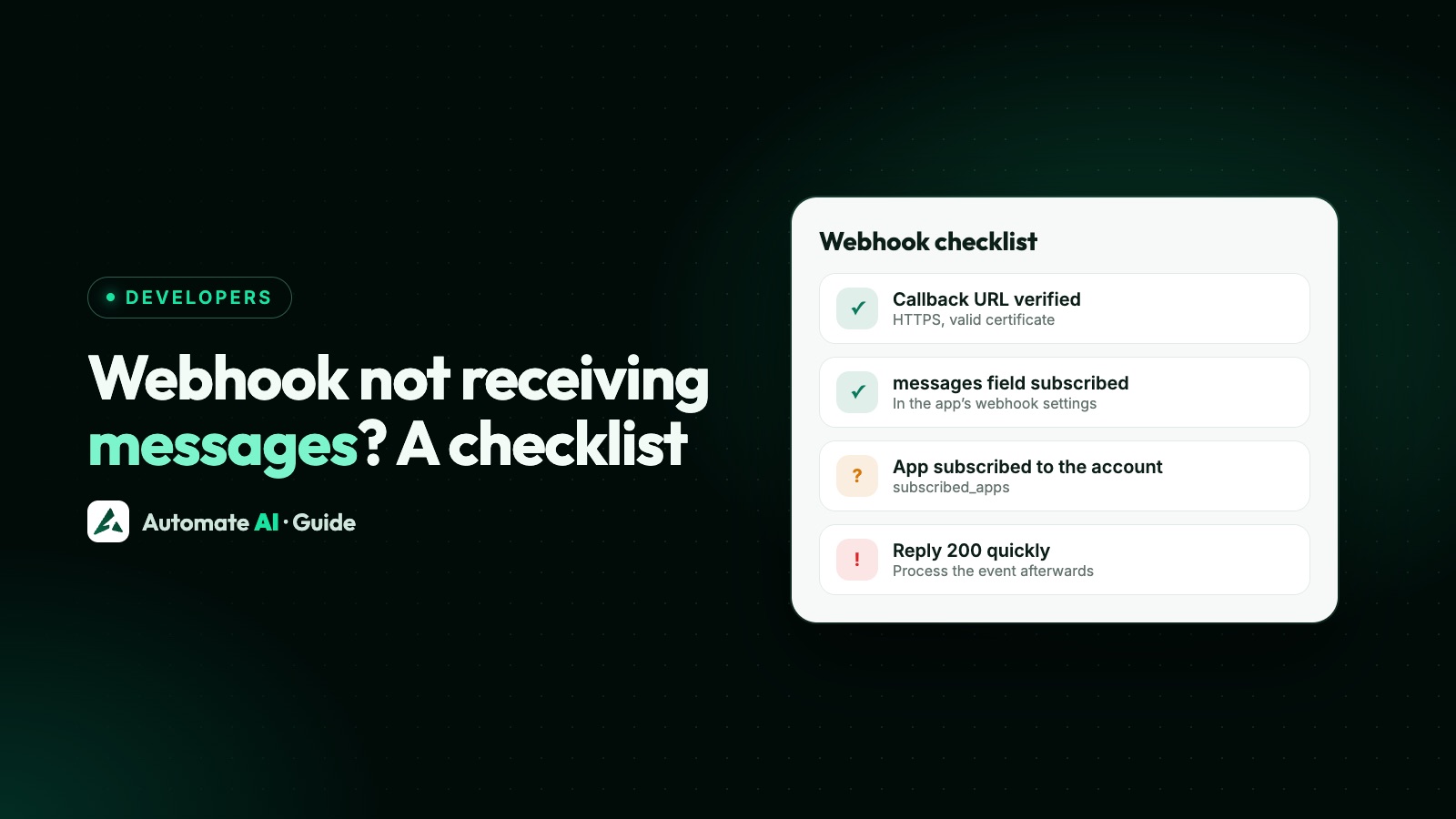
If your WhatsApp webhook isn’t receiving messages, the cause is almost always one of five things: the app isn’t subscribed to the messages field, the app isn’t subscribed to your WhatsApp account (/<WABA_ID>/subscribed_apps), the app is in Development mode, an override sends events to another URL, or your endpoint isn’t answering with 200.
This checklist takes you through each one in the order that finds the problem fastest, using only checks that Meta documents. How verification, signatures and payloads work is in our WhatsApp Cloud API webhooks guide; this post is for when it’s set up and still silent.
Key takeaways
- First find out which side is broken: send a test payload from the App Dashboard and watch your logs.
- An app must be subscribed to every WhatsApp account it wants events from:
POST /<WABA_ID>/subscribed_apps. - Meta says some webhooks aren’t sent in Development mode, so put the app in Live mode.
GET /<PHONE_NUMBER_ID>?fields=webhook_configurationshows which URL Meta actually uses for that number.- Anything other than a 200 is retried for up to 7 days, then dropped, and there’s no API to fetch missed events.
Step 1: find out which side is broken
Before changing anything, split the problem in two. Either Meta isn’t sending events to you, or it is and your code isn’t handling them. Meta’s own troubleshooting steps come down to three checks:
- Confirm your endpoint accepts requests. Call it from outside your network. It must be on HTTPS with a valid certificate; self-signed certificates aren’t supported.
- Send a test payload from the App Dashboard, in the WhatsApp Configuration panel (for apps created with the “Connect with customers through WhatsApp” use case: Use cases › Customize › Configuration). Pick the
messagesfield. - Compare with Meta’s test webhook endpoint. Meta’s guide shows how to deploy a small test endpoint that prints every request it receives. If it shows the payloads and yours doesn’t, the problem is in your endpoint or code.
If the test payload reaches you but real customer messages don’t, Meta’s side is sending; work through the account checks below. If even the test payload doesn’t arrive, start with your URL, certificate and firewall.
The checklist
Work down this list. Each item is a documented requirement for receiving events.
| Check | How to check it | Fix |
|---|---|---|
| 1. The callback URL is verified | The Configuration panel shows your URL saved, with no verification error | Answer Meta’s GET with hub.challenge when hub.verify_token matches the string you saved |
2. The messages field is subscribed | Configuration panel › webhook fields | Subscribe to messages. It carries incoming messages and the statuses of yours |
| 3. The app is subscribed to your WhatsApp account | GET /<WABA_ID>/subscribed_apps lists your app | POST /<WABA_ID>/subscribed_apps with a token for that account |
| 4. The app is in Live mode | The mode switch in the App Dashboard | Switch to Live. Meta says some webhooks won’t be sent in Dev mode |
| 5. The token had the right permission | The permissions granted to your app or system user | whatsapp_business_messaging for messages; whatsapp_business_management for the other fields |
| 6. No override sends events elsewhere | GET /<PHONE_NUMBER_ID>?fields=webhook_configuration | Remove or correct the number’s or account’s alternate callback URL |
| 7. The number is registered | The number was registered on the Cloud API with POST /<PHONE_NUMBER_ID>/register | Register it with your 6-digit PIN |
| 8. Your endpoint returns 200 | Your server logs for Meta’s POSTs and your response codes | Return 200 straight away, then process the event in the background |
The account subscription: the most missed step
Subscribing to the messages field in the App Dashboard isn’t enough on its own. Meta says you “must individually subscribe to every Messaging account” you want webhooks for. This catches people who add a second account, or who onboard customers as a provider.
- Subscribe:
POST https://graph.facebook.com/v26.0/<WABA_ID>/subscribed_appswithAuthorization: Bearer <TOKEN>. Success returns{"success": true}. - Check:
GET /<WABA_ID>/subscribed_appsreturns the apps, by ID and name, that receive that account’s events. If yours isn’t in the list, it won’t get messages. - Remove:
DELETE /<WABA_ID>/subscribed_appsunsubscribes your app, so check that a clean-up script hasn’t done this.
Every subscribed account sends its events to the callback URL set in your app, unless an override says otherwise. Not sure which ID is the WABA ID? See how to find your WhatsApp Business Account ID.
Live mode, permissions and App Review
Meta’s webhooks overview says: make sure your app is in Live mode, because “some webhooks will not be sent if your app is in Dev mode.” Meta’s test endpoint guide adds a useful detail: messages test webhooks work in both modes. So a test payload arriving while real messages don’t is a typical sign of an app still in Development mode.
Permissions decide which fields you can receive. Meta lists whatsapp_business_messaging for the messages (and calls) webhooks and whatsapp_business_management for everything else, such as template status and account updates. If you’re a provider onboarding other businesses, Meta says you need Advanced access to these permissions through App Review before your customers can grant them.
Overrides: events going to another URL
Meta lets you set an alternate callback URL on a WhatsApp account or on a single phone number. When a webhook fires, Meta uses the first one it finds in this order: the phone number’s override, then the account’s override, then the app’s callback URL. An old override left behind by a test, a previous provider or a staging setup will quietly send that number’s messages somewhere else.
Ask Meta directly which URLs apply: GET /<PHONE_NUMBER_ID>?fields=webhook_configuration. The response lists phone_number, whatsapp_business_account and application. A phone_number or whatsapp_business_account entry means an override is in place for that number or account; if neither appears, events go to the app’s URL.
Your endpoint: 200s, signatures and batches
Once Meta is sending, events can still be lost in your own code. Check these:
- Return 200 fast. Any other response makes Meta retry, with decreasing frequency, for up to 7 days. After that the event is dropped, and Meta has no API for fetching old webhook data.
- Don’t break your own signature check. If you parse the JSON before computing
X-Hub-Signature-256, the bytes change, every check fails and you reject real events. Hash the raw body; details in our webhooks guide. - Loop over everything. Meta can batch up to 1,000 updates in one POST, though Meta may not batch them. Code that only reads
entry[0].changes[0]misses the rest. - Handle messages and statuses separately. Both come in the
messagesfield: customer messages undervalue.messages[], your delivery updates undervalue.statuses[]. If you only see statuses, check that your handler readsmessagestoo. - De-duplicate. Retries can deliver the same event twice. Store message IDs and ignore repeats.
- Accept large payloads. Webhooks can be up to 3 MB, so a small request-size limit on your server can reject them.
- Firewall rules. Meta changes its IP addresses from time to time, so an IP allow-list can start blocking it. Meta recommends mutual TLS instead.
Symptoms and likely causes
| What you see | Likely cause | Where to look |
|---|---|---|
| Nothing at all, not even test payloads | URL unreachable, certificate problem or firewall | Check 1 and the firewall note above |
| Test payloads arrive, real messages don’t | App in Dev mode, or app not subscribed to the account | Checks 3 and 4 |
| Statuses arrive, customer messages don’t | Your code only reads statuses, or customers are messaging a different number | Your handler; the number customers use |
| One number works, another doesn’t | An override on that number, or it belongs to a second account you haven’t subscribed | Check 6, then check 3 for that account |
| It worked, then stopped | A new override, an unsubscribed app, a reset app secret breaking signature checks, or your endpoint returning errors | Overrides, subscribed_apps, your error logs |
| Events arrive twice | Retries after slow or failed responses | Respond 200 sooner and de-duplicate |
Still on Meta’s test number? Its own quirks, such as To numbers and short-lived tokens, are covered in why the WhatsApp API test number is not working. If your sends fail too, look the code up in WhatsApp API error codes.
Messages missed while you were down
Because Meta retries for up to 7 days, fixing your endpoint quickly usually brings the missed events in, perhaps out of order. Process them by their timestamp rather than arrival time. Anything older than 7 days is gone, so if customers wrote in during a long outage, check the conversation from your side and reply with a template if their 24-hour window has closed.
Webhooks with Automate AI
With Automate AI you don’t host the WhatsApp webhook at all. When you connect your number, Automate AI subscribes to your account’s webhooks and points them to its own callback URL, and incoming messages appear in the shared inbox. If your own systems need events, the REST API and developer webhooks (events such as message received and message status update) are included on Series 2, 3 and 4 plans; see the WhatsApp Business API page and pricing.
Frequently asked questions
Why is my WhatsApp webhook not receiving messages?
Most often the app isn’t subscribed to the messages field or to your WhatsApp account, the app is in Development mode, an override sends events elsewhere, or your endpoint doesn’t return 200.
How do I check if my app is subscribed to my WhatsApp Business Account?
Call GET /<WABA_ID>/subscribed_apps. If your app isn’t listed, subscribe it with POST /<WABA_ID>/subscribed_apps.
Do WhatsApp webhooks work in Development mode?
Partly. Meta says some webhooks aren’t sent in Dev mode, while messages test webhooks work in both modes. Switch to Live mode for real traffic.
Why do I get delivery statuses but not incoming messages?
Both arrive in the messages field, so Meta is reaching you. Check that your code reads value.messages[] as well as value.statuses[], and that customers are messaging the number you think.
Can I get WhatsApp messages that my webhook missed?
Meta retries failed deliveries for up to 7 days. After that the event is dropped, and there’s no API to fetch old webhook data.
Does my webhook need a valid SSL certificate?
Yes. Meta requires a valid TLS certificate, correctly installed. Self-signed certificates aren’t supported.
Sources
- Meta: Webhooks overview
- Meta: Create a webhook endpoint
- Meta: Create a test webhook endpoint
- Meta: Manage webhooks (subscribed apps)
- Meta: Webhook overrides
- Meta: Phone number registration
WhatsApp rules and prices change. We check these guides against Meta’s documentation, but always confirm current terms with Meta before you rely on them. Questions? Message us on WhatsApp at +91 836 977 8812.