How to Find Your WhatsApp Business Account ID and Phone Number ID
Where to find your WhatsApp Business Account ID (WABA ID), phone number ID, app ID and portfolio ID, what each is for and the API calls that return them.
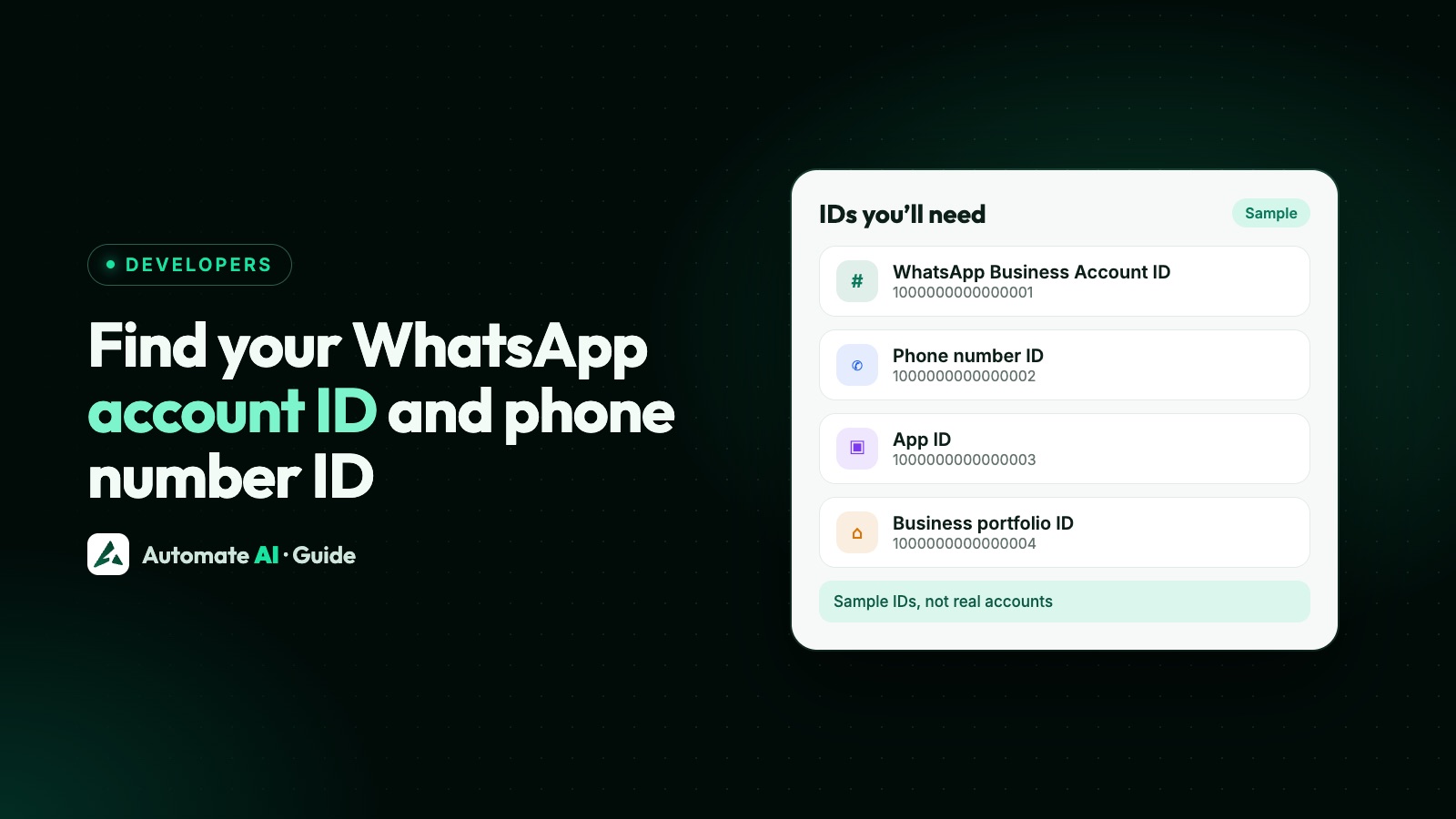
Your WhatsApp Business Account ID (WABA ID) is shown in the API Setup panel of your Meta app once you connect a Messaging account, and in Business Settings under Accounts. The phone number ID is a different number: you pick it from the From dropdown in API Setup, or get it with GET /<WABA_ID>/phone_numbers.
The Cloud API uses four IDs, and mixing them up causes a lot of “invalid parameter” errors. This guide shows what each ID identifies, where to find it, which API calls use it, and how Meta’s 2026 account changes affect them.
Key takeaways
- The WABA ID now identifies your Messaging account; Meta kept the same value and the
waba_idfield name. - The phone number ID goes in the URL when you send:
/<PHONE_NUMBER_ID>/messages. It isn’t the phone number. - The app ID identifies your Meta app; the business portfolio ID identifies the business that owns everything.
- You can read every ID from the API:
/<WABA_ID>/phone_numbers,/<BUSINESS_PORTFOLIO_ID>/owned_whatsapp_business_accountsand more. - Meta plans new WhatsApp account IDs from 2027, so keep IDs in configuration, not hard-coded.
The four IDs at a glance
Each ID points to a different object in Meta’s system. Here is what each one is and where you’ll use it:
| ID | What it identifies | Where you use it |
|---|---|---|
| WhatsApp Business Account ID (WABA ID), now the Messaging account ID | The account that holds your message templates and billing details | /<WABA_ID>/message_templates, /<WABA_ID>/phone_numbers, /<WABA_ID>/subscribed_apps, /<WABA_ID>/assigned_users |
| Phone number ID | One business phone number on the Cloud API | /<PHONE_NUMBER_ID>/messages, /<PHONE_NUMBER_ID>/register, /<PHONE_NUMBER_ID>/media |
| App ID | Your Meta app in the App Dashboard | App settings and app-level calls, such as subscribing to webhook fields |
| Business portfolio ID (Business Manager ID) | The business that owns the app, accounts and numbers | /<BUSINESS_PORTFOLIO_ID>/owned_whatsapp_business_accounts and /client_whatsapp_business_accounts |
All four are long numbers, so it’s easy to paste the wrong one. Label them clearly in your configuration, for example WHATSAPP_WABA_ID and WHATSAPP_PHONE_NUMBER_ID.
Where to find your WhatsApp Business Account ID
Meta’s newer documentation calls this the Messaging account ID. In Meta’s words, your existing WABA ID “now identifies your Messaging account”, so older guides and newer ones are talking about the same number. There are four places to find it.
1. In the App Dashboard (API Setup)
- Open your app in the Meta App Dashboard.
- Go to the WhatsApp use case and open API Setup.
- Connect the app to a Messaging account, an existing one or a new one, if you haven’t already.
- Meta’s guide says that, once connected, you “will see your Messaging account ID displayed in the API Setup panel”. Copy it and save it with your app’s settings.
2. In Business Settings
Meta’s system-user guide gives the path Business Settings › Accounts › WhatsApp Business Accounts: select the account to see its details, including the ID. Meta is renaming menus as it rolls out the new account model, so in Meta Business Suite you may see Settings › Accounts › Messaging accounts instead.
3. From the API
If you have a system-user token and know your business portfolio ID, list the accounts your business owns with GET https://graph.facebook.com/v26.0/<BUSINESS_PORTFOLIO_ID>/owned_whatsapp_business_accounts. Accounts that customers shared with you, for example through Embedded Signup, come from /<BUSINESS_PORTFOLIO_ID>/client_whatsapp_business_accounts. Each item’s id is a WABA ID.
4. In a webhook
Every WhatsApp webhook starts with object: "whatsapp_business_account" and an entry[] array, and each entry’s id is the account the event belongs to. The full payload is in our guide to WhatsApp Cloud API webhooks.
Where to find the phone number ID
The phone number ID is the ID Meta gives each business number. You put it in the URL of every message you send, so it’s the one developers need most. The number itself, such as +91 98000 00000, never goes in the URL.
| Where | How |
|---|---|
| App Dashboard › API Setup | Choose the number in the From dropdown and note its phone number ID. The test number has its own ID, different from your real number’s |
| Graph API | GET https://graph.facebook.com/v26.0/<WABA_ID>/phone_numbers returns each number’s id, display_phone_number, verified_name and quality_rating |
| Webhooks | Message and status events include metadata.phone_number_id for the number involved |
| Embedded Signup (providers) | When a business finishes signup, the session data includes phone_number_id, waba_id and business_id |
The /phone_numbers call is the most reliable check, because it shows the ID next to the readable number and the business name, so you can see you have the right one. It needs a token with access to that WhatsApp account.
Where to find the app ID and business portfolio ID
App ID
Meta gives every app a unique ID when you create it, and shows it in the App Dashboard, including under App settings › Basic. The same page holds the app secret, which you use to check webhook signatures. The app ID can be shared; the app secret must stay on your server and never go into code that others can see. If it leaks, reset it in Basic settings.
Business portfolio ID
This is the ID of your business portfolio (still called a Business Manager ID in many guides). Meta’s system-user guide says to find it under Business Settings › Business Info. You need it to list the WhatsApp accounts your business owns or that customers have shared with it, and providers receive it as business_id at the end of Embedded Signup.
API calls that return each ID
If you prefer to read IDs from the API, these are the calls in Meta’s current documentation (Graph API v26.0). Send your system-user token as Authorization: Bearer <TOKEN>.
| You have | Call | You get |
|---|---|---|
| Business portfolio ID | GET /<BUSINESS_PORTFOLIO_ID>/owned_whatsapp_business_accounts | WABA IDs your business owns |
| Business portfolio ID (provider) | GET /<BUSINESS_PORTFOLIO_ID>/client_whatsapp_business_accounts | WABA IDs shared with you; needs Advanced access for whatsapp_business_management, or the call returns error 200 |
| WABA ID | GET /<WABA_ID>/phone_numbers | Phone number IDs, display numbers, names and quality ratings |
| WABA ID | GET /<WABA_ID>?fields=name,status,currency,country | The account’s details, with its id |
| WABA ID | GET /<WABA_ID>/subscribed_apps | The apps (with app IDs) that receive this account’s webhooks |
| A token from Embedded Signup | GET /debug_token?input_token=<TOKEN> | WABA IDs in granular_scopes[].target_ids; for whatsapp_business_management the newest comes first |
Keep the API version current. Meta released v26.0 on 29 July 2026, and most of its WhatsApp examples use it; older versions keep working until Meta retires them.
Common mix-ups, and how to fix them
- Phone number in the URL.
/919800000000/messagesfails. Use the phone number ID:/<PHONE_NUMBER_ID>/messages. - WABA ID where a phone number ID belongs. Templates are created on the WABA (
/<WABA_ID>/message_templates) but sent from a number (/<PHONE_NUMBER_ID>/messages). - The test number’s ID in production. Messages go out from the test number, or fail. Swap in the real number’s ID.
- The right ID, the wrong token. The ID is correct but the token’s system user hasn’t been given access to that account. Assign the system user to the account in Business Settings, or with
POST /<WABA_ID>/assigned_users, then try again. - One number, several Messaging accounts. If your token has messaging access to more than one Messaging account on the same number, Meta says to add
messaging_account_idto your Messages API calls. - Sharing the app secret as if it were an ID. It’s a password for your app. Reset it if it was ever pasted somewhere public.
If an API call still fails, look up the code in our list of WhatsApp API error codes. Error 100 usually means a misspelled or unsupported parameter, and error 190 an expired token.
How Meta’s new account model changes the IDs
Meta is splitting the old WhatsApp Business Account into a Messaging account (templates, billing and webhook subscriptions) and a WhatsApp account (one business phone number). The rollout started on 23 September 2026. For IDs, this means:
| Phase | When | What changes for IDs |
|---|---|---|
| Phase 1 | From 23 September 2026 | Existing WABA IDs stay the same and now denote Messaging account IDs. Existing API calls keep working |
| Phase 2 | First half of 2027 | Each WhatsApp account gets its own ID, returned alongside the phone number ID |
| Phase 3 | First half of 2028 | APIs that put a phone number ID in the path, including the Messages API, must use the WhatsApp account ID instead |
Meta says all of this is subject to change. The practical step today is to store IDs in configuration, so swapping one later is a settings change rather than a code change. More on the new model is in our guide to phone numbers on the Cloud API, and on finding your way around Meta’s dashboard in WhatsApp Manager.
Do you need these IDs with Automate AI?
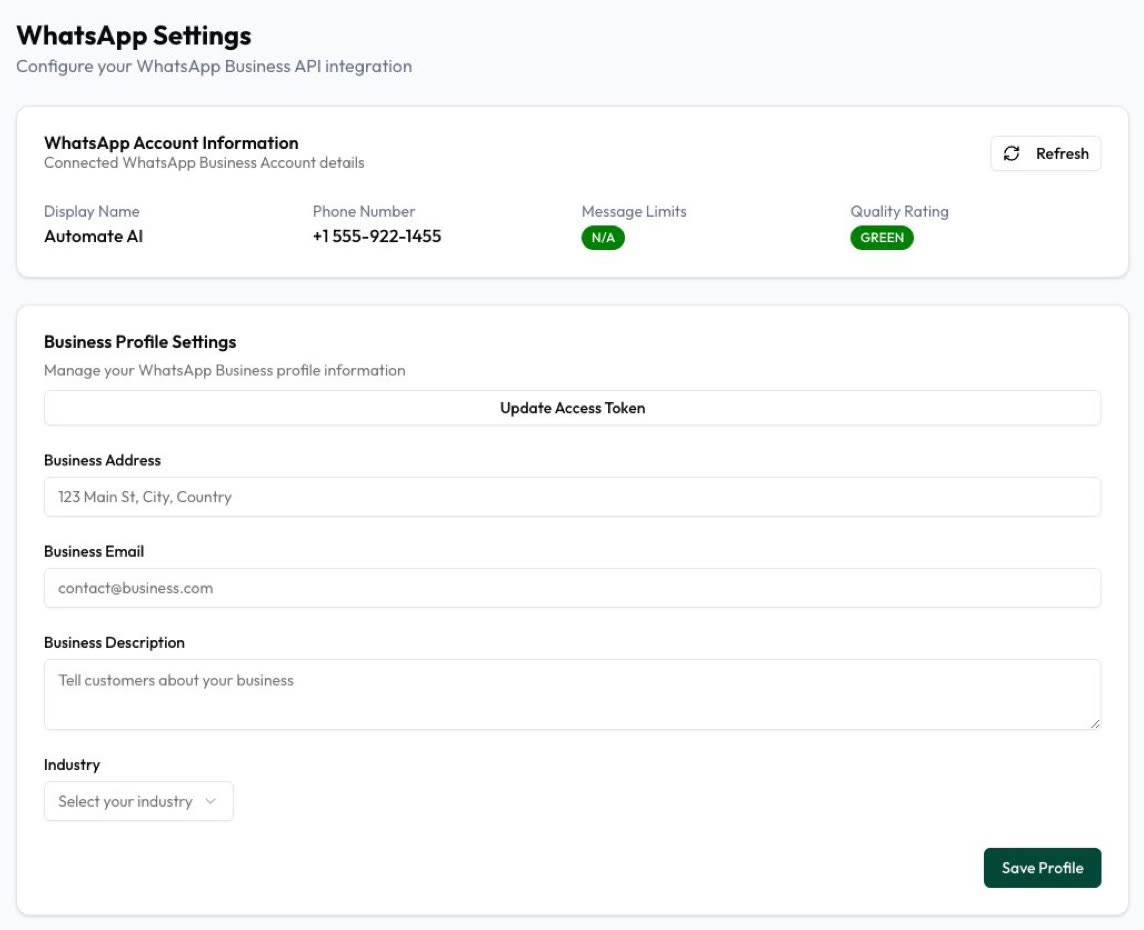
Usually not. Automate AI connects your number through Meta’s Embedded Signup, which passes your WABA (Messaging account) ID and phone number ID to the app, and then subscribes it to your account’s webhooks. Normally you don’t copy IDs or tokens by hand. Your WhatsApp Settings show what you actually need day to day: the display name, phone number, messaging limit and quality rating.
Day to day, the one place you might type a WABA ID is the optional override in the Conversions API settings, which otherwise uses your connected account. Everything else, from campaigns to chatbots and the REST API, works from the connected number.
Frequently asked questions
What is a WhatsApp Business Account ID?
The ID of the account that holds your message templates and billing details on the WhatsApp Business Platform. Meta now calls it the Messaging account ID, but the value and the waba_id field name are unchanged.
Where do I find my WABA ID?
In your Meta app’s API Setup panel after you connect a Messaging account, in Business Settings under Accounts, or from the API with /<BUSINESS_PORTFOLIO_ID>/owned_whatsapp_business_accounts.
Is the phone number ID the same as my phone number?
No. The phone number ID is Meta’s ID for the number. Get it from the From dropdown in API Setup or with GET /<WABA_ID>/phone_numbers, and use it in /<PHONE_NUMBER_ID>/messages.
What is the difference between the WABA ID and the business portfolio ID?
The business portfolio is the top-level business that owns your apps and accounts. The WABA ID identifies one account inside it that holds templates and billing. A portfolio can own several.
Where do I find my WhatsApp access token?
API Setup shows a temporary token for testing, which expires quickly. For real use, create a system user in Business Settings and generate a permanent token; see our Cloud API setup guide.
Will my WABA ID change with Meta’s new account model?
No. Existing WABA IDs stay the same and now identify Messaging accounts. Meta plans separate WhatsApp account IDs from 2027, which will later replace phone number IDs in some API paths.
Sources
- Meta: Get started with the Cloud API
- Meta: WhatsApp accounts and Messaging accounts
- Meta: Business phone numbers
- Meta: Manage Messaging accounts (solution providers)
- Meta: Manage system users
- Meta: Embedded Signup implementation
- Meta: Account model evolution
- Meta: App Dashboard basic settings
WhatsApp rules and prices change. We check these guides against Meta’s documentation, but always confirm current terms with Meta before you rely on them. Questions? Message us on WhatsApp at +91 836 977 8812.