Is There a Free WhatsApp AI Chatbot? An Honest Answer
Is there a free WhatsApp AI chatbot for business? What Meta offers at no cost, what always costs money, and why “free” unofficial AI bots risk your number.
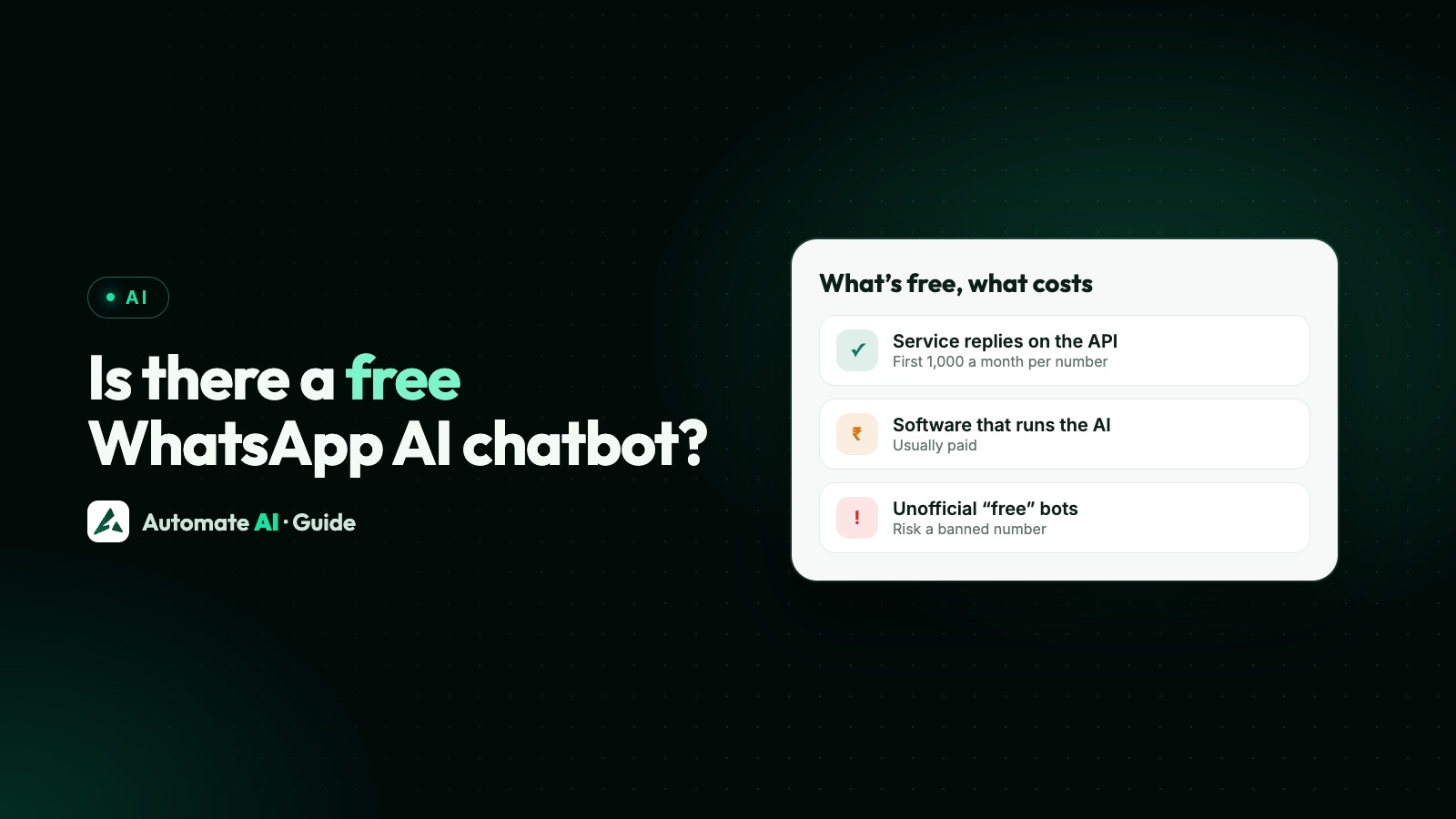
Partly. A small business can get AI replies on WhatsApp at no cost only where Meta offers its own Meta Business Agent in the WhatsApp Business app, and that access is limited by country, by business and by how much Meta lets you use it free. On the WhatsApp Business API, AI replies inside the 24-hour window count as service messages, and the first 1,000 a month per number are free, but you still pay for the software that runs the AI.
So there are free parts, but no fully free, unlimited, official AI chatbot for business. This guide shows what you can get for nothing, what always costs money, which “free” tools to avoid, and how to pick the cheapest safe option for your business.
Key takeaways
- Meta Business Agent in the WhatsApp Business app can answer customers, but only for selected businesses in some countries, and Meta sells more replies in paid Meta One plans.
- On the API, AI replies are service messages: the first 1,000 per number per month are free, then they’re charged.
- What always costs: templates you send first, the platform that runs the AI, and AI usage above any included amount.
- “Free AI WhatsApp bots” that run on WhatsApp Web or the normal app break WhatsApp’s terms and risk a ban.
- Since Meta’s terms bar general-purpose AI assistants on the Business Platform, a bot must answer about your own business.
What’s free and what isn’t, at a glance
People searching for a free WhatsApp AI chatbot usually want one of three things: a bot that answers customers for nothing, a free number to chat with an AI, or a free tool to build their own. Here is what each really costs.
| Item | Free? | Notes |
|---|---|---|
| Meta Business Agent in the WhatsApp Business app | Some access, where offered | Selected businesses in some countries; more replies come with paid Meta One plans |
| Greeting, away messages and quick replies in the Business app | Yes | Fixed replies you write, not AI |
| Messages customers send you on the API | Yes | Receiving is never charged |
| AI replies inside the 24-hour window on the API | First 1,000 per number per month | Service messages; charged after that since 1 October 2026 |
| Replies to chats from Click-to-WhatsApp ads | Yes, for up to 7 days | Meta’s free entry point window; the ad itself is paid |
| Templates you send first | No | Marketing, utility and authentication are charged per delivered message |
| Meta Business Agent on the API | No | US$2 per 1 million tokens, even inside free windows |
| A platform with an AI assistant | Usually no | A plan fee, and sometimes AI usage on top |
The API side is covered in full in Is WhatsApp API free?. This guide focuses on the AI part.
Free option 1: Meta Business Agent in the WhatsApp Business app
Meta’s own AI for businesses is called Meta Business Agent (earlier announcements called it Business AI). In the WhatsApp Business app it lives under Tools, as your AI agent. It answers common customer questions from your business profile and catalog, and you choose which chats it handles:
- all new one-to-one chats
- one-to-one chats except saved contacts
- chats that come from your Facebook or Instagram ads
- none for now, while it keeps learning from your chats
There are real limits. WhatsApp’s Help Center says the feature is currently available only to selected businesses in a limited number of countries, and if you don’t see it under Tools you can join a waitlist, which doesn’t promise access. Not every language is supported. Meta launched it for small businesses in India in May 2026, in Indian languages, for businesses that meet its criteria.
It also isn’t unlimited. Meta’s Meta One business plans, announced in September 2026, start at US$14.99 a month and include “more access” to Meta Business Agent, with higher plans giving more replies. So treat it as free to start, not an unlimited free bot.
Free option 2: fixed replies in the Business app
If you just want something to answer while you’re busy, the free WhatsApp Business app has greeting messages, away messages and quick replies. They aren’t AI: they send words you wrote, and they don’t understand questions. For a shop with a handful of common questions, a greeting that lists your timings, location and catalog link can do a surprising amount of the work.
Where the app runs out is a team inbox, automation and integrations. See WhatsApp Business app limitations for when it’s time to move to the API.
What’s free when AI answers on the WhatsApp API
On the WhatsApp Business Platform (API), a customer’s message opens a 24-hour customer service window. Inside it you can send free-form messages, and Meta calls them service messages. A reply written by your own AI assistant is one of them.
- 1,000 free service messages per business phone number per month. The allowance resets monthly and doesn’t roll over.
- From the 1,001st service message that month, Meta charges for them (since 1 October 2026).
- Chats that start from a Click-to-WhatsApp ad open a free entry point window of up to 7 days, if you reply within 24 hours.
- If you use Meta Business Agent on the API, its messages are charged by tokens, even inside free windows.
Worked example (made-up numbers): a salon’s AI assistant sends 1,400 replies in a month on one Indian number. The first 1,000 are free. On Automate AI’s AI + Automation Plan, the other 400 cost the utility rate of ₹0.19 each, so about ₹76 plus GST, on top of the plan fee.
The AI can only reply after the customer writes. To message someone first, such as a reminder or an offer, you need an approved template, and templates are always charged.
What always costs money
| Cost | Who charges it | How to keep it down |
|---|---|---|
| Templates you send first | Meta, through your provider | Send fewer, better campaigns to opted-in contacts |
| Service replies above 1,000 a month per number | Meta, through your provider | Let AI answer in fewer, fuller messages |
| The platform: inbox, AI assistant, automation | Your provider | Pick a plan with the AI included, not as an add-on |
| AI usage on your own AI key | Your AI company | Keep the knowledge base short and accurate |
| Extra Meta Business Agent replies | Meta (Meta One or token pricing) | Use it only on chats where it helps |
Exact rates for India are in WhatsApp API pricing in India, and the pricing calculator estimates a month for your own volumes.
The “free AI WhatsApp bots” to avoid
Search for a free WhatsApp AI chatbot and you’ll find scripts and browser extensions that connect an AI model to WhatsApp Web or a phone running the normal app. They cost nothing to start, but the risk is your number.
- They break WhatsApp’s terms. The Terms of Service forbid auto-messaging and accessing the service through automated means outside approved routes.
- Numbers get restricted or banned, often without warning, and you can lose the chats and contacts on that number. See why bulk sender tools get numbers banned.
- They stop working whenever WhatsApp changes its web app, and there’s no one to call.
- Your customers’ chats pass through a stranger’s code and servers.
Not every tool with “WhatsApp API” in its name is unofficial, and some have an official mode too. WhatsApp Web API: official vs unofficial explains how to tell them apart.
Which option fits your business
| If you | Start with |
|---|---|
| Run a small shop from one phone and see the AI agent under Tools | Meta Business Agent in the WhatsApp Business app |
| Don’t have the AI agent yet and get a few chats a day | Greeting, away messages and quick replies in the Business app |
| Have a team, ads bringing chats, or more than one person answering | The API with an AI assistant in a shared inbox |
| Need answers from your own price lists, brochures or website | An AI assistant with a knowledge base |
| Want to message customers first | Approved templates, which are always paid |
| Were offered a free bot that runs on WhatsApp Web | Don’t. Use an official route instead |
AI replies in Automate AI
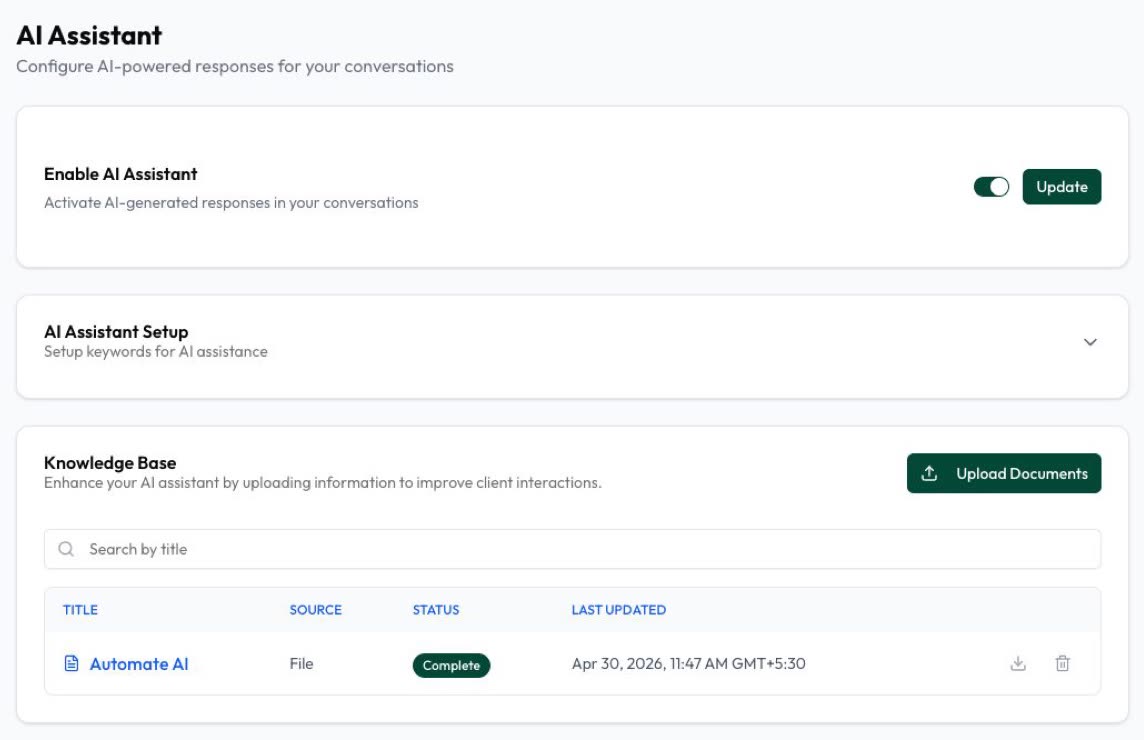
Automate AI has no free plan: its AI is part of paid plans. The AI Assistant is included in the AI Assistant + Marketing + Automation Plan (₹8,499 for 3 months or ₹27,999 for 12 months) and Series 4 (₹34,788 a year), not the Marketing Plan. Every plan comes with free wallet credit for messages with your first purchase, and the first 1,000 service replies per number each month are free.
- Your knowledge: upload PDF, Word or text files, or build a knowledge base from your website and review it before saving.
- Replies: text, a voice note or both, in the customer’s language.
- Handover: it alerts up to 10 team numbers on WhatsApp when a person is needed, and every chat has a switch to turn AI off.
- No AI key needed: with no key of your own, Basic AI answers your chats up to a daily number of replies. Connect your own AI key for more; that usage is billed by your AI company.
Full prices are on the pricing page.
Before you switch any AI bot on
- Write down your 20 most common questions and check the answers are in your documents or profile.
- Test on your own number with real past questions, and fix the source when an answer is wrong.
- Set a clear way to reach a person, such as typing “agent”. WhatsApp’s policy requires one.
- Keep sensitive details out. Never ask for full card numbers, bank account numbers or ID numbers, and keep health details out of AI chats.
- Start with some chats only, such as new chats or ad chats, and widen it once answers look right.
- Check costs after the first month: service replies above 1,000, templates and any AI usage.
Frequently asked questions
Is there a free AI chatbot for WhatsApp Business?
Meta Business Agent in the WhatsApp Business app can answer customers, but it’s available only to selected businesses in some countries and Meta says getting started is free; Meta sells more access in paid Meta One plans. On the API, the AI’s replies are free up to 1,000 a month per number, but the software that runs the AI is usually paid.
How do I create a WhatsApp AI chatbot for free?
Check the Tools tab in the WhatsApp Business app for the AI agent. If it’s there, set it up and pick which chats it answers. If it isn’t, you can join Meta’s waitlist, use the free greeting and away messages meanwhile, or use an API platform with an AI assistant, which is paid.
Is there a free WhatsApp AI chatbot number?
Meta AI is a personal assistant inside WhatsApp in some countries, not a bot for your customers. For a business, the AI answers on your own business number. Meta’s free API test number is for developers to test, not for real customers.
Are AI replies on the WhatsApp API charged?
Replies from your own AI assistant are service messages. The first 1,000 per business number each month are free, and Meta charges from the 1,001st. Meta Business Agent on the API is charged by tokens instead.
Is it safe to use a free AI bot that connects to WhatsApp Web?
No. WhatsApp’s terms forbid auto-messaging and automated access outside approved routes, and numbers that use these tools can be restricted or banned.
Does Automate AI have a free plan or trial?
No. The AI Assistant is included in the AI Assistant + Marketing + Automation Plan and Series 4. Each plan adds free wallet credit with the first purchase, and the first 1,000 service replies per number each month are free.
Sources
- WhatsApp Help Center: How to set up Meta Business Agent
- Meta: Introducing Business AI on WhatsApp for small businesses in India (May 2026)
- Meta: Meta Business Agent (June 2026)
- Meta: Introducing Meta One (September 2026)
- Meta: Pricing on the WhatsApp Business Platform
- Meta: Send messages (customer service window)
- Meta Terms for WhatsApp Business Platform (section 4.7)
- WhatsApp Terms of Service
WhatsApp rules and prices change. We check these guides against Meta’s documentation, but always confirm current terms with Meta before you rely on them. Questions? Message us on WhatsApp at +91 836 977 8812.