WhatsApp Character Limits: Messages, Templates, Captions and Buttons
Every WhatsApp character limit in one table: API text messages, captions, template header, body, footer and buttons, lists, reply buttons and profile fields.
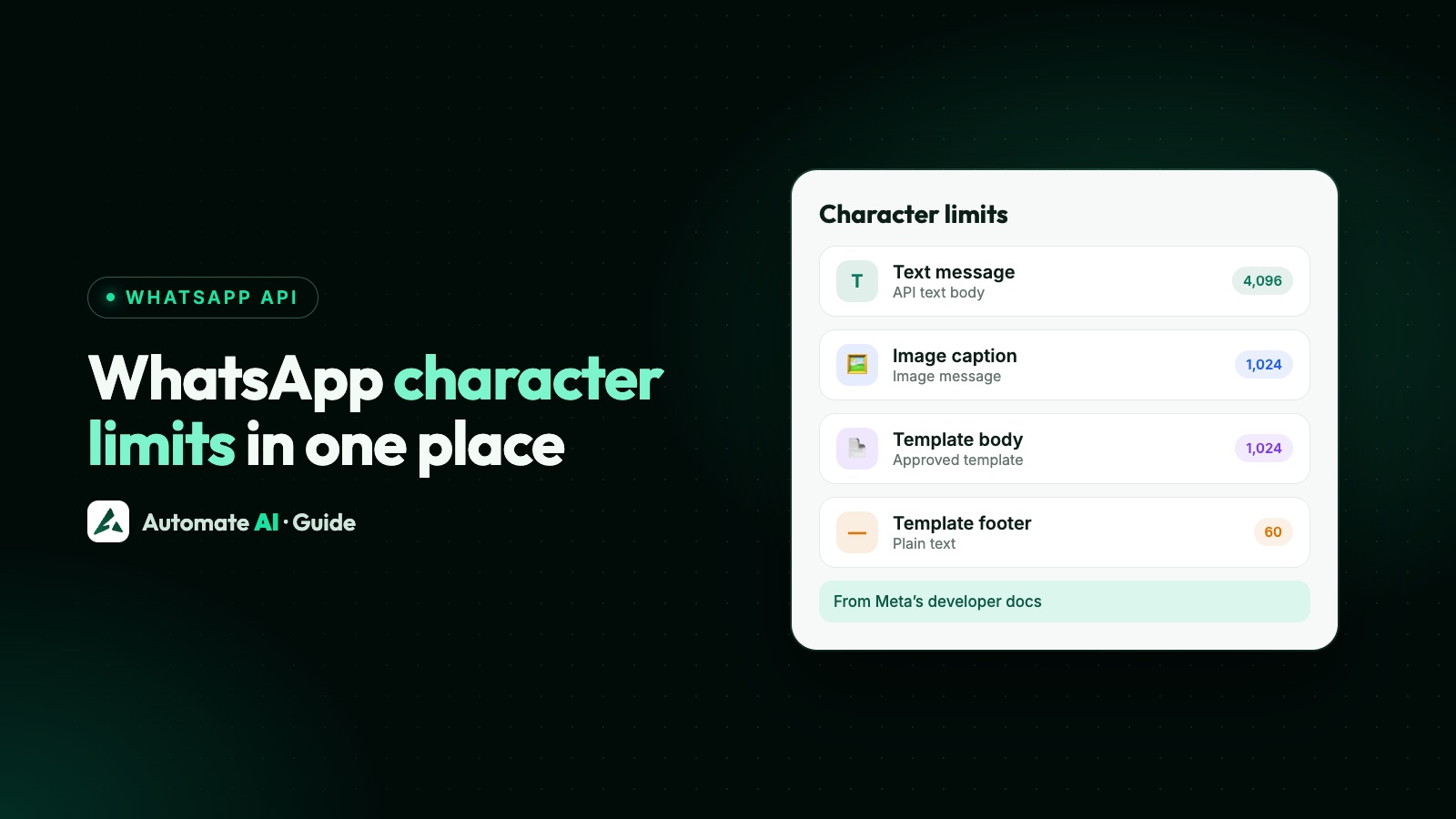
On the WhatsApp Business Platform, a text message can be up to 4,096 characters, an image caption up to 1,024, and a template body up to 1,024, with 60 characters each for a template’s text header and footer and 25 for most button labels. Lists, reply buttons and profile fields have limits of their own, all in the table below.
Two things people search for aren’t published anywhere official: a character limit for messages typed in the regular WhatsApp app, and how many characters show before “Read more”. We explain what to do instead. Every number here comes from Meta’s developer documentation.
Key takeaways
- API text messages: up to 4,096 characters. Image captions: up to 1,024.
- Templates: text header 60, body 1,024, footer 60, button label 25 (20 for a voice call button), button URL 2,000.
- Reply buttons: up to 3 buttons with 20-character labels. Lists: up to 10 rows, titles of 24.
- Profile: About 1 to 139 characters, description 512, address 256, email 128, up to 2 websites.
- WhatsApp doesn’t publish the “Read more” cut-off, so put what matters in the first line or two.
- Limits are counted in characters, not words. There is no separate word limit.
Every WhatsApp character limit in one table
These are the limits for messages sent through the WhatsApp Business Platform (Cloud API), which is what WhatsApp API providers, including Automate AI, use:
| What | Limit |
|---|---|
| Text message body | 4,096 characters |
| Image caption | 1,024 characters |
| Template text header | 60 characters, 1 variable |
| Template body | 1,024 characters |
| Template footer | 60 characters |
| Template button label | 25 characters (20 for a WhatsApp voice call button) |
| Template website button URL | 2,000 characters |
| Template phone number button | 20 characters for the number |
| Copy-code button code | 20 characters |
| Reply buttons message body | 1,024 characters, up to 3 buttons |
| Reply button label | 20 characters |
| List message body | 4,096 characters |
| List button, section title, row title | 20, 24 and 24 characters |
| List row description | 72 characters |
| Business profile About | 1 to 139 characters |
| Business profile description | 512 characters |
All of these are set in characters, so check the count after variables are filled in, not just the wording you typed.
Text messages and captions
A free-form text message sent through the API can be up to 4,096 characters. You can send these inside the 24-hour customer service window, after the customer messages you. WhatsApp turns URLs in the text into links automatically.
With an image, the text goes in the caption, which is limited to 1,024 characters. That’s the answer to “WhatsApp character limit with image”: if your text is longer, send the image with a short caption and follow it with a separate text message.
| If you want to send | Do this |
|---|---|
| Up to 1,024 characters with a photo | One image message with a caption |
| More than 1,024 characters with a photo | Image with a short caption, then a text message |
| More than 4,096 characters | Split it into messages, or send a link or a PDF instead |
Meta’s docs give these limits for the API. The regular WhatsApp and WhatsApp Business apps don’t publish a per-message limit, so be wary of exact numbers you see elsewhere.
Template limits, part by part
Templates are the messages you send to start a conversation or to reach someone after the 24-hour window. Each part has its own limit, and the body is where most of your words go:
- Text header: up to 60 characters, one text header per template, and one variable. Meta says not to use Markdown special characters here.
- Body: up to 1,024 characters, and supports multiple variables. Check the length with real values filled in, and leave room for long names or order numbers.
- Footer: up to 60 characters. A good place for “Reply STOP to opt out” on marketing templates.
- Buttons: up to 10 in total, with labels of up to 25 characters, except 20 for a WhatsApp voice call button. A website button’s URL can be up to 2,000 characters and a phone button’s number up to 20.
Categories, approval and the rules on button combinations are in our guide to WhatsApp templates.
Interactive messages: reply buttons and lists
Interactive messages are free-form, so they work inside the 24-hour window, and they have tighter limits than templates:
| Part | Reply buttons | List message |
|---|---|---|
| Body | 1,024 characters | 4,096 characters |
| Header text | Optional (text, image, video or document) | 60 characters, text only |
| Footer | 60 characters | 60 characters |
| Buttons or rows | Up to 3 buttons | Up to 10 rows across up to 10 sections |
| Button or row label | 20 characters, unique | Row title 24 characters |
| Extra text | None | Row description 72 characters |
| Menu button | None | 20 characters |
| Section title | None | 24 characters |
| ID your system receives | 256 characters | 200 characters |
The labels are the limit that bites. “Book an appointment” fits in 20 characters; “Book an appointment now” doesn’t. Short verbs work best: Book, Track order, Talk to us. More on when to use each in WhatsApp buttons and lists.
Profile and name limits
Your business profile is set through WhatsApp Manager or the API. Meta’s Business Profile API gives these limits:
| Field | Limit | Notes |
|---|---|---|
| About | 1 to 139 characters | Can’t be empty. Links don’t become clickable, and Markdown isn’t supported |
| Description | 512 characters | What you sell, where, how to order |
| Address | 256 characters | The full address customers can search |
| 128 characters | Must be a valid email format | |
| Websites | Up to 2, each 256 characters | Must start with http:// or https:// |
Meta’s display name page doesn’t set a character limit for the name itself; it sets rules about the name matching your business. See WhatsApp display name rules and how to set up your WhatsApp Business profile.
“Read more” and the word limit
Long messages are folded behind Read more on the customer’s phone. WhatsApp doesn’t publish where that cut-off falls, and it can depend on the screen, so don’t write to a number you’ve seen quoted online. Write so the fold doesn’t matter:
- Put the point in the first line: “Your order #4521 ships today” beats “Hi! We have some exciting news about your order.”
- Keep the call to action high, or put it in a button, which always shows.
- Use line breaks and short paragraphs so the first screen reads well. Formatting tips are in WhatsApp text formatting.
- Send a test to your own phone and look at it before a campaign goes out.
As for a word limit: there isn’t one. Every limit Meta publishes is in characters, so a message full of long words reaches it sooner than one with short words. Paste your text into any character counter, or watch the counter in your template builder, rather than counting words.
Write to fit: a quick checklist
- Header: a few words that name the subject, within 60 characters.
- Body: 2 to 5 short lines for most messages, well under 1,024 once variables are filled in.
- Footer: one line, such as your business name or “Reply STOP to opt out”.
- Buttons: short verbs, within 20 characters so the same wording also fits reply buttons.
- Images: the key line in the caption, the detail in a follow-up message if needed.
Shorter isn’t just about the limit. Meta reviews templates, and it lists too many variables for the message length as a rejection reason.
Character limits in Automate AI
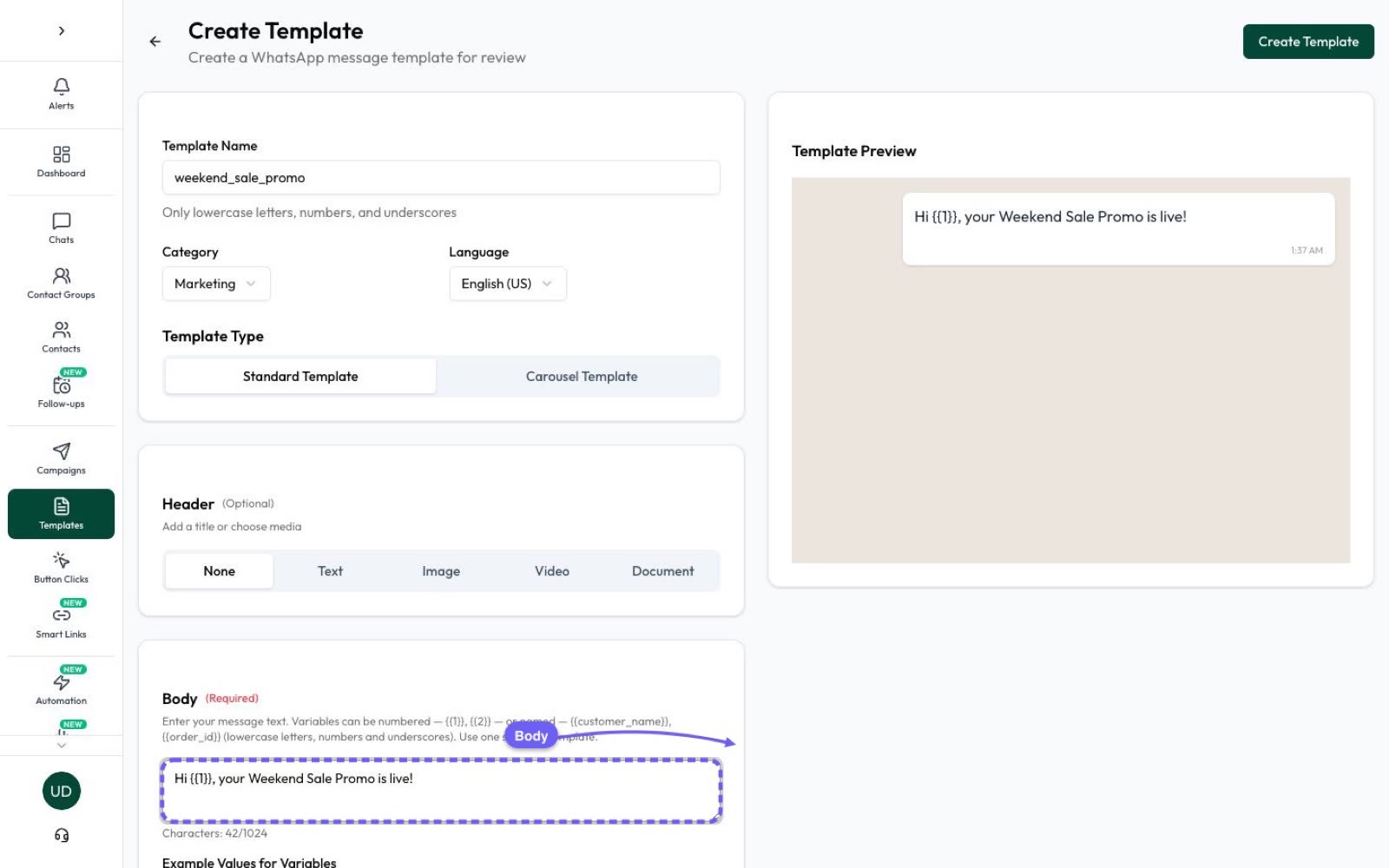
Automate AI’s template builder enforces these limits as you type, so you find out before Meta does:
- Body: a counter shows how many of the 1,024 characters you’ve used.
- Header and footer: capped at 60 characters each.
- Button text: capped at 20 characters, a little under Meta’s 25 for templates, which is also the limit for reply buttons.
You see a live preview of the message as the customer will see it, then submit it for review from Campaigns › Templates. Once it’s approved, send it to your audience in Automate AI campaigns.
Frequently asked questions
What is the WhatsApp character limit per message?
On the WhatsApp Business Platform, a text message can be up to 4,096 characters. A template body is limited to 1,024. WhatsApp doesn’t publish a per-message limit for the regular app.
What is the WhatsApp character limit with an image?
An image caption can be up to 1,024 characters on the API. For more text, send the image with a short caption and follow it with a text message.
How many characters show before “Read more” on WhatsApp?
WhatsApp doesn’t publish that number, and it can vary by device. Put the key information and the action in the first line or two, and test on your own phone.
Does WhatsApp have a word limit?
No. All of the limits Meta publishes for WhatsApp are in characters, not words.
What are the WhatsApp template character limits?
Text header 60 characters, body 1,024, footer 60 and button labels 25. Button labels are 20 for a WhatsApp voice call button. A website button’s URL can be up to 2,000 characters.
How long can a WhatsApp button label be?
Up to 25 characters on most template buttons (20 on a WhatsApp voice call button), and 20 on a reply button or a list’s menu button in an interactive message.
How long can the WhatsApp Business About text be?
Between 1 and 139 characters on the API. The business description can be up to 512.
Sources
- Meta: Text messages
- Meta: Image messages
- Meta: Template components
- Meta: Template review
- Meta: Call button messages and deep links
- Meta: Interactive reply buttons messages
- Meta: Interactive list messages
- Meta: Business profiles
WhatsApp rules and prices change. We check these guides against Meta’s documentation, but always confirm current terms with Meta before you rely on them. Questions? Message us on WhatsApp at +91 836 977 8812.