WhatsApp Campaign Delivery Reports: Sent, Delivered, Read and Failed
How to read a WhatsApp campaign delivery report: what sent, delivered, read and failed really mean, why counts look wrong, and what to do with each group.
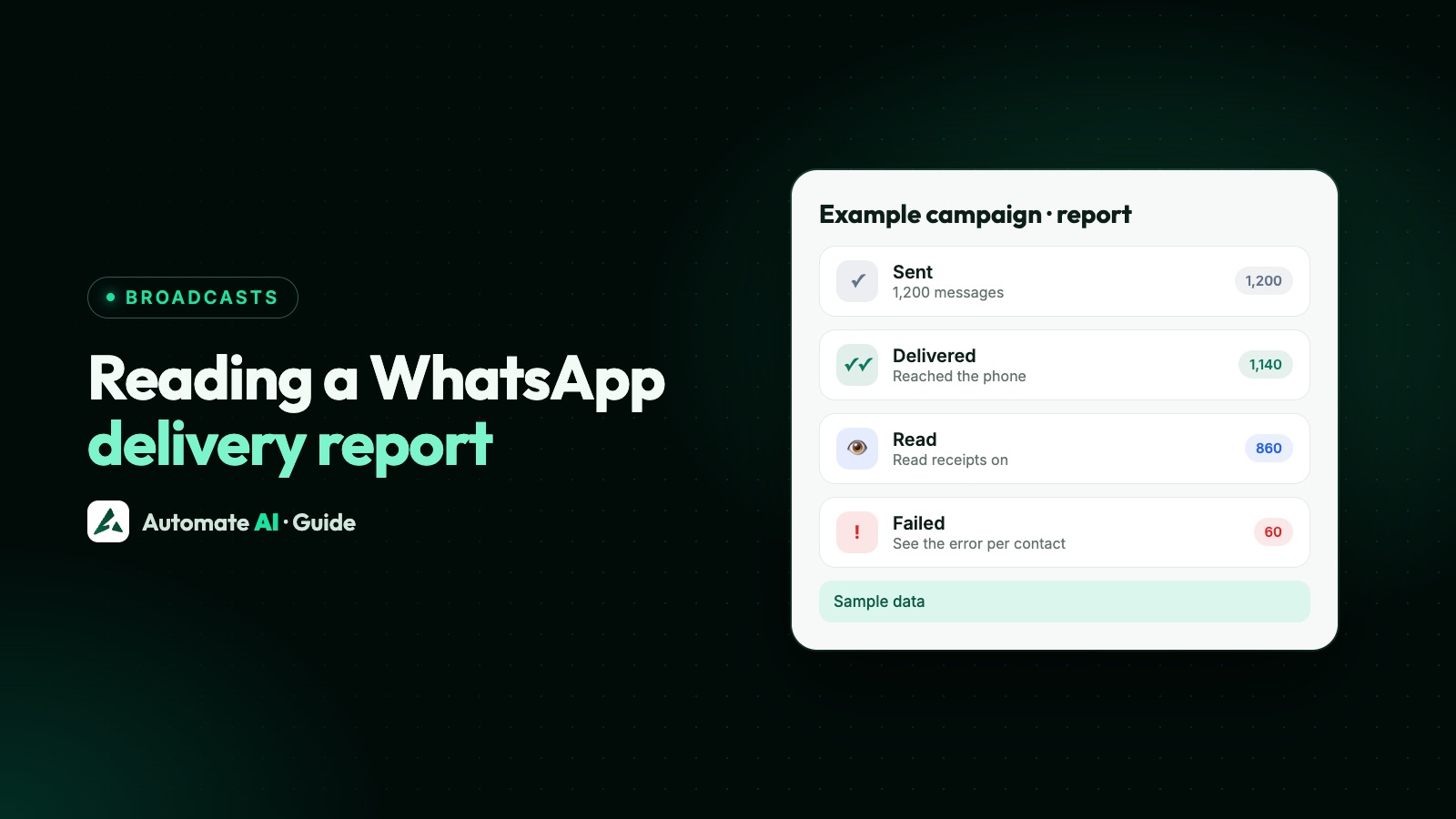
A WhatsApp delivery report shows what happened to each message in a campaign: sent (WhatsApp accepted it), delivered (it reached the phone), read (it was opened in the chat) or failed (it couldn’t be delivered, with a reason). On the WhatsApp Business API these statuses come from Meta, message by message, and your platform adds them up into the report.
This guide is about reading that report well: why the numbers don’t always add up the way you expect, which counts you pay for, what a report can’t tell you, and what to do with each group afterwards. If you’re here because messages are failing, the error codes are covered in why WhatsApp messages aren’t delivered.
Key takeaways
- Each recipient has one latest status. Delivered includes people who later read it, and read implies delivered.
- Meta charges for template messages when they’re delivered, not when they’re sent, so Delivered is the count that matches your bill.
- Read is a floor, not the full number. People who switched off read receipts never show as read.
- A message can sit on sent for a while. Marketing and utility templates are kept for up to 30 days by default before they’re dropped.
- Treat each group differently: fix failures, wait on sent, follow up once on delivered, and leave readers who replied to a person.
What each delivery status means
Meta reports a status for every message you send. In the WhatsApp app, the same states appear as ticks, which is a handy way to explain them to your team:
| Status | What Meta means | What the customer sees on their side |
|---|---|---|
| Sent | WhatsApp’s servers accepted and sent the message | Nothing yet (you’d see one grey tick) |
| Delivered | It reached the customer’s device | The message in their chat list (two grey ticks) |
| Read | It was shown in an open chat on their device | They opened the chat (two blue ticks) |
| Failed | It couldn’t be sent or delivered; an error code says why | Nothing arrives |
Two details change how you read a report. First, Meta says a message counts as read only if it was delivered, and when someone reads it while they’re already in the chat, Meta may skip the separate delivered update. Good software treats read as delivered too. Second, a failed status carries an error code and a short explanation, which is what turns “failed” into something you can act on.
Error codes and fixes for failures are in why WhatsApp messages aren’t delivered, and the raw payloads in WhatsApp Cloud API webhooks.
How to read the numbers without fooling yourself
Most confusion comes from counts that look like they should add up and don’t. Here is what to keep in mind:
- Counts are cumulative. Someone who read the message is also counted in Delivered and Sent. So “Delivered 900, Read 600” means 300 people got it but haven’t been reported as reading it.
- Read is a minimum. WhatsApp lets people turn off read receipts in Settings › Privacy. Their messages can stay on delivered even after they’ve looked. Read rates are a trend to compare, not an exact number of readers.
- Sent is not delivered. A phone that’s off, offline or out of storage leaves the message on sent. It can still turn into delivered hours later.
- Reports move for a while. Statuses keep arriving after the campaign “finishes”. Look again the next day before you judge a send.
- Failed isn’t always your fault. Some failures are Meta’s own choices, such as holding back marketing to people who already got a lot of it. The reason column tells you which.
Why some messages stay on “sent”, and when they’re dropped
Meta keeps trying to deliver a template for a set time, called its time-to-live (TTL). If the message hasn’t reached the phone by then, it’s dropped. Meta’s defaults and allowed ranges are:
| Template category | Default TTL | You can set |
|---|---|---|
| Marketing | 30 days | 12 hours to 30 days, only through Meta’s Marketing Messages API, not the standard Cloud API |
| Utility | 30 days | 30 seconds to 12 hours (or 30 days) |
| Authentication | 10 minutes | 30 seconds to 15 minutes |
So a marketing message stuck on sent today may still arrive next week if the customer’s phone comes back online. Meta’s advice is that if no delivered status arrives before the TTL runs out, you should assume the message was dropped, allowing a little extra time because failure updates can come in late.
This matters for offers with an end date. If your sale ends on Sunday, a message that lands on Tuesday is worse than none. A custom TTL is set on the template itself when you create or edit it, not on each send, and on the Cloud API only authentication and utility templates can have one. In Automate AI the template builder lets you customise the TTL for authentication templates only.
Which numbers you pay for
Meta’s pricing page is clear: businesses are charged only when a message is delivered, not when it’s sent. A campaign with 1,000 sent and 850 delivered is billed for 850 messages. The rate depends on the template category and the recipient’s market (their country calling code), and free entry point windows and volume tiers can change what you pay.
That makes the report your best check on cost. Two quick sums are worth doing after every send (made-up example numbers):
- Cost per delivered message: total spend ÷ delivered. If you spent ₹860 and 1,000 messages were delivered, that’s ₹0.86 each.
- Cost per reply: total spend ÷ people who replied. The same ₹860 with 43 replies is ₹20 a reply. This is the number to compare between campaigns.
Current rates for each country are on our WhatsApp API pricing page.
What a delivery report can’t tell you
A delivery report is about the message, not the customer’s decision. Keep these gaps in mind before you draw conclusions:
- Website button taps. Meta doesn’t report when someone taps a website (URL) button. You only see those taps if the link goes through a tracked link.
- Quick-reply taps do come back, as a message from the customer, so your platform can count them.
- Sales. WhatsApp doesn’t know what happened on your website or in your shop. You need your own tracking for that.
- Why someone didn’t read. Low read rates can mean a weak first line, a bad time of day, or people tired of hearing from you. Test one change at a time.
- Blocks and reports. These don’t appear in a campaign report. They show up later in your number’s quality rating. See WhatsApp quality rating.
Delivery reports in Automate AI
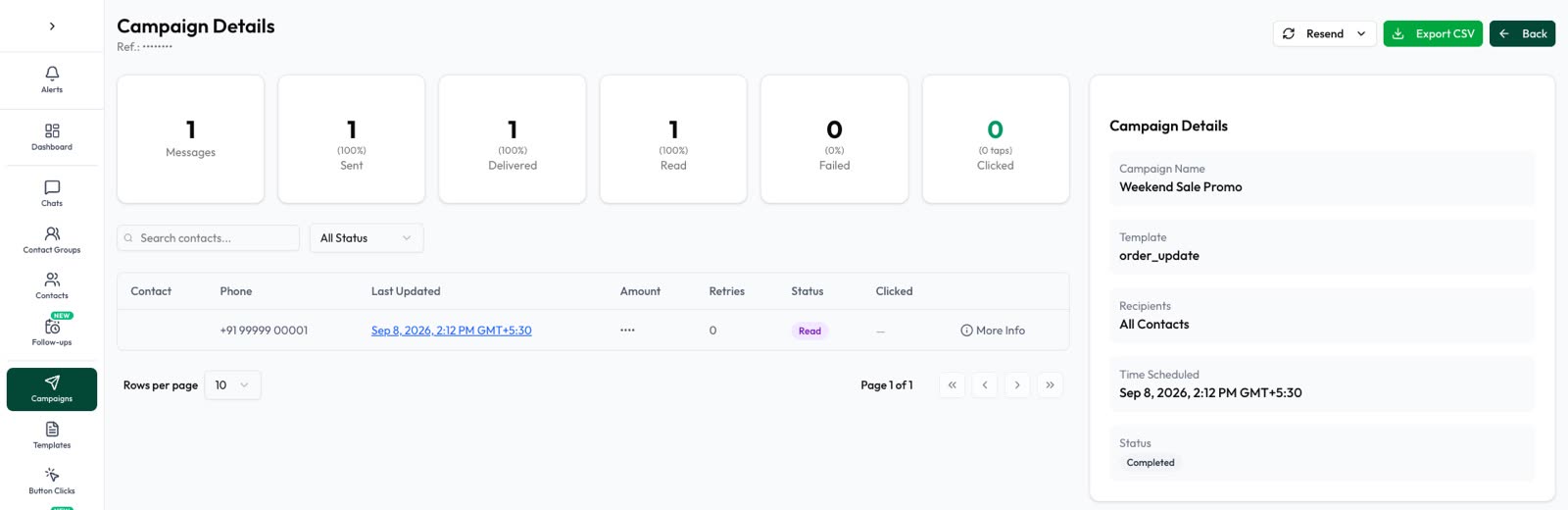
Every campaign in Automate AI has its own report under Campaigns, updated as Meta’s statuses arrive. Here is what it shows:
| Part of the report | What you get |
|---|---|
| Tabs | Overview, Sent, Delivered, Read, Replied, Failed and Clicked, each with a count and share. Open a tab to see exactly who is in it. |
| Replied | Who wrote back within 72 hours (button taps aren’t counted), what they wrote, and an Open chat button |
| Clicked | Who tapped a button in the message |
| Per-message details | Contact, phone, status, Meta’s message ID, sent or failed time and the error message for failures |
| Charts | Sent, delivered, read, replied and clicked over time, hourly or daily |
| Cost & Efficiency | Total spend from your wallet, cost per delivered message, per reply and per click |
| Live progress | While it sends: completed, pending, sent and failed, messages a minute and time left |
| Export CSV | The current page or every record of the open tab, with status, time, amount, button taps and error message |
A few more tools sit on the same page. Sync Status recalculates a running campaign’s overall status from its message records. Retries shows why messages failed and, if you turn on automatic retry for that campaign, what will be tried again and when. Failures that can’t be fixed by trying again, such as opted-out contacts, numbers not on WhatsApp or template problems, are never retried. Automatic retry runs only while Enable Campaign Resend is on in Settings › General. Its default waits are 1, 3 and 6 hours, and it does retry Meta’s 131049 marketing hold-backs, so for marketing campaigns set the waits to 24 hours or more (anything from 1 to 48 hours) in Settings › General › Campaign Retry Settings, in line with Meta’s advice to wait at least 24 hours. If your store runs on Automate AI, Sales from this campaign shows store orders placed within 7 days after the message was sent, leaving out cancelled, failed and refunded orders.
More on sending campaigns is on the WhatsApp campaigns page.
What to do with each group after a campaign
A report is only useful if it changes what you do next. The short version, one day after sending:
| Group | Do this |
|---|---|
| Failed: opted out or not on WhatsApp | Leave them out; don’t keep sending to them |
| Failed: Meta held back marketing (131049) | Try once more after at least 24 hours |
| Sent, not delivered | Wait; most deliver or drop out on their own |
| Delivered or read, no reply | At most one follow-up with a new angle |
| Replied | Answer quickly, by a person or your chatbot |
What to send each group, with sample messages, is in retargeting campaign non-readers.
In Automate AI, Resend on a finished campaign lets you pick failed only, sent but not delivered, delivered but not read, or read, with a count for each, and every resend is charged again. Retarget builds a new campaign for people by their latest result, shows the cost first, and never sends by itself.
When the delivery report isn’t working
If counts look frozen or wrong, work through these in order:
- Give it time. Delivered and read updates can arrive minutes or hours later, and some phones are offline for days.
- Check for zero delivered with many sent. If nothing at all moves past sent, your platform may not be receiving Meta’s status updates. If you run your own integration, see WhatsApp webhook not receiving messages.
- Check whether read is zero across the board. That usually means statuses aren’t coming in at all; a few low numbers are normal.
- Read the failure reasons, not just the count. A spike of one error, such as a paused template or a wallet problem, points to one fix. The codes are in WhatsApp API error codes.
- Look at the per-message details. Meta’s message ID lets your provider trace a single message if you need to raise it with support.
Frequently asked questions
What is a WhatsApp delivery report?
A summary of what happened to each message you sent: sent, delivered, read or failed, with a reason for each failure. On the WhatsApp Business API, Meta sends these statuses and your platform adds them up per campaign.
What is the difference between sent and delivered on WhatsApp?
Sent means WhatsApp’s servers accepted the message. Delivered means it reached the customer’s device. A message stays on sent while the phone is off or offline.
Why is my read count lower than delivered?
Some people haven’t opened the message yet, and people who turned off read receipts never show as read even after they look. Treat the read count as a minimum.
Am I charged for failed WhatsApp messages?
Meta charges only for messages that are delivered, not for messages that are sent. In Automate AI, the wallet is charged only when a message is delivered, too.
How long does WhatsApp keep trying to deliver a message?
By default, up to 30 days for marketing and utility templates and 10 minutes for authentication templates. After that, an undelivered message is dropped.
Can I export a WhatsApp campaign report?
In Automate AI, yes. Export CSV downloads the current page or every record of the open tab, with each contact’s status, time, amount, button taps and any error message.
Why does my report show more read than delivered at times?
Meta can skip the delivered update when someone reads the message while already in the chat. Read always implies delivered, so count those people as delivered too.
Sources
- Meta: Message status webhook reference
- Meta: Template time-to-live
- Meta: Pricing on the WhatsApp Business Platform
- Meta: Error codes
- Meta: Per-user marketing template limits
- WhatsApp Help Center: How to check read receipts
WhatsApp rules and prices change. We check these guides against Meta’s documentation, but always confirm current terms with Meta before you rely on them. Questions? Message us on WhatsApp at +91 836 977 8812.