How to Add WhatsApp to Your Google Business Profile
Add WhatsApp to your Google Business Profile: build a wa.me link, add it under Edit profile › Contact › Chat, and fix the usual problems, with Google’s steps.
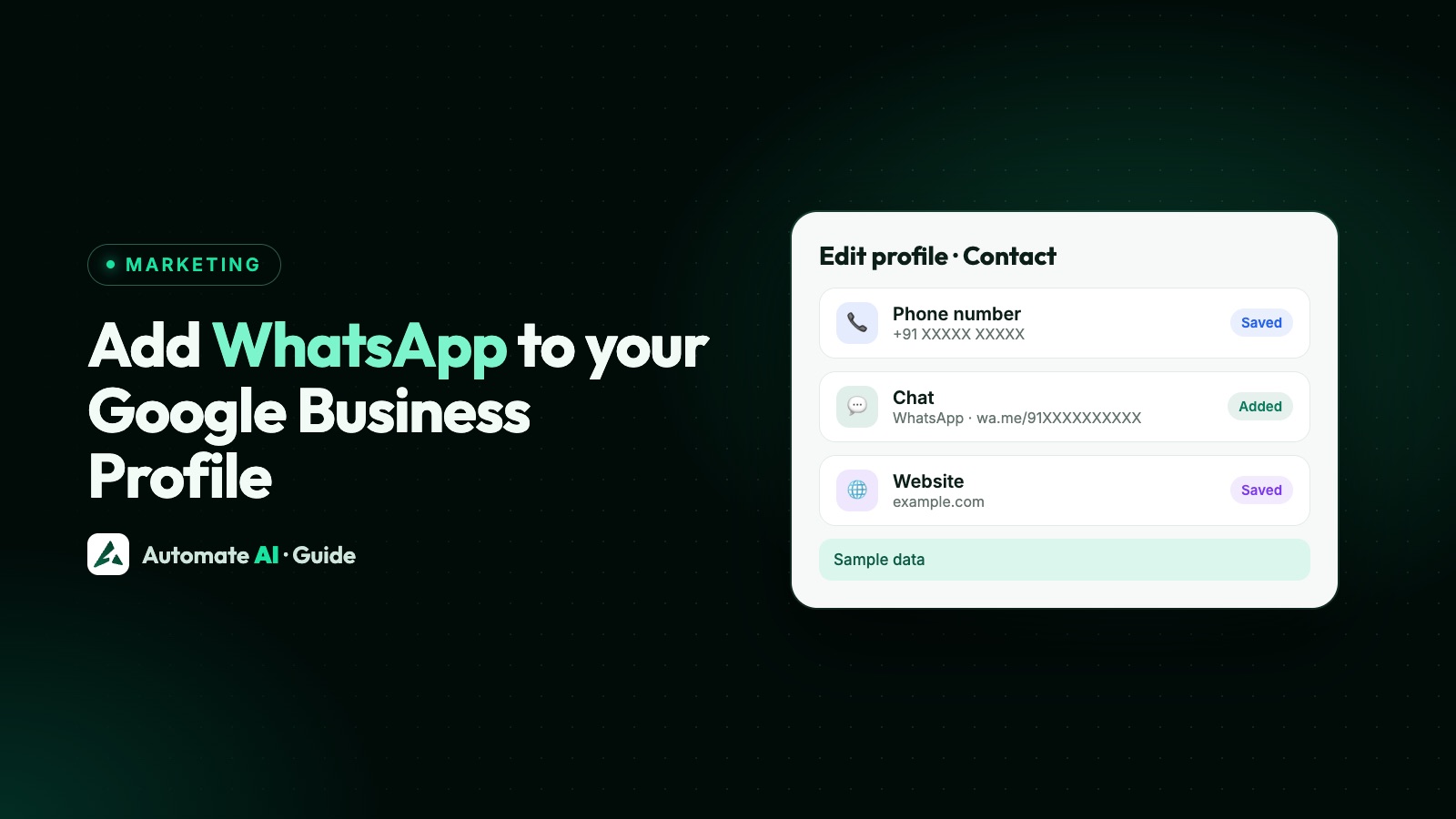
Yes, you can add WhatsApp to your Google Business Profile: open your profile, select Edit profile › Contact, select Edit next to “Chat”, choose WhatsApp from the drop-down, paste your WhatsApp click to chat link (https://wa.me/ followed by your number) and click Save. Your profile has to be claimed and verified, and Google says the chat options are only available in select regions, so you may not see them yet.
This is a different feature from Google’s own chat, which Google switched off on 31 July 2024. Today the Chat field simply sends customers to WhatsApp or to text messages. This guide covers how to build the link, the exact steps from Google’s Help Centre, what to do if the option is missing, and what happens once people tap. Google renames menus from time to time, so yours may look a little different.
Key takeaways
- Add WhatsApp under Edit profile › Contact › Chat, then choose WhatsApp and paste your wa.me link.
- Your Business Profile must be claimed and verified, and chat options are only offered in select regions.
- If you add both WhatsApp and text message, Google shows customers only the text message option.
- The link works with any active WhatsApp number, including one on the WhatsApp Business Platform (API).
- Google’s old Business Profile chat ended on 31 July 2024; the Chat field now hands customers over to WhatsApp or text.
What Google lets you add today
There’s one place on your profile made for WhatsApp, and a few that people try by mistake. Here’s what Google’s Help Centre says about each:
| Profile field | Does it take WhatsApp? | What Google says |
|---|---|---|
| Chat (Edit profile › Contact) | Yes | Choose WhatsApp and add your WhatsApp click to chat URL, or choose Text message and add a number that receives texts |
| Phone number | Only as a phone number | A primary number and up to 2 more, mobile or landline. Customers call it; it doesn’t open WhatsApp |
| Social profiles | No | One link each for Facebook, Instagram, LinkedIn, Pinterest, TikTok, X and YouTube. WhatsApp isn’t on the list |
| Business description | No | Don’t include URLs or HTML, and keep it to 750 characters or fewer |
| Posts | Not described | Update posts can have a button with a link to a website where customers complete an action, such as booking or ordering |
So the Chat field is the one to use. The rest of this guide is about getting it right.
Before you start
- A claimed and verified profile. Google says only businesses with a claimed and verified Business Profile can add a WhatsApp or text messaging option.
- The right Google Account. To edit your business info you need to be signed in to the Google Account linked to your profile.
- Your region. Google says chat options are currently available for select regions and might not be available for your profile.
- An active WhatsApp number. WhatsApp’s click to chat works for any number with an active WhatsApp account. That includes a number on the WhatsApp Business app or the API.
Step 1: build your WhatsApp link
Google asks for a “WhatsApp click to chat URL” and links to WhatsApp’s own guide. WhatsApp’s format is https://wa.me/ followed by your full number in international format. Leave out the plus sign, any zeros before the country code, brackets, spaces and dashes.
| Your number | Link to paste |
|---|---|
| +91 98XXX XXXXX (India) | https://wa.me/9198XXXXXXXX |
| +44 7XXX XXXXXX (UK) | https://wa.me/447XXXXXXXXX |
| +1 (XXX) XXX-XXXX (US) | https://wa.me/1XXXXXXXXXX |
Replace the Xs with your own digits, then open the link on your phone to check it starts a chat with the right number. Our free WhatsApp link generator builds the link for you, and the WhatsApp link and QR code guide explains the format in full.
Step 2: add WhatsApp to your Business Profile
These are Google’s steps from its article on chatting with customers from your Business Profile:
- Go to your Business Profile. Google’s link for this is business.google.com.
- Click Edit profile, then Contact.
- Next to Chat, select Edit.
- Open the Chat drop-down with the down arrow.
- Select WhatsApp.
- In the URL field, paste your wa.me link.
- Click Save.
Google reviews changes before they go live on your profile, so the option may not show at once. When it does, open your profile from another phone or a signed-out browser and tap it to make sure it opens a chat with your business.
On a phone, Google says you can also edit your profile in the Google Maps app: tap Business at the bottom right, then Edit profile. Some features differ between Search and Maps, so if you can’t find Chat there, use a computer.
WhatsApp option missing or not showing? Fixes
| What you see | Likely cause | What to do |
|---|---|---|
| No Chat field under Contact | Chat options aren’t offered in your region yet | Nothing to switch on. Put your wa.me link on your website and other channels until it appears |
| No Edit profile button | You’re signed in to the wrong Google Account, or the profile isn’t verified | Sign in with the account linked to the profile, and finish verification |
| Customers see text message, not WhatsApp | Both options are set | Google shows only the text message option when both are added. Remove it to show WhatsApp |
| Saved, but nothing shows yet | The edit is still being reviewed | Check your edit status in Google’s Help Centre and wait |
| Tap opens the wrong chat or an error | Number not in international format | Rebuild the link as wa.me/ + country code + number, with no + or zeros |
| Old chats from Google are gone | Google’s own chat ended on 31 July 2024 | Google offered a download through Google Takeout until 30 August 2024; that has now passed |
What happened to Google’s own chat
Many older guides still tell you to “turn on messaging” in your Business Profile. That feature has gone. Google’s Help Centre says that as of 31 July 2024, chat and call history are no longer available in Business Profile, the chat FAQ feature is no longer supported, and customers can no longer request quotes. Businesses using the Google Business Messages API were affected too.
Customers can still call the phone number on your profile, and Google says that for eligible accounts customers can contact you through text messages or WhatsApp instead. That’s the Chat field above. Conversations now happen in WhatsApp itself, not inside Google, so you answer them wherever you read your WhatsApp.
If your number is on the WhatsApp API
Nothing changes on Google’s side. The wa.me link opens a chat with any active WhatsApp number, so it works the same if your number runs on the WhatsApp Business Platform rather than the WhatsApp Business app. If you use coexistence, your number is on both, and the link works for either.
With your number connected to Automate AI, chats from your Google profile land in the shared team inbox, where your team, a chatbot or the AI Assistant can reply. Google calls go to your phone as before.
Automate AI also makes counted links: Campaigns › Tracking › Smart links creates a “Chat on WhatsApp” link with your message typed in, a QR code and a website button, and counts every tap and scan. A smart link is a short redirect link rather than a wa.me address, and Google asks for a WhatsApp click to chat URL, so keep the plain wa.me link in the Chat field and use smart links on your website, shop counter and printed material. More in WhatsApp marketing.
What happens after someone taps
The tap opens a chat with your number. Nothing reaches you until the customer sends a message. On the WhatsApp Business Platform, their message opens a 24-hour customer service window in which you can reply without a template. After it closes, you need an approved template message. See the 24-hour window.
Reply fast, because the customer has just found you on Google and may be comparing nearby businesses. A short sample first reply:
A customer asking about one product hasn’t agreed to regular offers. Ask before adding anyone to campaigns: see WhatsApp opt-in. If you send marketing later, end each message with “Reply STOP to opt out”.
To see how the option is doing, Google points you to your profile’s Performance page. Only metrics that apply to your business appear. Google lists a Messages metric (the number of conversations through messages), but it doesn’t say how WhatsApp taps are counted.
Other places to show your WhatsApp
Your Google profile only reaches people who search for you. The same link works elsewhere:
- Your website: a floating button, covered in WhatsApp chat widget for your website.
- Facebook and Instagram: see how to add WhatsApp to your Facebook Page and how to add WhatsApp to your Instagram profile.
- Your WhatsApp Business profile: add your address, hours and website so the chat matches your Google listing. See WhatsApp Business profile.
Frequently asked questions
Can you add WhatsApp to a Google Business Profile?
Yes, where Google offers chat options. Go to Edit profile › Contact, edit Chat, choose WhatsApp and paste your wa.me link. Google says the option is only available in select regions.
How do I add my WhatsApp number to Google Business Profile?
Turn the number into a link first: https://wa.me/ plus your country code and number, with no + or zeros. Paste that link into the Chat field. The Phone number field is for calls.
Why can’t I see the Chat option?
Chat options aren’t offered in every region yet, and they need a claimed and verified profile. Also check you’re signed in to the Google Account linked to the profile.
Why does my profile show text message instead of WhatsApp?
Google shows only the text message option when both are added. Remove the text message option to show WhatsApp.
Is Google Business Profile chat still available?
Google’s own chat ended on 31 July 2024. The Chat field now sends customers to WhatsApp or to text messages instead.
Does it work with a WhatsApp Business API number?
Yes. A wa.me link opens a chat with any active WhatsApp number, including one on the WhatsApp Business Platform. With Automate AI, those chats land in the shared team inbox.
Can several locations use the same WhatsApp link?
Yes. Google says different Business Profiles can use the same WhatsApp link. Use separate links if each branch has its own number.
Sources
- Google Business Profile Help: Chat with customers from your Business Profile
- Google Business Profile Help: Changes to Business Profile chat and call history
- Google Business Profile Help: Edit your Business Profile
- Google Business Profile Help: Manage your social media links
- Google Business Profile Help: Create and manage posts
- Google Business Profile Help: Business Profile performance
- WhatsApp Help Center: How to use click to chat
WhatsApp rules and prices change. We check these guides against Meta’s documentation, but always confirm current terms with Meta before you rely on them. Questions? Message us on WhatsApp at +91 836 977 8812.