WhatsApp for Hotels: Bookings and Guest Messages
How hotels use WhatsApp for enquiries, pre-arrival details, stay requests, checkout, feedback and repeat stays, with sample messages and the rules to follow.
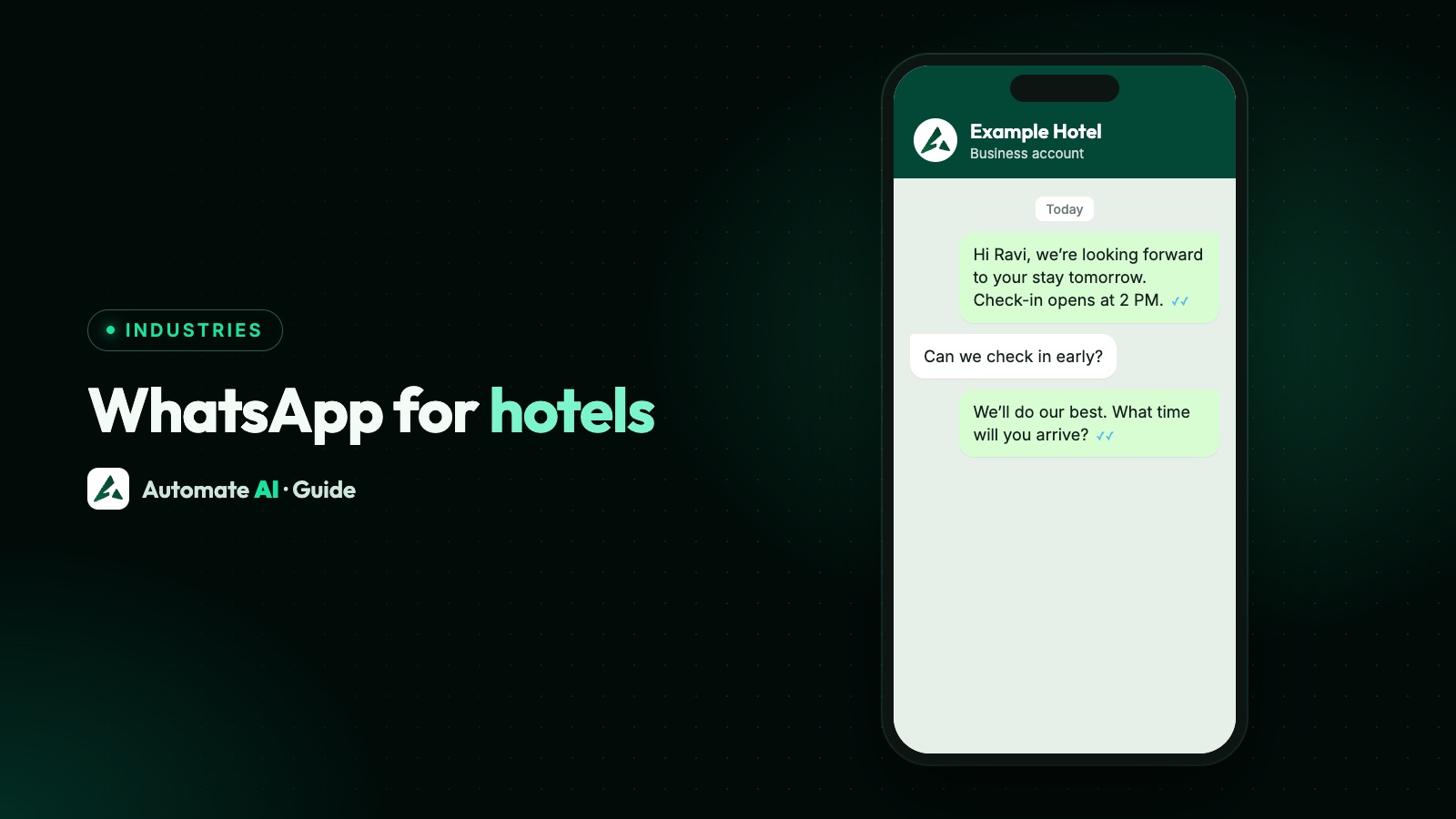
Hotels use WhatsApp to answer booking enquiries, send arrival details, handle requests during a stay, ask for feedback after checkout and invite guests back. Guests can message reception from their room without calling, and your team sees every request in one place. Most of this runs on a few approved templates and a shared inbox.
This guide follows a guest’s stay from first enquiry to next booking, with a sample message for each stage. It also covers the rules that catch hotels out: when you can message first, which templates count as marketing, and why ID and card details stay out of the chat. Automate AI has no direct link to hotel booking software, so we’ll be clear about what’s manual.
Key takeaways
- Plan messages by stage: enquiry, booking, pre-arrival, stay, checkout, return.
- A guest’s message opens a 24-hour window for normal replies. Outside it, use an approved template.
- Arrival details and stay-specific updates fit utility. Upgrades and return offers are marketing.
- Never ask for card or ID numbers in chat. WhatsApp’s policy bars it, and we’d treat passport numbers the same way. Use a secure page or the front desk.
- Automate AI has no PMS or booking engine connector. Use imports, the API or webhooks.
What to send at each stage of a stay
Start by mapping the moments your team already calls or emails about. Here’s how those look on WhatsApp.
| Stage | What you send | Who starts it | Message type |
|---|---|---|---|
| Enquiry | Rates, availability, photos, booking link | Guest | Normal reply in the window |
| Booking | Confirmation with dates and reference | Hotel | Utility template |
| Pre-arrival | Check-in time, directions, parking | Hotel | Utility template |
| During the stay | Towels, late checkout, housekeeping, local tips | Guest | Normal reply in the window |
| Checkout | Thanks, bill link, how to get a copy | Hotel | Utility template, or a reply |
| After the stay | Feedback on that specific stay | Hotel | Utility template, if tied to the stay |
| Later | Return offers and seasonal stays | Hotel | Marketing template, with opt-in |
Meta’s categorisation page doesn’t name hotels or check-in, so the template types here are our reading of its general rule. Meta makes the final decision on each one.
The rules that matter for hotels
Four rules shape almost everything a hotel does on WhatsApp.
- The 24-hour window. When a guest messages you, a 24-hour customer service window opens and resets with each new message. Inside it you can reply normally. Once it closes, you can only send approved templates.
- Opt-in. You need the guest’s number and their permission to hear from your hotel, and the opt-in has to name your business. Add a tick box to your booking form and a line on your registration card.
- Categories. A utility template can’t be promotional or persuasive. A confirmation with “upgrade now!” added counts as marketing, because Meta treats mixed content as marketing.
- Sensitive details. WhatsApp’s policy says not to share or ask for full payment card numbers, financial account numbers, personal ID card numbers or other sensitive identifiers.
Guests from abroad need thought too. WhatsApp doesn’t currently deliver marketing templates to US phone numbers. Utility templates and replies still reach them. Full details are in WhatsApp opt-in and the guide to the 24-hour window.
Turning enquiries into direct bookings
A wa.me link or QR code on your website, Google profile and social pages lets a guest ask a question without a form. Set a pre-filled message such as “Hi, I’d like to check rates for these dates”. See how to make a WhatsApp link and QR code.
Most enquiries ask the same few things, so a short chatbot menu saves your team time:
- Greet the guest and offer buttons: Rooms and rates, Directions, Talk to us.
- Rooms and rates: send a short message with photos and a link to your booking page. Don’t quote availability from a chatbot unless someone keeps it up to date.
- Directions: send the address and a map link.
- Talk to us: pass the chat to your team.
Take payment on your own booking page, not in the chat. Paid guests can then get the confirmation template with their dates and reference. Our travel page covers tour operators and agencies, if you run packages as well.
Sample messages for each stage
These are samples with demo data. Our template library has more, including a “Hotel arrival details” sample in the Travel group. Meta reviews every template, so approval isn’t assured.
Booking confirmation (utility)
Pre-arrival details (utility)
During the stay (a normal reply)
Feedback after checkout (utility)
Return stay invitation (marketing)
Keep offers out of the feedback message, because that turns it into marketing. More on this in WhatsApp feedback messages. If you ask for a Google review, Google prohibits offering anything in exchange for one, and doesn’t allow asking only happy guests.
Handling guest requests during a stay
Put a QR code in the room or at reception, with a line such as “Message reception on WhatsApp”. When a guest taps it, the chat opens with your pre-filled message. Once they send it, the 24-hour window starts, so your replies are normal messages.
- One number for the whole team. Reception, housekeeping and managers work from one shared inbox, with chats assigned to the right person.
- Notes stay internal. Staff can leave a note the guest never sees, such as “Late arrival, keep room 204”.
- Quick replies handle things like Wi-Fi details and breakfast times.
- A keyword reply answers simple questions at any hour, such as “wifi” or “checkout”.
- Hand over to a person. WhatsApp’s policy requires clear escalation when a bot handles chats. A guest with a problem needs a human quickly.
Tell guests when the chat is staffed. If nobody reads messages overnight, say to dial reception for anything urgent. An AI assistant trained on your hotel’s details can cover common questions, with a person to step in. Hotels with several properties should read WhatsApp for multiple locations before deciding on one number or several.
Set it up in Automate AI
Automate AI doesn’t connect directly to any hotel PMS or booking engine, so bookings don’t flow in by themselves. You have three routes:
| Route | How it works | Best for |
|---|---|---|
| Daily import | Export arrivals from your hotel software to a file, and use Contacts › Import | Small hotels with no developer |
| Website forms | Send form submissions to a contact webhook with your API key | Enquiry forms on your site |
| REST API and webhooks | A developer sends templates and updates contacts from your own system | Hotels with software that can make API calls |
Here’s a pre-arrival setup that needs no developer. Campaigns work on every plan. Scheduled Automation, chatbots, the AI assistant, website forms and the API are from Series 2.
- Add fields. In Settings › Contact Fields, add Arrival date, and any others such as Room type. Its key will be
arrival_date. - Import arrivals. Include the guest’s phone number and the date in the format YYYY-MM-DD, such as 2026-12-14. Existing contacts are matched on phone number.
- Create the template. Use the pre-arrival sample, under the Utility category, and wait for approval.
- Schedule it. At Automation › Schedule, create a Scheduled Automation with the Custom Date Field trigger, enter
arrival_date, and choose 1 day or 3 days before. Map the template’s variables to contact fields. - Test it on your own number with a sample date.
- Clear the date after the stay. The trigger matches the day and month, so an old date would fire again next year. An import only replaces the date for guests in that file, and a blank cell leaves the old date in place. So clear it on the contact, or give it a new date when the guest rebooks.
Replies arrive in the shared inbox. A guest’s button tap reaches the app as a message, so you can run keyword flows from it. Use the chatbot builder at Automation › Flows for the menu and feedback replies. A typed STOP opts a guest out automatically, while a button tap doesn’t, so keep the footer on marketing templates.
Bringing guests back
Direct repeat bookings are where WhatsApp can pay off, since you’re talking to someone who already knows you. Keep it occasional and relevant.
- Group past guests by something useful, such as “Family stays” or “Weekend guests”, and send to a group or tag.
- Time it to seasons they’ve already stayed in, rather than every sale you run.
- Offer something you can deliver, such as a room upgrade if one’s available. Don’t make up a limited offer.
- Use a Smart Link on the booking button, so Button Clicks shows who tapped it.
- Stop when asked. You must respect every opt-out request, on or off WhatsApp.
Meta charges per delivered template, and may limit how many marketing templates each person receives, so frequent sends cost more and do less. Check current rates on our WhatsApp API pricing page. A customer who messages you back opens a new window, and the first 1,000 service replies per number each month are free.
Frequently asked questions
How do hotels use WhatsApp?
For booking enquiries, confirmations, arrival details, requests during a stay, checkout messages, feedback and return offers, usually from one shared number.
Can a guest book a hotel room on WhatsApp?
A guest can ask about a room and get a link to your booking page in the chat. Take payment on a secure page, not by asking for card details in the conversation.
Can I ask for a guest’s ID on WhatsApp?
No. WhatsApp’s policy says not to ask for personal ID card numbers or other sensitive identifiers. Take ID details at the front desk or through a secure page.
Do I need a template to send check-in details?
Yes, unless the guest messaged you in the last 24 hours. Pre-arrival details should go as a non-promotional utility template, and Meta reviews each one.
Does Automate AI connect to my hotel’s PMS or booking engine?
No, there’s no direct connector. You can import guest lists, send website forms through a contact webhook, or have a developer use the REST API and webhooks.
Can I send offers to past guests?
Yes, if they opted in to hear from your hotel. Offers go as marketing templates, and WhatsApp doesn’t currently deliver these to US phone numbers.
Sources
- Meta: Send messages (customer service window)
- Meta: Template categorization
- Meta: Get opt-in for WhatsApp
- WhatsApp Business Messaging Policy
- Meta: Pricing on the WhatsApp Business Platform
- Meta: Per-user marketing template limits
- Google: Maps user contributed content policy (prohibited and restricted content)
WhatsApp rules and prices change. We check these guides against Meta’s documentation, but always confirm current terms with Meta before you rely on them. Questions? Message us on WhatsApp at +91 836 977 8812.