How to Use WhatsApp Status to Promote Your Business: Ideas and a Weekly Plan
How to use WhatsApp Status for business: posting from the Business app, who sees it, formats, a weekly plan, sample ideas, and how it differs from Channels.
WhatsApp Status lets your business post photos, videos, text and voice updates that your contacts can view for 24 hours, and you post it from the WhatsApp Business app on your phone. It’s free, it sits in the Updates tab, and it’s seen by people who have your number saved and are in your Status audience.
That makes Status a good way to keep regular customers interested: new stock, today’s special, a behind-the-scenes clip. It isn’t a way to reach new people. This guide covers how to post, who sees it, what formats work, a weekly plan, sample ideas, and how Status compares with Channels, broadcasts and API campaigns.
Key takeaways
- A Status disappears from view after 24 hours. Videos can be up to 90 seconds long.
- By default your Status goes to all your contacts. If someone can’t see it, WhatsApp’s advice is that you both save each other’s number.
- Post from the Updates tab. You can choose My contacts, My contacts except… or Only share with… for your audience.
- Channels reach followers who don’t have your number; API campaigns send personal messages to opted-in customers. Status is for people already in your contacts.
- Meta lists Status among the Business app tools that aren’t supported through the Cloud API on a coexistence number, so keep posting it from the app.
What WhatsApp Status is
Status is WhatsApp’s 24-hour update feed. It lets you share text, photos, videos and voice updates that disappear after 24 hours. You can also post voice notes, a layout of several photos, and a location.
| Status type | What you can do | Good for |
|---|---|---|
| Text | Type a message, change the font, text colour and background, add stickers or music | Opening hours, a quick offer, a holiday notice |
| Photo | Add a caption, text, stickers, drawings and music; crop and rotate | New stock, today’s menu, a finished job |
| Layout | Combine 2 to 6 photos into one Status | A product range or before-and-after |
| Video | Up to 90 seconds; trim it, add a caption or music, or turn it into a GIF | A short demo, a tour, a how-to |
| Voice | Hold to record, then pick a background colour | A quick personal update from the owner |
| Location | Shows a place you pick, not your live location | A pop-up stall or event venue |
A few limits from WhatsApp’s Help Center: HD media isn’t supported for Status, and photos and videos may look lower quality than the original. WhatsApp supports 3GP and MPEG-4 video. You can edit a caption within 15 minutes of posting, but not the photo, video or audience. You can delete a Status at any time, and save your own Status to your phone.
How to post a Status from the WhatsApp Business app
These are WhatsApp’s Help Center steps for a photo Status on Android. iPhone and the other formats work the same way, though button names can differ slightly.
- Open the app and tap Updates, then Add status.
- Pick a photo, or tap Camera to take one.
- Tap Add a caption… and write a short line, such as the price or what to do next.
- Add text, stickers or music if you want. Keep the product clearly visible.
- Optionally add up to 5 private mentions of people or groups. They’re notified and can reshare it to their own audience.
- Tap Status (Contacts) at the bottom left to check who will see it.
- Tap send to share it.
To see who viewed or liked it, tap Updates › My status, then the Status. Contacts who liked it have a green heart. You only see views from people who have read receipts turned on, and only if yours are on too.
Who sees your business Status
This is the part most businesses get wrong. Status isn’t public, and it doesn’t reach everyone who has ever messaged you.
- Your contacts, by default. WhatsApp says your Status is shared with all your contacts unless you change it.
- Both sides need the number saved. WhatsApp’s troubleshooting advice for someone who can’t see a Status is to add the other person to contacts and ask them to add you. So a customer who never saved your number won’t see it, and you should save the numbers of regular customers too.
- You choose the audience. Under Updates › More (⋮) › Status privacy, pick My contacts, My contacts except… or Only share with…. Changes apply to new Status updates, not ones already posted.
- Mentions widen it. People or groups you mention can see the Status even if they aren’t in your audience, and can reshare it. A Status posted to a group is visible to all its members.
- Sharing to Facebook and Instagram. In some regions you can link WhatsApp to your Meta Account and share a Status to your Facebook or Instagram Story, where your story privacy settings apply.
The practical step: ask customers to save your number. Put it on receipts, your shop counter and your WhatsApp link or QR code, with a line such as “Save our number to see today’s offers in Status”. And when someone becomes a regular, save their number as a contact on the phone.
A simple weekly Status plan
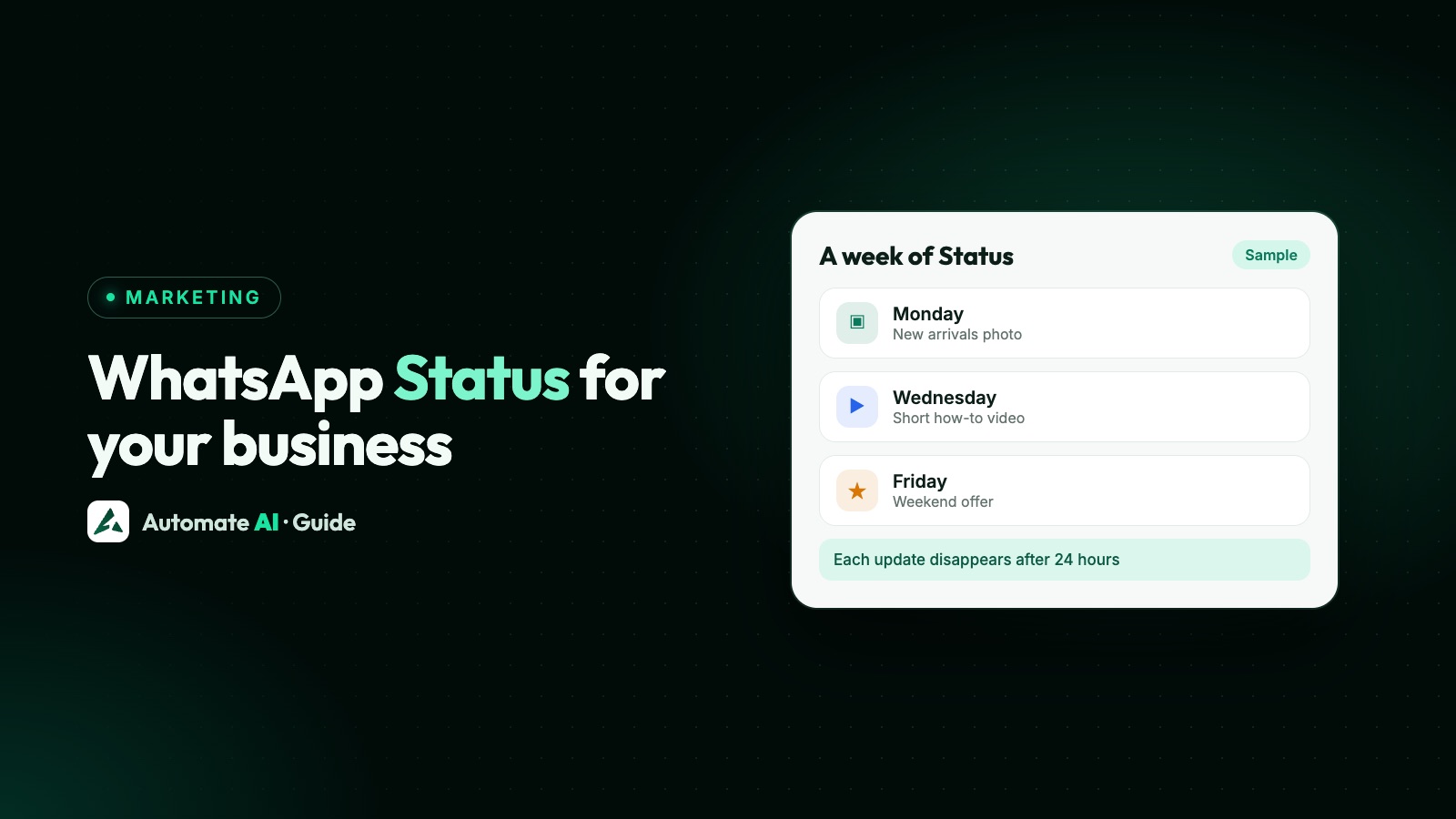
Status works best when it’s regular and useful. One or two updates a day is plenty for most small businesses. Here’s a sample week for a shop; swap in your own products.
| Day | Theme | Example Status |
|---|---|---|
| Monday | What’s new | Photo of new arrivals with prices |
| Tuesday | How-to | A 30-second video on how to use or care for a product |
| Wednesday | Behind the scenes | Packing orders, prepping the kitchen, a team member at work |
| Thursday | Customer question | Text Status answering something people often ask |
| Friday | Weekend offer | Layout of 3 to 4 items with the offer and end date |
| Saturday | Live today | Location Status for a stall, or a quick video of the shop |
| Sunday | Thank you or poll-style question | “Which colour should we restock?” and ask people to reply |
- Batch your photos once a week, in good light, so you aren’t scrambling each morning.
- Post at the same times, such as before opening and after lunch, so regulars know when to look.
- Put one action in every caption: reply with a code word, visit today, or tap your profile for the catalogue.
- Check views each evening. Note which themes get the most views and replies, and do more of those.
- Keep a simple log of what you posted, since each Status disappears after 24 hours.
Sample Status ideas (demo data)
Your own wording works best. These sample captions use made-up businesses and prices to show the shape:
- Bakery: “Fresh sourdough out at 8am 🍞 Only 20 loaves today. Reply BREAD to keep one aside.”
- Clothing store: “New kurtas in 5 colours, ₹1,299 each. Reply with the colour you like and we’ll send sizes.”
- Salon: “Two slots left on Saturday afternoon. Reply BOOK and we’ll confirm a time.”
- Hardware shop: “How to fix a dripping tap in 60 seconds 🔧 Parts in store all week.”
- Café: “Today’s special: masala oats bowl, ₹180, until 11am ☕”
- Coaching class: “Mock test results are up at the centre. Well done to Batch B 👏”
- Furniture store: Layout of 4 sofas, “Weekend prices, Friday to Sunday only. Reply SOFA for the full list.”
Status is a post that contacts choose to open, not a message sent to a person, so it doesn’t carry an opt-out line. Any marketing messages you then send one-to-one should follow the opt-in rules and offer a way out; see WhatsApp opt-in.
Status vs Channels vs broadcasts vs API campaigns
Status is one of several ways to put an update in front of customers. They reach different people:
| Status | Channel | Broadcast list (app) | API campaign | |
|---|---|---|---|---|
| Who sees it | Contacts in your Status audience, plus people you mention | Anyone who follows your channel | Contacts who saved your number, 256 per list | Customers who opted in |
| How long it lasts | 24 hours | Channel history kept up to 30 days | Stays in their chat | Stays in their chat |
| Feels like | A post they choose to open | A post in the Updates tab | A private message | A private, personalised message |
| Replies | Private replies to you | Reactions and polls only | Private replies | Private replies, to a shared inbox |
| Cost | Free | Free | Free (some countries cap it) | Charged per delivered template |
A good mix for a small business: Status for daily colour, a Channel if you have a wider audience who’ll follow you, and approved template campaigns for offers and reminders that must reach a specific customer. Broadcast lists are limited by design; see WhatsApp broadcast limits.
Ads in Status
Your own Status only reaches your contacts. To reach new people in the same place, Meta sells ads in Status. According to WhatsApp’s business site, these ads appear to people between the Status updates they’re viewing, and an advertiser can extend a Meta campaign to Status with a WhatsApp chat or a website as the destination. You create them in Meta Ads Manager.
- WhatsApp’s Help Center says ads in Status are labelled “Ad” with the advertiser’s name, and viewers can hide or report them.
- WhatsApp says Status updates are end-to-end encrypted and personal Status content isn’t used to show ads.
- Ads in Status and Channels are rolling out gradually, so they may not be available in your country yet.
An ad that opens a WhatsApp chat works like any Click-to-WhatsApp ad: the customer messages you first, which opens a 24-hour window for replies.
Status, the API and Automate AI
Status is a feature of the WhatsApp apps. On a number connected with coexistence, Meta’s onboarding page lists Status, along with the catalogue and orders, as business tools that carry on unchanged in the app and aren’t supported through the Cloud API. So keep posting Status from your phone.
Automate AI doesn’t post Status for you. What WhatsApp coexistence does is let you keep the WhatsApp Business app on your number, with its Status, while Automate AI uses the API on the same number for a team inbox, chatbots and campaigns.
- What shows in the Automate AI inbox: new customer messages from the day you connect, and messages you send from the phone app.
- Past chats aren’t imported. Your old conversations stay in the app on your phone.
- The 24-hour window applies to replies sent through the API, as on any API number.
- Broadcast lists change. Meta disables new broadcast lists on a coexistence number and makes existing ones read-only, so bulk offers move to approved template campaigns.
More detail in our coexistence guide and on the Business app’s limits.
Frequently asked questions
How long does a WhatsApp Status stay up?
24 hours. After that it disappears from view. You can save your own Status to your phone before it goes.
Who can see my WhatsApp Business Status?
By default, all your contacts. If someone can’t see it, WhatsApp’s advice is that you both save each other’s number. You can limit the audience in Status privacy, and people you mention can see it too.
How long can a WhatsApp Status video be?
Up to 90 seconds, in 3GP or MPEG-4 format. HD media isn’t supported for Status.
Can I edit a Status after posting it?
You can edit the caption within 15 minutes of posting. You can’t change the photo, video or audience, but you can delete the Status and post a new one.
Can I post WhatsApp Status through the API?
Status is posted from the WhatsApp apps. On a coexistence number, Meta lists Status as a Business app tool that isn’t supported through the Cloud API, and Automate AI doesn’t post Status.
Is WhatsApp Status the same as a Channel?
No. Status goes to your contacts for 24 hours. A Channel is a one-way feed that anyone can follow without having your number, and followers can only react and vote in polls.
Sources
- WhatsApp Help Center: How to create and share a status
- WhatsApp Help Center: How to manage status privacy
- WhatsApp Help Center: Can’t see someone’s statuses or replies
- WhatsApp Help Center: How to edit, save and delete your status
- WhatsApp Help Center: How to share your WhatsApp Status to other apps
- WhatsApp Help Center: About seeing ads on WhatsApp Status
- WhatsApp Business: Ads on WhatsApp
- Meta: Onboarding WhatsApp Business app users (coexistence)
WhatsApp rules and prices change. We check these guides against Meta’s documentation, but always confirm current terms with Meta before you rely on them. Questions? Message us on WhatsApp at +91 836 977 8812.