Vehicle Service Reminders on WhatsApp: Samples and Timing
How to send WhatsApp vehicle service updates: what triggers a reminder, the data to keep, timing, sample messages, and utility vs marketing templates.
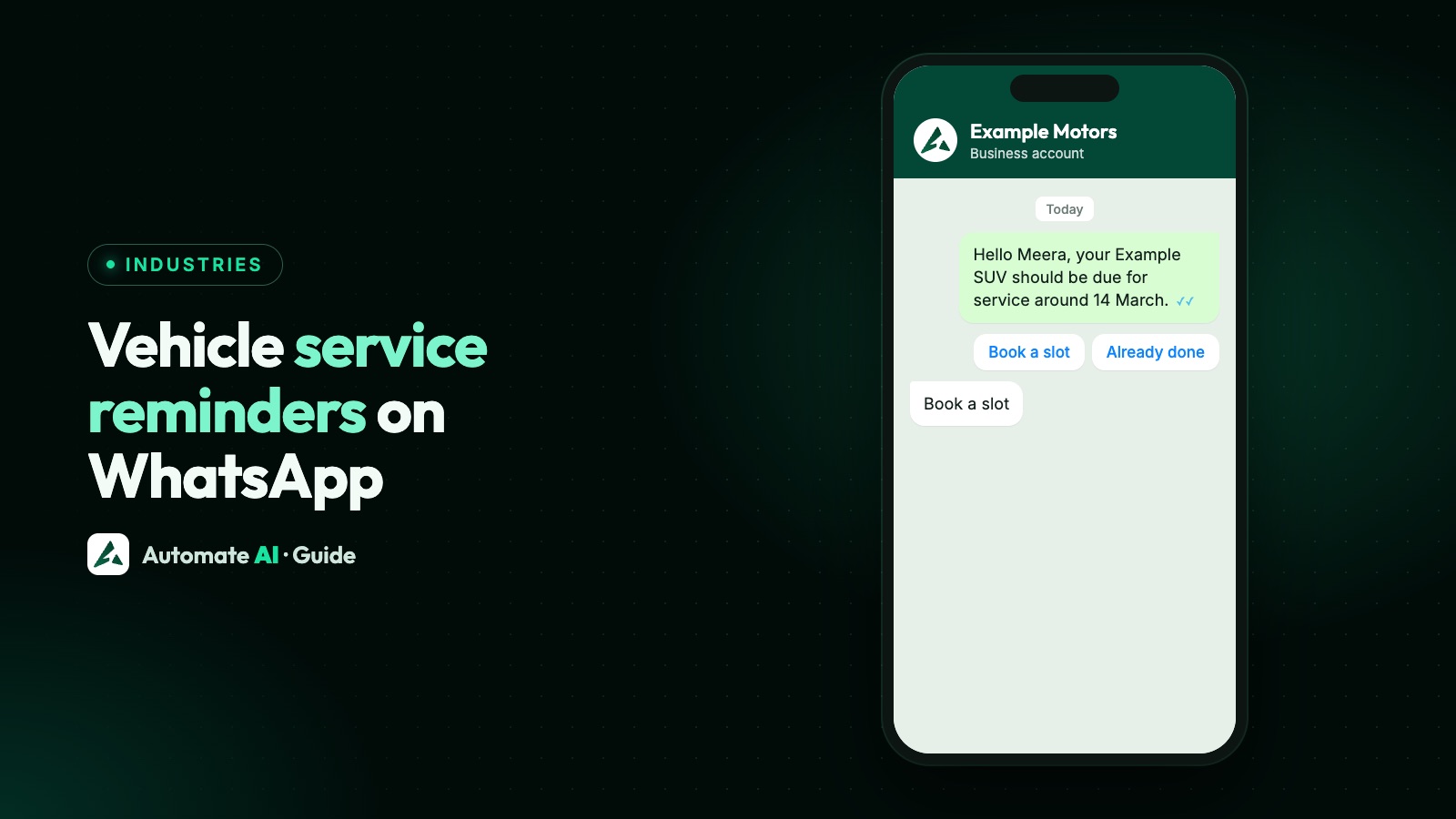
To send vehicle service updates on WhatsApp, keep each customer’s next service date, send an approved template about a week before it, and use short updates for the steps that follow: extra work to approve, and vehicle ready for pick-up. A plain service-due message can qualify as a utility template. The moment you add an offer, it’s marketing.
This guide covers what should trigger a reminder (months or kilometres), the data to keep, when to send, four sample messages, and exactly what can and can’t be automated in Automate AI. If you run a dealership, the automobile page shows the wider picture, from test drives to aftersales.
Key takeaways
- Service schedules run on time or distance, but WhatsApp software needs a date, so turn both into one next-service date.
- Keep the owner’s number, vehicle, last service date, next service date and consent.
- A plain reminder about the customer’s own vehicle can be utility. Mixed content with an offer is marketing.
- In Automate AI, a custom date field can trigger a template on the day, or 1, 3 or 7 days before.
- Get a written yes in the chat before starting extra work, and never ask for card numbers there.
What should trigger a service reminder
Most vehicles are due for service by time or distance, whichever comes first. The exact intervals come from the manufacturer’s schedule for that model, so copy them from the service book, not from a general rule. Here’s what each trigger means in practice:
| Trigger | Where the data comes from | What to do |
|---|---|---|
| Months since last service | Your job card or invoice date | Add the schedule’s interval and save the result as the next service date |
| Kilometres since last service | The odometer reading on the last job card | Estimate when they’ll reach the limit from their average use, then save a date |
| Next service stamped by your workshop | The service advisor, at delivery | Save it as given. This is the simplest and most accurate |
| The customer tells you | A reply such as “Already serviced” or “Only 3,000 km so far” | Move the date and leave a note on the contact |
Distance is the hard part, because nobody’s car reports its odometer to your WhatsApp account. A workable estimate is the distance driven between the last two services, divided by the days between them. For example, using made-up numbers: 6,000 km over 150 days is 40 km a day, so a 10,000 km interval is about 250 days away. It’s an estimate, so word the message to allow for it: “due around” rather than “overdue”.
The data to keep for each customer
Reminders are only as good as your records. Keep these for every vehicle, in your workshop software or a simple sheet:
- WhatsApp number of the person who pays or brings the vehicle, with the country code.
- Vehicle: model and registration number. Use a short label in messages.
- Last service date and odometer reading.
- Next service date: one date, worked out as above.
- Consent: that they agreed to WhatsApp messages from your business, and when.
Meta says the person must be told the business name and that they’re opting in to its messages. The easy moment is the job card or the service desk: one line and a tick box, or a QR code that opens a chat. Meta also recommends that opt-in covers the kinds of message you’ll send, so name both service updates and offers if you plan to send both. See WhatsApp opt-in for wording.
When to send it
There’s no Meta rule on timing, so this is our suggestion. Give people time to plan a day without the car, and don’t chase them.
| When | Message | Who gets it |
|---|---|---|
| 7 days before the date | Service due, with Book a slot and Already done buttons | Everyone with that date |
| 1 day before the date | One short nudge | Only those who haven’t booked or replied |
| After that | Nothing automatic. A person can follow up by phone | Your call list |
Send in working hours, on a day your service desk can answer. Every reply needs a person or a bot ready, and a reminder that nobody picks up is worse than none. Once a slot is booked, the customer needs a different message, the booking confirmation. That’s covered in appointment reminders, so we won’t repeat it here.
Utility or marketing? Where a service reminder falls
Meta says a utility template must be non-promotional, and specific to or requested by the customer, or essential or critical to them. It adds that utility templates are typically triggered by a user action or request, which is why a service-due reminder sits near the line, and WhatsApp can update the category. Templates with mixed content count as marketing, such as an update with a promotion. Meta also treats attempts to renew a subscription, and retargeting, as marketing, even if the customer asked for them. Meta makes the final call on the category.
| Message | Likely category | Why |
|---|---|---|
| “Your car is due for its scheduled service around 14 March” | Utility | About their own vehicle, no promotion |
| “Your car is ready for pick-up. Total ₹4,200” | Utility | Updates a job they started |
| “Extra work found. Estimate ₹1,800. Approve?” | Utility | Part of a job they started |
| “Service due! Book this week and get a free car wash” | Marketing | Mixed content: an offer on a reminder |
| “Monsoon check-up at ₹999 for all cars” | Marketing | Sent to many people, about no specific vehicle |
| “Renew your insurance with us today” | Marketing | Tries to secure a renewal |
A service-due reminder sits closer to the line than a pick-up message, because it’s you who chooses to start the chat. Keep it factual, name the vehicle and date, and leave out words like “hurry” or “save”. If you want to promote something, send a separate marketing template to people who agreed to offers. More in utility vs marketing templates.
Sample messages
These are original samples to adapt. Meta reviews every template, so approval isn’t certain. We have more in the automobile template samples. Names and amounts are demo data.
Service due, based on time or distance (utility)
“Hello {{1}}, our records show your {{2}} (last serviced {{3}}) should be due for service around {{4}}. Reply with the day that suits you, or tap Already done if it has been serviced elsewhere.”
Buttons: Book a slot, Already done. Sample values: Meera, Example SUV, 12 September, 14 March.
Extra work approval (utility)
“Hello {{1}}, while servicing your {{2}} our technician noticed: {{3}}. It would cost {{4}} and add {{5}} to the job. We won’t start this unless you approve it.”
Buttons: Approve, Don’t do it, Talk to advisor. Sample values: Meera, Example SUV, worn front brake pads, ₹1,800, 2 hours.
Ready for pick-up (utility)
“Hello {{1}}, your {{2}} is ready. The final bill is {{3}}, and you can collect it until {{4}} today from {{5}}. Please bring your job card.”
Sample values: Meera, Example SUV, ₹4,200, 7 PM, Example Motors, Ring Road.
Seasonal offer (marketing)
“Hello {{1}}, the Example Motors monsoon check is on until {{2}}: wipers, tyres and brakes inspected for {{3}}. Tap the button to pick a day. Reply STOP to opt out” Button: Pick a day. Sample values: Asha, 30 June, ₹499.
Getting extra work approved in the chat
This message earns its place, because it replaces a missed phone call and leaves a written record. A few habits keep it clean:
- Attach proof. If the customer wrote to you in the last 24 hours, you can send a photo of the worn part as a normal message. If not, send the template first. Their reply opens the 24-hour window, and then you can send the photo.
- Give a total, not a range, and say how much longer the job will take.
- Wait for the reply. A tap on Approve appears in the chat with the time, which is your record.
- Take payment properly. Send a payment link or take payment at the desk. Never ask for card numbers, bank details or ID numbers in the chat.
If the job is already open and the customer has messaged you today, you don’t need a template at all. Inside the 24-hour customer service window you can write freely. See the 24-hour window. If the customer last wrote more than 24 hours ago, use the template.
How to set this up in Automate AI
Automate AI has no workshop or vehicle module, so it doesn’t read odometers or know your job cards. What it can do is send a template when a date stored on the contact comes round. Drip Campaigns are part of the campaigns tools:
- Create the field. In Settings › Contact Fields, click Add field, enter a Label such as Next service and choose Input, because there’s no date type. The Webhook key, here
next_service, is made from the label when you save. Add more fields for what your template uses, such as Vehicle, Last serviced, and a text version of the date. - Fill it in. Import a CSV with those columns, choose Create new and update existing or Update existing only, and keep the option to update with the file’s non-empty values, because “only fill fields that are empty” keeps the old date. On Series 2, 3 and 4 you can instead set the field through the API from your workshop software. Dates must be in
YYYY-MM-DDform, such as 2027-03-14. - Get the template approved under Templates.
- Create the automation. Open Campaigns › Drip Campaigns, click New Drip Campaign and choose the Scheduled Automation tab. Name the automation, choose Event Based, then Custom Date Field, and enter the Webhook key from Contact Fields.
- Pick the timing: on the day, or 1, 3 or 7 days before, plus a time of day and time zone.
- Map the variables to the contact’s name and your custom fields, and set the audience. Contacts who opted out are skipped. Finish with Save & Activate, because a draft sends nothing. Each automation has one send timing, so the 1-day nudge needs a second automation. A date used as a variable prints as saved, such as 2027-03-14, so you may prefer a separate text field for how it reads.
A few other limits, so you plan around them:
- Google Sheets sync won’t do this. It moves name, phone, email, address, groups and date of birth, not custom fields. Use a CSV import or, on Series 2, 3 and 4, the API.
- No kilometre trigger. You can store an odometer reading in a field, but only a date can start a message.
- The second nudge needs a clean list. When someone books, clear or move the date on their contact, so the 1-day reminder skips them. A blank CSV cell won’t clear it.
- Repeat one template in a Drip Sequence resends every so many months, but it counts from when the contact joined the audience, not from the last service, so it drifts. Use the date field instead.
Pick-up and extra-work messages are one-off, so send them from the shared inbox, or through the API if your workshop software can trigger them. More on the date-based sends is on the Drip Campaign page. The API is included in Series 2, 3 and 4, not Series 1. See pricing for what each plan includes.
What to do with replies and opt-outs
Decide this before you send the first batch, because replies come back in a rush after a mass reminder.
- Book a slot: on Series 2, 3 and 4, use a keyword or chatbot reply that offers days. Otherwise send it to the service desk.
- Already done: update the date, or they’ll hear from you again.
- Typed STOP: in Automate AI, a typed STOP or unsubscribe opts the contact out automatically. Button taps don’t, so don’t rely on a “Stop reminders” button.
- Wrong person: the car may have been sold. Remove the number from the vehicle record.
Watch your message quality too. If people block a reminder, Meta’s quality signal can fall, so keep the list to people who agreed and vehicles that are really due.
Frequently asked questions
What should a car service reminder message say?
The customer’s name, the vehicle, when the service is due, and one clear way to book. Keep it short and leave offers out if you want it treated as utility.
Will a service reminder pass as a utility template?
It can, when the text covers one customer’s own vehicle and sells nothing. A discount or a package pushes it into marketing, and WhatsApp checks the category itself.
How early should I send a vehicle service reminder?
About a week before is a sensible start, with one short nudge a day before for those who haven’t booked. That’s our suggestion, not a Meta rule.
Can WhatsApp remind customers by kilometres?
Not directly, because no WhatsApp tool can see the odometer. Estimate the date from the customer’s average distance, save it, and send on that date.
Can Automate AI send service reminders automatically?
Yes, from a date you keep on the contact, on the day or 1, 3 or 7 days before. It has no vehicle module, so the date has to come from your records through a CSV import, or the API on Series 2, 3 and 4.
Do I need a template for a pick-up message?
Only if the customer hasn’t written to you in the last 24 hours. Inside that window you can send a normal message.
Sources
- Meta: Template categorization
- Meta: Get opt-in for WhatsApp
- Meta: Send messages (customer service windows)
- Meta: Per-user marketing template limits
WhatsApp rules and prices change. We check these guides against Meta’s documentation, but always confirm current terms with Meta before you rely on them. Questions? Message us on WhatsApp at +91 836 977 8812.