Black Friday WhatsApp Marketing: A Plan and Sample Messages
A dated Black Friday WhatsApp marketing plan for 27 November 2026: when to submit templates, clean your list, send, and follow up, with sample messages.
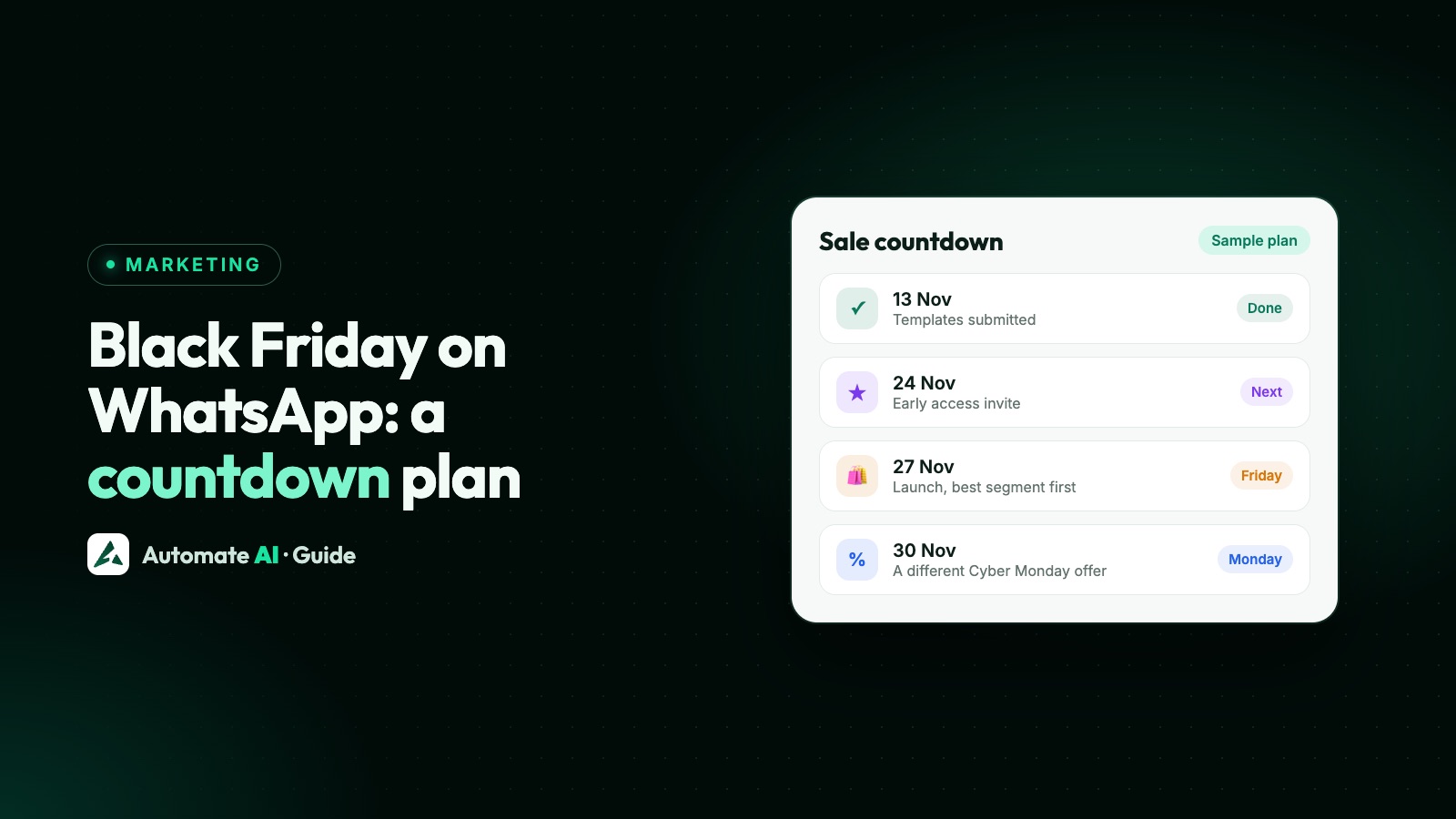
Black Friday WhatsApp marketing works best as a short, planned sequence: submit your templates by 13 November, send early access on 24 and 25 November, launch on Friday 27 November, and finish with a different offer on Cyber Monday, 30 November. Black Friday falls the day after US Thanksgiving, so this year it’s 27 November 2026.
This guide gives you that countdown day by day, the sample messages to go with it, and two things that can quietly spoil a time-limited sale: running out of stock mid-send, and WhatsApp’s limit on how many marketing messages each person receives.
Key takeaways
- Submit templates by 13 November. Review can take up to 24 hours, and you want time for a rejection.
- Plan two or three marketing messages per person across the sale, and stop messaging people once they buy.
- Name the date the offer ends, not “today”. A phone that’s off can receive the message much later.
- Send a new launch template to your most engaged customers first, then the rest in a later wave.
- Marketing templates aren’t delivered to US numbers, so reach US customers another way.
- If stock runs out, pause the campaign rather than sending people to an empty page.
The Black Friday countdown for 2026
Starting late? Keep the template and list steps and drop early access.
| Date | What to do | Who hears from you |
|---|---|---|
| Mon 2 to Fri 6 Nov | Fix the offer, the stock you’ll commit and any limit per customer. Clean your list | Nobody |
| Mon 9 to Fri 13 Nov | Write and submit every template. Fix any rejections | Nobody |
| Mon 16 to Fri 20 Nov | Build your segments. Load the chatbot answers. Send a test to your own team | Your team only |
| Tue 24 Nov | Invite your best customers to early access | Engaged customers |
| Wed 25 Nov | Send the early link to everyone who said yes | People who replied YES |
| Thu 26 Nov | Check stock and links. Update your groups | Nobody |
| Fri 27 Nov, morning | Main launch: best segment first, the rest in a later wave | Your opted-in list, in two waves |
| Sat 28 Nov | Answer replies and send order updates. No new campaign | Buyers (utility only) |
| Sun 29 Nov | One reminder to people who showed interest but didn’t buy | Repliers and people who clicked a Smart Link |
| Mon 30 Nov | Cyber Monday: a different, online-only offer | Non-buyers who didn’t get Sunday’s reminder |
| Tue 1 Dec | End the sale when you said you would. Review the numbers | Nobody |
Week of 2 November: clean the list and set the rules
An old list does the most damage when you send to all of it at once. Do these before you write a word:
- Check opt-in. WhatsApp’s policy allows you to message only people who gave you their number and agreed to hear from you. Leave out numbers from old exports you can’t account for. See WhatsApp opt-in.
- Honour every opt-out. The policy says you must respect all requests to stop, including ones made outside WhatsApp, such as by email or in a shop.
- Separate US numbers. Meta doesn’t deliver marketing templates to users with US numbers, meaning +1 with a US area code. Meta’s rule refers to US area codes, so as written it doesn’t cover Canadian numbers. See marketing messages to US numbers.
- Check your messaging limit. It caps how many unique people you can reach outside an open 24-hour window in a moving 24-hour period, from 250 upwards. If your list is bigger than your limit, it can’t all go on Friday. See WhatsApp broadcast limits.
- Write down your stock and limits. How many units are on offer, what happens when they’re gone, and whether there’s a maximum per customer.
By 13 November: submit your templates
Meta’s review can take up to 24 hours, and a rejected template has to be fixed and reviewed again. Submitting two weeks early removes the risk. You need one template for each sample below that you plan to use, which is up to eight.
Don’t start or end the body with a variable, keep the variables in order, and include a sample value for each one. Don’t copy the same body and footer into a second template, because duplicates are rejected. Our template rejection guide covers the rest.
Say when the offer ends as a date. Marketing templates that can’t be delivered are retried for up to 30 days by default, and the shorter custom setting is only offered on Meta’s Marketing Messages API, which starts at 12 hours. Someone whose phone was off could read “ends tonight” after the sale. “Ends 11:59 PM on 30 November” stays true whenever it arrives.
Plan around the per-person marketing limit
WhatsApp can cap how many marketing templates a person receives from all businesses over a period, based on how often they read marketing messages and how many messages they already have from friends, family and businesses. So expect some of your messages to fail with error 131049.
You can’t see this cap or remove it, but you can plan around it:
- Don’t resend straight away. Meta says to wait at least 24 hours after a 131049 error. Repeated attempts inside 24 hours can block further attempts to that person for up to a day. If you use auto-retry in Automate AI, keep it off for these sends, or set the first wait to at least 24 hours.
- Use the early access reply. Marketing messages sent inside an open 24-hour window don’t count towards the limit. When a customer replies YES on the 24th, your early link on the 25th reaches them inside that window, provided you send it within 24 hours of their reply.
- Keep the count low. Two or three marketing messages per person, not one a day.
- Stop once they buy. A sale reminder after a purchase is the quickest way to earn a block.
Two kinds of pacing can also slow a Friday launch. Meta can hold part of a campaign using a new template while it gathers early feedback, and portfolios that have sent fewer than 500,000 templates in a year may have large sends released in batches. Poor feedback can pause the template or drop the held messages. This is why the launch template should go to your best segment first: engaged customers are the ones least likely to report you, and you learn early if something is wrong.
Sample Black Friday messages
{{1}} is the customer’s name. Swap in your real offer, dates and stock. All of these are marketing templates, except the two marked as utility.
Early access invite (24 November)
Hi {{1}}, our Black Friday sale opens to everyone on 27 November. Regular customers can shop a day or two sooner. Reply YES and we’ll send you the early link. Reply STOP to opt out
Early link, inside the open window (25 November)
Thanks {{1}}! Here’s your early link. Prices are live now, and the sale ends at 11:59 PM on 30 November. Use the button below to start shopping. Reply STOP to opt out
Main launch (27 November)
Hi {{1}}, our Black Friday sale is on: {{2}} off everything in {{3}} until 30 November. We’ve set aside {{4}} units, and when they’re gone, they’re gone. Reply STOP to opt out
Limited stock, per-customer limit
Hi {{1}}, the {{2}} is back for Black Friday at {{3}}. It’s limited to 2 per customer so more people get one. Offer ends on 30 November. Reply STOP to opt out
Reminder to people who showed interest (29 November)
Hi {{1}}, you had a look at our Black Friday offers. The sale runs until 30 November, and we’re happy to help you choose. Just reply with your question. Reply STOP to opt out
Cyber Monday, a different offer (30 November)
Hi {{1}}, Cyber Monday is online only: use code {{2}} for free delivery on any order, until 11:59 PM on 30 November. Tap below to copy your code. Reply STOP to opt out
Item sold out after they ordered (utility)
Hi {{1}}, we’re sorry: {{2}} from your order #{{3}} sold out before we could pack it. We’ve refunded {{4}} to your original payment method.
Order confirmed (utility)
Hi {{1}}, we’ve received order #{{2}}. Orders are taking a little longer to pack, and we expect to dispatch yours by {{3}}. We’ll message you when it’s on its way.
Protect stock and promises during the sale
A time-limited sale fails in public when the message and the shop disagree. WhatsApp’s policy says businesses must not mislead people, and customers tend to report what feels like a trick.
- Send in waves. If your hero item has limited units, send to your best segment first and check sales before the next one.
- Pause if it sells out. In Automate AI you can pause a running campaign and resume it later, or leave it paused, so later customers don’t tap into an empty page.
- Only say “limited” if it’s true. Give a number if you can. Never run a countdown past a date, then extend it.
- Set the per-customer limit in the shop, not just in the message. Otherwise resellers empty your stock.
- Staff the replies. Each reply opens a 24-hour window, which is your best chance to close a sale. Answering “is this in stock?” an hour later loses it.
- Have a plan for US customers. Use email or your site for offers, and keep WhatsApp for their order updates and replies.
Cyber Monday and after: what to change
Repeating Friday’s offer on Monday tells people they needn’t have bought, and asks them to read the same thing twice. Change one real thing: free delivery, a category you held back, or a bundle. Send only to people who didn’t buy, and don’t resend to those whose message failed with 131049 until a day has passed.
Automate AI’s audience filter has no “exclude” option, so keep a group for this. Add everyone to a Black Friday group before launch, remove buyers as they order, and create the Cyber Monday campaign from that group on the day. A tag-based audience works the same way. On finished campaigns, you can also resend only to people who received a message but didn’t read it. Use that once, a day later. See how to retarget a WhatsApp campaign.
End the sale on the day you said, then look at what happened: delivered, read and replied by segment, and which links were tapped. Your quality rating tells you if you went too far, ahead of the Christmas season.
Run the sale in Automate AI
- Create your templates with an image header, buttons or a carousel, and a Copy offer code button if you use a code. AI Template Studio can draft them on Series 2, 3 and 4.
- Choose the audience by tags, group, status, date or saved Country field. Contacts who opted out are skipped automatically.
- Create each campaign shortly before it sends. The audience is fixed when you create it, so later changes to a group aren’t picked up. The time you pick is read in your own device’s time zone, so use one campaign per region if your customers are spread out.
- Build a keyword bot for replies such as YES, and let it add those people to a group for the next send. Add to Group replaces a contact’s main group, so use a group just for this. See the chatbot builder.
- Connect Shopify on Series 2, 3 and 4 for order updates and abandoned-cart reminders, sent up to four times from 1 hour to 3 days after a cart is left.
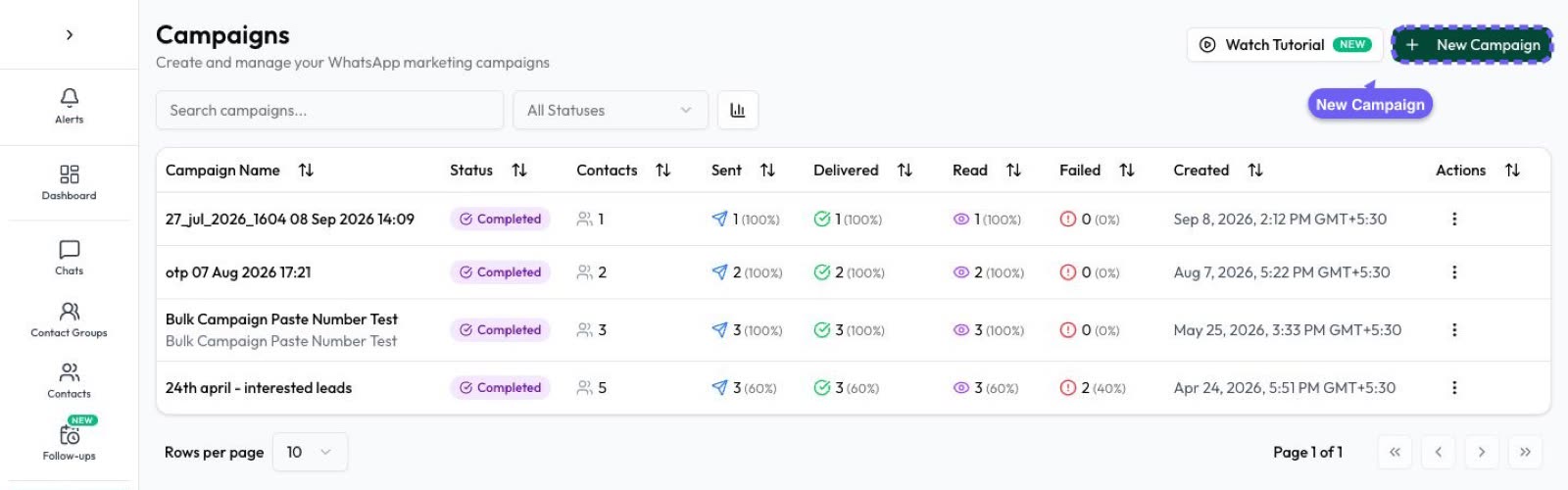
- Watch sent, delivered, read, replied and failed live. Put a Smart Link on your Shop button to see who tapped it, and export that list from Button Clicks for Sunday’s reminder. Taps on a copy-code button can’t be tracked.
Meta charges per delivered marketing template and the rate depends on the customer’s country, so check WhatsApp API pricing before you size the send. More in WhatsApp campaigns.
Frequently asked questions
When is Black Friday 2026?
Friday 27 November 2026, the day after US Thanksgiving. Cyber Monday is Monday 30 November.
When should I submit Black Friday WhatsApp templates?
By 13 November if you can. Meta’s review can take up to 24 hours, and two weeks leaves room to fix a rejection. If you’re late, submit at least a few days before you need them.
How many WhatsApp messages should I send for Black Friday?
Two or three marketing messages per person across the sale is a sensible plan, with order updates on top. There’s no official number, but WhatsApp can cap marketing per person, and more messages bring more blocks.
Why did some of my Black Friday messages fail with error 131049?
That’s WhatsApp’s per-person marketing limit. Those customers have reached their cap for now. Wait at least 24 hours before trying again, and only try once.
Can I send Black Friday offers to US customers on WhatsApp?
Not as marketing templates, because Meta doesn’t currently deliver them to US numbers. You can still reply to a US customer within 24 hours of their message, and send them updates about an order they placed.
Is a Black Friday message a marketing or utility template?
Marketing. Any template that promotes an offer is marketing, even if it also mentions an order. Utility is only for specific, non-promotional updates such as an order confirmation.
Sources
- Meta: Per-user marketing template limits
- Meta: Template pacing
- Meta: Business portfolio pacing
- Meta: Template review
- Meta: Template time to live
- Meta: Limited-time offer templates
- Wikipedia: Black Friday (how the date is set)
- WhatsApp Business Messaging Policy
WhatsApp rules and prices change. We check these guides against Meta’s documentation, but always confirm current terms with Meta before you rely on them. Questions? Message us on WhatsApp at +91 836 977 8812.