Can You Block Ads on WhatsApp Status? How to Hide, Report and Manage Them
Ads in WhatsApp Status can’t be switched off with a setting, but you can hide an ad, hide an advertiser, report ads and change your ad preferences. Here’s how.
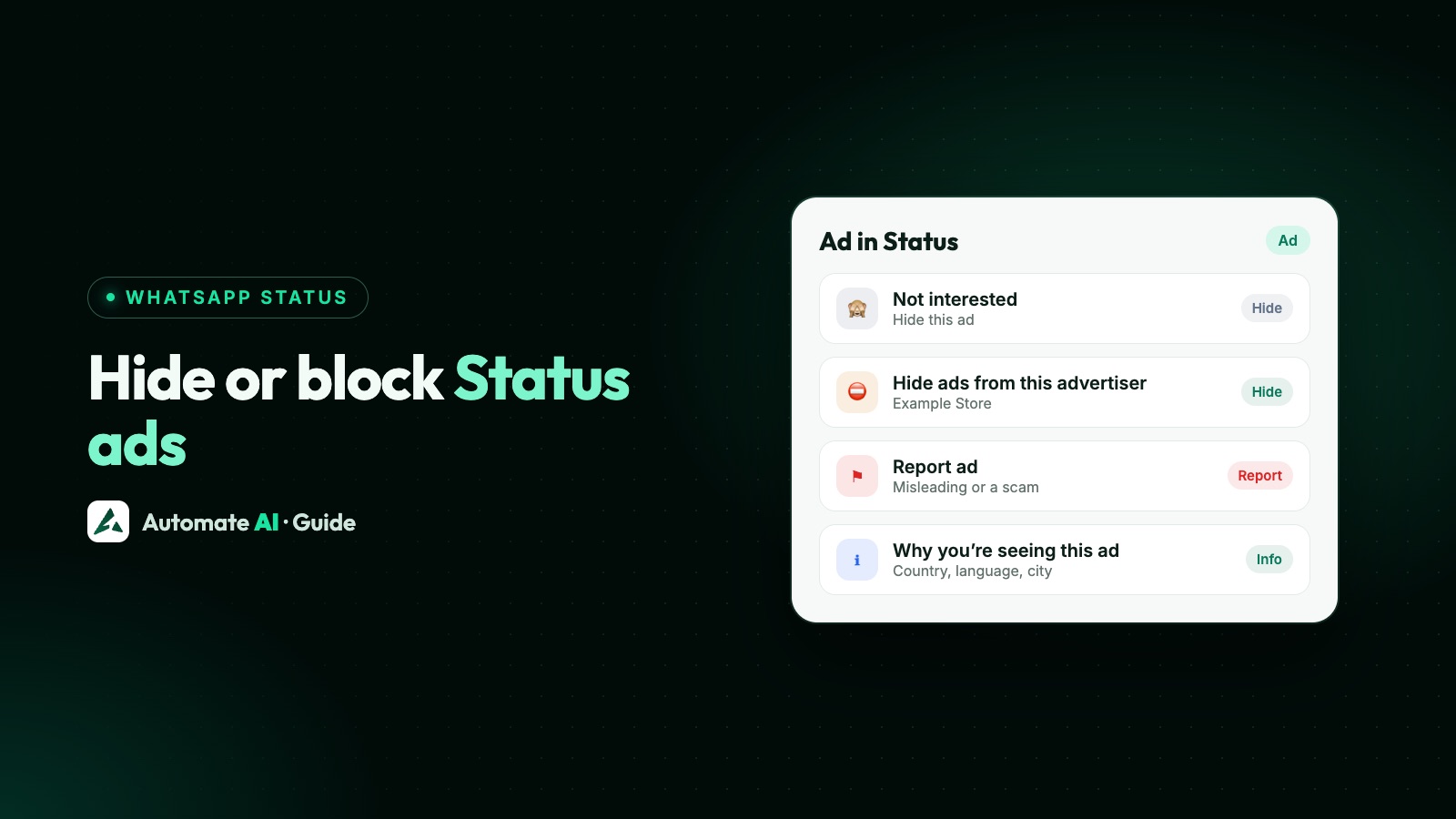
WhatsApp’s help pages don’t describe a setting that turns off ads in Status. What you can do is hide an ad (⋮ › Not interested), hide every ad from one advertiser, report an ad, and change your ad preferences under Settings › Account › Ad preferences for Status & Channels. Ads only appear in the Updates tab, never in your chats or calls.
This guide shows each of those steps, explains what WhatsApp says it uses to choose ads and what it doesn’t, and ends with what it means if you’re a business advertising in Status.
Key takeaways
- Ads appear only in Status and Channels on the Updates tab. WhatsApp says people who only use it for personal messaging won’t see ads.
- To hide a Status ad, tap ⋮ on the ad, then Not interested, and pick a reason. To report it, tap ⋮ › Report ad.
- To stop one advertiser, open Ad preferences, find it under recent ad activity and tap Hide ads from this advertiser.
- WhatsApp says your personal messages, calls and Status updates are end-to-end encrypted and can’t be used to show you ads.
- Avoid modified WhatsApp apps that promise “no ads”: WhatsApp says unofficial apps can get your account banned.
Where you’ll see ads on WhatsApp
Meta announced ads in WhatsApp’s Updates tab in June 2025, and WhatsApp says they’re rolling out gradually, so you may not see any yet in your country. Where they do appear:
| Part of WhatsApp | Ads? | How they’re marked |
|---|---|---|
| Personal chats and calls | No | WhatsApp says ads stay separate from your chats and calls |
| Status, in the Updates tab | Yes, between the Status updates you view | Labelled “Ad”, with the advertiser’s name |
| Channels, in the Updates tab | Yes, as promoted channels | Marked “Sponsored” |
WhatsApp’s help page puts it simply: if you only use WhatsApp for personal messaging, you won’t see ads. Ads in Status are made by businesses in Meta’s ad tools, and a tap usually opens a chat with the business or its website.
Can you turn off ads on WhatsApp Status?
Not with a setting, as far as WhatsApp’s help pages describe. There’s no “ads off” switch in Settings. You can hide individual ads, hide all ads from an advertiser, report ads and adjust your ad preferences, which changes what you see rather than removing ads altogether.
WhatsApp’s help centre also lists pages about a subscription to use Status and Channels without ads, and about how ads work in the European Union. Those pages are only shown to people in the regions they apply to, so if they don’t open for you, that option most likely isn’t offered in your region.
How to hide an ad or an advertiser
Hide one Status ad
- While the ad is on screen, tap the ⋮ (three-dot) menu on it.
- Tap Not interested.
- Choose a reason. The ad is hidden.
Hide a promoted channel
- On the promoted channel, tap the word Sponsored.
- Tap Hide ad.
Hide every ad from one advertiser
- Open Ad preferences (see below) and go to your recent ad activity.
- Tap the ad or the advertiser.
- Tap Hide ads from this advertiser.
How to report an ad or a website
Report an ad that’s misleading, offensive or a scam. If you just don’t want to see it, hiding it is enough.
| To report | Steps |
|---|---|
| A Status ad | View the ad, tap ⋮ › Report ad, then Report |
| A promoted channel | Tap Ad below the channel, then Report ad › Report |
| A website an ad opened | On the site, tap ⋮ › Report website and pick a reason, such as excessive or disruptive ads |
| See reports you’ve made | From WhatsApp’s ⋮ menu, go to Settings › Help and feedback › Reports |
To see why an ad reached you, tap ⋮ on a Status ad (or Sponsored on a promoted channel) and choose Why you’re seeing this ad. WhatsApp shows a list of the criteria, for example that the advertiser chose people in the country that matches your phone number’s country code.
Change your ad preferences
There are two ways in, both on your phone. WhatsApp says ad preferences can’t be changed on WhatsApp Web or other devices, only on your primary phone.
- In the Updates tab, tap ⋮ › Ad preferences, or go to Settings › Account › Ad preferences for Status & Channels.
- Open Recent ad activity to see the ads shown to you in the past 30 days, or Advertisers you’ve seen for the businesses behind them.
- Tap an ad or advertiser to learn about it, see why it was shown, say you want fewer ads from it, or hide its ads.
If you’ve added WhatsApp to your Meta Account (Meta’s new name for Accounts Center), you manage ad preferences there instead: Settings › Meta Account › Ad preferences. Adding WhatsApp to a Meta Account is optional, and WhatsApp says that if you do, information across your accounts is used for ads and your Meta ad preferences apply. WhatsApp notes that some Meta Account ad settings aren’t available for WhatsApp.
What WhatsApp uses to choose ads, and what it doesn’t
| WhatsApp says it uses | WhatsApp says it never uses |
|---|---|
| Your country code and, where it applies, your age | Your personal messages and calls |
| Your device language | Your Status updates |
| Your general location, such as your city or country (not your precise location) | Locations you share in chats |
| Your Status and Channels activity: channels you follow, what you engage with, ads you tap | Your phone’s contacts, or the groups you’re in with friends and family |
WhatsApp says personal messages, calls and Status updates are end-to-end encrypted and can’t be used to show you ads. It also says it uses Meta’s technology to show ads but doesn’t share personal information, such as your phone number, with Meta. If you add WhatsApp to your Meta Account, information across your accounts is used for ads, as described above.
Don’t install a “no ads” WhatsApp mod
Modified versions of WhatsApp often advertise themselves as ad-free. They break WhatsApp’s Terms of Service, and WhatsApp says using an unofficial app can get your account banned, and a temporary ban can become permanent if you don’t switch back to the official app. Losing your number is a far bigger problem than a few ads. If it’s already happened, see WhatsApp Business banned: why and how to get it back.
If you’re a business advertising in Status
The same controls work against you if your ad feels like spam. Every viewer can hide your ad, hide all your ads or report you, and your business name is on every ad. So relevance matters more than reach:
- One clear, local offer on a tall picture, so the right people tap and the rest move on without irritation. See WhatsApp Status ad examples for ideas with ad copy.
- An honest ad whose price and promise match what people find in the chat or on your site.
- A sensible audience: the cities you serve and the ages your product suits, rather than everyone.
- A fast reply when people message you from the ad, because they expect the business to answer.
Setup, sizes and costs are in how to run WhatsApp Status ads. In Automate AI’s Meta Ads menu you can turn on WhatsApp Status under Placements when you make an ad that opens a chat or your website, and the chats it brings land in the shared inbox.
Frequently asked questions
Can I turn off ads on WhatsApp Status completely?
WhatsApp’s help pages don’t describe a setting that does. You can hide ads, hide advertisers, report ads and change your ad preferences. WhatsApp also lists an ad-free subscription for Status and Channels, but its details are only shown in the regions where it’s offered.
How do I hide an ad on WhatsApp Status?
While the ad is on screen, tap the three-dot menu on it, tap Not interested and choose a reason.
How do I stop ads from one business on WhatsApp?
Open Ad preferences (Updates tab › ⋮ › Ad preferences, or Settings › Account › Ad preferences for Status & Channels), tap the ad or advertiser in your recent ad activity, then tap Hide ads from this advertiser.
Are there ads in WhatsApp chats?
No. WhatsApp says ads appear only in Status and Channels on the Updates tab, separate from your personal chats and calls.
Does WhatsApp read my messages to show ads?
No. WhatsApp says personal messages, calls and Status updates are end-to-end encrypted and can’t be used to show ads. It uses things like your country code, device language, general location and your activity in Status and Channels.
Why can’t I find ad preferences on WhatsApp Web?
WhatsApp says ad preferences can only be changed on your primary phone, not on WhatsApp Web or other devices.
Sources
- WhatsApp Help Center: About seeing ads on WhatsApp Status
- WhatsApp Help Center: About ads in WhatsApp Status and Channels
- WhatsApp Help Center: How to hide or report an ad or website in WhatsApp Status or Channels
- WhatsApp Help Center: How to view and adjust your ad preferences in WhatsApp Status or Channels
- WhatsApp Help Center: How to create ads in Status on the WhatsApp Business app
- WhatsApp Help Center: About account bans for unofficial apps
- Meta Newsroom: Helping you find more channels and businesses on WhatsApp (June 2025)
- Meta for Developers: Ads in WhatsApp Status (Marketing API)
WhatsApp rules and prices change. We check these guides against Meta’s documentation, but always confirm current terms with Meta before you rely on them. Questions? Message us on WhatsApp at +91 836 977 8812.