Meta Custom Audiences and Lookalikes: Build Them From Your Customer List
How to create a Meta ads custom audience from your customer list, format the file, check consent, and build a lookalike audience to find new WhatsApp leads.
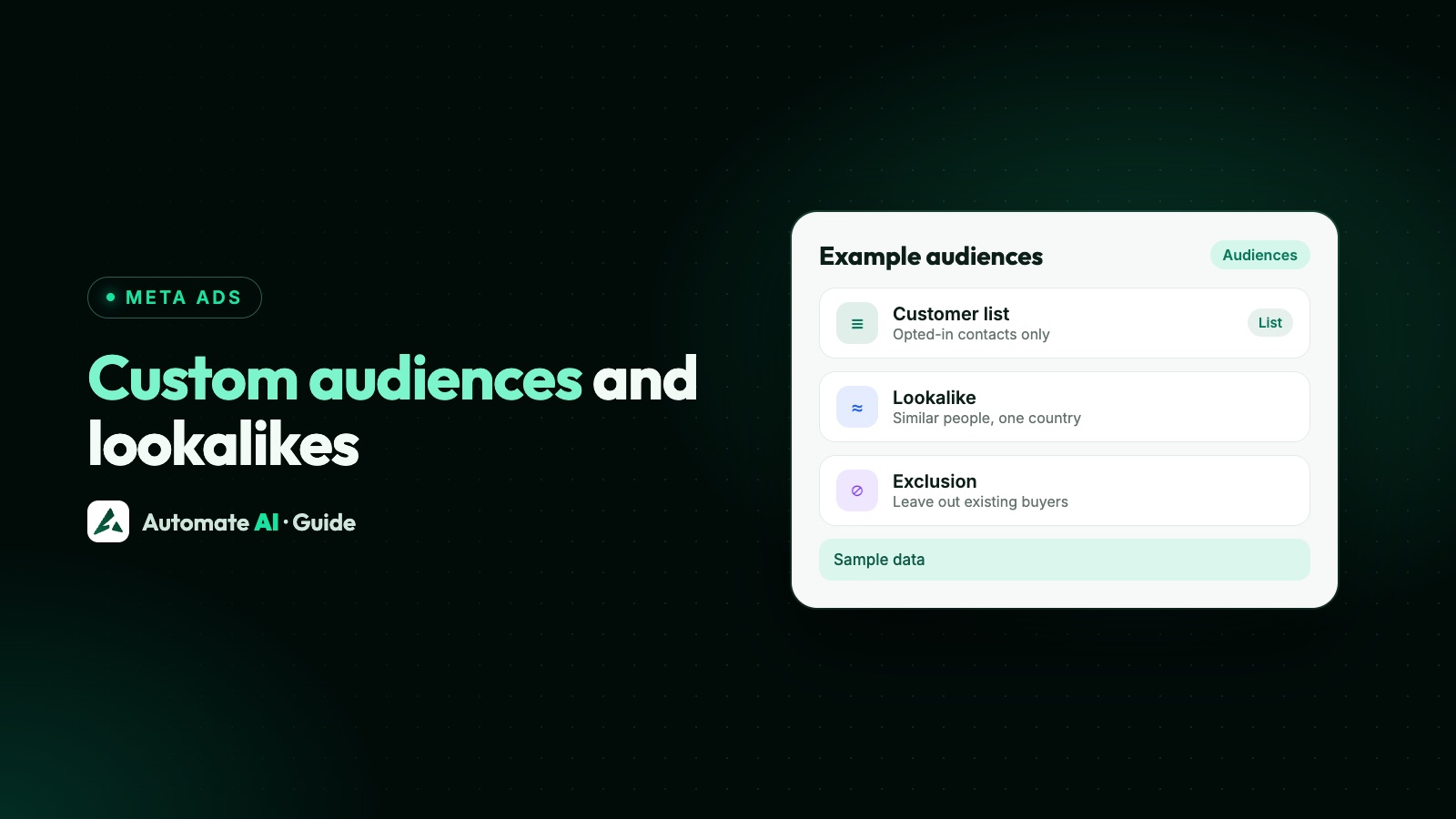
A Meta ads custom audience made from a customer list is a file of your customers’ emails or phone numbers that Meta matches to Facebook and Instagram accounts, so you can show ads to those people, leave them out, or use them as the seed for a lookalike audience of new people like them. You build it in Ads Manager under Audiences › Create audience › Custom audience › Customer list.
This guide covers the whole job: what Meta asks for before you start, how to get a clean list out of your WhatsApp contacts, how to format and upload it, how to make a lookalike from it, and the consent rules that decide which customers can go in the file at all.
Key takeaways
- A customer list custom audience matches your file to people on Meta’s apps. Meta hashes the identifiers before matching.
- Meta’s formatting guide asks for a CSV or TXT file, at least 1,000 customers and at least one main identifier, such as email or phone.
- Phone numbers need the country code, even if every customer is in one country, and countries go in their own column as two-letter codes.
- A lookalike audience needs a source of at least 100 people, and Meta generally recommends 1,000 to 5,000.
- Only upload people you have the rights and a lawful basis to use. Leave out anyone who opted out.
Custom audiences, lookalikes and saved audiences
Meta uses the word “audience” for three different things, and the difference matters when you plan a campaign:
| Audience type | What it is | Typical use |
|---|---|---|
| Customer list custom audience | People from your own file, matched to Meta accounts | Show a new offer to past buyers, or exclude them |
| Lookalike audience | New people Meta finds who are similar to a source audience | Find new leads who resemble your best customers |
| Saved audience | A reusable set of targeting choices (location, age, interests) | Save time when you run similar campaigns |
Custom audiences can also come from website visitors, app users or people who engaged with your Page, but this guide sticks to customer lists, because that’s where a WhatsApp business has the most to work with. For location, interests and broad targeting, see Meta ads targeting.
Before you start: Meta’s requirements
- Ad account access. You need to own the ad account connected to a business portfolio, or have admin or advertiser permissions on it. Meta notes that a new or newly linked account may wait a few weeks before it can create or share a customer list audience.
- The Custom Audience terms. You accept them during upload. By accepting, you confirm you have the rights and permissions to use the data.
- A clean file. CSV or TXT, at least one main identifier, and the right column for each type.
- No prohibited information. The audience’s name, contents and criteria can’t be based on health, financial or other sensitive information.
Meta’s developer guide adds that changes to a custom audience usually take up to 24 hours, and that customer file audiences not used in an active ad set for over two years are flagged for deletion. If you plan to reuse one, keep it attached to something live, or upload a fresh list when you need it.
Who you may put on the list
This is the part people skip, and it’s the part that gets accounts into trouble. Meta’s Custom Audience terms say you must have all the necessary rights and permissions, and a lawful basis, to share the data and use it for ads. Under the GDPR, Meta’s help page says the advertiser is the data controller for any list it uploads.
A customer messaging you on WhatsApp gives you their number for that conversation. It doesn’t automatically mean you may use it for ad targeting. Check what you told people when you collected their details, and what your privacy notice says.
- Leave out anyone who opted out. Meta’s rules on prohibited information include people who used an opt-out you promised to honour.
- Never include children under 13, or anyone you should reasonably know is under 13.
- Don’t base a list on sensitive facts, such as a medical condition, a loan application, a debt or a credit score. A list called “Diabetes patients” or “Loan rejected” breaks the rules even if the file holds only phone numbers.
- Never upload ID numbers, card or bank numbers, passwords, one-time codes or GPS coordinates.
Meta also offers an only exclusions option when you upload, for lists of people who should never see your ads, such as those who opted out of marketing. Once set, it can’t be changed and the list can’t seed a lookalike. More on consent for WhatsApp itself in WhatsApp opt-in.
Get the list out of Automate AI
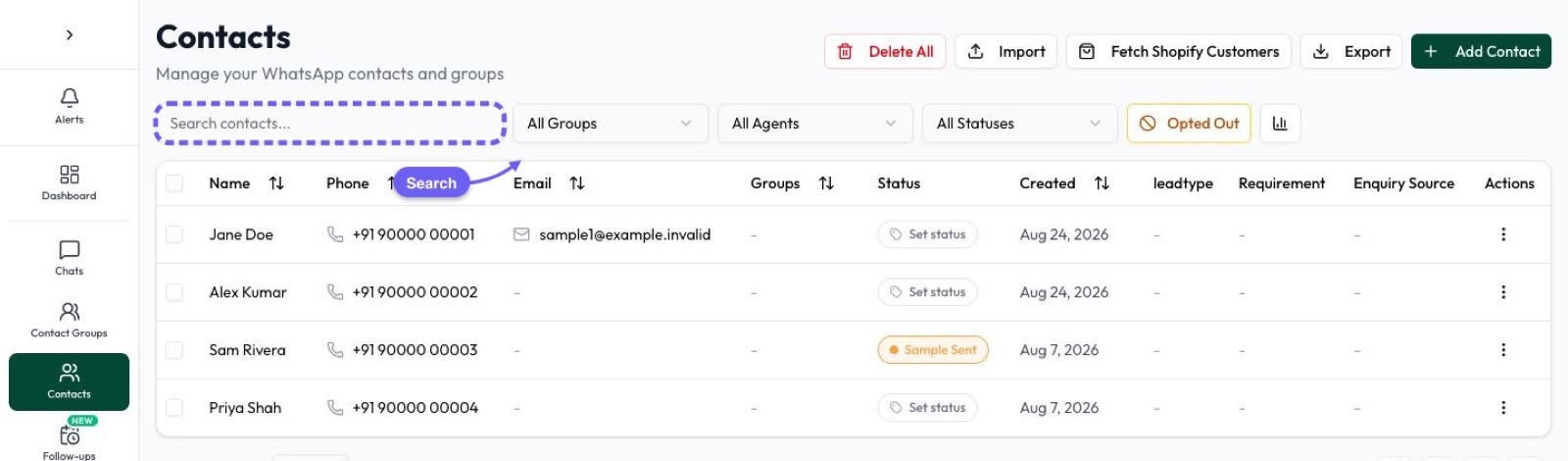
If your customers reach you on WhatsApp, your best list is already in your WhatsApp platform: everyone who messaged you, contacts you imported and leads from ads and forms. In Automate AI:
- Open Contacts and filter to the people you want, for example the group “Customers” or a status such as “Won”.
- Click ⋯ next to Import and choose Export filtered contacts (or Export all contacts with no filter). You get a CSV.
- Open it in Excel or Google Sheets with the Phone column set to Text, so long numbers stay intact.
- Use the Opted Out column: delete every row that says Yes.
- Delete the columns Meta doesn’t use: ID, Groups, Status, Agent, Opted Out (after removing the Yes rows), Street, Favorite, Created At and any custom field columns, which could hold details Meta doesn’t allow.
Owners and managers export the contacts they can see. An agent’s export only includes their own contacts, and agents with hidden customer numbers can’t export at all. Full steps and every column are in how to export WhatsApp contacts to Excel.
Format the file the way Meta reads it
Meta matches better when each identifier has its own column with a header it recognises. If you keep your own headers, you map each column by hand during upload. Renaming them first is quicker:
| Column in the Automate AI file | Rename it to | What to check |
|---|---|---|
| Phone | phone | Every number starts with its country code, such as 91 or 44 |
| One address per cell | ||
| First Name | fn | First name only |
| Last Name | ln | Last name only |
| City | ct | Full town or city name |
| State | st | Full name, or the short form for US states |
| Zip Code | zip | Postcode as written locally |
| Country | country | Two-letter code, such as IN, GB or AE, on every row |
Two rules from Meta’s guide matter most. Phone numbers must include the country code even when every customer lives in one country, and the country goes in its own column for the same reason, because Meta matches on a global scale. Meta also suggests separate first and last name columns rather than one full-name column.
Create the custom audience in Ads Manager
- In Ads Manager, open Audiences.
- Choose Create audience › Custom audience, then Customer list and Next.
- Read Meta’s formatting prompt, then upload your file or paste the values.
- Choose whether the list is for inclusions or exclusions, or only exclusions.
- Give it a clear name, such as “WhatsApp customers 2026 (export Nov)”, and accept the Custom Audience terms.
- Map identifiers. A tick means a column is ready to hash. An exclamation mark means a column was skipped or needs fixing.
- Choose Import and create. The audience shows as populating until matching finishes.
Meta flags a list as outdated if it hasn’t been updated in over 30 days, which can affect delivery. To refresh it, open the audience, choose Edit, then Add customers, Remove customers or Replace customers. Meta says updates can take a few hours, ads keep running meanwhile, and changing the list doesn’t reset the learning phase.
Build a lookalike audience from it
A lookalike asks Meta to find new people who resemble your source. For a business that wants more WhatsApp enquiries, this is usually the more useful half of the job: your customer list tells Meta who buys, and the lookalike reaches people who haven’t heard of you yet.
- In Audiences, choose Create audience › Lookalike audience.
- Pick your customer list as the source. Saved audiences can’t be a source.
- Choose the audience size with the slider. A smaller percentage means people more similar to your source.
- Choose Create audience. Meta says it can take up to 3 days to populate, but you can use it straight away.
The source needs at least 100 people, and Meta generally recommends 1,000 to 5,000. People in the source are left out of the lookalike automatically. Meta no longer asks for a location when you create a lookalike: it uses the location set in the ad set, which is why a new lookalike shows no size estimate until you add it to one.
Two more ways to feed it better data:
- Use your best customers, not everyone. A list of people who bought gives Meta a clearer signal than every number that ever messaged you.
- Add a value column if you can. Meta can then build a value-based lookalike of your most valuable customers. Values must be plain numbers with no currency symbol.
Lookalikes are limited or unavailable for some ads about financial products, employment and housing. If you’re in one of those areas, see Facebook ads for real estate leads for how Meta’s special ad categories change targeting.
Using these audiences with WhatsApp ads
Here is how the pieces fit together for a business that wants chats, not just clicks:
| Goal | Audience | Ad |
|---|---|---|
| Find new leads like your buyers | Lookalike of your customer list | A Click-to-WhatsApp ad, so the lead lands in a chat |
| Win back past customers | Customer list custom audience | A chat ad with a new offer |
| Stop paying to reach existing customers | Customer list as an exclusion | Any ad aimed at new people |
| Collect details first | Lookalike of your customer list | A lead form ad, then a WhatsApp follow-up |
Automate AI’s Meta Ads menu (every plan, for owners and managers) doesn’t create custom audiences or lookalikes. Build them in Ads Manager, and either choose them when you make the ad there, or open an ad set you made in Automate AI in Ads Manager and add them there. Automate AI shows every ad in your connected ad account with its spend, clicks, chats started and cost per chat, and when you edit an ad set’s audience in Automate AI, custom audiences set in Ads Manager are kept as they are.
If Advantage+ audience is on, a custom or lookalike audience you include is only a suggestion and Meta may show the ad to others, while excluded audiences stay strict. See Meta ads targeting for how suggestions and controls work.
Chats from the ad arrive in the shared inbox as new contacts. For form ads, the Facebook Lead Ads integration (AI + Automation Plan and Series 4) saves each lead as a contact and can send an approved WhatsApp template straight away. Then the loop closes: the next export of buyers becomes a better source for your next lookalike. More on the ad side in Click-to-WhatsApp ads, and on measuring which ads bring customers in tracking WhatsApp ad results.
Frequently asked questions
How do I create a custom audience in Meta Ads Manager?
Open Audiences, choose Create audience, then Custom audience and Customer list. Upload a CSV or TXT file of customer identifiers, accept the Custom Audience terms, map the columns and choose Import and create.
How many people do I need for a custom audience?
Meta’s customer list formatting guide asks for at least 1,000 customers. A lookalike needs a source of at least 100 people, and Meta generally recommends 1,000 to 5,000.
Can I upload WhatsApp phone numbers to Meta?
You can upload phone numbers as identifiers, with the country code on every number, as long as you have the rights and a lawful basis to use them for ads. Leave out anyone who opted out.
How do I create a lookalike audience on Facebook?
In Audiences, choose Create audience and Lookalike audience, pick a source such as your customer list, set the size with the slider and create it. Meta uses the ad set’s location to find similar people.
How long does a custom audience take to be ready?
Meta says changes usually take up to 24 hours, and a new lookalike can take up to 3 days to populate. You can start ads while they fill.
Can Automate AI create a Meta custom audience for me?
No. Export your contacts from Automate AI as a CSV and upload it in Ads Manager. Automate AI keeps custom audiences you set in Ads Manager when you edit an ad set from its Meta Ads menu.
Sources
- Meta Business Help Centre: How to create a customer list custom audience in Ads Manager
- Meta Business Help Centre: Customer list formatting guidelines for custom audiences
- Meta Business Help Centre: How to prepare your data for a customer list custom audience (prohibited information)
- Meta Business Help Centre: Edit a customer list custom audience
- Meta Business Help Centre: Create a lookalike audience
- Meta Business Help Centre: Create a custom or lookalike audience in Leads Center
- Meta: Custom Audience terms
- Meta for Developers: Customer list custom audiences
WhatsApp rules and prices change. We check these guides against Meta’s documentation, but always confirm current terms with Meta before you rely on them. Questions? Message us on WhatsApp at +91 836 977 8812.