How to Contact WhatsApp Business Support (App and API)
Contact WhatsApp Business support the official way: in-app Contact us, the web form, Meta Verified support and Direct Support for API accounts. No phone number.
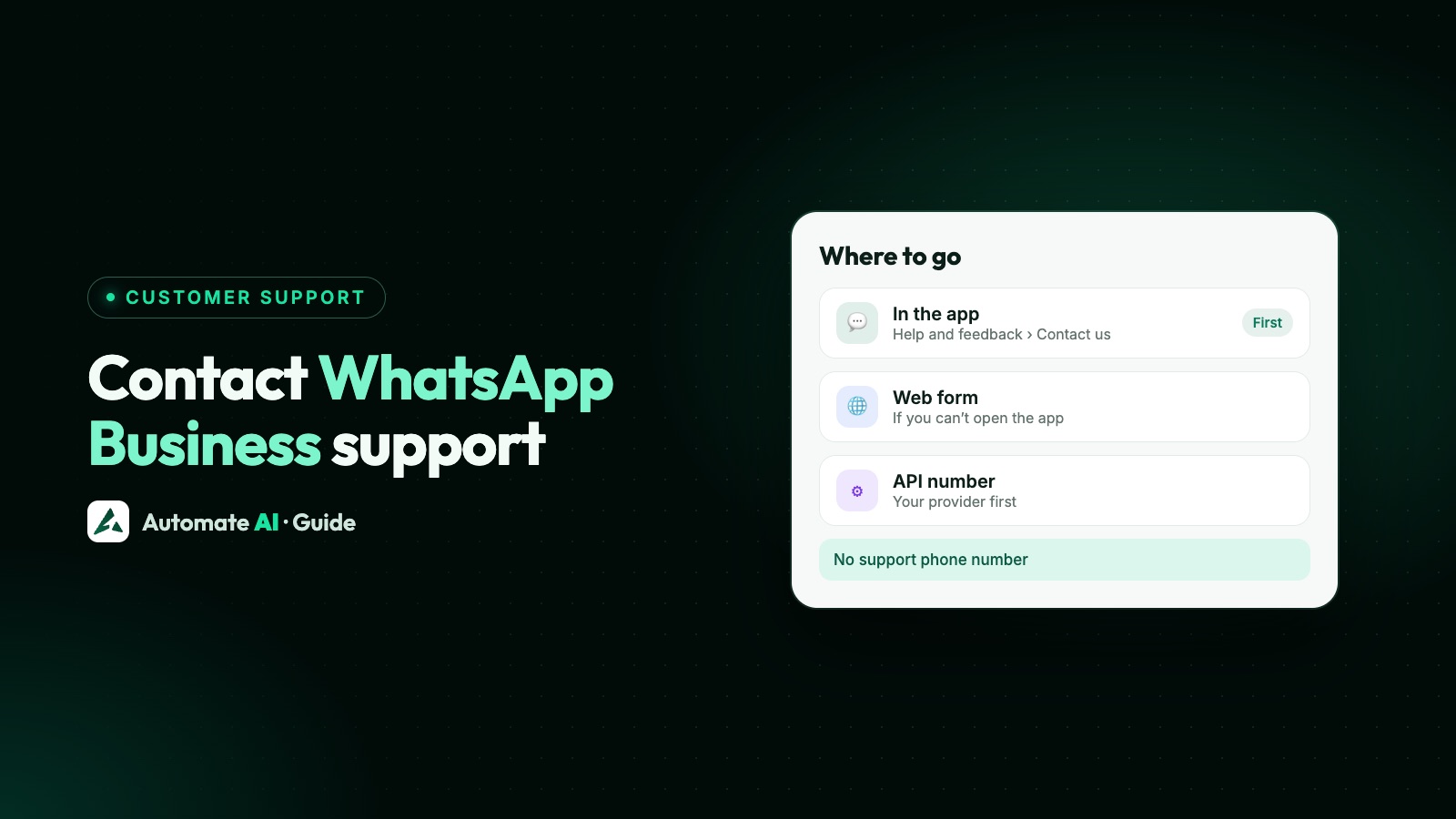
To contact WhatsApp Business support, open the WhatsApp Business app and go to Settings › Help and feedback › Contact us. If you can’t get into the app, use the contact form on WhatsApp’s website. WhatsApp replies in the app or by email, and has no general public phone number for customer service.
Businesses on the WhatsApp Business Platform (API) use different routes: their provider first, then Meta’s developer support or Direct Support. This guide shows which channel fits which problem, what to put in your message, and how to tell real support from the fake numbers and accounts that target business owners.
Key takeaways
- In the app: Settings › Help and feedback › Contact us (older versions say Help).
- Locked out? Use the contact form on whatsapp.com. Replies come from addresses ending in @support.whatsapp.com.
- WhatsApp and Meta have no general public phone number for support; numbers claiming to be support may be scams.
- API businesses ask their provider first. Partners and enterprise developers can open a Direct Support ticket with Meta.
- Meta Verified subscribers get Enhanced Support in the app under Tools › Meta Verified.
Which support channel to use
Start by deciding which product your problem is in. The free WhatsApp Business app and the API are supported in different places.
| Your situation | Where to go |
|---|---|
| A question about an app feature | In the app: Settings › Help and feedback › Contact us, or search the Help Center |
| Something in the app is broken | Settings › Help and feedback › Send feedback |
| You can’t open or log in to WhatsApp | The WhatsApp Support contact form on whatsapp.com |
| Your app number was banned | Request review in the app, on the banned number |
| You pay for Meta Verified | Tools › Meta Verified › Enhanced Support |
| API number, templates or messages | Your WhatsApp API provider first |
| You’re a partner or enterprise API developer | Meta Direct Support ticket |
Search the WhatsApp Help Center before you write. Many common questions, such as linking a computer or changing your number, have a step-by-step article.
How to contact support from the WhatsApp Business app
This is the main route for most questions:
- Open the WhatsApp Business app on your main phone.
- Go to Settings.
- Tap Help and feedback (Help on older versions), then Contact us.
- Describe the problem clearly and send your message to WhatsApp Support.
To report a bug, use Help and feedback › Send feedback instead. WhatsApp asks for at least 10 characters, and you can attach screenshots or a screen recording. WhatsApp says this option is rolling out gradually, so you may not have it yet.
If you can’t get into the app
When your number is blocked, your phone is lost, or the app won’t open, use the web form:
- Go to whatsapp.com/contact on any device.
- Under WhatsApp Support, choose contact us.
- Explain the problem in detail and include your number in full international format, with the country code.
- Send it, then watch your inbox for an email from an address ending in @support.whatsapp.com asking for more details.
For a banned number, use the Request review button in the app on the banned number. What to write, and why numbers get banned, is in WhatsApp Business number banned.
Is there a WhatsApp Business email address for a banned number?
There’s no public address to email your case to. You send it through the app or the web form, and WhatsApp emails you back from @support.whatsapp.com. Treat any other address offering to “unban” a number as suspect.
In India, WhatsApp’s contact page also explains how to reach its Grievance Officer.
Is there a WhatsApp Business contact number?
No. WhatsApp’s Help Center says WhatsApp and the other Meta products don’t have a general public phone number for customer service, and that numbers claiming to be WhatsApp or Meta support are potentially scams. Meta may offer specialised phone support in some places or for some products, but it doesn’t publish one for general WhatsApp help.
- Ignore “helpline” numbers in search results, social posts or videos.
- WhatsApp never asks for your PIN, payment details or other sensitive personal information.
- The official WhatsApp Business account in the app has a verified badge. You can’t message or call it, and it never asks for personal details.
- Never share your 6-digit registration code or a linking code with anyone.
Support for Meta Verified subscribers
If your business pays for Meta Verified on WhatsApp, you get Enhanced Support in the app. Open Tools › Meta Verified › Enhanced Support on your main phone and pick a topic:
| Option | Use it for | How you get help |
|---|---|---|
| Questions about WhatsApp features | Describe it, check suggested articles, then submit to WhatsApp Support | |
| Meta Verified account | Your subscription or payment method | Manage subscription, or Email support |
| Something else | Anything outside the other two | Same as the WhatsApp option |
WhatsApp says support comes with every Meta Verified plan, with priority for Plus, Premium and Max. If you cancel, support lasts until the end of the billing cycle, and open cases close then.
Support for the WhatsApp Business API
Most businesses reach the API through a provider (a Solution Partner). Meta’s documentation says end clients of a Solution Partner should contact that partner directly for support, not Meta. Your provider can see your setup and raise a ticket with Meta if needed.
Developers and partners have these channels:
- Status page first: Meta’s WhatsApp Business API status page shows known outages. Check it before you raise anything.
- Developer support: every developer can use developers.facebook.com/support, the developer community forum and the bug report form.
- Direct Support: partners and enterprise developers open a ticket at business.facebook.com/direct-support, choosing the right business account. Meta aims to give a first reply within 24 hours on business days.
Direct Support tickets get a severity: Critical when the API doesn’t work at all, Urgent when most sends fail with no workaround, and Standard for smaller or intermittent issues. Restrictions and appeals on API accounts are covered in WhatsApp Business account restricted or banned.
What to include so support can help
A clear first message saves days of back-and-forth. Here’s an example to adapt (sample details):
- Your number in full international format, with the country code.
- The exact message or error you see, and when it started.
- What you were doing just before it happened.
- Screenshots or a screen recording, with customers’ details hidden.
- For the API: your WhatsApp Business account ID, phone number ID, the error code and a message ID if you have one.
Never include your PIN, registration code, passwords or card details. Real support doesn’t need them.
Problems WhatsApp support can’t fix
WhatsApp provides the messaging channel, and each business handles its own customer service. WhatsApp’s Help Center says that for order status, transactions, refunds and returns, customers should contact the business. If a business breaks WhatsApp’s Commerce Policy or behaves badly, customers can report it.
That works the other way too. Your customers will expect you to answer quickly on WhatsApp, so it helps to set up a proper WhatsApp customer service routine, with quick replies and someone responsible for each chat.
Getting help with Automate AI
If your number runs on the API through Automate AI, contact us first. Meta advises API customers to go to their provider for support. Message us on WhatsApp or call +91 836 977 8812, or email corporate@uctech.co.in. All the options are on our contact page.
Day to day, your own customers reach you through the shared team inbox, where every plan includes unlimited users, auto-assignment and internal notes, so no question waits on one person’s phone. Plans are on our pricing page.
Frequently asked questions
How do I contact WhatsApp Business support?
In the WhatsApp Business app, go to Settings › Help and feedback › Contact us. If you can’t open the app, use the WhatsApp Support contact form on whatsapp.com/contact.
Does WhatsApp Business have a customer care number?
No. WhatsApp says it has no general public phone number for customer service, and numbers claiming to be WhatsApp support may be scams.
What is the WhatsApp Business support email?
There’s no public address to write to. You contact support in the app or through the web form, and WhatsApp replies from an address ending in @support.whatsapp.com.
How do I get my banned WhatsApp Business number back?
Open the app on the banned number, tap Request review and explain how you use WhatsApp. WhatsApp says contacting it outside the review process won’t speed up the review or change the outcome, and if there’s no Request review option, the ban is final.
Who supports the WhatsApp Business API?
Your API provider first. Meta’s documentation says end clients of a Solution Partner should contact the partner directly. Partners and enterprise developers can open a Direct Support ticket with Meta.
How do I know a support message is really from WhatsApp?
In-app support comes only from an account with a verified badge and the “Official Support Account” label, and emails come only from addresses ending in @support.whatsapp.com. WhatsApp never asks for your PIN or payment details.
Sources
- WhatsApp Help Center: About support for WhatsApp and other Meta Company Products
- WhatsApp Help Center: About safely communicating with WhatsApp Support
- WhatsApp Help Center: About the official WhatsApp Business account
- WhatsApp Help Center: How to report a technical issue to WhatsApp
- WhatsApp Help Center: How to get help with Meta Verified for businesses
- WhatsApp Help Center: About support for customer issues
- Contact WhatsApp
- Meta: WhatsApp Business Platform support
WhatsApp rules and prices change. We check these guides against Meta’s documentation, but always confirm current terms with Meta before you rely on them. Questions? Message us on WhatsApp at +91 836 977 8812.