Can People Reply to a WhatsApp Broadcast? Who Sees It and Where Replies Go
Yes, people can reply to a WhatsApp broadcast, and only you see it. Who receives broadcasts, whether recipients see each other, and how to handle replies.
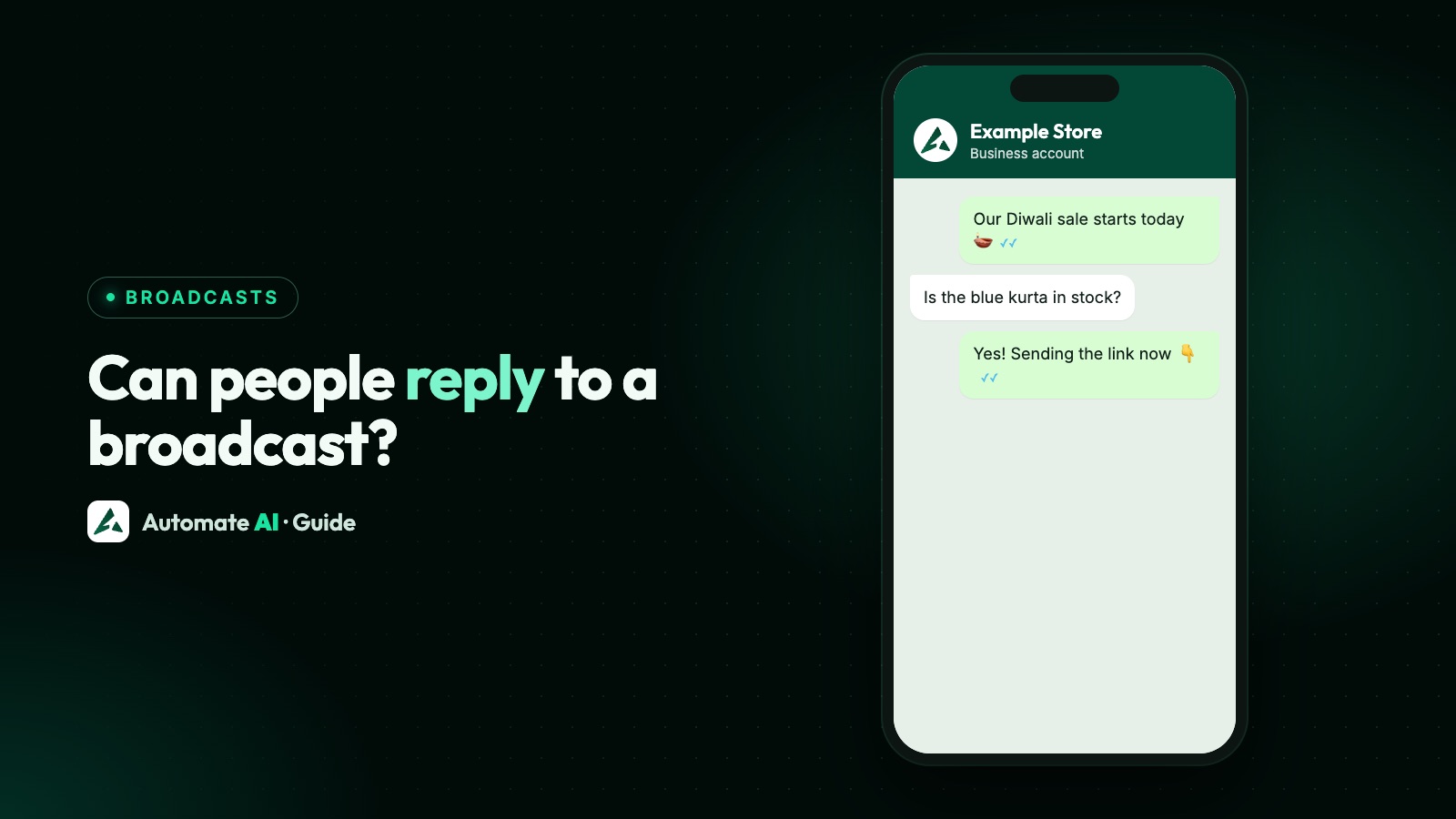
Yes. Anyone who receives your WhatsApp broadcast can reply, and the reply comes to you alone as a private one-to-one chat. The other people on the list don’t see it, and they don’t see who else got the message. A broadcast isn’t a group: each person gets what looks like a normal message from you.
That’s true of broadcast lists in the WhatsApp app, of business broadcasts in the Business app, and of campaigns sent with the WhatsApp Business API. What differs is who receives the message in the first place, what you can send back, and how you keep up when a hundred people answer at once. This guide covers all three.
Key takeaways
- Replies to a broadcast are private: they go only to the sender, never to the rest of the list.
- Recipients get the broadcast as an individual chat, so there’s no member list for them to see.
- A broadcast list reaches only people who saved your number. That’s a common reason for “no replies”.
- On the API, a reply opens a 24-hour customer service window in which you can answer with normal messages.
- Plan for replies before you send: who answers, what happens to “STOP”, and what counts as a reply in your report.
Replies and privacy, by type of message
Here’s how each way of messaging many people on WhatsApp handles replies:
| Type | Can people reply? | Who sees the reply | Can recipients see each other? |
|---|---|---|---|
| Broadcast list (app) | Yes | Only you | No: each gets a one-to-one chat |
| API campaign | Yes, by typing or tapping a quick-reply button | You and your team in your platform | No |
| Group | Yes | Everyone in the group | Yes, members can see each other |
| Channel | No, followers can only react or vote in polls | Not applicable | No |
Business broadcasts, the paid option in the Business app, work like broadcast lists here: replies are private and recipients don’t see each other. How they’re priced is in WhatsApp Business broadcast pricing. If you want people to talk to each other, use a group. If you want private replies, use a broadcast. The full comparison is in WhatsApp Channels vs Communities vs Groups vs Broadcasts.
What happens when you send a broadcast list message
WhatsApp’s Help Center describes it plainly: recipients receive your broadcast as an individual message in their Chats tab, and when someone replies, the reply appears as an individual message to you and isn’t sent to the other contacts on the list.
- It looks like a normal message. The person sees a message from you in your existing chat with them, not a group or a list.
- Only people who saved your number receive it. Anyone on your list who hasn’t added you to their phone’s contacts simply doesn’t get it.
- Up to 256 contacts per list, and lists work on Android and iPhone only, not on WhatsApp Web, Windows or Mac.
- A monthly cap may apply. WhatsApp says people in some countries can send up to 35 free broadcast messages a month in total, rolling out gradually; it doesn’t say whether that applies in the Business app.
If a reply never comes, check that first: did the person save your number? If not, they never saw the message. Limits and fixes are in WhatsApp broadcast limits.
“My broadcast got no replies”: the usual reasons
| Reason | How to tell | What to change |
|---|---|---|
| They never received it | They tell you they didn’t get it | Ask them to save your number, or send through a business broadcast or the API |
| You hit the monthly cap | WhatsApp warns you near the limit; check Settings › Broadcasts | Send fewer, more targeted broadcasts, or use another route |
| Nothing to reply to | Read ticks but no answers | End with one simple question, or add a reply button |
| It reads like an advert | Read, then silence or blocks | Make it personal and useful, and send it only to people who asked to hear from you |
| Wrong time | Replies arrive hours later, if at all | Send when your customers are usually free, not late at night |
A reply button lowers the effort to almost nothing. Business broadcasts offer a Custom reply button that sends you a pre-filled message with one tap, and API templates offer quick-reply buttons such as “Interested” or “Call me”.
Replies to business broadcasts
Business broadcasts are the paid feature in the WhatsApp Business app (in limited countries) that can reach customers who haven’t saved your number. Replies work the same way: the customer answers in their own chat with you.
- Buttons: you can add an optional action button: Catalog, Custom reply, Phone call or Website.
- Insights: under Tools › Business broadcasts you see how many people each broadcast was delivered to, how many read it and how many replied.
- Read counts are partial. WhatsApp leaves out recipients who turned off read receipts, and says some figures may be estimated.
What they cost and how billing works: WhatsApp Business broadcast pricing.
Replies to API campaigns and the 24-hour window
On the WhatsApp Business API, a campaign is a template message sent to each customer separately. When a customer replies, Meta opens a customer service window: for 24 hours you can send them any normal message, such as text, pictures, documents or buttons, without a template. Each new message from them resets the timer to 24 hours. Once it closes, you can only send approved templates again.
- Quick-reply taps count as messages. A tap arrives as a message from the customer, so it opens the window too (this was checked for our opt-out guide).
- What answering costs. Meta charges per delivered message. Each business number gets its first 1,000 service messages a month free; since 1 October 2026 Meta charges after that.
- Reply in time. If you answer a day and a half later, the window may have closed and you’ll need a template. More in the WhatsApp 24-hour window.
Plan for the replies before you press send
A big campaign can bring many answers at once. Decide in advance what happens to each kind:
| Reply | Example | What to do |
|---|---|---|
| A question | “Is it available in blue?” | Answer within the window, ideally within minutes |
| A yes | Taps “Interested” or types “yes” | Send the next step: a link, a slot, a price |
| An opt-out | “STOP”, “unsubscribe”, “don’t message me” | Stop marketing to them at once, wherever they asked |
| Not the right person | “Wrong number” | Remove or correct the contact |
| A complaint | “I never signed up” | Apologise, opt them out, and check how they got on your list |
WhatsApp’s Business Messaging Policy requires you to respect every request to block, discontinue or opt out, on or off WhatsApp. An opt-out ignored today is a block or report tomorrow, and WhatsApp says it may limit how many messages a business can send after a lot of negative feedback.
Handling campaign replies in Automate AI
In Automate AI, campaigns go out from your WhatsApp Business API number, and every reply lands in the shared team inbox, not on one person’s phone.
- Auto-assignment gives new chats out in turn or to the least busy agent, optionally only within chosen departments, and managers can reassign any chat.
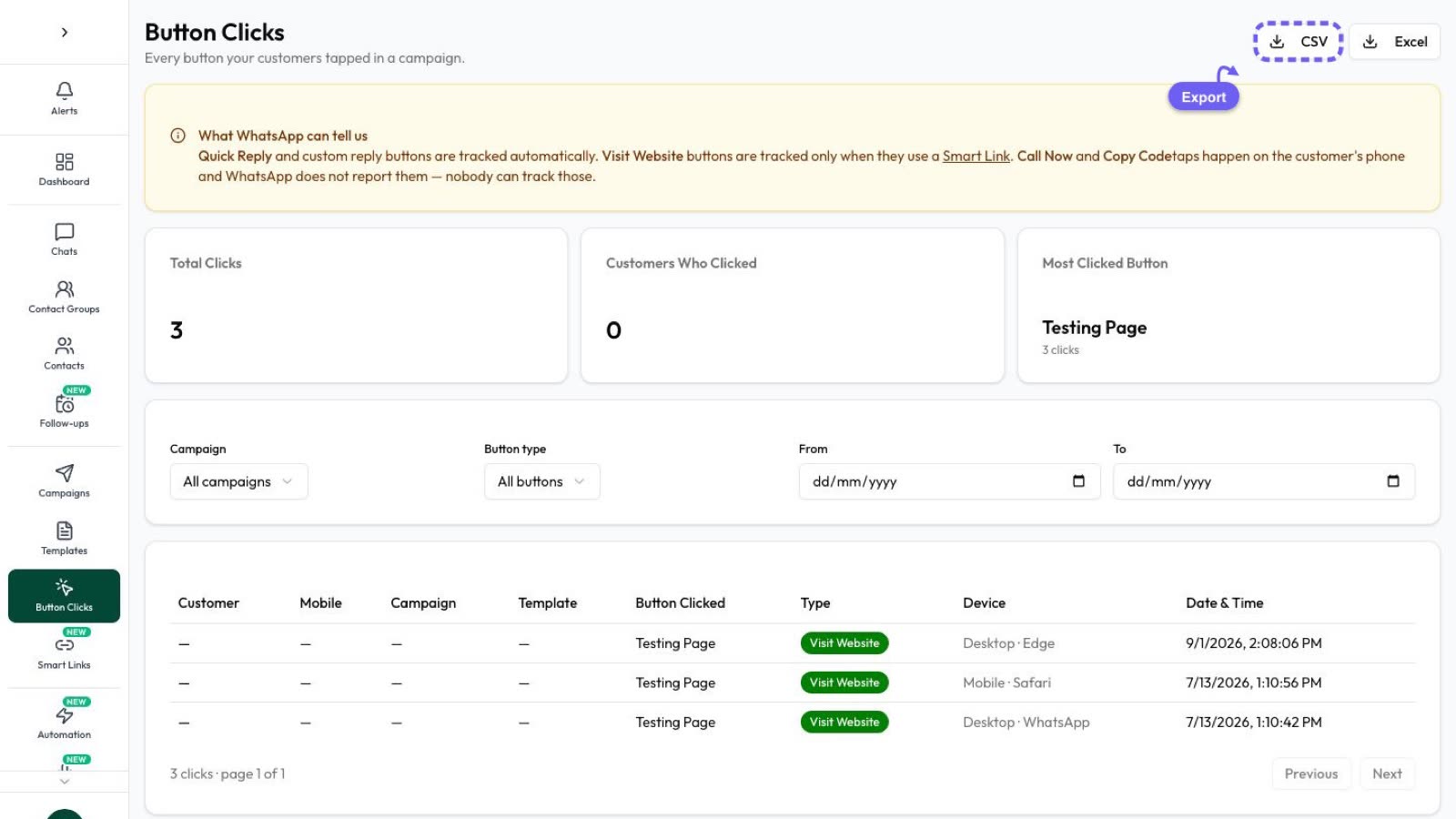
- The campaign’s Replied tab lists who wrote back within 72 hours of the campaign message being sent, with any typed or media reply. Template button taps are counted separately as clicks, on the Clicked tab and in Button Clicks. You can see each reply, open the chat or export the tab.
- Follow-up steps on a campaign go only to people who haven’t replied yet, so nobody who answered gets chased.
- Typed opt-outs are automatic. A customer who types STOP, UNSUBSCRIBE or “opt out” is marked as opted out: campaigns skip them and their drip campaigns stop. You can add your own keywords in Settings › General. A button tap doesn’t opt anyone out, so handle a “Stop promotions” button yourself.
- After hours, the away message you set in Settings › Business Hours answers a customer message that nothing else answered, at most once per chat every 12 hours. A chatbot can answer keywords such as PRICE or HOURS, and the AI Assistant can answer from your documents and hand the chat to a person. Both are on the AI Assistant + Marketing + Automation Plan, not the Marketing Plan.
How people stop receiving your broadcasts
Recipients can’t leave a broadcast list the way they leave a group, because they were never “in” anything. They have other ways out, and you should expect them:
- Broadcast lists: if someone deletes your number from their contacts, your list broadcasts stop reaching them, because only people who saved your number receive them. They can also block you.
- Business chats: WhatsApp gives customers a Stop option for a business’s offers and announcements in the chat, and they can block or report the business. This was checked for our opt-out guide.
- By asking you: a typed “stop”, an email or a word in your shop all count, and you must honour them.
Making it easy to opt out is good for you: someone who can tap Stop doesn’t need to report you as spam.
Frequently asked questions
Can people reply to a WhatsApp broadcast?
Yes. A reply comes back to you as a private one-to-one message, and nobody else on the list sees it.
Can WhatsApp broadcast recipients see each other?
No. Each person gets the broadcast as an individual chat from you, so they don’t see who else received it. In a group, by contrast, members can see each other.
Is a WhatsApp broadcast a group?
No. A broadcast list is a saved list of recipients on your side only. Recipients get a normal message from you and reply privately. Use a group if you want people to talk to each other.
Who can receive my broadcast message on WhatsApp?
With a broadcast list, only people who saved your number in their phone’s contacts. Business broadcasts and API campaigns can reach opted-in customers who haven’t saved it.
Why did someone not get my broadcast?
A common reason is that they haven’t saved your number. Other reasons are the monthly broadcast cap in some countries, a wrong number, or the person blocking you.
Are replies to a WhatsApp API campaign free?
Messages customers send you are free. Your answers inside the 24-hour window are service messages: the first 1,000 a month per number are free, and Meta charges after that since 1 October 2026.
Sources
- WhatsApp Help Center: How to use broadcast lists
- WhatsApp Help Center: About broadcast limits
- WhatsApp Help Center: How to create and send a business broadcast
- WhatsApp Help Center: How to manage your business broadcasts
- Meta: Send messages (customer service window)
- Meta: Pricing on the WhatsApp Business Platform
- WhatsApp Business Messaging Policy
WhatsApp rules and prices change. We check these guides against Meta’s documentation, but always confirm current terms with Meta before you rely on them. Questions? Message us on WhatsApp at +91 836 977 8812.