Birthday Messages for Customers on WhatsApp
Birthday messages for customers: 25 WhatsApp samples by business type, how to collect dates, the rules that apply, and how to send them automatically each year.
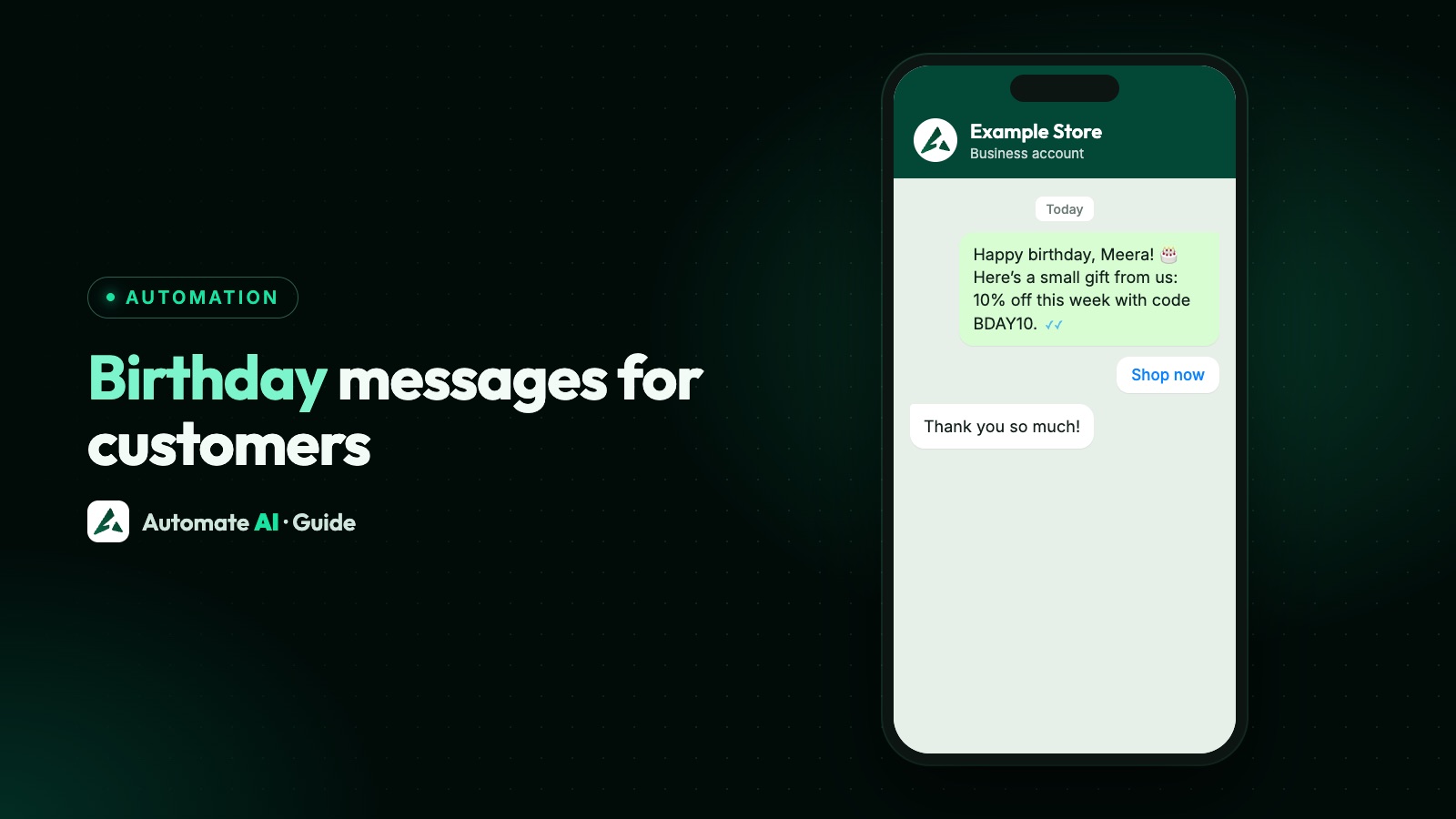
A good birthday message for a customer is short, uses their first name, comes from a business they recognise, and offers one small treat or none at all. For example: “Happy birthday, Riya! Your next coffee at Example Café is on us this week. Reply STOP to opt out.”
This guide gives you 25 samples sorted by business type, explains the WhatsApp rules that apply, shows how to collect dates properly, and walks through sending them automatically every year in Automate AI, including the small things that can make a birthday message arrive late.
Key takeaways
- On the WhatsApp API, a birthday wish from a business is a marketing template, even with no offer in it.
- Send only to people who opted in. Having their date of birth isn’t the same as permission.
- Ask for the day and month only. You don’t need the year, and asking for it can put people off.
- In Automate AI, a Scheduled Automation with the Birthday event runs every year for each contact with a date saved.
- Avoid the word “today” in the template, because a message held for business hours can arrive a day or more later.
- Meta doesn’t deliver marketing templates to US numbers, so reach those customers another way.
What makes a birthday message work
Yours should feel like a small kindness, not a campaign. Four things help:
- Their name, and yours. Put your business name near the start, because people may not have your number saved.
- One clear thing. A wish, or a wish and one treat. Not a list of products.
- An easy way to use it. A code, a button, or “show this message at the counter”.
- A plain end date. “Valid for 7 days” is enough, and it’s easier to redeem than “this month only, terms apply”.
Don’t mention their age, even if you hold the year. Nobody needs a business counting for them.
The WhatsApp rules that apply
Birthday messages feel personal, but WhatsApp treats them like any other business-started message:
| Rule | What it means for you |
|---|---|
| It’s a marketing template | Meta’s own category guide lists a birthday wish as a marketing example. Don’t submit it as Utility; adding an offer makes that even clearer. |
| A template is needed | A birthday message starts a conversation, so it must be an approved template unless the customer happens to have messaged you in the last 24 hours. |
| Opt-in comes first | The customer must have agreed to hear from your business on WhatsApp. See WhatsApp opt-in. |
| You pay per delivered message | Meta’s rate depends on the customer’s country. See rates by country. |
| Per-person limits exist | WhatsApp limits how many marketing templates a person receives. A blocked send fails with error 131049, and Meta says to wait at least 24 hours before trying again. |
| US numbers are excluded | Marketing templates aren’t delivered to US numbers, so a birthday template won’t reach them. |
Birthday messages with a treat, by business type
These are our own samples to adapt. {{1}} is the customer’s first name. Business names and offers are examples, so use only what you can actually honour. Each is a marketing template.
Shops and online stores
- Clothing store: Happy birthday, {{1}}! Example Store would love to treat you. Enjoy 15% off anything in store for the next 7 days. Just show this message at the till. Reply STOP to opt out
- Online store: Happy birthday, {{1}}! Here’s a small gift from Example Store: free delivery on your next order for the next 7 days. Tap below to copy your code. Reply STOP to opt out
- Jewellery: Wishing you a lovely birthday, {{1}}. Example Jewels would like to offer you free cleaning and polishing on any piece, any time in the next 30 days. Reply STOP to opt out
- Bookshop: Happy birthday, {{1}}! Pick any paperback at Example Books and we’ll wrap it for free, with 10% off, for the next 7 days. Reply STOP to opt out
- Pet store: Happy birthday, {{1}}! A treat for you means a treat for your pet: pick a free snack with your next visit to Example Pets this week. Reply STOP to opt out
Food and drink
- Café: Happy birthday, {{1}}! Your next coffee at Example Café is on us. Show this message at the counter any time in the next 7 days. Reply STOP to opt out
- Restaurant: Happy birthday, {{1}}! Bring your people to Example Kitchen this week and dessert is on the house for your table. Reply here to book. Reply STOP to opt out
- Bakery: Happy birthday, {{1}}! Example Bakes has a free cupcake waiting for you. Collect it any time in the next 5 days. Reply STOP to opt out
Beauty, fitness and leisure
- Salon: Happy birthday, {{1}}! Treat yourself at Example Salon: a free hair spa with any service booked in the next 14 days. Reply here to pick a time. Reply STOP to opt out
- Spa: Wishing you a calm and happy birthday, {{1}}. Example Spa would like to add 15 free minutes to your next massage in the next 30 days. Reply STOP to opt out
- Gym: Happy birthday, {{1}}! Example Fitness has a free guest pass for you. Bring a friend to train with you any day this week. Reply STOP to opt out
- Hotel: Happy birthday, {{1}}! Stay with Example Hotel within the next 30 days and we’ll add a free room upgrade, subject to availability. Reply STOP to opt out
- Car service: Happy birthday, {{1}}! Your car gets a gift too: a free wash with your next service at Example Motors in the next 30 days. Reply STOP to opt out
- Tuition or classes: Happy birthday, {{1}}! Example Academy wishes you a great year ahead. Here’s a free demo class for a friend or family member, any time in the next 30 days. Reply STOP to opt out
Birthday wishes with no offer
If you sell something where a discount feels odd, such as property, financial services or B2B work, a plain wish can be the better choice. It’s still a marketing template, so opt-in still applies.
- Warm and simple: Happy birthday, {{1}}! Everyone at Example Store wishes you a wonderful day and a great year ahead. Reply STOP to opt out
- Property agent: Happy birthday, {{1}}! Wishing you and your family a happy year from your team at Example Realty. Reply STOP to opt out
- Insurance or finance adviser: Warm birthday wishes, {{1}}, from all of us at Example Advisers. Thank you for trusting us. Reply STOP to opt out
- Client of a B2B firm: Happy birthday, {{1}}! It’s a pleasure working with you, and everyone at Example Solutions sends their best. Reply STOP to opt out
- Long-standing customer: Happy birthday, {{1}}! Thank you for being with Example Store all these years. It means a lot to us. Reply STOP to opt out
Early birthday and anniversary messages
A message a week before works well when people need time to plan. A wedding anniversary is a good second moment if you hold the date.
- Restaurant, a week early: Hi {{1}}, your birthday is coming up! Book a table at Example Kitchen for that week and the cake is on us. Reply here to book. Reply STOP to opt out
- Salon, a week early: Hi {{1}}, birthday plans coming up? Book at Example Salon this week and enjoy 20% off your look. Reply STOP to opt out
- Hotel, a week early: Hi {{1}}, there’s a special day coming! Book a stay at Example Hotel in the next 7 days and breakfast is included. Reply STOP to opt out
- Wedding anniversary, restaurant: Happy anniversary, {{1}}! Celebrate at Example Kitchen this week and dessert for two is on us. Reply STOP to opt out
- Wedding anniversary, jewellery: Happy anniversary, {{1}}! Example Jewels would like to offer 10% off making charges for the next 14 days. Reply STOP to opt out
- Anniversary, plain wish: Happy anniversary, {{1}}! Wishing you both a wonderful year together, from all of us at Example Store. Reply STOP to opt out
More samples are in our retail template library, and the New Year messages guide covers greetings sent to everyone at once.
How to collect birthdays properly
Your list only works if the dates are real and the customer agreed. Ask at a moment when you can explain why, such as a loyalty sign-up, a checkout page or a booking form. For example:
The opt-in must name your business, and you must follow your local data laws. Collect only what you need.
| Way in | What to know |
|---|---|
| One contact at a time | The contact form has Date of Birth and Anniversary fields. It’s a date picker, so it needs a year. Any year works, because only the day and month are matched. |
| CSV import | Use a date_of_birth column; common names such as dob are recognised too. Dates can be 1990-05-14 or 14 May 1990. “14 May” with no year also works. All-number dates are read day first, so 05/06/1990 means 5 June. |
| Google Sheets | The Google Sheets integration has a date of birth column. |
| Website form or your own system | Send date_of_birth to the contact webhook as YYYY-MM-DD. |
Send birthday messages automatically in Automate AI
Set this up once and it checks every day, every year, including contacts you add later.
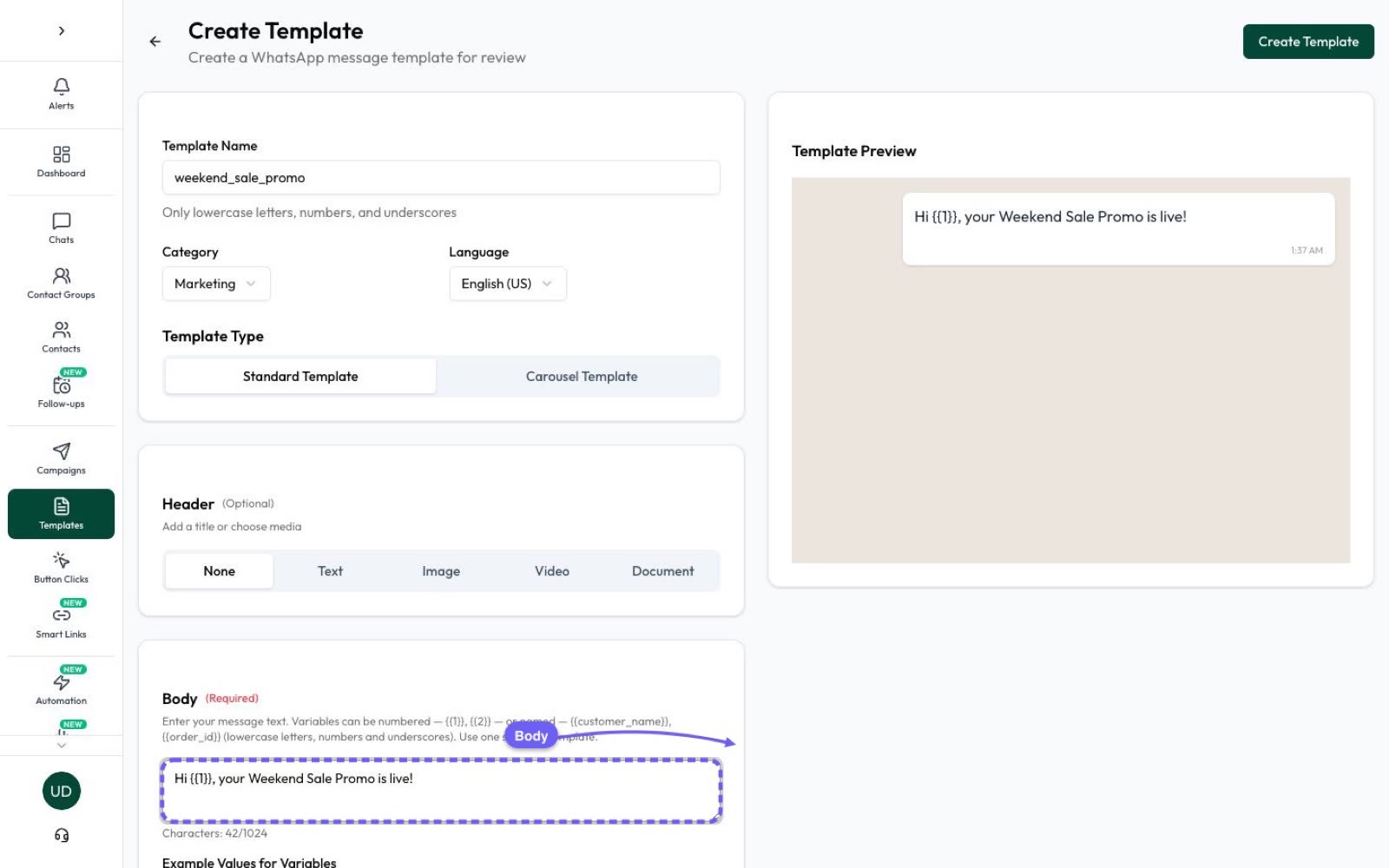
- In Campaigns › Templates, create your message in the Marketing category and wait for it to show Approved. Meta’s review can take up to 24 hours.
- Open Campaigns › Drip Campaigns and click New Drip Campaign, then pick the Scheduled Automation tab.
- 1. Name & Configure: give it a name such as “Birthday treat”.
- 2. Trigger Type: choose Event Based, then Birthday (Date of Birth). For Send, pick On the day, 1 day before, 3 days before or 7 days before. Set the time of day and time zone.
- 3. Audience: choose All contacts or A contact group. Only contacts whose date matches are sent the message. Opted-out contacts are skipped automatically.
- 4. Message Template: pick the approved template and set each variable to fixed text, or to a contact field such as First Name.
- 5. Budget Control: optionally set a daily, weekly or monthly limit. If it’s reached, the remaining messages wait for the next period.
- Click Save as Draft to finish later, or Save & Activate to start.
Repeat with the Anniversary event, or Custom Date Field for other yearly dates saved as YYYY-MM-DD, such as a membership start date. Learn more about drip campaigns and scheduling messages.
Small things that trip people up
- Business hours. Automations respect your hours in Settings › Business Hours. If you’ve turned those on and a birthday falls when you’re closed, the message waits until you open, as long as that’s within about two days. A longer closure can mean it’s never sent, so pick a send time and days when you’re open, and write “Happy birthday” rather than “Today’s your day”.
- Expiry dates. One template goes out all year, so a fixed date such as “until 31 March” soon goes stale. Write “for the next 7 days” instead.
- Codes. The simplest setup is one shared code on a Copy offer code button, which suits a small treat. Limit its use at your checkout if you’re worried about sharing.
- 29 February. Dates are matched by day and month, so a 29 February birthday only matches in a leap year. Move those contacts to 28 February or 1 March if you want them included every year.
- One time zone per automation. If your customers are spread across the world, make one automation per region, with a contact group for each. Keep each contact in only one of these groups, because an automation only sees a contact’s main group.
- Testing. Run now (test) sends straight away to real contacts whose date matches that run, including anyone it would normally reach later today, and they can get it again at the scheduled time. Test with a new contact of your own that’s only in a group of its own.
- Wallet balance. If your balance runs out, the automation pauses and restarts once you top up. Messages already queued go out late if you top up within about two days, but customers whose birthday falls while it’s paused don’t get one, so keep your balance topped up.
Frequently asked questions
What is a good birthday message for a customer?
Keep it short: their first name, your business name, a warm wish and one small treat if you have one. For example: “Happy birthday, Riya! Your next coffee at Example Café is on us this week. Reply STOP to opt out.”
Is a birthday message marketing or utility on WhatsApp?
Marketing. Meta’s template guide gives a birthday wish as a marketing example, and an offer makes it more clearly so. It needs an approved marketing template and opt-in.
Can I send birthday messages automatically on WhatsApp?
Yes, with the WhatsApp Business API and a platform that supports it. In Automate AI, create a Scheduled Automation with the Birthday event. It sends your approved template to each contact with a matching date, every year.
Can the free WhatsApp Business app send automatic birthday messages?
No. The app has no birthday trigger, so it can’t send each customer a message on their own date. Paid business broadcasts, where available, go to a list you pick, not by date of birth. Automatic birthday sending needs the API.
Do I need the customer’s year of birth?
No. Automate AI matches the day and month only, so ask for those. If you use the contact form, which needs a full date, any year works.
Sources
- Meta: Template categorization
- Meta: Per-user marketing template limits
- Meta: Marketing templates
- Meta: Template review
- Meta: Get opt-in for WhatsApp
- Meta: Pricing on the WhatsApp Business Platform
- WhatsApp Business Messaging Policy
WhatsApp rules and prices change. We check these guides against Meta’s documentation, but always confirm current terms with Meta before you rely on them. Questions? Message us on WhatsApp at +91 836 977 8812.