WhatsApp Business Account Hacked? How to Get It Back and Lock It Down
WhatsApp Business account hacked? How to log back in, what to do about a PIN you never set, how to warn customers and how to stop it happening again.
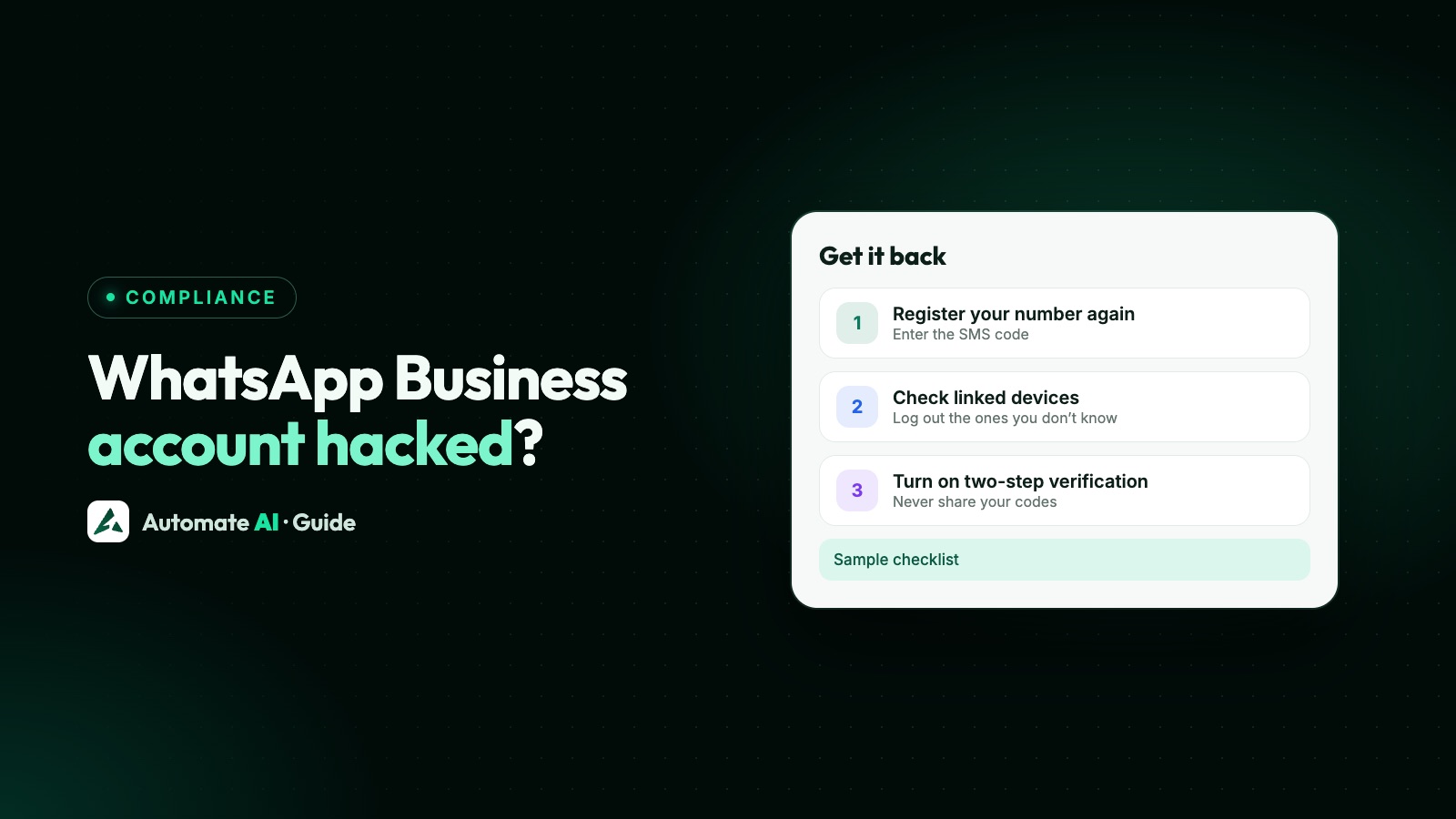
If your WhatsApp Business account has been hacked, open WhatsApp on your own phone, log in again with your number and enter the six-digit code WhatsApp sends by SMS or call. WhatsApp says re-registering this way logs out everyone else using your account, including every linked device. Changing a password won’t do it; only the code sent to your number does.
WhatsApp’s Help Center covers account recovery in articles written for WhatsApp in general, with no separate Business app version, so the steps below are those. This guide also covers a PIN you never set, warning your customers, and the settings that make a takeover much harder next time, plus what changes if your number runs on the WhatsApp Business API.
Key takeaways
- Log in again with the six-digit code sent to your number. It logs out the other person and every linked device.
- Asked for a two-step PIN you never set? The other person may have set it. WhatsApp says to wait 7 days and try again.
- Recover the account before reporting it: WhatsApp warns that reporting it can get the account banned.
- The other person can message in your name, but can’t read your past chats, which are stored on your phone.
- Afterwards, turn on two-step verification, add an email, check linked devices and warn your customers.
Signs your WhatsApp Business account was hacked
- You’re suddenly logged out, or see “Your phone number was registered with WhatsApp on a new device”. WhatsApp says this means someone is trying to register your number on their own phone.
- You get a registration code by SMS or email that you didn’t ask for. Someone may be trying to use your number on WhatsApp.
- A linked device you don’t recognise appears in your list.
- Customers ask about messages, payment requests or links you never sent.
The six-digit registration code is what lets someone register your number on their phone. WhatsApp’s first security tip is never to share your registration code or password with anyone, so treat anyone asking for it, even someone claiming to be WhatsApp, a customer or a supplier, as a warning sign.
How to get your WhatsApp Business account back
WhatsApp says you can recover your account if your phone is safe and your account was taken over, or if you lost access to it. You need the SIM for your number in your phone (unless you’ve already verified an email address, below).
- Open WhatsApp Business on your phone. If you see the new device message, tap Log back in and then Continue.
- Enter your phone number in full international format if asked, then tap Next and Ok.
- Enter the six-digit code WhatsApp sends by SMS or phone call.
- If WhatsApp asks for a two-step verification PIN you know, enter it. If you don’t know it, see the next section.
- Once you’re back in, go straight to the lock-down steps below, starting with Linked devices.
Re-registering with the code logs out all devices linked to the account, whether or not you know the PIN. If you previously added and verified an email address, WhatsApp can send the code by email when you re-register, even without an active SIM.
Asked for a PIN you never set
If WhatsApp asks for a two-step verification PIN you don’t know, WhatsApp says that in rare cases the other person may have turned on two-step verification while they had your account. WhatsApp will ask for it when your number is registered on a phone.
| Your situation | What WhatsApp says to do |
|---|---|
| You don’t know the PIN | Wait 7 days and try again |
| The number is new to you and asks for a PIN | A previous owner may have set it. You must wait seven days after registering before you can reset it |
| You still use WhatsApp on another phone | Update your email under Settings › Account › Email address there before logging in on the new phone |
While you wait, the code you entered has already logged the other person out, so they can’t keep using your account.
What a hacker could and couldn’t do
| Could | Couldn’t |
|---|---|
| Send messages in your business’s name, in chats and groups | Read your earlier chats: WhatsApp says they’re end-to-end encrypted and stored on your device |
| Set a two-step PIN to slow your recovery | Stay logged in after you re-register with the code |
| Pretend to be you to your customers and groups | Be traced by WhatsApp for you: WhatsApp says it can’t tell you who accessed your account, when or from where |
So the risk to your customers is the messages sent while the account was out of your hands, which is why warning them matters. If you back up to Google or iCloud, you can restore your chat history when you set the account up again.
Warn your customers
WhatsApp advises telling people when someone else has been using your account, because that person can send messages in your name. Message the customers who were likely to be contacted, and post the same notice on your website and social pages. A sample with demo details:
Keep it factual: what happened, when, what to ignore, and what to do. Don’t ask customers to send card or account numbers in reply. If customers lost money, they should contact their bank or payment app first. Reporting to the police or a cyber crime unit is your decision; this is general information, not legal advice, so take advice for anything serious.
If the problem is a separate number copying your name, rather than your own account, see how to spot and report a fake WhatsApp Business account.
Lock your account down
Do these as soon as you’re back in. Paths are for Android unless noted.
- Check linked devices. Tap ⋮ › Linked devices (on iPhone, Settings › Linked devices), tap anything you don’t recognise and tap Log out. Your phone can link up to four devices, and WhatsApp asks you to confirm when it spots an unrecognised device.
- Turn on two-step verification. Go to ⋮ › Settings › Account › Two-step verification and turn it on. WhatsApp is replacing the old six-digit PIN with a password, so you may be asked to create one. WhatsApp will then ask for it when your number is registered on a phone.
- Add an email address. In the same set-up, or under Settings › Account › Email address › Add email, verify it with the six-digit code. It helps you recover the account without SMS and reset two-step verification.
- Create a passkey if your phone supports it. WhatsApp lists passkeys among its security options: they tie your account to your phone’s fingerprint, face or screen lock.
- Lock your phone and voicemail. WhatsApp recommends a screen lock and a voicemail password that’s hard to guess.
- Check your Meta Account. If WhatsApp is linked to your Meta Account, review the profiles there (in WhatsApp’s settings, open Meta Account, called Accounts Center on some phones). If someone reached your WhatsApp through another profile, contact that profile’s support team. WhatsApp says you can move WhatsApp out of your Meta Account until your profiles are secure.
Chat lock and app lock add more protection against someone holding your phone. See how to lock chats in WhatsApp Business.
If your Facebook Page was hacked too
Many businesses link the WhatsApp Business app to a Facebook Page for ads. If the Page was taken over as well, Meta’s Help Center says to use the Facebook Page recovery form, which it aims to answer by email within a day. If you can’t log in, go to facebook.com/hacked from the device you normally use.
Once you’re back, review your Page and its business portfolio in Meta Business Suite and undo any changes you don’t recognise, then turn on advanced protection if your account is at higher risk. If ads or payments changed while the account was out of your hands, see Meta business portfolio restricted.
Can a WhatsApp Business API account be hacked?
On the WhatsApp Business API, your team doesn’t log in on one phone: the number is managed in WhatsApp Manager in your Meta business portfolio, and messages are read and sent through your provider’s platform. So that’s what to protect:
- Registration PIN. Meta’s documentation says two-step verification on a Cloud API number requires a six-digit PIN whenever the number is registered. If you think someone knows it, change it in WhatsApp Manager › phone number settings › Two-step verification › Change PIN. Meta is phasing the PIN out for eligible numbers; details in the WhatsApp API two-step verification PIN.
- Business portfolio. Review your business portfolio in Meta Business Suite and undo changes you don’t recognise, as Meta advises for a hacked Page.
- Your provider’s logins. This is where your team actually reads and sends messages, so protect it like the number itself.
In Automate AI, your team works in a shared team inbox, each person with their own login and an owner, manager or agent role, instead of one shared phone:
- Two-step login. In Settings › Security, add a code from an authenticator app or one emailed to you after your password. With the app you get backup codes, and Automate AI emails you whenever two-step login is turned on or off.
- Remove people who leave from Team, with no phone to collect.
- See who sent what. Team › Staff activity shows the messages each person sent, and you can click a number to see the exact messages.
- Hide customer numbers from agents or chosen staff. They see masked numbers and can’t export contacts, but can still chat.
If you also keep the Business app on the same number with coexistence, the app on your phone is still part of the account, so secure it with the steps above.
Frequently asked questions
Can WhatsApp Business be hacked?
Yes. Anyone who gets the six-digit registration code sent to your number can try to register it on their own phone, which is why WhatsApp says never to share it. Turn on two-step verification so a code alone isn’t enough.
How do I recover a hacked WhatsApp Business account?
Open WhatsApp on your phone, log in again with your number and enter the six-digit code sent by SMS or call. That logs out the other person and every linked device.
Someone set a PIN on my account. What now?
WhatsApp says that if you don’t have the PIN, wait 7 days and try again. The other person is already logged out once you enter the code.
Can the hacker read my old customer chats?
WhatsApp says no: chats are end-to-end encrypted and stored on your device, so someone who registers your number on another phone can’t read your previous conversations.
Should I report my hacked number to WhatsApp?
Recover it first. WhatsApp warns that reporting a compromised account may get it banned, which could cost you access and your data.
Can WhatsApp tell me who hacked my account?
No. WhatsApp says it can’t tell you who accessed your account, or when or where from.
Does changing my password remove the hacker?
No. WhatsApp says the only way to remove them is to re-register with the six-digit code sent to your number.
Sources
- WhatsApp Help Center: How to recover a compromised account
- WhatsApp Help Center: Seeing “Your phone number was registered with WhatsApp on a new device”
- WhatsApp Help Center: Account security tips
- WhatsApp Help Center: How to manage two-step verification settings
- WhatsApp Help Center: About email verification codes and resetting two-step verification
- WhatsApp Help Center: How to link a device
- Facebook Help Center: Recover a hacked Facebook Page you manage
- Meta: Two-step verification (WhatsApp Business Platform)
WhatsApp rules and prices change. We check these guides against Meta’s documentation, but always confirm current terms with Meta before you rely on them. Questions? Message us on WhatsApp at +91 836 977 8812.