WhatsApp Business App Features: The Full List
Every WhatsApp Business app feature in one list: profile, greeting and away messages, quick replies, labels, catalog, broadcasts, ads, Meta Verified and AI.
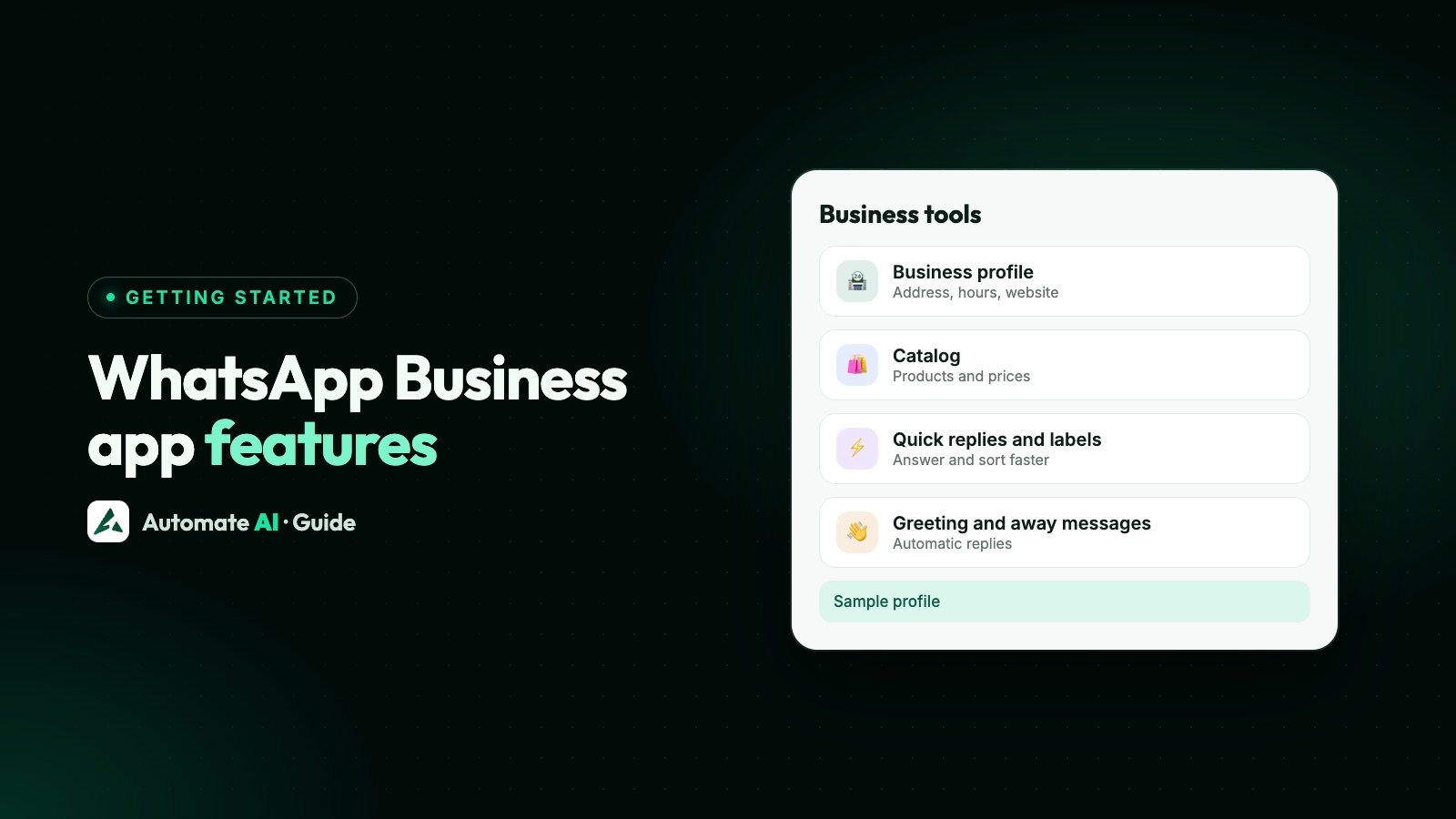
The WhatsApp Business app’s features fall into five groups: a business profile, messaging tools (greeting and away messages, quick replies and labels), selling tools (catalog, collections and cart), ways to reach people (broadcast lists, paid business broadcasts, channels and ads), and paid extras such as Meta Verified, Meta One and the Meta Business Agent AI. The core app is free; some extras cost money or are only in some countries.
Below is the full list, with what each feature does, where to find it in the app and what to watch for, based on WhatsApp’s own pages. If you’re still choosing between apps, read WhatsApp vs WhatsApp Business first, and for the hard limits see WhatsApp Business app limitations.
Key takeaways
- Most setup lives in the Tools tab: greeting message, away message, quick replies, short link and AI agent.
- Greeting messages go only to new customers, or ones who haven’t messaged for 14 days.
- Business broadcasts can reach people who haven’t saved your number, but they’re paid, reviewed by Meta and only in some countries.
- New for 2026: Meta Business Agent (an AI that answers customers) and Meta One, an optional subscription. Both are rolling out to select businesses.
- If you connect the number to the API with coexistence, some app features keep working and some are switched off.
The full list at a glance
| Feature | What it does | Cost and availability |
|---|---|---|
| Business profile | Your logo, description, hours and website in one place | Free |
| Short link and QR code | Let people start a chat with you from anywhere | Free |
| Greeting message | Welcomes new customers automatically | Free |
| Away message | Replies automatically when you’re closed or busy | Free |
| Quick replies | Shortcuts for messages you send often | Free |
| Labels (now lists) | Sort and filter chats | Free |
| Catalog, collections and cart | Show products and let customers send an order in one message | Free; prices shown only in some countries |
| Broadcast lists | One message to many saved contacts at once | Free |
| Business broadcasts | Paid campaigns, including to people who haven’t saved your number | Paid per delivered message; select countries |
| Channels | One-way updates to followers | Free |
| Ads that open WhatsApp | Facebook and Instagram ads that start a chat | Paid ad spend |
| Meta Verified | Verified badge, impersonation protection, support, more devices | Paid subscription |
| Meta One | Subscription bundling brand protection, AI agent and extras | Optional, paid; varies by region |
| Meta Business Agent | AI that answers customer questions in chat | Select businesses and countries |
Profile and being found
WhatsApp describes the business profile as a virtual storefront: your logo, business description, hours and website. It’s the first thing a new customer checks, so fill in every field. Our guide to the WhatsApp Business profile goes through each one.
To help people find you, WhatsApp lists these free entry points:
- A short link and QR code for your number, which you can put on your website, receipts or shop counter. See WhatsApp link and QR code.
- Buttons on your Facebook Page and Instagram profile that open a chat with you, plus Facebook and Instagram Shops.
- A business username such as @yourshop, which is rolling out gradually. It doesn’t hide your number. More in WhatsApp Business usernames.
Messaging tools
These are the features most small businesses use every day. Greeting and away messages are sent from your phone, so it needs an internet connection for them to go out.
Greeting message
- Open the Tools tab and tap Greeting message.
- Turn on Send greeting message and edit the text.
- Under Recipients, choose everyone who messages you, everyone not in your address book, everyone except chosen contacts, or only chosen contacts. Tap Save.
WhatsApp sends it only to customers messaging you for the first time, or after 14 days with no messages. If it stops working, check whether Meta Business Agent is connected: WhatsApp turns greeting messages off automatically when it is.
Away message
In Tools › Away message, switch it on, edit the text and pick a schedule: Always, a Custom schedule, or Outside business hours. The last option appears only once you’ve set business hours in your profile. You choose recipients the same way as for greetings. Wording ideas are in WhatsApp auto reply.
Quick replies
Save up to 50 answers you send often, such as prices, directions or payment details, then type / in a chat to pick one. Setup and examples are in WhatsApp Business quick replies.
Labels, now lists
Labels let you sort chats, for example New order, Paid or Follow up, and filter by them. You can have up to 20, and WhatsApp is gradually replacing labels with lists. See WhatsApp Business labels for a simple scheme.
Selling tools
- Catalog: a mobile storefront on your profile with your products or services, grouped into collections.
- Catalog links: share your whole catalog, or one item, in a chat or on Facebook and Instagram.
- Cart: customers pick items from your catalog and send them to you as a single message, so you get the whole order at once.
Setup and photo advice are in our WhatsApp catalog guide. If customers say they can’t see it, see WhatsApp catalog not showing.
Reaching many customers at once
There are three ways to send one message to many people from the app, and they work very differently:
| Broadcast lists | Business broadcasts | Channels | |
|---|---|---|---|
| Who gets it | Contacts on the list who saved your number | Contacts you pick, including people who haven’t saved your number | Anyone who follows your channel |
| Cost | Free | Paid, only for delivered messages, after some free ones | Free |
| Reviewed by Meta | No | Yes, before sending | No |
| Extras | None | Scheduling, buttons such as call, website or catalog, and insights | Followers can react and vote but not reply, and don’t see your number |
Business broadcasts are only in some countries, and you find them in Tools › Business broadcasts if you have them. You add funds first, the app holds enough for your audience, and undelivered messages are refunded within 5 days. WhatsApp also says you need proper consent and must honour every request to stop, or you can lose access. Read how to send a broadcast on WhatsApp Business and business broadcast pricing.
Ads that open a WhatsApp chat
WhatsApp’s features page lists three ad formats that bring people into a WhatsApp chat with you:
- Boost a post: turn a Facebook post into an ad that starts WhatsApp conversations.
- Call-to-action ads that promote the Send Message button on your Facebook Page.
- Ads that click to WhatsApp: Facebook and Instagram ads that open a chat with you. See Click-to-WhatsApp ads.
Meta also sells ads in Status and Channels. How they appear to customers is covered in WhatsApp Status for business.
Paid extras and AI
Meta Verified
A paid subscription with a verified badge, impersonation protection, priority support, better discoverability on the web, and multi-agent, which links up to 10 devices and agents to your account. Support coverage varies by subscription tier. See WhatsApp verified badge.
Meta One
An optional subscription inside the Business app. WhatsApp says the core app stays free. Meta One bundles brand protection (verified badge, verified channels, a custom web URL and impersonation protection), the Meta Business Agent, and extras such as a custom app icon, themes, stickers and extra pinned chats. Eligible new subscribers may get a 7-day trial, after which it renews unless you cancel. Meta says it is bringing the best of Meta Verified into Meta One, and existing Meta Verified subscribers see no change for now.
Meta Business Agent
An AI from Meta that can answer customers’ questions about your hours, location, products, prices, discounts, payment and shipping, using your catalog, profile and website. You turn it on in Tools › AI agent, but only select businesses in some countries have it. Before you do, know that:
- Turning it on disconnects your linked devices (most can be linked again).
- It may limit broadcast lists, disappearing messages, and greeting and away messages.
- When you reply by hand in a chat, the AI stops replying there until you unmute it.
- Customers are told AI from Meta is involved, and Meta may use those chats to improve its AI.
To switch it off again, see how to turn off AI replies in WhatsApp Business.
What’s new in 2026
The biggest change this year is AI. At its Conversations event on 3 June 2026, WhatsApp announced the Meta Business Agent: it can recommend products from your catalog, book appointments and qualify leads, with you deciding when a person steps in, and it can give you a morning summary of chats you missed overnight. WhatsApp said getting started is free and that, in the coming months, businesses will get it through paid subscriptions. Meta One includes the agent, and its page says the agent is free each month up to an included allowance, with more replies through a Meta One plan.
WhatsApp also said that, starting soon, people will be able to find businesses that use a Meta Business Agent by typing the business name in the search bar. Business usernames are rolling out too. All of these reach businesses gradually, so if you don’t see a feature yet, update the app and check again later.
Which features keep working on the API
When a team outgrows one phone, many businesses connect their number to the WhatsApp Business API with coexistence, which keeps the app working on the same number. Meta’s onboarding page says what changes in the app:
| App feature | After connecting with coexistence |
|---|---|
| One-to-one chats | Keep working in the app and through the API |
| Catalog, orders, Status, business profile and channels | No change in the app, but not available through the API |
| Broadcast lists | Switched off: no new lists, and existing ones become read-only |
| Disappearing, view once and live location messages | Turned off in one-to-one chats |
| Group chats | Stay in the app only |
In Automate AI, choose Connect WhatsApp › WhatsApp Business App number › Use my app number. New customer messages and the messages you send from the phone show in a shared team inbox, where each person has their own login and new chats can be assigned automatically. Internal notes, quick replies for the whole team, an away message outside business hours, roles and departments are on every plan, and the plans with the AI Assistant add AI that hands over to a person (see pricing). Compare both routes in coexistence vs full migration.
Frequently asked questions
What are the main features of WhatsApp Business?
A business profile, greeting and away messages, quick replies, labels, a catalog with cart, broadcast lists, and a short link and QR code. Paid business broadcasts, Meta Verified, Meta One and the Meta Business Agent are extras in some countries.
Is WhatsApp Business free?
Yes, the app and its core features are free. Business broadcasts, Meta Verified, Meta One and ads cost money.
What are the new WhatsApp Business features in 2026?
The Meta Business Agent, an AI that answers customers, announced on 3 June 2026; Meta One, an optional subscription; business usernames; and, starting soon, finding businesses that use a Meta Business Agent by name in search. They’re rolling out gradually.
Why isn’t my greeting message sending?
It only goes to first-time customers or those who haven’t messaged in 14 days. Check your recipients, update the app, and check Meta Business Agent isn’t connected, because that turns greeting messages off.
Can WhatsApp Business message people who haven’t saved my number?
Broadcast lists can’t. Paid business broadcasts can, in the countries where they’re available, after Meta reviews the message.
Does WhatsApp Business have AI?
Some businesses have the Meta Business Agent, in Tools › AI agent. It’s limited to select businesses and countries, and turning it on affects linked devices and some messaging tools.
What’s the difference between the features of the app and the API?
The app is built for one person on one phone. The API adds a shared inbox, chatbots and campaigns for a team. See WhatsApp Business app limitations for a side-by-side list.
Sources
- WhatsApp Business: WhatsApp Business App features
- WhatsApp Help Center: How to use greeting messages
- WhatsApp Help Center: How to use away messages
- WhatsApp Help Center: About business broadcasts
- WhatsApp Help Center: About using Meta Business Agent to chat with customers
- WhatsApp Business: Meta One on WhatsApp Business App
- WhatsApp Business Blog: Introducing Meta Business Agent on WhatsApp
- Meta: Onboarding WhatsApp Business app users (coexistence)
WhatsApp rules and prices change. We check these guides against Meta’s documentation, but always confirm current terms with Meta before you rely on them. Questions? Message us on WhatsApp at +91 836 977 8812.