WhatsApp Business Privacy Settings: Last Seen, Read Receipts and Status
How to set last seen, online, read receipts, profile photo and Status privacy in WhatsApp Business, what customers see, and whether you can hide your number.
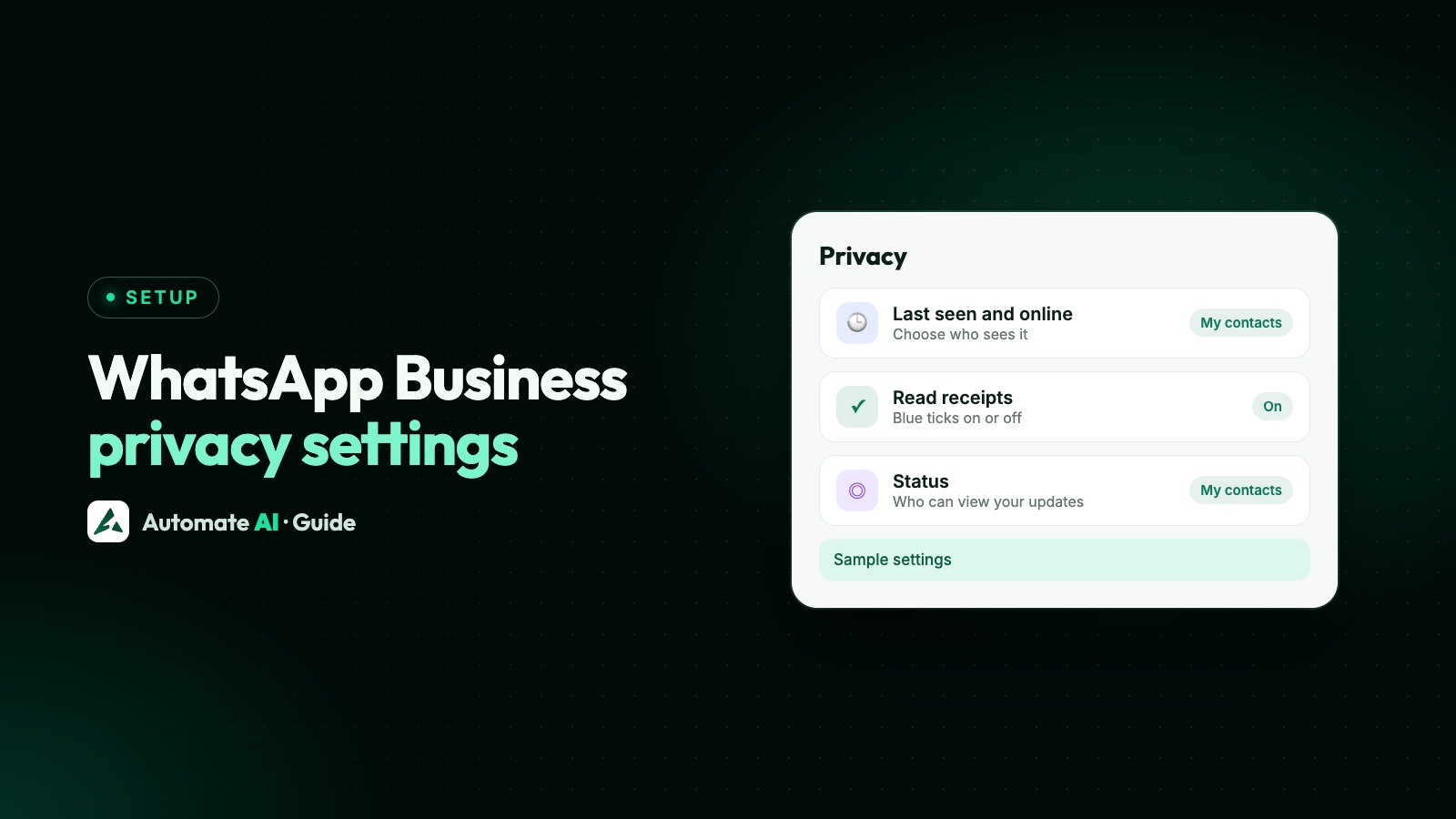
Your privacy settings are under Settings › Privacy (on Android, tap ⋮ › Settings › Privacy), where you choose who sees your last seen and online, profile photo, About, links and Status, and whether read receipts are on. Most options are Everyone, My contacts, My contacts except… or Nobody.
WhatsApp’s Help Center describes these settings for WhatsApp in general, without a separate Business app article. This guide covers each setting and what a business should pick, why last seen or Status views sometimes don’t show, whether you can hide your number (you can’t), and what changes on the WhatsApp Business API.
Key takeaways
- Settings are reciprocal: hide your last seen and you can’t see others’; turn off read receipts and you can’t see theirs.
- Read receipts are always sent in groups and for voice message plays, whatever you choose.
- Turning off read receipts also means you can’t see who viewed your Status.
- Status can’t be set to Everyone: the widest option is My contacts.
- You can’t hide your phone number on WhatsApp, and a business username doesn’t hide it either.
Where to find the settings, and the defaults
On Android, tap ⋮ › Settings › Privacy, then tap the setting you want. WhatsApp also has a Privacy checkup that walks you through the main ones.
| Setting | Options | Default |
|---|---|---|
| Last seen and online | Everyone, My contacts, My contacts except…, Nobody | Last seen: contacts. Online: everyone |
| Profile photo | Everyone, My contacts, My contacts except…, Nobody | Everyone |
| About | Everyone, My contacts, My contacts except…, Nobody | My contacts |
| Links on your profile | Everyone, My contacts, My contacts except…, Nobody | My contacts |
| Status | My contacts, My contacts except…, Only share with… | My contacts |
| Read receipts | On or off | On |
Separately from these settings, your business profile (name, description, address, hours and category) is visible to anyone who has your number saved, including people you’ve blocked. A blocked person can’t message you or see your last seen, but can still see your profile and catalog. More on blocking in how to block a number on WhatsApp Business.
What a business should choose
A personal account is about hiding. A business account is about being easy to trust and reach. Here’s a sensible starting point, not a rule:
| Setting | Suggested for a business | Why |
|---|---|---|
| Profile photo | Everyone | New customers haven’t saved you yet, and your logo shows them they’ve found the right business |
| Read receipts | On | You see when customers have read your quote or reminder |
| Last seen and online | Your choice | Some owners hide it so customers don’t expect an instant reply at 11pm |
| About | Everyone | A short line like “Replies 10am to 7pm” sets expectations |
| Status | My contacts | The widest option, so your offers reach your contacts who’ve also saved your number |
Last seen and online
Last seen and online shows whether you’re online now and when you last used WhatsApp. It doesn’t mean you’ve read a message. Even with Everyone selected, WhatsApp says only people you’ve messaged or called before, or who you’ve saved as a contact, can see it. If you choose Everyone for online, you’re also counted in groups’ online counts.
Whatever you choose, someone online in a chat with you can see when you’re typing.
Last seen not showing? The usual reasons
- You’ve hidden your own last seen, so you can’t see anyone else’s.
- You haven’t chatted with them or saved them as a contact, and they haven’t messaged or saved you.
- They’ve hidden theirs in their privacy settings.
- They may have blocked you.
- A temporary connection problem. Restarting WhatsApp may help.
For a business, the second reason is the common one: a brand-new customer won’t see your last seen until you’ve chatted.
Read receipts: ticks, and turning them off
| What you see | What it means |
|---|---|
| Clock | Not sent yet, often a connection problem |
| One grey tick | Sent |
| Two grey ticks | Delivered to the customer’s phone or linked device, not read yet |
| Two blue ticks | Read |
In a group, the second tick appears only when everyone has received the message, and blue ticks only when everyone has read it. Press and hold a message you sent and tap Info to see exact times. Editing a message resets its read receipts.
To turn read receipts off, go to Settings › Privacy and switch off Read receipts. Three things to know first:
- You won’t see other people’s read receipts either.
- Read receipts in groups and play receipts for voice messages are always sent; you can’t turn those off.
- You may not see who viewed your Status, and others may not see when you view theirs.
No blue ticks from a customer?
WhatsApp lists these reasons: either of you has turned read receipts off; they’ve blocked you; they haven’t opened the chat yet; one of you has a connection problem; the date or time on a phone is wrong; or it’s your first message to a new contact, which may not get a read receipt. So two grey ticks never prove a customer ignored you.
Status privacy and missing Status views
On Android, open the Updates tab, tap ⋮ and choose Status privacy. You can share with My contacts, My contacts except… or Only share with…. You can’t choose Everyone. Changes apply to new Status updates, not ones already posted. People you mention can see that Status even if they’re outside your audience.
Status views not showing?
- Your read receipts are off. You’ll see an eye with a line through it instead of viewers. Turn read receipts back on to see them.
- The viewer’s read receipts are off. You can’t see whether they viewed it.
- An unknown number in the list may be a contact who changed their number.
Who can see your business Status in the first place, and how to use it, is covered in WhatsApp Status for business.
Can you hide your number on WhatsApp Business?
No. WhatsApp’s privacy article says there’s no way to hide your phone number when using WhatsApp, and that group members’ numbers can’t be hidden in a group. For a business, the number is part of how customers reach you:
- Business usernames don’t hide it. WhatsApp says your business phone number stays visible on your business profile, even with a username. See WhatsApp Business usernames.
- Channels are the exception. Followers of a WhatsApp channel don’t see your number, so a channel is the way to post updates to strangers without sharing it. See channels vs communities.
- Customers can hide theirs. When a customer has a username, Meta says it shows instead of their number, and a business they message for the first time may not get their number.
If you want a number that isn’t your personal mobile, use a separate business number. Some businesses use a landline: see WhatsApp Business with a landline number.
Privacy settings on the WhatsApp Business API
Last seen, read receipts and Status privacy are settings in the WhatsApp apps. On the API, a few things work differently:
| Topic | In the Business app | On the API |
|---|---|---|
| Sending blue ticks to the customer | Automatic when you open a chat, if read receipts are on | Your system sends a mark-as-read request with the message ID, within 30 days of receiving it. In a one-to-one chat this also marks earlier messages as read |
| Seeing whether customers read you | Blue ticks | Sent, delivered and read statuses arrive by webhook. Meta doesn’t say whether customers who turned off read receipts send a read status, so don’t rely on it |
| Status | Post with your chosen audience | Not available through the API. On a coexistence number, keep posting from the app |
| Customers’ numbers | Visible in your chats | A customer with a username may arrive with a business-scoped user ID instead of a number, unless you and the customer have messaged or called each other on that number in the last 30 days, or they’re in your contact book |
Developers can read more in typing indicators and read receipts in the WhatsApp API and WhatsApp delivery reports.
Privacy settings in Automate AI
In Automate AI’s shared team inbox, privacy is about your customers’ data and your team, not your last seen:
- Blue ticks are your choice. Opening a chat clears its unread count for your team, but doesn’t send the customer a read receipt by itself. Turn on Settings › General › Show typing to customers and the customer sees “typing…” and blue ticks when someone, or the AI, starts replying. It’s off until an owner or manager turns it on.
- Hide customer numbers. Owners and managers can show staff masked numbers, such as +91 98••••••45. They can still chat and search by number, but can’t export contacts.
- Agents see their own chats. In Settings › Auto Assignment, leave Grant agents access to view all chats not assigned to them off, and agents see only chats assigned to them.
With coexistence, you keep the Business app and its privacy settings on your phone, while the team answers in the inbox.
Frequently asked questions
Where are the privacy settings in WhatsApp Business?
On Android, tap ⋮ › Settings › Privacy, then choose a setting. WhatsApp’s Privacy checkup also walks you through the main settings.
Why is last seen not showing in WhatsApp Business?
You may have hidden your own last seen, which hides everyone else’s. Or you haven’t chatted or saved each other as contacts, they’ve hidden theirs, they’ve blocked you, or there’s a connection problem.
If I turn off read receipts, can customers still see blue ticks?
Not in one-to-one chats. In groups, read receipts are always sent, and voice message play receipts can’t be turned off. You also won’t see customers’ blue ticks.
Why can’t I see who viewed my Status?
Usually because your read receipts are off, or the viewer’s are. Turn yours back on in Settings › Privacy.
Can I hide my number on WhatsApp Business?
No. WhatsApp says there’s no way to hide your number, and a business username doesn’t hide it. Channel followers are the exception: they don’t see your number.
Can I make my Status visible to everyone?
No. The widest option is My contacts. To reach more people with updates, a channel works for anyone who follows it.
Do read receipts work on the WhatsApp Business API?
Yes, but they aren’t automatic. Your system marks a message as read with an API request, within 30 days of receiving it.
Sources
- WhatsApp Help Center: How to change your privacy settings
- WhatsApp Help Center: About last seen and online
- WhatsApp Help Center: How to check read receipts
- WhatsApp Help Center: How to manage status privacy
- WhatsApp Help Center: About your business profile
- WhatsApp Help Center: About usernames on WhatsApp Business
- Meta: Mark messages as read (Cloud API)
- Meta: Business-scoped user IDs
WhatsApp rules and prices change. We check these guides against Meta’s documentation, but always confirm current terms with Meta before you rely on them. Questions? Message us on WhatsApp at +91 836 977 8812.