Can You Use a Landline, Toll-Free or Virtual Number for WhatsApp Business?
Yes, a landline works on the WhatsApp Business app and API if it can take the verification call. Toll-free and virtual numbers work on the API only, with steps.
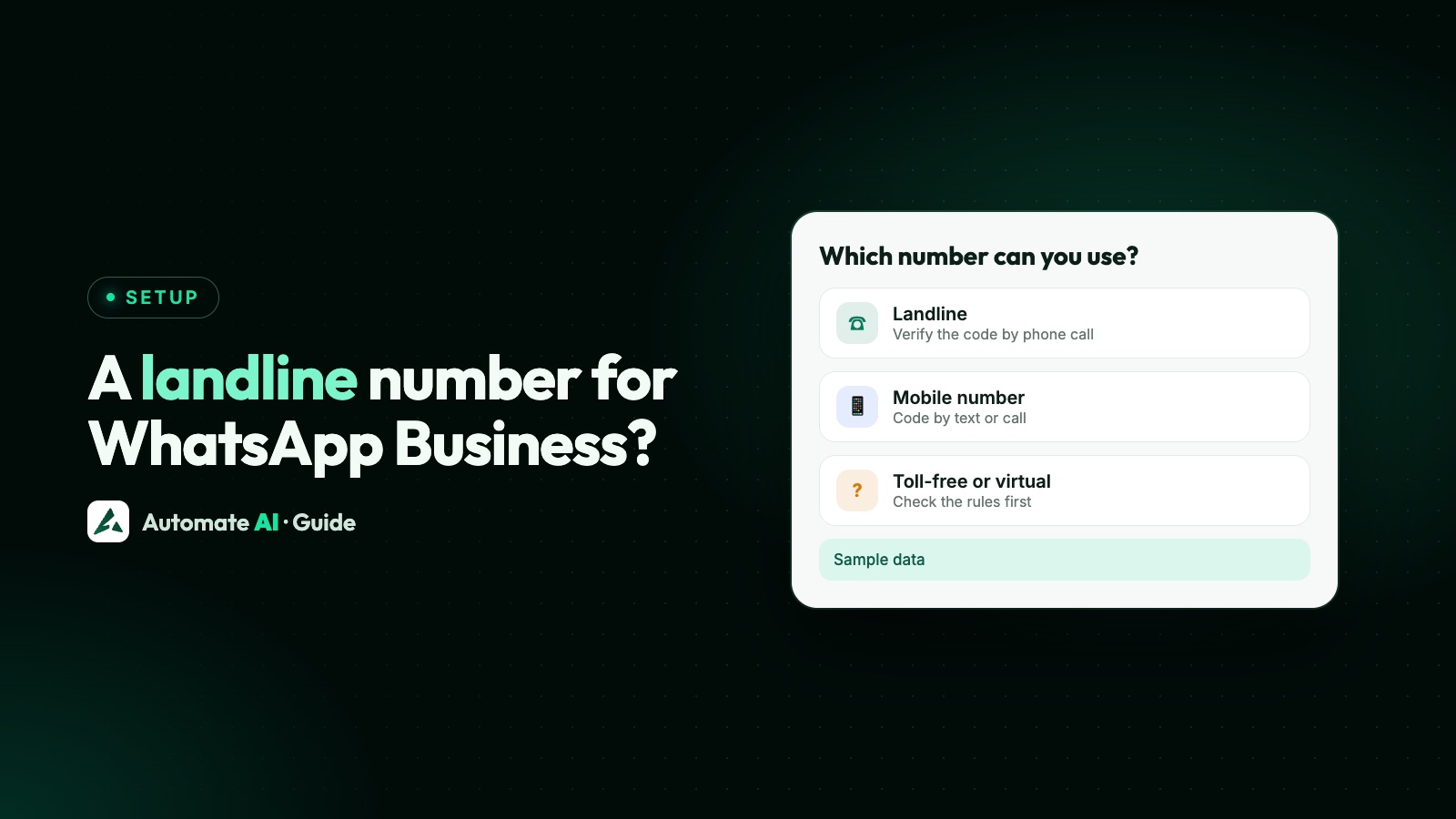
Yes, you can use a landline for WhatsApp Business: on the WhatsApp Business app and on the WhatsApp Business Platform (API), as long as the line can take an incoming verification call. WhatsApp sends the code by voice call, because a landline can’t receive an SMS.
Toll-free, VoIP (virtual) and other special numbers are a different story. WhatsApp’s Help Center says they can’t be registered in its apps, while Meta’s API docs accept most of them with a voice call code. This guide shows which number works where, how to get the call through, and the mistakes that block verification.
Key takeaways
- The WhatsApp Business app accepts landlines, with the code read out in a call. The personal WhatsApp app doesn’t.
- WhatsApp’s Help Center lists VoIP, toll-free, premium and UAN numbers as unsupported in its apps.
- On the API, Meta rates landline, toll-free, premium, UAN, VoIP and inbound-only numbers as standard for a voice call code. Pagers aren’t supported.
- The line must accept international incoming calls, with call forwarding off and any IVR menu either switched off or set to pass WhatsApp’s registration call to a person or mailbox, because the call can’t press keys.
- Once a number is on the API, it still works for normal calls and texts, but not in a WhatsApp app at the same time.
The short answer, by number type
There are two places a business number can live: the free WhatsApp Business app on a phone, and the WhatsApp Business Platform (API), which you use through a provider such as Automate AI. Their rules differ, so check both columns:
| Number type | WhatsApp Business app | WhatsApp Business API | How the code arrives |
|---|---|---|---|
| Mobile | Yes | Yes (recommended) | SMS or voice call |
| Landline (fixed line) | Yes | Yes | Voice call |
| Toll-free (freephone, 1-800) | No | Yes | Voice call |
| VoIP or virtual number | No | Yes, if the provider allows international calls | Voice call |
| Premium rate or UAN | No | Yes | Voice call |
| Inbound-only line | Not listed | Yes | Voice call |
| Shared cost or personal number | No | Not recommended | Neither method recommended |
| Short code or pager | No | No | Not supported |
The app column comes from WhatsApp’s Help Center, which lists VoIP, toll-free, premium and universal access numbers as unsupported and says landlines can be registered only on the WhatsApp Business app. The API column comes from Meta’s phone number docs, which rate SMS codes as not recommended for every other supported type, and voice codes as standard for most.
Using a landline on the WhatsApp Business app
This is the quickest route if you just want your shop’s published number on WhatsApp. You need a smartphone to run the app; the landline only receives the code.
- Install the WhatsApp Business app on a phone. The personal WhatsApp app won’t accept a landline.
- Pick your country and enter the number in full international format: the country code, then the area code without its leading 0, then the local number. For a sample Mumbai line, 022 1234 5678 becomes +91 22 1234 5678.
- Wait for the SMS attempt to time out. It won’t arrive on a landline.
- Tap the option to get the code by phone call. WhatsApp rings the landline and the call gives you the code.
- Answer at the landline and type the code into the app on your phone.
If the call doesn’t come, wait for the timer before asking again. WhatsApp’s Help Center says there’s no way to speed the wait up, and that it can take a few minutes. Have someone stand by the desk phone while you request the call, so it isn’t missed.
Keep in mind that the app has no API and no chatbot builder. See WhatsApp Business app limitations before you print the number on your ads.
Using a landline, toll-free or virtual number on the API
On the API, the number isn’t tied to any phone. Meta only needs to reach it once to send a code, and after that your team works from a browser. That’s why landlines, toll-free lines and virtual numbers are popular here: customers can message the number they already know.
Meta’s phone number docs list what to check for each type. In plain terms:
| Number type | What to check before you request the code |
|---|---|
| Landline | International calls can reach it, the line takes incoming calls, and call forwarding and IVR are off, or the registration call is passed to a person or mailbox |
| Toll-free, premium, UAN, inbound-only | Ask your telecom provider to confirm the number accepts international calls, then switch off forwarding and IVR, or allow-list WhatsApp’s registration numbers and redirect the call |
| VoIP or virtual number | Confirm the provider supports international calls for codes, check its account settings, and keep its app open and online with notifications on |
| M2M or IoT SIM | Not recommended; the SIM and device must allow incoming international calls |
For 1-800 and IVR numbers, Meta is clear: the number must accept calls from international numbers and pass the call to a real person. The registration call can’t navigate an IVR menu, and a number that can’t receive the call isn’t supported. If you keep the IVR, Meta’s route is to allow-list the one or two numbers WhatsApp says the call will come from and redirect that call to an employee or a mailbox; if you can’t allow-list, add the number and open a Direct Support ticket with Meta.
Step by step: verify a landline on the API with Automate AI
Automate AI connects numbers through Meta’s Embedded Signup, Meta’s own sign-up pop-up for partners. You sign in with Facebook, pick or create your business portfolio, verify the number by SMS or call and choose a display name, and we register it for you. For a landline:
- Prepare the line. Ask your telecom provider to allow international incoming calls, and switch off call forwarding, hunt groups and any IVR menu while you verify, or have the IVR pass WhatsApp’s call to a person or mailbox.
- Check the number isn’t on WhatsApp already. If it’s registered on the WhatsApp Business app, decide first whether to keep the app (see the next section).
- Start Connect WhatsApp in Automate AI and follow Meta’s pop-up to your business portfolio and display name.
- Enter the number with its country code and area code, without the leading 0.
- Choose voice call as the verification method, with someone ready to answer the landline.
- Type the code from the call into the pop-up. Meta then registers the number, and it appears in Settings › WhatsApp with its display name, messaging limit and quality rating.
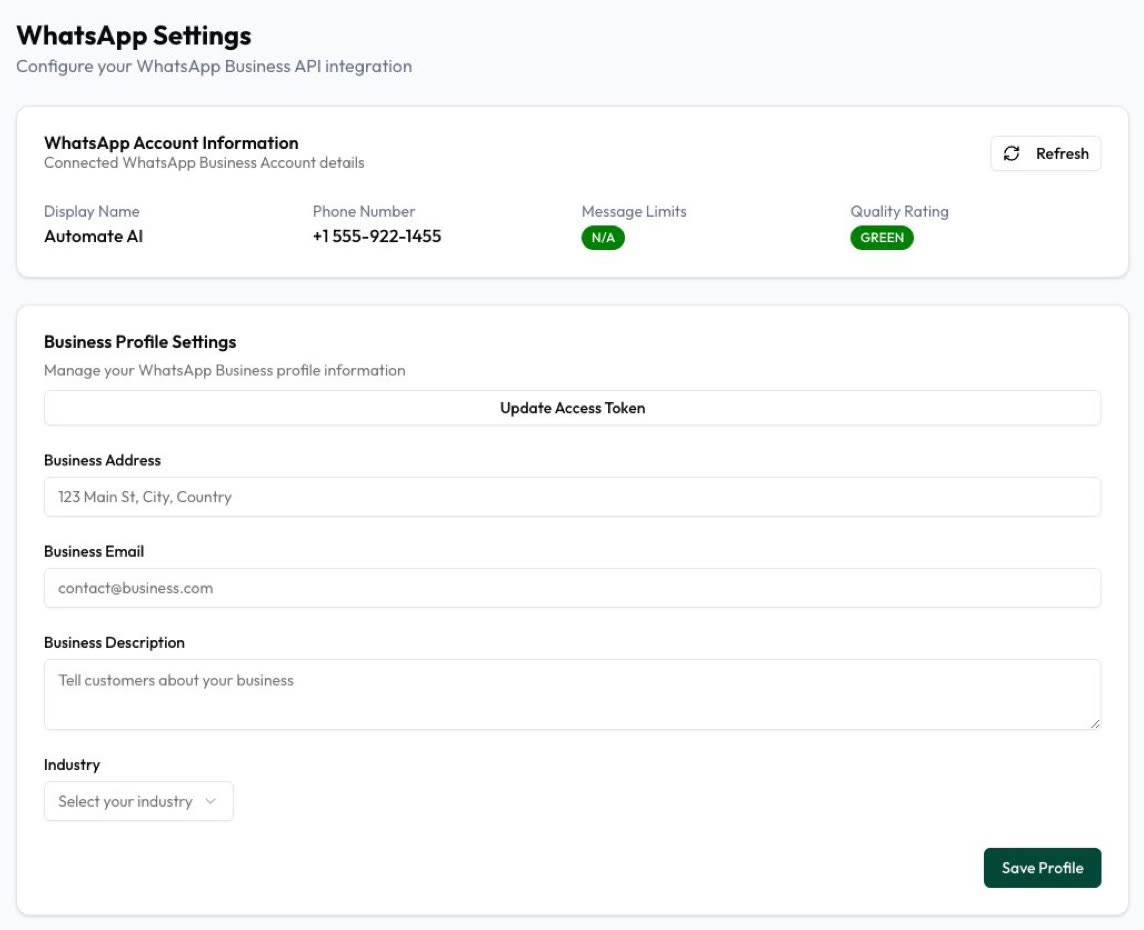
The behind-the-scenes steps (add, request a code, verify, register with a two-step PIN) are covered in phone numbers on the WhatsApp Cloud API. Testing first? Meta’s free test number needs no verification at all.
If the landline is already on the WhatsApp Business app
Meta’s docs say a number already in use with WhatsApp can’t be registered on the API until it’s deleted there. You have two options:
| Option | What happens | Good for |
|---|---|---|
| Delete the app account, then register on the API | The app stops working on that number and its chat history isn’t moved | Teams that want everything in a shared inbox |
| Connect it with coexistence | The app keeps working on the same number while the API sends campaigns and automation | Owners who still want to reply from the phone |
Coexistence has its own requirements, such as a recent app version and regular use of the phone. Check them in WhatsApp coexistence and the comparison of coexistence vs moving fully to the API.
Why landline verification fails, and what to try
| What happened | Likely cause | What to do |
|---|---|---|
| The call never rang | International incoming calls are blocked on the line | Ask your telecom provider to allow them, then request the call again after the timer |
| A menu answered the call | IVR or an auto attendant is on | Switch the IVR off, point the number straight at one handset for the attempt, or allow-list WhatsApp’s registration numbers and redirect the call |
| The call went to another phone | Call forwarding or a hunt group | Turn forwarding off so the call lands where someone is waiting |
| The code was read out but rejected | Typo, or an older code was used | Use only the code from the latest call |
| “Number already registered” | The number is on WhatsApp or the Business app | Delete it there first, or connect with coexistence |
| The virtual number missed the call | The VoIP app was closed or offline | Keep the app running and online with notifications on |
| The format was rejected | A leading 0 or trunk code was kept | Enter +, country code, area code without 0, then the number |
If the number shows a problem after it’s connected, such as pending or not registered, see WhatsApp phone number status.
A word on virtual numbers
A virtual number can be a good choice for the API, because nobody needs a SIM in a drawer. Before you rely on one, check these points with whichever provider you use:
- Ownership. Meta requires a number you own. If the subscription lapses and the number goes to someone else, you could lose control of your WhatsApp identity.
- International calls. Meta asks that the provider supports international calls or SMS for codes, and that its app or service stays running and online. Ask before you buy.
- Keep the line. Keep access to the number for as long as you use it on WhatsApp, in case Meta needs to send you a code again.
- Customer trust. Customers see your display name and profile, not the number type. A familiar number on your website and receipts helps people recognise you.
What changes once the number is on the API
- The line still works for calls and texts. Meta says a registered number can still be used for normal calls and SMS. It just can’t be used in a WhatsApp app at the same time, unless you use coexistence.
- Your team replies from a browser. In Automate AI, several people can answer from the same number in the shared team inbox.
- You can send campaigns. Approved templates reach opted-in customers through campaigns, now or on a schedule.
- Limits apply to the account, not the number type. New business portfolios can register 2 numbers, raised to 20 after business verification or the 2,000 messaging limit (Meta’s phone number docs).
- Print it everywhere. Add the number to your shopfront, invoices and a WhatsApp link or QR code so customers can start the chat.
Frequently asked questions
Can I use a landline number for WhatsApp Business?
Yes. The WhatsApp Business app accepts landlines and sends the code in a phone call. The WhatsApp Business API also accepts landlines if the line can take an incoming international call.
How do I verify a landline on WhatsApp Business?
Enter the number in full international format without the leading 0, let the SMS attempt time out, then choose to get the code by phone call. Answer the landline and type the code that is read out.
Can I use a toll-free number for WhatsApp Business?
Not in the WhatsApp apps, according to WhatsApp’s Help Center. On the API, Meta accepts toll-free numbers with a voice call code, if the number accepts international calls and reaches a real person rather than an IVR menu.
Does WhatsApp Business API work with a virtual or VoIP number?
Yes, if you own the number and the VoIP provider supports international calls or SMS for codes. The WhatsApp apps don’t accept VoIP numbers.
Why does the verification call never reach my landline?
Usually because the line blocks international incoming calls, or an IVR, forwarding rule or hunt group catches the call. Fix those and request a new call after the timer ends.
Can I still make normal calls on a landline that’s on the WhatsApp API?
Yes. Meta says a registered number can still be used for calls and texts. It just can’t be used in a WhatsApp app at the same time, unless it’s connected with coexistence.
Sources
- Meta: Phone numbers (number types and requirements)
- WhatsApp Help Center: About international phone number format
- WhatsApp Help Center: Can’t complete registration
- WhatsApp Help Center: How to register your phone number
WhatsApp rules and prices change. We check these guides against Meta’s documentation, but always confirm current terms with Meta before you rely on them. Questions? Message us on WhatsApp at +91 836 977 8812.