WhatsApp vs WhatsApp Business: What’s the Difference?
WhatsApp is for personal chats, WhatsApp Business adds tools for small firms, and the API suits teams. Compare them, and how to switch, keep chats and use both.
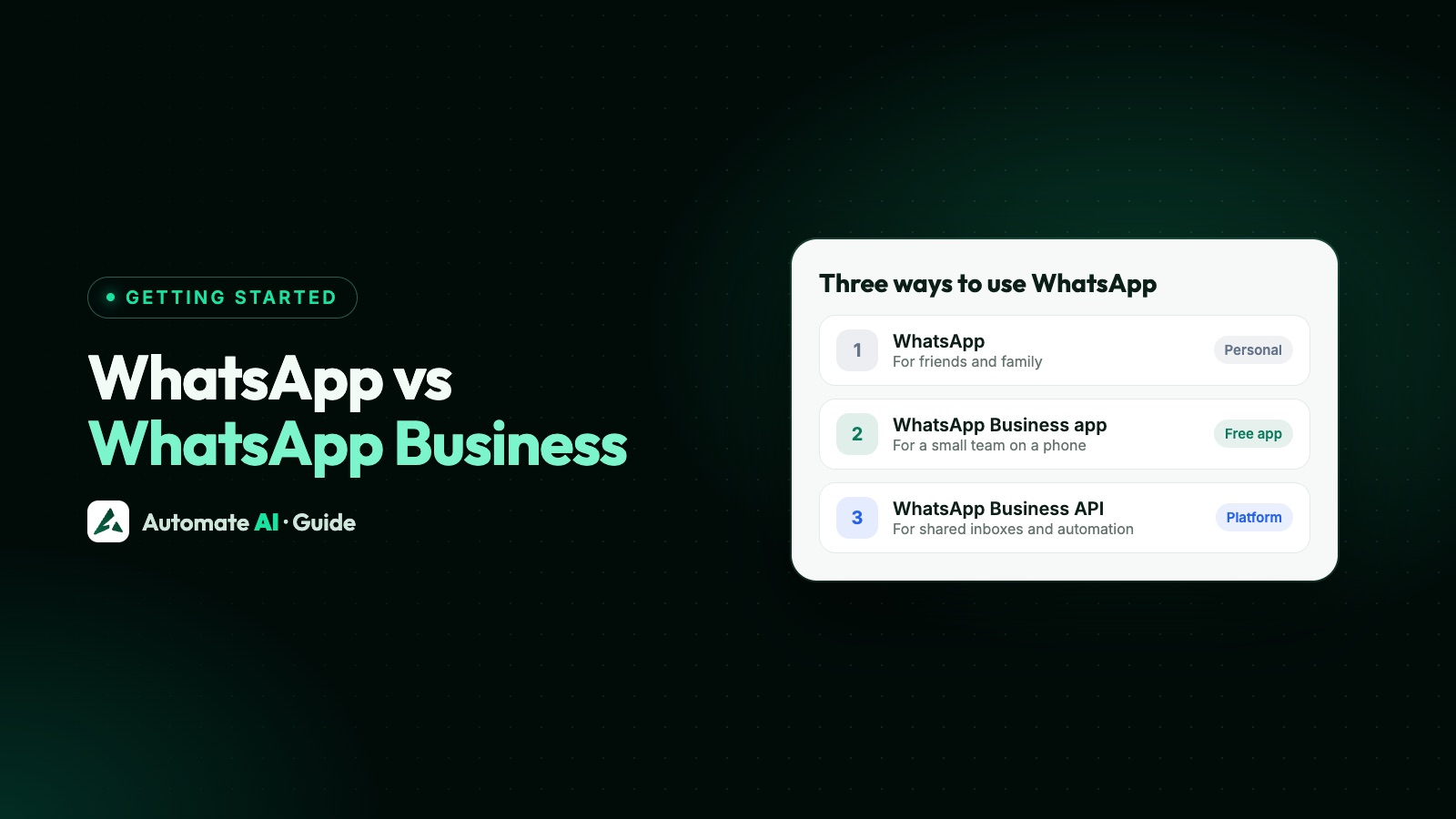
Normal WhatsApp is for talking to friends and family; WhatsApp Business is a separate free app with extra tools for small businesses, such as a business profile, a catalogue and automatic greeting messages. Both look and work much the same, but one phone number can only be on one of them at a time.
There’s also a third option, the WhatsApp Business API, which isn’t an app at all. It’s for teams and larger volumes. This guide compares all three, shows how to switch, what happens to your chats, how to run both apps on one phone, and what each one costs.
Key takeaways
- WhatsApp (which WhatsApp’s help pages call WhatsApp Messenger) is for personal use. If you aren’t a business, you don’t need anything else.
- The WhatsApp Business app is free to download on Android and iPhone, and built for small business owners.
- One number can’t be on both apps at once, but you can run both apps on one phone with two numbers.
- Moving to the Business app is simple. Back up first, and save any WhatsApp-only contacts to your phone.
- The API is for teams, campaigns and automation, and costs a provider plan plus per-message charges.
WhatsApp, WhatsApp Business app and API compared
| WhatsApp Business app | WhatsApp Business API | ||
|---|---|---|---|
| Made for | Friends and family | Small business owners | Medium and large businesses, and growing teams |
| What you use | A phone app | A phone app | No app of its own: a platform or your own software |
| Cost | Free | Free to download | Templates, plus service replies above the free 1,000 a month, plus a provider plan if you use one. Messages from customers are free |
| Business profile | No | Yes: address, hours, website and more | Yes |
| Catalogue | No | Yes | Through your platform, where it’s supported |
| Automation | None | Greeting and away messages, up to 50 quick replies | Keyword replies, chatbots, AI and follow-up sequences |
| Who can reply | You, on your phone and up to 4 linked devices | The same, or up to 10 devices with a paid multi-agent plan | Every team member, with their own login, in a platform |
| Bulk messages | Not built for it | Broadcast lists of 256, reaching only people who saved your number | Campaigns to opted-in contacts, up to your messaging limit |
| Connect to other software | No | No | Yes: API and webhooks |
| Rules to learn | Few | Few | Approved templates, opt-in and the 24-hour window |
WhatsApp’s own advice is simple: if you’re a small business, use the Business app, and if you’re a medium or large business handling high volumes, use the Business Platform, which is the API. For the details of where the app runs out, see WhatsApp Business app limitations.
What WhatsApp Business adds to normal WhatsApp
WhatsApp says the Business app is meant to feel and work just like WhatsApp, so messaging and sending photos are the same. On top of that, you get:
- A business profile with your address, email and website, so customers can find the basics.
- A catalogue to show your products and services.
- Messaging tools such as quick replies, greeting messages and away messages.
- Labels or lists to sort your chats.
What it doesn’t change is the basic setup: you’re still one account on one number, mostly one person at a time.
Which one should you use?
| Your situation | Use |
|---|---|
| You only chat with friends, family and the odd shop | |
| You run a small business and answer customers yourself | WhatsApp Business app |
| Your business number is on personal WhatsApp today | Move it to the WhatsApp Business app, because it’s free |
| Two or more people answer chats | API, with a shared inbox |
| You want to reach customers who haven’t saved your number | API, with their opt-in |
| You want a chatbot or AI to reply when you’re busy | API |
| You like the app but need a team inbox too | API with coexistence, which keeps the app |
How to move from WhatsApp to WhatsApp Business
You keep your number, and WhatsApp describes the move as simple and easy. Before you start, WhatsApp recommends a backup, and there’s one trap: WhatsApp contacts saved only inside WhatsApp aren’t supported in the Business app and are lost in the move. Turn them off in WhatsApp’s settings first and choose to save them all to your phone’s address book. Then:
- Update WhatsApp, and download WhatsApp Business from the Google Play Store or Apple App Store.
- Open WhatsApp Business and agree to the terms.
- The app shows the number you use in WhatsApp. Tap it, or tap Use a different number.
- On Android, tap Continue › Allow so the app can reach your chat history and media.
- Enter the six-digit code from the SMS. On iPhone, you may skip this if iCloud Keychain is on and you’ve verified the number on that phone before.
- Create your business profile. You can keep editing it afterwards.
Do you keep your chats?
Yes. WhatsApp says your account, chat history and media move across to the Business app, and you can move them back later. Back up first, as WhatsApp recommends. WhatsApp contacts and business-only data, such as your catalogue and collections, are the exceptions.
How to go back to normal WhatsApp
You can move back, but you’ll lose the business extras. WhatsApp says your catalogue and collections don’t transfer. In short:
- Back up your account: to your Google Account on Android, or to iCloud on iPhone. WhatsApp says this step is needed before you move.
- Update WhatsApp Business, and download WhatsApp.
- Open WhatsApp, agree to the terms and confirm your number.
- Verify the number with the code.
- On Android, tap Restore when WhatsApp finds the backup.
- Enter your name or create your profile.
Can you use WhatsApp and WhatsApp Business on one phone?
Yes, as long as each app has its own phone number. WhatsApp is clear that you can’t use the same number on both apps at the same time. A common setup is a personal number in WhatsApp and a work number in WhatsApp Business.
WhatsApp has a separate feature that’s easy to mix up with this. Normal WhatsApp lets you add a second account in the same app, also with its own number, and switch between the two. Here’s how they compare:
| Option | Numbers needed | Worth knowing |
|---|---|---|
| WhatsApp plus WhatsApp Business | Two | Two separate apps, and you get the business tools on one of them |
| Two accounts in WhatsApp | Two | A maximum of two accounts. It adds no business tools |
| Two accounts in WhatsApp Business | Not available | WhatsApp says account switching isn’t available in the Business app |
What each option costs
| Option | What you pay |
|---|---|
| Nothing. WhatsApp says it’s free to use | |
| WhatsApp Business app | Free to download and use. Optional paid extras include Meta Verified and, in some countries, paid business broadcasts |
| WhatsApp Business API | Per delivered template, plus service replies above the first 1,000 per number each month, since 1 October 2026. A provider’s plan is usually on top |
Automate AI plans start from ₹1,799 a month, billed yearly and in INR, with unlimited users, contacts and campaigns on every plan. Messages are paid for from a wallet, so see pricing for the rates. For how Meta’s side works, read is the WhatsApp API free.
Moving up to the API without losing the app
A number on the WhatsApp Business app has two routes to the API:
- Coexistence: the same number works in the app and through the API. You keep the app on your phone, and your team works in a shared inbox.
- Full migration: the WhatsApp account is deleted from the app first, along with its chat history, and the number then works only through the API.
If your number is on normal WhatsApp today, move it to the Business app first, because coexistence is built for Business app numbers. Coexistence isn’t available in every country, and Meta may ask for more activity in the app before a number qualifies: see coexistence not working. You can then compare the routes in coexistence vs full migration.
In Automate AI, choose Connect WhatsApp › WhatsApp Business App number › Use my app number. From then on, new customer messages and the messages you send from the phone app show in the team inbox, and the 24-hour window applies. Past chats and your app contacts aren’t imported: old chats stay in the app, and the inbox starts on the day you connect.
Frequently asked questions
What is the difference between WhatsApp and WhatsApp Business?
WhatsApp is for personal chats. WhatsApp Business is a separate free app for small businesses that adds a business profile, a catalogue, quick replies, and greeting and away messages.
Is WhatsApp Business free?
Yes, the app is free to download and use. Optional extras such as Meta Verified are paid. The WhatsApp Business API is different: it’s charged per message.
Can I use the same number on WhatsApp and WhatsApp Business?
Not at the same time. WhatsApp says each app must be linked to its own number, though you can move a number from one to the other.
Will I lose my chats if I switch to WhatsApp Business?
WhatsApp says your account, chat history and media move across. It recommends a backup first on both Android and iPhone, so make one before you start.
Can I switch back from WhatsApp Business to normal WhatsApp?
Yes. WhatsApp says you can transfer your account and chat history back. Back up first, then follow its steps. Your catalogue and collections won’t transfer.
Do I need the WhatsApp Business app if I’m not a business?
No. WhatsApp says there’s no need for it unless you’re a business, and you can keep using normal WhatsApp to talk to friends, family and businesses.
Is the WhatsApp Business API the same as the WhatsApp Business app?
No. The app is a phone app for one business owner. The API has no app of its own, and connects WhatsApp to a platform or your own software. See what the WhatsApp Business API is.
Sources
- WhatsApp Help Center: About WhatsApp Business
- WhatsApp Help Center: How to download the WhatsApp Business app
- WhatsApp Help Center: About moving between WhatsApp Messenger and the WhatsApp Business app
- WhatsApp Help Center: How to move your WhatsApp Messenger account to the WhatsApp Business app
- WhatsApp Help Center: How to move your account information from the WhatsApp Business app to WhatsApp Messenger
- WhatsApp Help Center: How to switch accounts on WhatsApp
- Meta: Pricing on the WhatsApp Business Platform
- Meta Business Help: Differences between the WhatsApp Business Platform and app
WhatsApp rules and prices change. We check these guides against Meta’s documentation, but always confirm current terms with Meta before you rely on them. Questions? Message us on WhatsApp at +91 836 977 8812.