Can You Use Two Numbers on WhatsApp Business? (One Phone, Two Accounts)
WhatsApp Business with two numbers: what the app allows on Android and iPhone, the two-app setup, and when several numbers on the API make more sense.
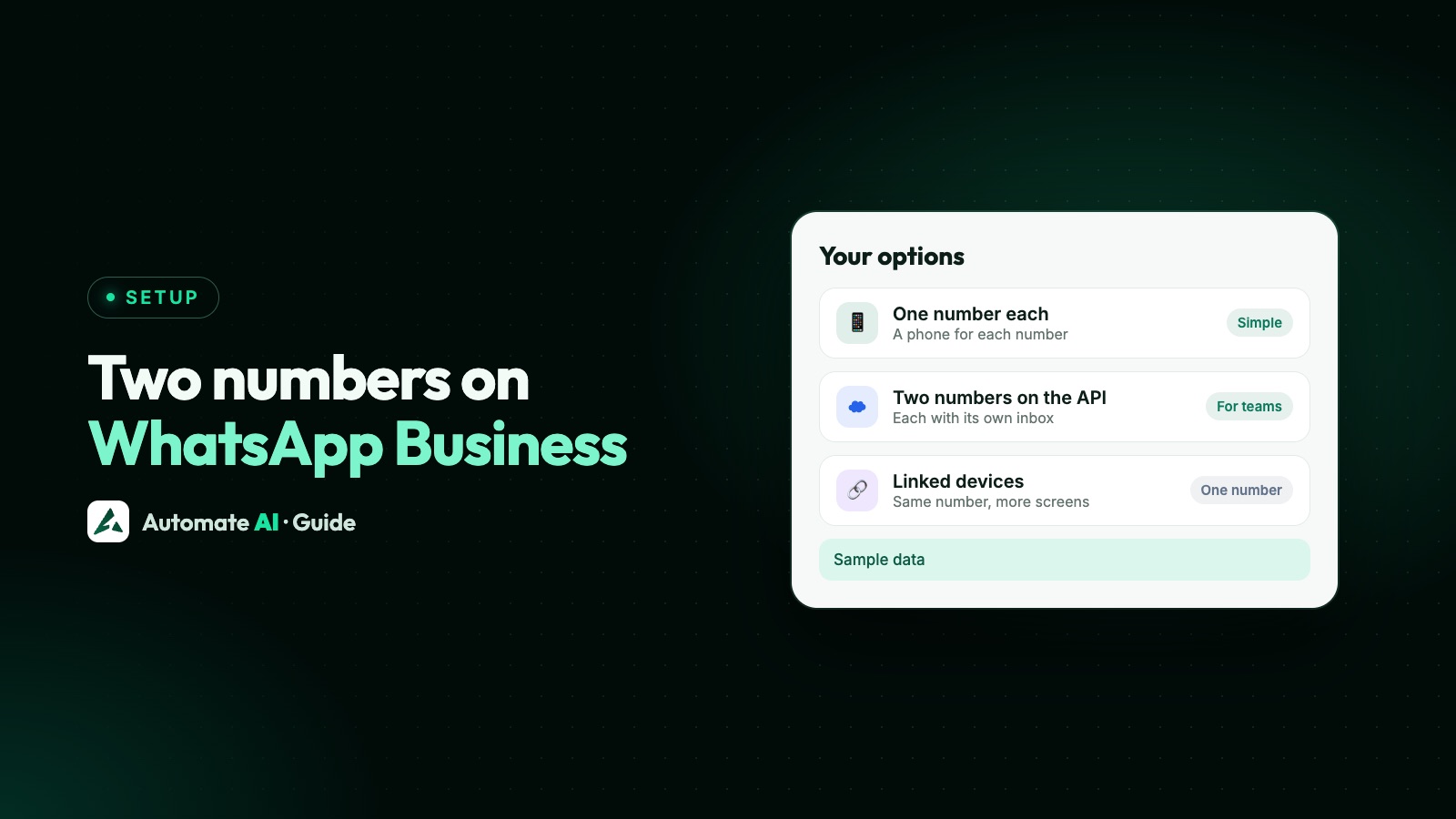
You can’t hold two numbers inside one WhatsApp Business app. Each WhatsApp account has one number, and WhatsApp’s Help Center says account switching isn’t currently available in the WhatsApp Business app. To keep two numbers on one phone, the supported setup is the WhatsApp Business app on one number and regular WhatsApp on the other.
If you need two full business numbers, your real choices are a second phone or the WhatsApp Business API, where one business can run several numbers. This guide gives the answer for each situation first, then the steps and limits.
Key takeaways
- One WhatsApp account has one number. You can’t add a second number to it.
- Regular WhatsApp holds up to two accounts on Android and iPhone. The Business app doesn’t switch accounts.
- WhatsApp Business and regular WhatsApp can run side by side, as long as they use different numbers.
- Two full Business app accounts need two phones or the API.
- On the API, a new business portfolio can hold 2 numbers, rising to 20 once verified or at a 2,000 messaging limit.
- In Automate AI, one account connects one number, and each extra number runs as its own branch with its own plan.
Which setup fits your situation
Start here. Find the row closest to what you’re trying to do:
| Your situation | What to use | Main catch |
|---|---|---|
| One business number and one personal number on one phone | WhatsApp Business for the shop, regular WhatsApp for you | Only the Business app number gets business tools |
| Two ordinary accounts on one phone | Regular WhatsApp’s Add account, on Android or iPhone | Two accounts at most, and no business tools |
| Two business numbers, happy to carry two phones | WhatsApp Business on each phone | Two phones to charge, check and keep active |
| Two business numbers, one Android phone | A second phone or the API | A phone maker’s dual-app feature isn’t a dependable route for WhatsApp Business |
| Two business numbers, one iPhone | A second phone or the API | We found no WhatsApp or Apple feature for a second copy of the Business app |
| Two brands or departments, with staff replying | Two numbers on the API, each with its own inbox | Usually a platform plan for each, and setup work |
| Several staff on one number | You don’t need a second number | See one WhatsApp number for multiple employees |
| One number or one per shop | Depends how the branches run | See WhatsApp for multiple locations |
What WhatsApp allows on Android and iPhone
WhatsApp’s rules are now the same on both kinds of phone: a WhatsApp Blog roundup in March 2026 announced two logged-in accounts on iPhone, “just like on Android”.
| What you want | Android | iPhone |
|---|---|---|
| Two accounts inside regular WhatsApp | Yes, two at most | Yes, two at most |
| Two accounts inside the WhatsApp Business app | No | No |
| WhatsApp Business plus regular WhatsApp, on different numbers | Yes | Yes |
| The same number in both apps at once | No | No |
| Two numbers on one account | No | No |
A few details matter when you set this up:
- Dual SIM and eSIM don’t add an account by themselves. WhatsApp is tied to the number you registered, not to a SIM slot. The other line has no effect on it unless you register it too.
- You can only add a second account from your main phone. Linked computers can’t switch between accounts, and WhatsApp says multiple accounts are for mobile devices only.
- The inactive account still alerts you. With two accounts in regular WhatsApp you get message alerts from both, but you switch across to read and reply.
- You can move a number between the apps, but it can only be in one of them at a time.
How to run two numbers on one phone
This is the setup most small businesses want: the shop on WhatsApp Business and the owner’s own chats on regular WhatsApp.
- Decide which number faces customers. Choose the one that’s already on your shop sign, cards and website. Changing it later means telling everyone.
- Install the WhatsApp Business app alongside regular WhatsApp, from Google Play or the App Store.
- Register the business number. Enter it, and type the six-digit code that comes by text or phone call. Never share that code with anyone.
- Fill in the business profile: name, category, hours, address and website. Our WhatsApp Business profile guide covers each field.
- Set different notification sounds for the two apps, so you can tell a customer from a friend without looking.
- Check who your replies come from before you send. The commonest slip with two apps on one phone is answering a customer from your personal number.
Getting a second number WhatsApp will accept
The second account needs a number of its own that you control and that can receive a code. You don’t have to buy a second SIM if your office already has a fixed line.
| Number type | WhatsApp Business app | Regular WhatsApp |
|---|---|---|
| Mobile number, SIM or eSIM | Yes | Yes |
| Landline you own | Yes, choose Call me for the code | No |
| Landline with an extension | No | No |
| VoIP, toll-free, premium or universal access numbers | No | No |
A landline is often the neatest answer for a shop. Customers already know the number. Keep whichever line you choose active, because you’ll need it again if WhatsApp asks you to verify the number.
Two WhatsApp Business accounts on one phone
This is the question behind most of these searches, and WhatsApp doesn’t offer a built-in answer. The Business app has no account switcher. That leaves three options.
A second phone
The simplest and most dependable route. An old handset on Wi-Fi with the second SIM or a landline-registered account is enough, and you can then link a computer to it so you’re not juggling devices all day.
A phone maker’s dual-app feature (Android only)
Some Android phones can install a second copy of a messaging app. Samsung’s Dual Messenger lists regular WhatsApp among its supported apps, but we found no Samsung or WhatsApp page confirming it for the WhatsApp Business app. Check the list in your phone’s settings, and don’t plan on it. Avoid modified versions of WhatsApp altogether, because those can get a number banned. See why WhatsApp Business numbers get banned.
The WhatsApp Business API
If both numbers matter to your business, this is where you end up. Each number works through your provider’s inbox, usually in the browser, so you aren’t limited by what one phone can hold.
Several numbers on the WhatsApp Business API
On the API, numbers belong to your Meta business portfolio, so one business can hold several. These limits come from Meta’s documentation and apply whichever provider you use:
| Rule | What Meta says |
|---|---|
| How many numbers | New portfolios are capped at 2 registered numbers. The cap rises to 20 after business verification or on reaching a 2,000 messaging limit |
| Display name | Set when you register each number, so two numbers can show different names |
| Messaging limit | Set at portfolio level and shared by every number in it |
| Using the phone app too | A number registered on the API can’t use the WhatsApp app, unless it’s connected through coexistence |
The shared messaging limit is the one to plan around. A second number in the same portfolio doesn’t give you a second allowance, so it’s not a way to reach more people. Add a number because you need a separate identity or a separate team, not for extra sending room. How to raise your messaging limit explains what does increase it.
Want to keep the phone app as well? Coexistence keeps a Business app number working on the app while it’s also connected to the API.
Two numbers in Automate AI
Automate AI connects one WhatsApp number to each account. For a second number, the business owner adds a branch from the Branch button in the menu.
- Each branch works like a separate account, with its own number, wallet, plan, contacts, chats, team and settings.
- You switch between branches from the same login, and each branch has its own PIN, asked every time anyone switches into it.
- Staff only see the branches you add them to.
- There’s no combined inbox across numbers, so a customer who messages both is two separate contacts.
Within each number, your whole team answers from one shared inbox with their own logins. That’s often the real need: if the second number was only so that a second person could reply, one number with a shared inbox is simpler and cheaper.
Before you add a second number
Two numbers solve some problems and create others. Ask these first:
- Is it a different business, or just more people? Separate brands justify a separate number. More staff usually don’t.
- Will customers know which to use? Every extra number is a chance to message the wrong one, and each chat stays with the number the customer messaged.
- Who answers it? A second number nobody watches is worse than having one number.
- Is the number free? Meta says a number already in use on WhatsApp has to be deleted there before it can be registered on the API, unless you connect it through coexistence.
It’s usually easier to start with one number and split later than to merge two afterwards. For the differences between the two apps, see WhatsApp vs WhatsApp Business.
Frequently asked questions
Can I use two numbers on WhatsApp Business?
Not in one app. Each account has one number and the Business app has no account switching. Use the Business app with one number and regular WhatsApp with the other, a second phone, or the API.
Can I have two WhatsApp Business accounts on one phone?
WhatsApp has no built-in way to do this. Some Android phones have a dual-app feature, but we found no official confirmation that it works with the WhatsApp Business app. A second phone or the API are the dependable routes.
Can I use WhatsApp Business with two numbers on an iPhone?
Not within the Business app. Regular WhatsApp on iPhone can hold two accounts, and you can run the Business app alongside it on a different number.
Does a dual SIM phone let me use two WhatsApp Business accounts?
No. Dual SIM gives you a second number, but WhatsApp is tied to the number you registered. You still need a second app or phone for that number.
Can I use a landline for the second WhatsApp Business number?
Yes, in the WhatsApp Business app. Choose Call me to get the code. Numbers with an extension, VoIP and toll-free numbers can’t be registered.
How many numbers can one business have on the WhatsApp API?
New business portfolios start at 2 registered numbers. Meta raises this to 20 after business verification or on reaching a 2,000 messaging limit.
Does a second number double my messaging limit?
Not in the same portfolio. Messaging limits are set for the business portfolio and shared by all its numbers.
Sources
- WhatsApp Help Center: How to switch accounts
- WhatsApp Help Center: Using multiple phone numbers or accounts
- WhatsApp Help Center: About WhatsApp Business
- WhatsApp Help Center: Register for the WhatsApp Business app
- WhatsApp Blog: New feature roundup (two accounts on iOS)
- Meta: Business phone numbers
- Meta: Messaging limits
- Meta: Onboarding WhatsApp Business app users (coexistence)
WhatsApp rules and prices change. We check these guides against Meta’s documentation, but always confirm current terms with Meta before you rely on them. Questions? Message us on WhatsApp at +91 836 977 8812.