WhatsApp Sales Scripts: Messages From First Reply to Close
WhatsApp sales scripts for inbound leads: first reply, qualifying, price, objections, booking, closing and lost deals, and WhatsApp’s rule on cold messages.
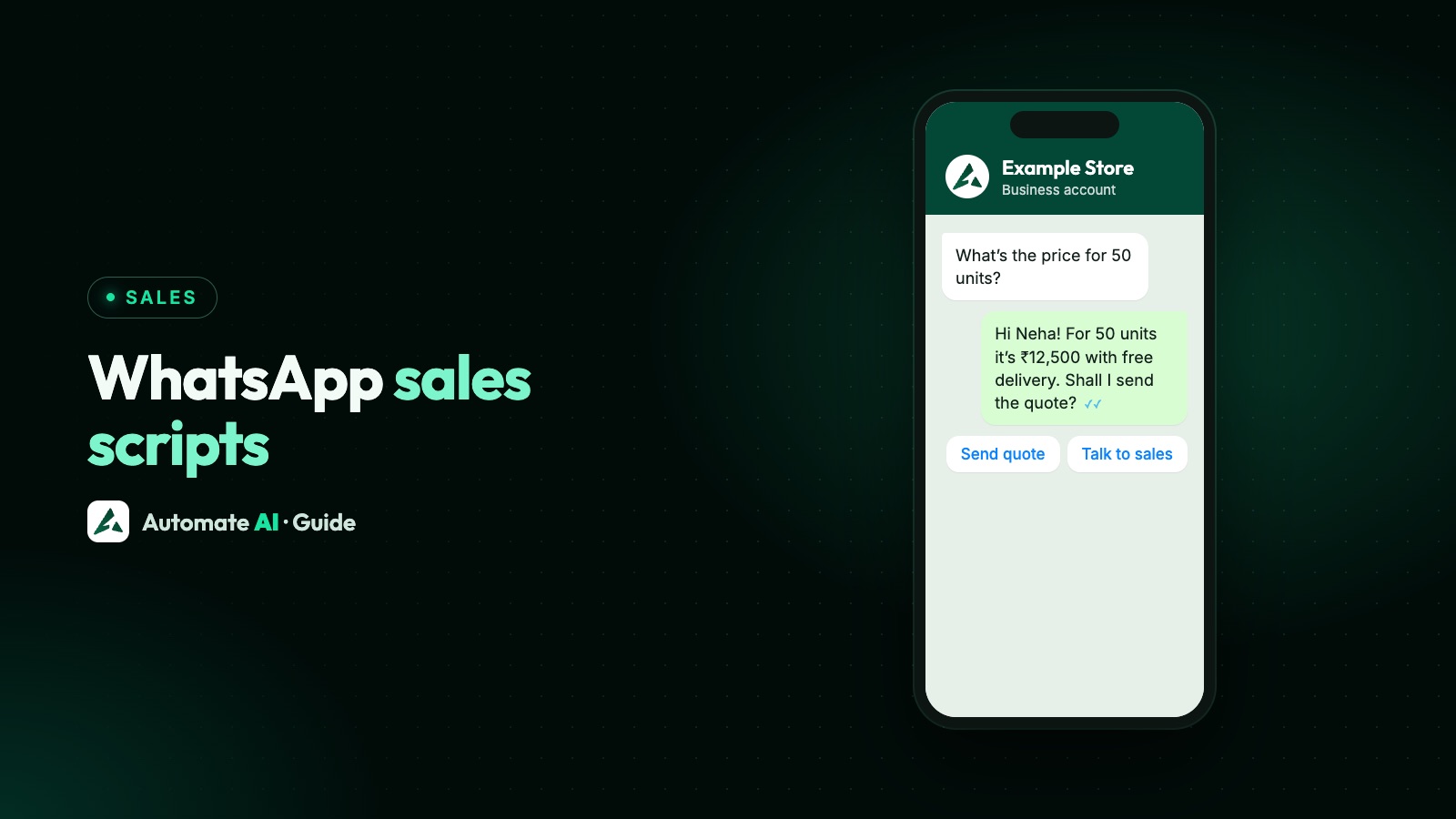
A WhatsApp sales script is a set of short, ready-to-adapt messages for each stage of a sale: the first reply, qualifying questions, the price, objections, booking, closing and the polite goodbye. It works best for inbound leads, people who messaged you or asked to hear from you, because WhatsApp doesn’t allow unsolicited cold messages.
Below are original scripts for every stage, with a note on when you can send each one freely and when it has to be an approved template. They pick up where speed to lead leaves off: the lead has had a fast first reply, and now a person (or the AI) has to move the sale forward.
Key takeaways
- A cold message on WhatsApp means writing to someone who hasn’t contacted you or agreed to hear from you, and WhatsApp’s policy doesn’t allow it.
- Within 24 hours of the customer’s last message you can send normal messages; after that, only approved templates.
- Good scripts are short, use the customer’s own words and end with one question.
- Qualify with three or four questions, spread over the chat, not a form in one message.
- For objections, ask what’s behind it before you answer.
- End lost deals politely and stop messaging anyone who says no.
Can you send cold messages on WhatsApp?
On WhatsApp, a “cold message” means a first message to someone who never contacted you and never agreed to hear from you: a number from a bought list, a directory or a business card. The short answer is no, not for business.
WhatsApp’s Business Messaging Policy, which covers both the WhatsApp Business app and the Business Platform (API), says you may only contact people who have given you their number and opted in to receive messages from you. It also says not to spam or surprise people. Meta’s opt-in guide adds that the opt-in must name your business.
| Situation | Allowed? | Why |
|---|---|---|
| They messaged you first, from an ad, your website or your card | Yes | They started the chat, so a 24-hour window is open |
| They filled in a form that says you’ll contact them on WhatsApp | Yes, with a template | They opted in, but haven’t messaged you yet |
| They asked about something months ago and went quiet | Only if they opted in and haven’t opted out | This is a cold lead, not a cold message |
| You found their number online or bought a list | No | No opt-in, so it’s unsolicited |
There’s a practical reason too. People can block or report a business, and the policy says WhatsApp may limit how many messages a business can send, or its access, after a lot of negative feedback. If you want to reach new people, get them to message you first, for example with Click-to-WhatsApp ads. To win back quiet leads who did opt in, see convert cold leads with AI.
How to use these scripts
- Free-form or template? Messages marked free-form can go out as typed within 24 hours of the customer’s last message. Once that window closes, only approved templates can be sent, and Meta decides whether each is utility or marketing.
- Brackets are yours to fill. [Name], [product] and [time] are placeholders. In templates, variables look like {{1}}.
- Use their words. If they wrote “3 BHK near the station”, say that back, not “our premium inventory”.
- One message, one question. Long paragraphs get skimmed on a phone.
- Marketing templates end with “Reply STOP to opt out.” In Automate AI a typed STOP opts the contact out automatically; a button tap doesn’t.
In Automate AI, save each script as a quick reply in Settings › Quick Replies, so anyone on the team can type “/” and a word from its shortcode in the shared inbox. Quick replies insert text, and brackets stay as typed, so fill them in before sending. On the AI + Automation Plan and Series 4, AI Sales Closer keeps AI Assistant replies focused on a sales goal you choose, such as booking a demo or requesting a quotation, and handles objections using only your knowledge base. AI Sales Center scores each lead from 0 to 100 and suggests the next step, so you know which script the chat needs.
Scripts for the first reply
Say who you are, show you read their message and ask one thing. These are free-form, because the lead has just written to you.
- From an ad: “Hi [name], I’m Arjun from Example Interiors. You asked about modular kitchens, great timing, we’ve just finished a few in [area]. Is this for a new flat or a renovation?”
- From your website chat button: “Hi [name], thanks for getting in touch. I’m Priya, and I’ll help you with this. What would you like to know first: prices, timelines or how it works?”
- After the bot qualified them: “Hi [name], I’ve read your answers: 2 BHK, ready to move, around ₹80 lakh. I have three options that fit. Shall I send photos of all three?”
- When they asked a direct question: answer it first, then ask yours. “Yes, we deliver to Pune, usually in 3 to 4 days. How many pieces do you need?”
Qualifying questions that don’t feel like a form
You need to know whether you can help, how soon, and who decides. Ask one at a time and give a reason when it isn’t obvious.
| You want to know | Script | Why it works |
|---|---|---|
| What they need | “What’s the main thing you want this to fix?” | Gets the real reason, not just a product name |
| Timing | “When would you like this in place? No pressure, it just helps me suggest the right option.” | The reason makes it feel helpful |
| Budget | “Most people choose between [range A] and [range B]. Which is closer to what you had in mind?” | A range is easier to answer than an open question |
| Who decides | “Will anyone else be involved in choosing? I can send something you can share with them.” | Finds the other decision-maker without sounding pushy |
| Where | “Which area is it for? Our team covers [areas].” | Rules out leads you can’t serve |
For questions with a few fixed answers, buttons are faster than typing. A chatbot can ask them first; see WhatsApp sales funnel for a qualifying flow. Never ask for full card numbers, bank account numbers or ID card numbers in a chat: WhatsApp’s policy forbids it.
Scripts for sharing a price or a quote
People on WhatsApp expect a straight answer about price. If you can’t give an exact figure, give a range and say what changes it.
- Fixed price: “The weekend batch is ₹12,000 for 3 months, including study material. Would you like to see the timetable?”
- Range: “For a kitchen this size, most come to between ₹2.5 and ₹3.5 lakh. The finish and the hardware make the difference. Want me to show you both ends?”
- Custom quote: “Here’s your quote for 200 printed boxes, with delivery to Andheri. It’s valid until [date]. Anything you’d like me to change?”
- When they ask for a discount straight away: “I can check what’s possible. Is the price the only thing stopping you, or is there something else to sort out first?”
Send the quote as a PDF they can forward, and put the key numbers in the message too. In Automate AI you can also share products from your WhatsApp catalogue, up to 30 at a time, and in India send a payment link in rupees from the chat.
Handling objections on WhatsApp
Chat objections are short: “too costly”, “will think”. Ask what’s behind them, then answer that.
| They say | What it often means | Script |
|---|---|---|
| “Too expensive” | Over budget, or the value isn’t clear yet | “Fair enough. Is it more than you planned, or more than you expected for what’s included? I can show you a simpler option too.” |
| “Let me think about it” | A question they haven’t asked | “Of course. So I don’t send you things you don’t need, what’s the part you’re still unsure about?” |
| “I’m comparing a few options” | They want help choosing | “Sensible. When you compare, check [two honest points that matter]. Happy to answer anything about ours.” |
| “I need to ask my partner” | Someone else decides | “Sure. Shall I send a one-page summary you can share? I can also answer their questions here.” |
| “Send it on email” | They’re busy, or want a record | “Will do. I’ll send it to the email you share here, and keep the key points in this chat too.” |
| “Not right now” | Wrong timing | “No problem. When would be a better time to pick this up? I’ll only message you then.” |
Keep promises you can keep. Don’t invent deadlines or say stock is running out when it isn’t, and make sure the AI Assistant’s knowledge base only holds offers you actually make, because AI Sales Closer answers objections from it.
Scripts for booking a visit, demo or call
Offer two times rather than asking “when are you free?”. It’s easier to pick than to plan.
- Offer: “Would Saturday 11 AM or Sunday 4 PM suit you for a site visit?” (free-form)
- Confirm: “Done, Saturday 11 AM at Example Heights, Wakad. I’ll share the location pin now. Ask for Neha at the gate.” (free-form)
- Remind, the day before, as a template: “Hi {{1}}, this is a reminder of your visit to {{2}} tomorrow at {{3}}. The location pin is below.” [Confirm] [Change time] (template, likely utility, with no offer in it)
- After the visit: “Thanks for coming today, [name]. You liked the corner unit on the 9th floor; here’s its floor plan. Any questions from your family?” (free-form if they wrote in the last 24 hours)
Adding an offer to a reminder turns it into marketing, so send the two separately. In Automate AI, set a follow-up on the contact so the right person is reminded too.
Scripts for closing the sale
When the details are agreed, ask for the decision clearly.
- Ask: “It sounds like the 3-month plan fits. Shall I go ahead and book your seat for the 10 June batch?”
- Summarise: “To confirm: 200 boxes, matte finish, your logo on two sides, delivery by 20 June, ₹46,000 plus GST. All correct?”
- Payment: “Here’s the secure payment link for ₹46,000. Once it’s paid you’ll get a confirmation here.” Never ask for full card numbers, CVVs or OTPs in a chat.
- Confirm and thank: “Payment received, thank you! Your order number is #1042. I’ll message you when it ships.”
In Automate AI an owner or manager can switch on payments in Settings › WhatsApp; a Razorpay or PayU link, or WhatsApp Pay in India, is marked Paid automatically. It works in rupees only. More in WhatsApp business payments.
Scripts for a lost deal
A clear goodbye leaves the door open and avoids blocks. Ask once why, and accept the answer.
- Ask why (free-form): “Thanks for letting me know, [name]. Can I ask what made you decide? It helps us improve, and one word is fine.”
- Leave the door open (free-form): “Understood. If anything changes, just message here and I’ll pick it up.”
- Check before keeping in touch (free-form): “Would you like the occasional update when we launch something new, or shall I close this here?” Only send updates if they say yes.
If they went quiet and the window has closed, one last template is enough. A sample: “Hi {{1}}, thanks for considering Example Interiors for your {{2}}. We’ve paused your enquiry, and you can restart it whenever suits you.” [Restart my enquiry] Footer: “Reply STOP to opt out.” Expect Meta to class it as marketing, so it counts toward WhatsApp’s per-person marketing limit, and marketing templates aren’t delivered to US numbers.
Then stop. Mark the lead Lost with a short note, and leave longer nurture sequences to people who opted in to updates. For timing and how many nudges to send, see lead follow-up and 30 follow-up message examples.
Frequently asked questions
What does “cold message” mean on WhatsApp?
A first message to someone who hasn’t contacted you or agreed to hear from you, for example a number from a list or a directory. WhatsApp’s Business Messaging Policy only allows businesses to message people who gave their number and opted in.
Can I cold message on WhatsApp Business?
No. The policy covers both the WhatsApp Business app and the API: you need opt-in first, and you must not spam or surprise people. Get people to message you first instead, with ads, a website button or a QR code.
What is a WhatsApp sales script?
A set of short, adaptable messages for each stage of a sale, such as the first reply, qualifying questions, the price, objections, booking, closing and lost deals, so your team replies quickly and consistently.
Do I need a template for every sales message?
No. Within 24 hours of the customer’s last message you can send any normal message. You only need an approved template once that window has closed.
How do I handle “too expensive” on WhatsApp?
Ask whether it’s over their budget or more than they expected for what’s included, then answer that: a simpler option, a breakdown of what’s included, or a different payment schedule if you offer one.
Can AI follow a sales script for me?
Partly. In Automate AI, AI Sales Closer keeps the AI Assistant’s replies focused on your sales goal and handles objections using only your knowledge base. Keep pricing exceptions and final negotiation with a person.
Sources
- WhatsApp Business Messaging Policy
- Meta: Get opt-in for WhatsApp
- Meta: Send messages (customer service window)
- Meta: Template categorization
- Meta: Per-user marketing template limits
WhatsApp rules and prices change. We check these guides against Meta’s documentation, but always confirm current terms with Meta before you rely on them. Questions? Message us on WhatsApp at +91 836 977 8812.