How to Build a WhatsApp Sales Funnel
Build a WhatsApp sales funnel in six stages, from first message to repeat order, with sample messages, the WhatsApp rules and a number to track at each stage.
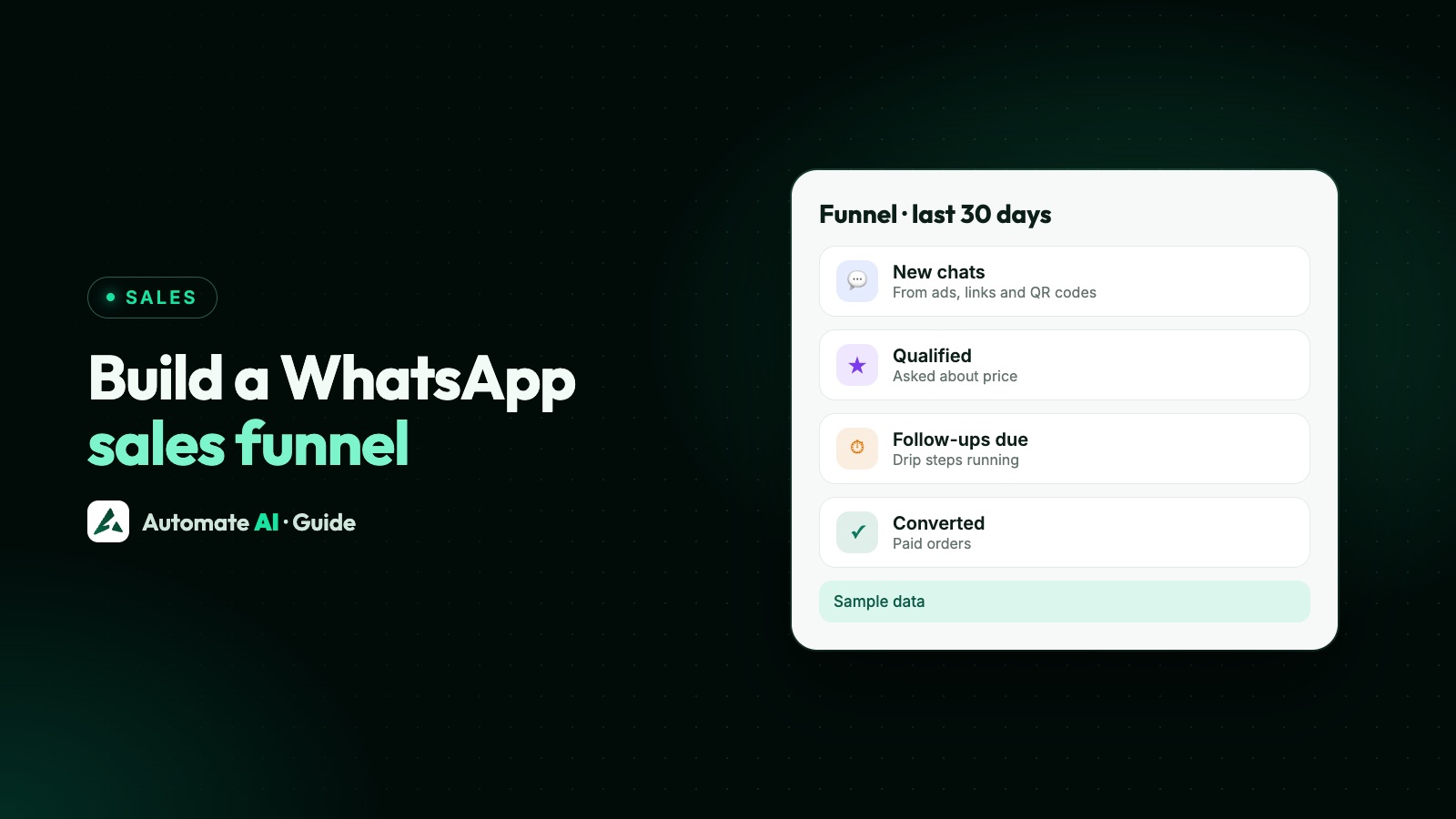
A WhatsApp sales funnel is the path a buyer takes from their first message to a paid order, built in six stages: get the first message, capture the lead and their permission, qualify them, nurture the ones who aren’t ready, close in conversation, and sell to them again. Each stage has its own job, its own kind of WhatsApp message and one number to watch.
This guide maps every stage to the WhatsApp rules that apply to it, gives sample messages you can adapt, and ends with a checklist you can copy. For the detail of single stages, we link to our guides on lead follow-ups, drip campaigns and AI lead scoring.
Key takeaways
- Start the funnel with the customer’s first message: an ad, a link or a QR code that opens the chat, so you begin inside the free-form 24-hour window.
- Ask for marketing permission separately and name your business; WhatsApp requires opt-in before you message anyone.
- Qualify with two or three tap-to-answer questions, then sort people into groups so the right follow-up reaches them.
- Nurture with approved templates that stop when the customer replies, and close the sale with a person, not a bot.
- Track one number per stage, so you fix the stage that leaks most instead of guessing.
The six stages at a glance
A website funnel loses people between pages. A WhatsApp funnel loses them between messages: a slow first reply, a question nobody answered, a follow-up that never went out. Map each stage before you automate anything:
| Stage | Goal | What you send | Number to watch |
|---|---|---|---|
| 1. Entry | Get the first message | Nothing yet: the customer writes first | New chats per source |
| 2. Capture | Save the lead and their permission | A free-form reply inside 24 hours | Chats answered per teammate |
| 3. Qualify | Learn what they want and how soon | Buttons or a list | Share who answer every question |
| 4. Nurture | Stay useful until they’re ready | Approved templates, days apart | Replies per step |
| 5. Close | Agree price, delivery and payment | Conversation with a person | Leads converted |
| 6. Keep | Repeat orders and referrals | Utility updates, then opted-in offers | Repeat buyers |
The middle column matters most. Meta only lets you send free-form messages for 24 hours after a customer’s last message. After that, every message must be a template Meta has approved, and each template has a category (marketing, utility or authentication) that decides what it may say. See the 24-hour window and template messages.
Stage 1: get people into the chat
The best funnels let the buyer send the first message, because that opens the customer service window and you can reply freely. The common entry points:
- Click-to-WhatsApp ads on Facebook and Instagram. When someone messages you from one on the Android or iPhone app and you reply within 24 hours, Meta opens a free entry point window: your messages to that person are free for up to 7 days. See Click-to-WhatsApp ads.
- A wa.me link with a pre-filled message, such as
https://wa.me/15550001234?text=Hi%2C%20I%20saw%20your%20Instagram%20post. Use the full international number with no zeros, brackets or dashes. - A QR code of that link on packaging, flyers or a shop counter. See WhatsApp links and QR codes.
- A chat button on your website, ideally on pricing and product pages where people already have questions.
- Lead forms on Facebook ads or your site. Here you message first, so your first message must be an approved template.
Stage 2: capture the lead and their permission
Reply fast, while the buyer is still on their phone and still interested. A good first reply does three things: thanks them, answers or asks one clear question, and says what happens next.
Sample first reply (sample data):
Permission is the other half of this stage. Meta’s opt-in rules say you must clearly state that the person is opting in to messages from your business, and name the business. Meta recommends asking for each kind of message separately. A customer who asks about one kitchen hasn’t agreed to a monthly newsletter, so ask before you add them to marketing:
More wording and where to record it: WhatsApp opt-in.
Stage 3: qualify in three questions
Qualifying sorts people by what they want and how soon, so a ready buyer reaches a salesperson today and a browser gets a gentle sequence. Keep it to two or three questions, with buttons where you can, because a tap is easier than typing.
| Question | Sample buttons | What the answer decides |
|---|---|---|
| What are you looking for? | Kitchen / Wardrobe / Full home | Which price list or catalogue to send |
| When do you want to start? | This month / In 1–3 months / Just exploring | Close now or nurture |
| What budget suits you? | Entry / Mid-range / Premium | Which offer and which salesperson |
Then act on the answer straight away. People who tap “This month” go to a person with a note; people who tap “Just exploring” get useful content and a nurture sequence. WhatsApp’s policy also requires a clear way to reach a human, so always offer one, even in a fully automated flow.
In Automate AI, build this in the chatbot builder (Automation › Flows). Each button can lead to its own branch, and an Add to Group step records the answer, such as “Kitchen, this month”. For typed answers, such as a city, put an Update Contact step straight after the question: it saves the customer’s next typed reply, not a button tap.
Stage 4: nurture the people who aren’t ready
Most leads won’t buy in the first chat. Nurture keeps you useful until they are ready, without pestering them. Because the steps go out days apart, each one is an approved template, sent only to people who opted in.
| When (sample) | Message idea | Likely category |
|---|---|---|
| Day 1 | The brochure they asked for, with no offer | Utility only if it just delivers what they requested; Meta decides |
| Day 4 | Three real questions buyers ask, answered | Marketing |
| Day 10 | A photo of a finished project and a “Book a visit” button | Marketing |
| Day 21 | A short check-in: “Still planning, or shall we pause these?” | Marketing |
Meta’s rules decide the category. A utility template follows up on something the customer did or asked for and can’t promote anything; add an offer and it becomes marketing. Marketing samples should end with “Reply STOP to opt out”.
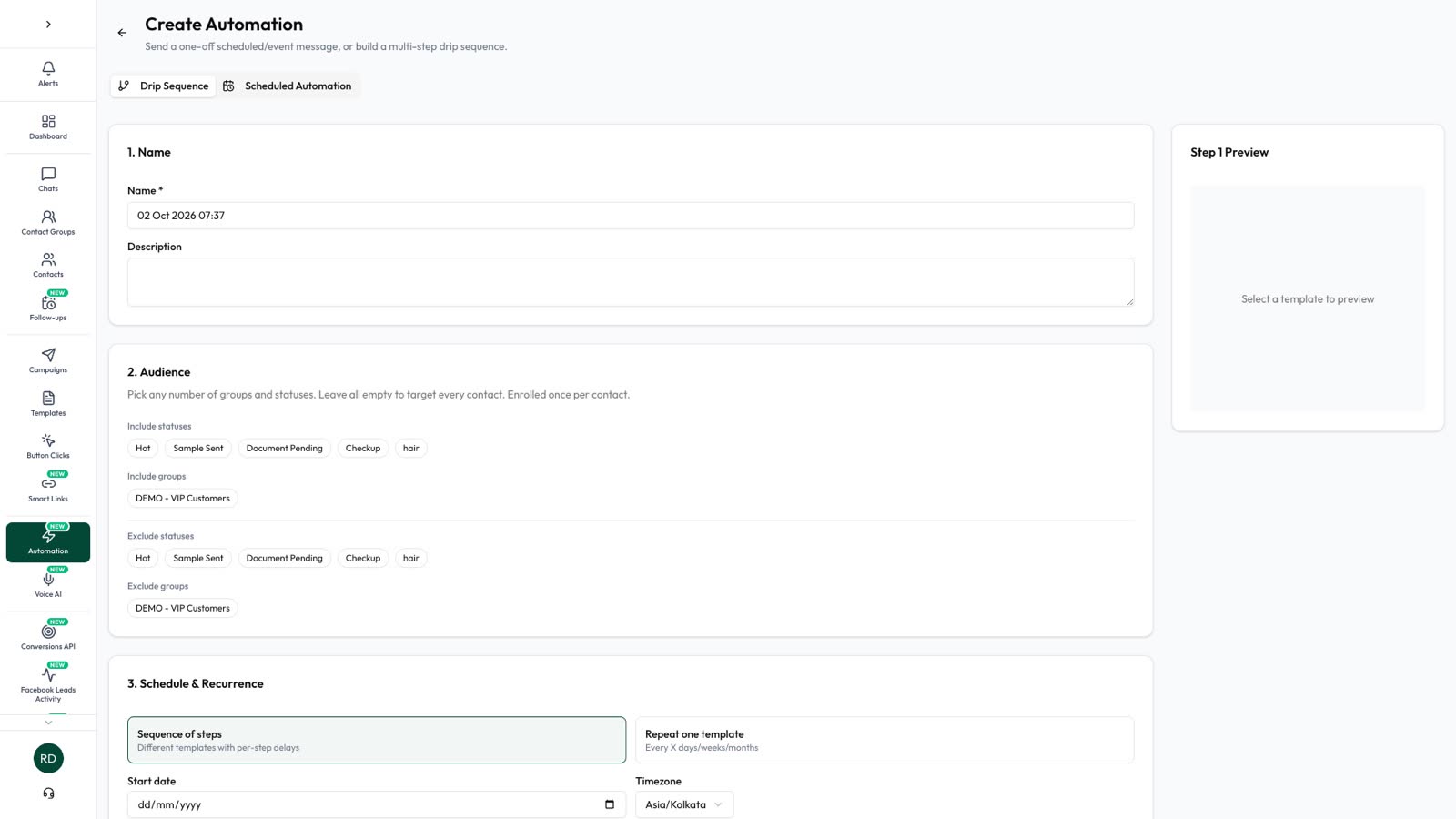
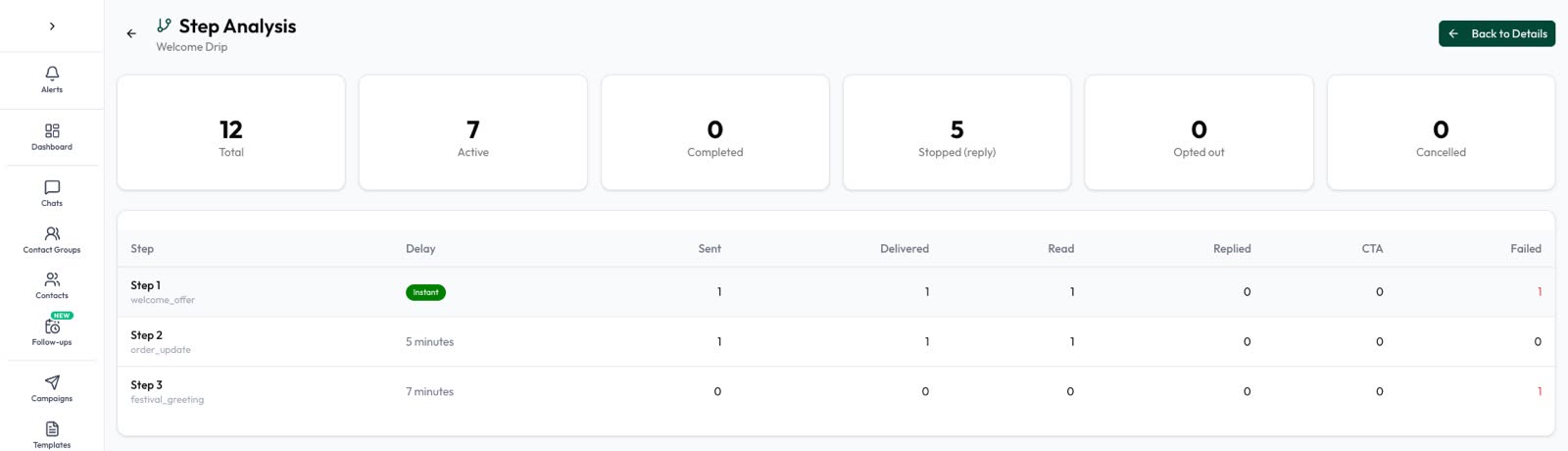
In Automate AI this is a drip sequence (Campaigns › Drip Campaigns). Set its audience to the group your chatbot filled, exclude a “Converted” status, and keep Stop on reply on so your team takes over when the lead writes back. Contacts who join the group later are enrolled as they join, and before each send the app checks the contact still fits the audience. The full set-up, delays and step results are in our drip campaign guide.
Stage 5: close the sale in conversation
Closing is where a person earns the sale: the quote, the objection about price, the delivery date, the discount the manager has to approve. Let software remind your team, and let people talk.
- Confirm what they want in one message, with the price and what’s included.
- Answer the real objection. Ask “What’s holding you back?” rather than repeating the offer.
- Make the next step small: a site visit, a sample, a call at a set time.
- Take payment on a secure page such as your store checkout or your payment provider’s link. WhatsApp’s policy says never to ask for full card numbers, financial account numbers or ID numbers in a chat.
- Confirm the order with a summary, so there is a written record for both sides.
In Automate AI, set a follow-up on the contact so the salesperson is reminded when it’s due, and change their status as the deal moves. AI Sales Center (in the AI + Automation Plan and Series 4) reads the chats, scores each lead from 0 to 100 with the reason shown, and suggests the next step; it never messages customers on its own. More in AI lead scoring and the follow-up playbook.
Stage 6: after the sale, sell again
A buyer who had a good experience is the cheapest next sale. Keep the first messages after the order about the order, then earn the right to sell again:
- Order and delivery updates are utility templates when they only update the order. Meta treats an order update with a promotion added as marketing.
- A feedback request tied to that order can be utility; a generic survey can’t.
- Repeat and referral offers are marketing, so send them only to people who agreed to offers, and make opting out easy.
- Win back quiet buyers with one helpful message, not a series. In Automate AI, campaigns include ready-made audiences such as people quiet for 60 days.
Ideas for this stage: WhatsApp referral programs and loyalty programs.
Measure each stage
Watch one number per stage, every week. When sales drop, look for the stage that changed, and fix that one.
| Stage | Number | Where to see it in Automate AI |
|---|---|---|
| Entry | New chats and taps per source | Lead Source (Settings › Lead Sources) on each chat and contact; taps and scans on chat links and QR codes |
| Capture | Replies sent and customers messaged per teammate | Staff activity reports |
| Qualify | Contacts in each answer group | Contacts, filtered by group |
| Nurture | Read and replied per step | Step analysis on each drip campaign |
| Close | Leads from New to Converted | AI Sales Center › Overview: New, Qualified, Interested, Demo / Proposal, Converted (last 90 days) |
| Keep | Orders after a campaign | With the online store, orders placed within 7 days of a campaign |
Worked example (made-up numbers): 400 new chats in a month, 300 answered the first question, 120 said “this month”, 30 bought. The biggest drop is from 300 to 120, which may be fine if the others are in nurture. But if only 300 of 400 chats get past the first question, rewrite that question first: it is losing a quarter of your leads.
Your funnel checklist
Tick these off as you build:
- List your entry points and give each one its own pre-filled message.
- Write the first reply: thanks, one question, what happens next.
- Write the opt-in question for offers, naming your business.
- Choose two or three qualifying questions with buttons.
- Decide which answers go to a person today and which go to nurture.
- Draft three or four nurture templates, label each utility or marketing, and get them approved.
- Agree how your team closes: who replies, how fast, and the secure payment step.
- Plan the after-sale messages: order update, feedback, then opted-in offers.
- Pick the one number per stage you’ll check every week.
Chatbots, drip campaigns and lead capture are in the AI + Automation Plan and Series 4; campaigns, the team inbox and Click-to-WhatsApp ads come with every plan. See pricing and the WhatsApp CRM page.
Frequently asked questions
What is a WhatsApp sales funnel?
The path from a buyer’s first WhatsApp message to a paid order and repeat purchases. It usually has six stages: entry, capture, qualify, nurture, close and keep, each with its own messages and one number to track.
How is a WhatsApp funnel different from an email funnel?
On WhatsApp the customer usually writes first, and you can only send free-form messages for 24 hours after their last message. After that every message must be an approved template, so the nurture stage runs on templates.
Do I need permission to add someone to my WhatsApp funnel?
Yes. WhatsApp requires opt-in before you message people, and the opt-in must name your business. Meta recommends asking separately for marketing messages, and you must respect every opt-out request.
Can a chatbot run the whole funnel?
It can run the entry, capture and qualify stages well. Closing usually needs a person, and WhatsApp’s policy requires a clear way to reach a human in any automated chat.
Should the nurture stage stop when the lead replies?
Yes. Once the lead writes back, a person should take over. In Automate AI, keep Stop on reply switched on in the drip sequence. A button tap doesn’t count as a reply.
Is there a WhatsApp sales funnel PDF or template?
Use the checklist at the end of this guide: it covers every stage in nine steps. Copy it into a document or print the page.
Sources
- Meta: Send messages (customer service window)
- Meta: Pricing on the WhatsApp Business Platform (free entry point)
- Meta: Get opt-in for WhatsApp
- Meta: Template categorization
- WhatsApp Business Messaging Policy
- WhatsApp Help Center: How to use click to chat
WhatsApp rules and prices change. We check these guides against Meta’s documentation, but always confirm current terms with Meta before you rely on them. Questions? Message us on WhatsApp at +91 836 977 8812.