Meta Ads Objectives Explained: Which One to Choose
The six Meta ads objectives explained: what each optimises for, its conversion locations, which can open WhatsApp, and Engagement vs Leads vs Sales.
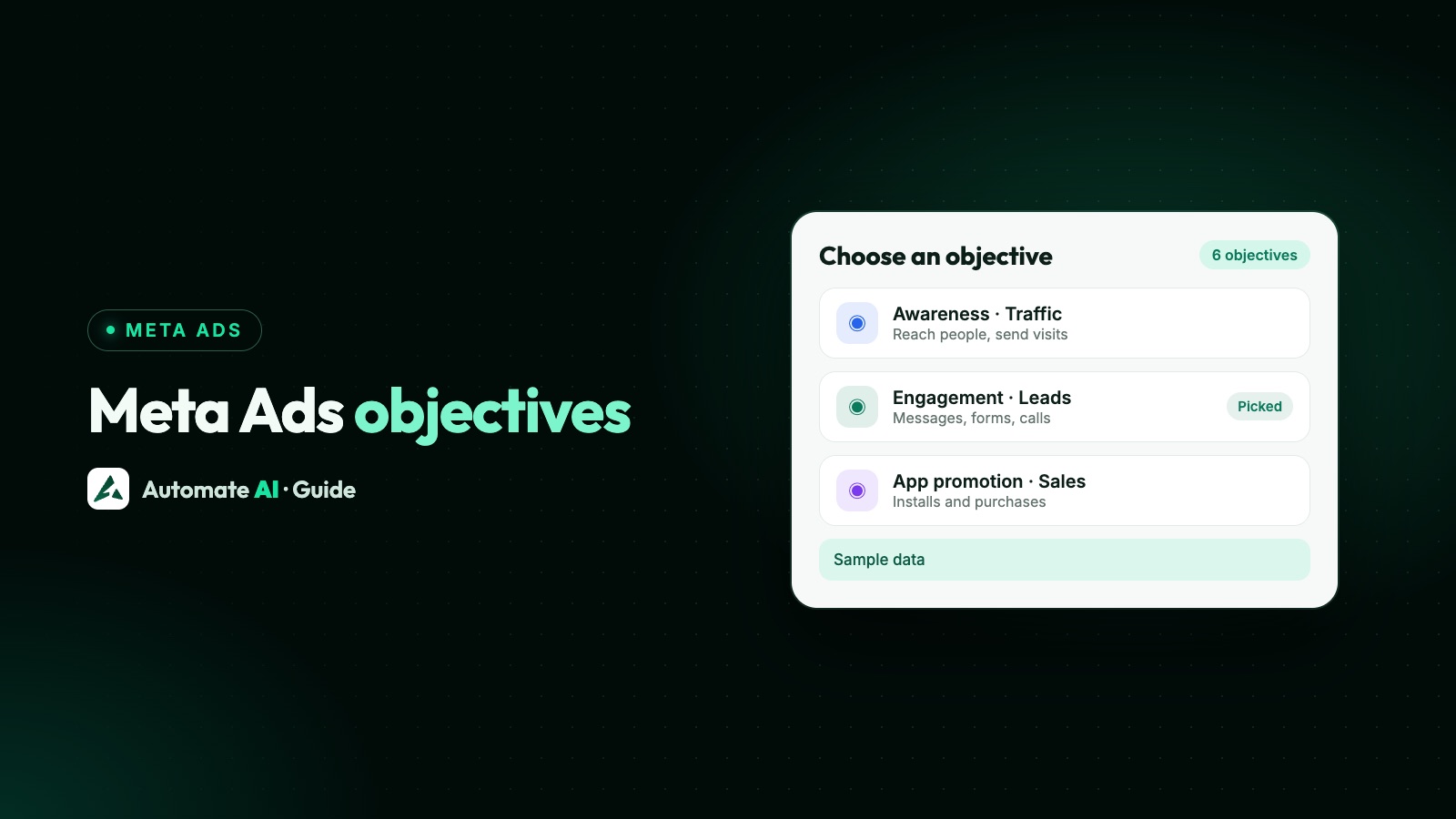
Meta ads have six objectives: Awareness, Traffic, Engagement, Leads, App promotion and Sales. Choose the one that matches the action you want people to take, because the objective decides what Meta optimises for and which conversion locations and performance goals Ads Manager lets you pick.
This guide goes one level deeper than most lists: for each objective it shows the conversion locations and performance goals Meta’s own documentation allows, which ones can open a WhatsApp chat, and how to decide between Engagement, Leads and Sales when what you really want is enquiries. For the bigger picture of Meta ads, start at our Meta Ads hub.
Key takeaways
- Meta simplified its older eleven objectives into these six, and the objective you pick is the biggest single choice in a campaign.
- The objective is the result you want; the conversion location is where it happens; the performance goal is what delivery optimises for.
- Meta’s developer documentation lists Engagement, Traffic, Sales and Leads as objectives that can run Click-to-WhatsApp ads. Awareness and App promotion can’t.
- Engagement with WhatsApp optimises for conversations, Traffic only for clicks or reach, and Sales can optimise for purchases reported back from the chat.
- Ads Manager shows only the options that fit, so if WhatsApp is missing, check the objective and the WhatsApp number linked to your Page.
The six objectives at a glance
In 2021 Meta announced it would simplify eleven campaign objectives into six, and advertisers who mainly used Conversions, Messages and Video views felt the change most. Today every campaign starts with one of these. The table comes from the objective rules in Meta’s Marketing API reference, which uses the same names as Ads Manager:
| Objective | Optimises for (performance goals) | Conversion locations | Can open WhatsApp? |
|---|---|---|---|
| Awareness | Ad recall lift, reach, impressions | None to choose | No |
| Traffic | Link clicks, landing page views, impressions, daily reach | Website, app, Messenger, WhatsApp | Yes |
| Engagement | Conversations, video views, post engagement, event responses, Page likes, conversions | Your ad (video, post, event), Messenger, WhatsApp, Instagram, website, app, Page | Yes, optimised for conversations |
| Leads | Leads, calls, conversions | Instant forms, Messenger, calls, website, app | Yes, per Meta’s Click-to-WhatsApp guide |
| App promotion | App installs, app events, value | Your app | No |
| Sales | Conversions, value, conversations, clicks, reach | Website, app, both, Messenger, WhatsApp | Yes |
Two of Meta’s documents differ slightly on WhatsApp: the objective reference doesn’t list WhatsApp under Leads, while the Click-to-WhatsApp guide lists Leads among the supported objectives, optimised for conversations. Your Ads Manager shows only what’s available to your account, so treat the table as a map and your screen as the final word.
Awareness and App promotion: no conversion location to pick
These two are the simplest, because Meta doesn’t ask where the action happens.
- Awareness shows your ad to as many of the right people as possible. You choose between reach (as many different people as possible), impressions (as many showings as possible) and ad recall lift (people Meta expects to remember the ad). Video views can be bought here or under Engagement. Use it for a new shop opening, a new name in town or a launch everyone should hear about, and judge it on reach and frequency, not on enquiries.
- App promotion finds people likely to install your app or take an action in it, such as a purchase. It needs an app set up with Meta, so most service businesses and shops without an app can skip it.
Traffic: getting people somewhere
Traffic sends people to a destination: your website, your app, or a chat in Messenger or WhatsApp. On a website it can optimise for link clicks or landing page views, as well as impressions or reach. For Messenger and WhatsApp, Meta’s objective reference lists link clicks, impressions or reach; its Click-to-WhatsApp guide also lists conversations for Traffic.
Meta recommends Traffic when the action you care about is hard to track and tie back to the ad. If you can track it with the Meta Pixel, such as an online order or a sign-up, Sales or Leads usually suit better, because they optimise for that action rather than for the click before it.
The catch for WhatsApp: if your account only offers clicks or reach, a Traffic ad pointed at WhatsApp is optimised for taps, not for people who actually send you a message. If chats are what you want, Engagement optimised for conversations is the direct route.
Engagement: messages, video views and interactions
Engagement is the broadest objective. Meta finds people likely to interact, and you decide what kind of interaction through the conversion location:
| Conversion location | Performance goals | Good for |
|---|---|---|
| On your ad: video | ThruPlay, 2-second continuous video views | Video reach before a retargeting campaign |
| On your ad: post or event | Post engagement, event responses | Event sign-ups, social proof on a post |
| Messaging apps (WhatsApp, Messenger, Instagram) | Conversations, link clicks | Enquiries from people ready to ask a question |
| Website or app | Conversions, landing page views, link clicks | Actions on your own site or app |
| Your Facebook Page | Page likes | Growing a Page audience |
For businesses that sell in conversation, Engagement with WhatsApp as the conversion location, optimised for conversations, is the classic Click-to-WhatsApp setup: Meta looks for people likely to start a chat, not just tap. To build one step by step, follow our Click-to-WhatsApp ads guide.
Leads: forms, calls and messages
Leads finds people likely to share their details. Meta’s objective reference lists these conversion locations:
- Instant forms: a form opens inside Facebook or Instagram. It optimises for leads, or for conversion leads, which uses your sales results sent back through Meta’s Conversions API for CRM. How to build one: create a Facebook lead form.
- Messenger: a Messenger conversation, optimised for leads.
- Calls: a button that rings your business, optimised for calls.
- Website or app: a sign-up you track with the Pixel or app events.
Meta’s Click-to-WhatsApp guide adds WhatsApp under Leads, optimised for conversations. If you don’t see it in Ads Manager, Engagement with WhatsApp is the reliable route to the same chats.
Form leads are quick to collect, but nothing happens until you get in touch, and every hour of delay is time for the lead to forget you. The Facebook Lead Ads integration in Automate AI saves each new form lead as a contact and can send them a WhatsApp message straight away. For running forms and chat ads side by side, see Meta ads leads on WhatsApp.
Sales: optimising for purchases
Sales finds people likely to buy. On a website or app it optimises for conversions (an event you choose, such as Purchase or Add to cart) or value (people likely to spend more), so it needs the Meta Pixel, the Conversions API or app events reporting those actions back to Meta. Without that data, Sales has nothing to learn from.
Sales can also send people to WhatsApp or Messenger. Meta’s Conversions API for business messaging gives “purchase optimization” for ads that click to WhatsApp and Messenger: when your system reports a purchase that happened in the chat, Meta can find more people who buy, not just people who chat. Meta’s Click-to-WhatsApp guide lists conversations, conversions, link clicks, impressions and reach as the goals for a Sales ad that opens WhatsApp.
Automate AI sends Lead and Purchase events from chats that started from an ad back to Meta through the Conversions API, so a Sales campaign has the data it needs. How to see which ads produce buyers: track which ads bring WhatsApp customers.
Which objectives can open a WhatsApp chat
Meta’s developer guide to Click-to-WhatsApp ads names four supported objectives, and each optimises differently:
| Objective | What Meta optimises a WhatsApp ad for | Best when |
|---|---|---|
| Engagement | Conversations or link clicks | You want as many real chats as the budget allows |
| Leads | Conversations | Your account shows it and you report leads as Leads |
| Sales | Conversations, conversions, link clicks, impressions, reach | You already report purchases from chats back to Meta |
| Traffic | Conversations, landing page views, link clicks, impressions, reach, post engagement | You mainly want reach, and a chat is a bonus |
All four need a Facebook Page with a WhatsApp number linked to it. If Ads Manager won’t offer WhatsApp at all, that link is the usual reason: see why Meta asks for a WhatsApp number.
Engagement vs Leads vs Sales: a decision table
This is the choice most businesses struggle with, because all three can bring enquiries. Decide by what happens after the click and what data you can send back:
| Your situation | Choose | Conversion location |
|---|---|---|
| People need to ask questions before buying (property, courses, clinics, custom orders) | Engagement | WhatsApp, optimised for conversations |
| You call people back and want their name and number up front | Leads | Instant form |
| You want people to ring you now | Leads | Calls |
| You sell online and track orders with the Pixel | Sales | Website |
| You close sales in WhatsApp and report purchases back to Meta | Sales | |
| You just opened and need people to know your name | Awareness | None |
| You want visits to a page and can’t track what happens next | Traffic | Website |
Start with the simplest option that matches your goal, run it for at least a week, and compare cost per customer rather than cost per click or per lead. A cheap lead that never buys is the expensive one. To turn your own numbers into a budget and return on ad spend, use the Meta Ads calculator. Meta doesn’t publish average costs for any objective, so be wary of anyone who quotes one.
Objectives in Automate AI’s Meta Ads menu
If you create ads from Meta Ads in Automate AI’s main menu (every plan, owners and managers), you choose what the ad is for and Automate AI sets the matching objective and performance goal for you:
| What the ad is for | Objective set | Optimised for |
|---|---|---|
| WhatsApp chats | Engagement | Conversations |
| Messenger or Instagram messages | Engagement | Conversations |
| Website visits | Traffic | Link clicks |
| Lead forms | Leads | Leads |
| Reach | Awareness | Reach |
| Website sales | Sales | Conversions (a Pixel event you pick, Purchase by default) |
Phone call ads are there too. For a WhatsApp ad, describe your offer and AI drafts the headline, text, audience and greeting; you add a photo, set a daily budget, check and publish. Ads are created paused, so nothing is spent until you publish. Every ad in your ad account, including ones made in Ads Manager, shows its spend, clicks, chats started and cost per chat. More: Click-to-WhatsApp ads in Automate AI. New to Ads Manager itself? Read Facebook ads for beginners.
Frequently asked questions
What are the 6 Meta ads objectives?
Awareness, Traffic, Engagement, Leads, App promotion and Sales. They replaced Meta’s older list of eleven objectives.
Which Meta ads objective is best for WhatsApp?
For most businesses, Engagement with WhatsApp as the conversion location, optimised for conversations. Choose Sales instead if you report purchases from chats back to Meta, so it can optimise for buyers.
What is the difference between Engagement and Leads?
Engagement finds people likely to interact, such as starting a chat or watching a video. Leads finds people likely to share their details, through an instant form, a call, Messenger or a website sign-up.
Can I use the Traffic objective for WhatsApp ads?
Yes, Meta lists WhatsApp as a Traffic conversion location. Its objective reference lists link clicks, impressions and reach as the goals there, which count taps rather than chats, so Engagement optimised for conversations is usually the better fit.
Which objective should I use for online sales?
Sales, with the Meta Pixel or Conversions API reporting purchases, so Meta can optimise for people likely to buy. Without that tracking, it has nothing to learn from.
Does the objective change what Meta ads cost?
Yes. Meta’s pricing page says the objective plays a large role in cost, alongside ad quality, bid strategy, performance goal and budget type. Meta publishes no average cost per objective, so compare objectives with your own results.
Sources
- Meta Marketing API: Ad set reference (objective, conversion location and optimisation goal rules)
- Meta Marketing API: Click-to-WhatsApp ads (supported objectives)
- Meta for Developers: Simplifying campaign objectives with Outcome-Driven Ad Experiences
- Meta for Business: Ad objectives
- Meta for Business: Traffic objective
- Meta: Conversions API for business messaging
- Meta for Business: Ads pricing (what affects cost)
WhatsApp rules and prices change. We check these guides against Meta’s documentation, but always confirm current terms with Meta before you rely on them. Questions? Message us on WhatsApp at +91 836 977 8812.