How to Run TikTok Ads to WhatsApp
Run TikTok ads that open a WhatsApp chat: TikTok’s Instant Messaging Ads setup, Clicks or Conversations, the ad rules, and how to answer the chats that arrive.
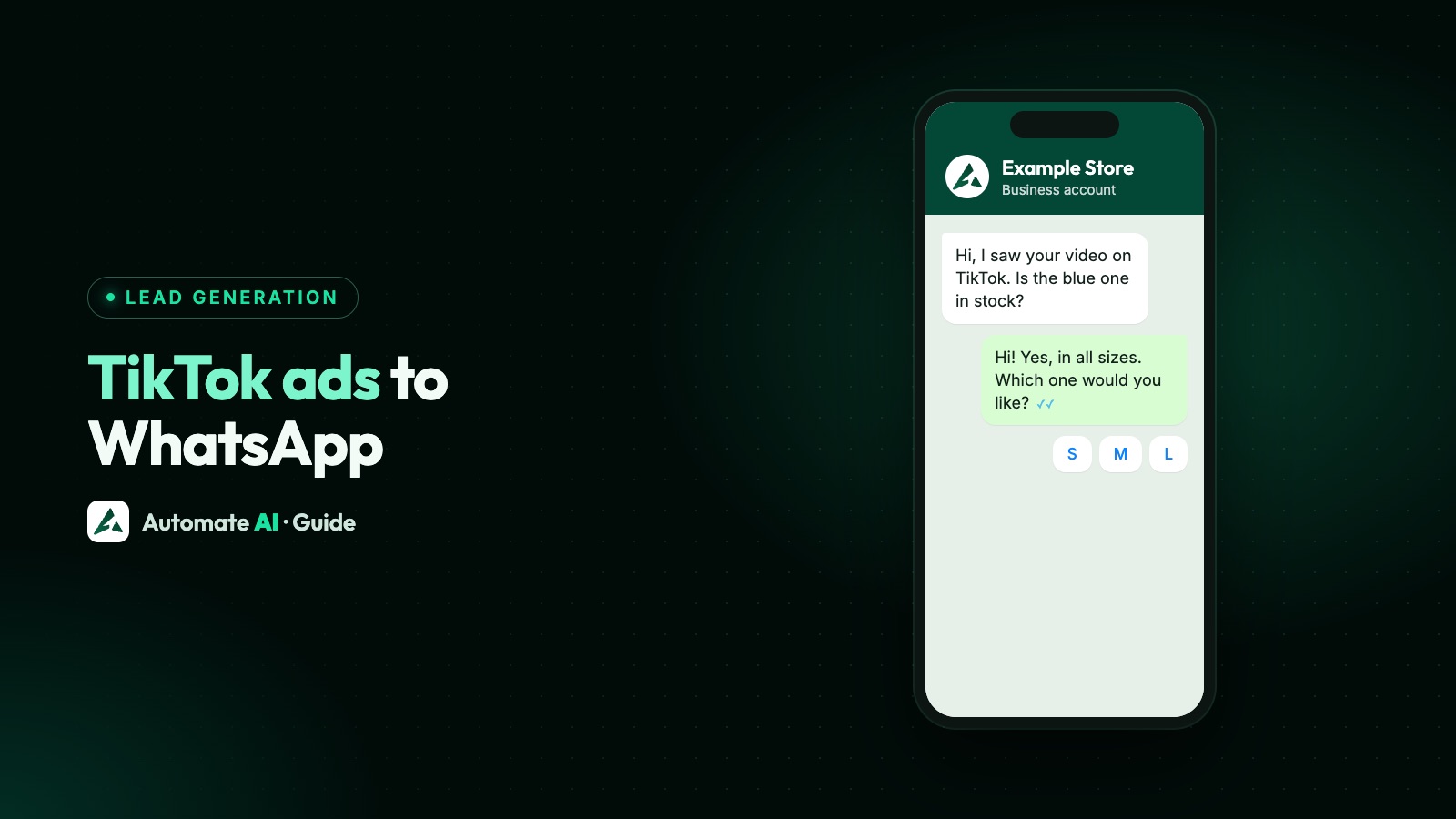
To run TikTok ads to WhatsApp, create a Lead generation campaign in TikTok Ads Manager, set the optimisation location to Instant Messaging apps, choose WhatsApp and enter your WhatsApp Business API number. TikTok calls these Instant Messaging Ads: a tap on the ad takes the viewer out of TikTok and into a WhatsApp chat with your business.
This guide follows TikTok’s own setup steps, explains the choice between the Clicks and Conversations goals, lists the rules TikTok applies to messaging ads, and shows what to do once the chat lands in your inbox. TikTok’s help pages don’t list the countries where these ads are available, so check the options in your own Ads Manager before you plan a campaign.
Key takeaways
- TikTok’s Instant Messaging Ads send people from an ad to a chat app; TikTok’s setup guide lists WhatsApp, Messenger, Zalo and LINE.
- Start with the Lead generation objective and the Instant Messaging apps optimisation location, then enter your WhatsApp Business API number.
- The Conversations goal needs a message event set from TikTok Events Manager or a Messaging Partner; Clicks works for every advertiser.
- TikTok says the chat must match the ad: same product, same brand, same price, and no sensitive data such as bank details.
- Chats from TikTok don’t open Meta’s free entry point window. Reply inside the 24-hour window and ask for opt-in before you send offers.
Three ways from TikTok to WhatsApp
TikTok’s Business Help Center describes two kinds of Messaging Ads. Only one of them ends in WhatsApp. The third route, a link on your profile, isn’t an ad at all.
| Instant Messaging Ads | Direct Messaging Ads | Link on your profile | |
|---|---|---|---|
| Where the chat happens | In WhatsApp (or Messenger, Zalo, LINE) | Inside TikTok’s own direct messages | Wherever the link goes |
| Paid | Yes, it’s an ad | Yes, it’s an ad | No |
| What you set up | Your WhatsApp Business API number | Your TikTok account’s direct message setting | A website link on your business profile |
| Reaches people who don’t follow you | Yes | Yes | Only people who visit your profile |
If you want the conversation in WhatsApp, where your team already works, Instant Messaging Ads are the route. TikTok’s overview puts it plainly: with Instant Messaging Ads, people are redirected outside TikTok to the third-party messaging app, while Direct Messaging Ads keep them in the TikTok app.
What you need before you start
- A TikTok Ads Manager account, with the Lead generation objective available to you. TikTok doesn’t publish a country list for Instant Messaging Ads in its help pages, so the options in your account are what counts.
- A WhatsApp Business API number. TikTok’s setup guide asks for your WhatsApp business API number and says it must be a unique number, not used in any other personal or business WhatsApp account.
- Someone, or something, ready to reply. TikTok switches dayparting on by default for these ads and asks you to choose the days and times you can respond to messages.
- A tracking plan. Decide now how you’ll tell TikTok chats apart from your other leads (more on this below).
A WhatsApp Business API number comes from a provider such as Automate AI. If you don’t have one yet, what the WhatsApp Business API is explains the setup and what it costs.
How to set up a TikTok ad to WhatsApp, step by step
From TikTok’s guide to setting up Instant Messaging Ads:
- In TikTok Ads Manager, select + Create, choose Lead generation as the objective and click Continue.
- In the ad group, set the Optimization location to Instant Messaging apps.
- Choose the optimisation goal: Conversations (TikTok’s recommendation) or Clicks. More on the choice in the next section.
- Choose WhatsApp and enter your WhatsApp business API number.
- For Conversations, select your message event set, or click Connect new message event set.
- Finish the other ad group settings: audience, budget, schedule and dayparting (the hours your team or chatbot can answer).
- In the ad, optionally pick a TikTok Business Account identity, then write the caption in the Text field. TikTok suggests a soft call to action such as “Message now if you’re interested”.
- Check the destination. For WhatsApp it’s filled in from the ad group; to change it, go back to the ad group.
- Click Publish all.
Test before you spend
TikTok’s guide has a test for WhatsApp: hover over Check if the ID opens properly and scan the QR code with your phone. In TikTok’s example, a working test opens a chat with a message ready to send: “Hello! I came across your ad on TikTok and would like to find out more.” Send it from a phone that isn’t your business number and check that it reaches your inbox.
Clicks or Conversations: choosing the goal
| Clicks | Conversations | |
|---|---|---|
| What TikTok optimises for | Taps that open the chat app | Conversations that actually start |
| Apps TikTok lists | WhatsApp, Messenger, Zalo, LINE, or an Instant Messaging URL | WhatsApp, Messenger or Zalo |
| What it needs | Nothing extra; TikTok says it’s available for clients without a Messaging Partner | A message event set, created in Events Manager or through a supported Messaging Partner |
| What you can report on in TikTok | Clicks; you can add a message event set for extra tracking | Conversations |
TikTok explains that conversation optimisation and reporting work when you’ve integrated with a supported Messaging Partner, a third-party platform that sends TikTok a tracking ID and keyword signals. TikTok says the actual content of messages stays private and isn’t shared with it.
A click is a tap, not a chat. WhatsApp opens with the message ready, but nothing reaches you until the person taps send, so expect fewer chats in your inbox than clicks in TikTok.
TikTok’s rules for messaging ads
TikTok’s policies for Messaging Ads add a few rules on top of its normal Advertising Policies and Community Guidelines. The ones that matter most once a chat opens:
- Match the ad. The product or industry in the chat must match the video, the brand must match, and any offer, sale or price in the video must be the same in the chat.
- Free means free. Something the video calls free can’t turn into a payment request in the chat.
- No sensitive data. Don’t ask for date of birth, bank or card details, passwords, medical or biometric data, or details such as religion or criminal history, in the chat or on a linked page.
- No TikTok branding in your messages without permission, and no impersonating a brand.
- No banned products. Messages can’t promote anything TikTok’s Industry Entry policy prohibits.
TikTok says breaking these rules can lead to rejected or restricted ads, messaging restrictions and, for severe or repeated cases, an account ban. Rejected ads can be appealed through One Click Appeal.
WhatsApp’s own rules apply in the chat as well. WhatsApp marketing without getting banned covers what Meta expects once you start sending offers.
Captions and first replies to use
Original samples for made-up businesses. The first reply asks one easy question so the chat keeps going, and nothing asks for sensitive data.
| Business | Ad caption | First reply from you |
|---|---|---|
| Skincare shop | New vitamin C serum, ₹699 this week. Message us to find your skin type match. | Thanks for messaging Example Glow! Is your skin oily, dry or mixed? |
| Dance classes | Weekend Bollywood batch for beginners. Message now to book a free first class. | Great to hear from you! Is the class for you or for your child? |
| Home bakery | Custom birthday cakes in Pune, delivered. Message us with your date. | Happy to help! Which date is the party, and how many people? |
| Travel agency | Goa weekend packages from ₹8,999. Message us for this month’s dates. | Thanks! How many people are travelling, and which weekend suits you? |
Keep the price and the offer in your reply exactly as the video shows them, because TikTok’s policy asks for that. If a reader asks about something you can’t answer straight away, say when a person will reply, not just “we’ll get back to you”.
What happens after the chat starts
Once the person taps send, Meta’s rules for the WhatsApp Business Platform apply, whichever ad brought them:
- A 24-hour customer service window opens. You can reply with any message inside it, and Meta’s pricing page says the timer resets each time the customer writes again. Meta gives each business number 1,000 free service messages a month from 1 October 2026, when Meta started charging for service messages again.
- No free entry point window. Meta’s pricing page ties that window to chats started from an ad that clicks to WhatsApp, Meta’s own ad format on Facebook and Instagram. A chat from a TikTok ad doesn’t get it.
- After 24 hours, you can only send approved template messages, charged by category.
- Offers need opt-in. A question about one serum isn’t consent to promotions for months. Ask in the chat first; see WhatsApp opt-in.
This makes the first day the one that counts. Answer fast, settle the question, and ask whether they’d like updates before the window closes. More on timing in the WhatsApp 24-hour rule and speed to lead.
Handling TikTok chats in Automate AI
Automate AI doesn’t connect to TikTok Ads Manager, so the campaign and its reporting stay in TikTok. What it handles is the chat, from the first message:
- Shared inbox: each chat from your connected number lands in the shared inbox and the person is saved as a contact, so your team answers from one place.
- Lead Sources (Settings › Lead Sources): add words from the message people send, such as “ad on TikTok”, and a source name such as “TikTok ad”. A new contact whose first message matches gets that source, shown in the chat list. Send a test first to see the exact words your ad’s chat opens with.
- Keyword replies and chatbots answer the first message straight away, outside dayparting hours too. See the chatbot builder.
- Statuses such as New lead, Qualified and Won let you count which TikTok campaigns bring customers, not just taps.
- Campaigns send approved templates later to contacts who opted in. See WhatsApp campaigns.
For a link on your TikTok profile, Campaigns › Tracking › Smart links makes a Chat on WhatsApp link with your message typed in and counts every tap. A plain wa.me link works too; our WhatsApp link generator builds one.
Running ads on Google too? How to send Google Ads clicks to WhatsApp covers that side, and how to track which ads bring WhatsApp buyers helps you compare the sources.
Frequently asked questions
Can TikTok ads open WhatsApp directly?
Yes. TikTok’s Instant Messaging Ads send people from the ad to a WhatsApp chat with your business. You set them up with the Lead generation objective and the Instant Messaging apps optimisation location.
What number do I need for TikTok ads to WhatsApp?
TikTok asks for a WhatsApp Business API number, and says it must be unique: not used in any other personal or business WhatsApp account.
Do I need a Messaging Partner?
Only for the Conversations goal and conversation reporting, which need a message event set. TikTok says the Clicks goal is available to advertisers who haven’t integrated with a Messaging Partner.
Are WhatsApp chats from TikTok ads free?
TikTok charges for the ad. On WhatsApp, Meta’s free entry point window is only for its own ads that click to WhatsApp, so TikTok chats use the normal 24-hour window and the free tier of 1,000 service messages a month per number.
Can I put a WhatsApp link in my TikTok bio?
It depends on your account. TikTok’s entitlements page says a general account can’t show a bio link and lists public display of the business profile under a Verified Business Account.
How do I know which chats came from TikTok?
Look at the first message. If your TikTok chats open with words such as “ad on TikTok”, a Lead Source rule in Automate AI can tag every new contact that sends them.
Sources
- TikTok Business Help Center: Set up TikTok Instant Messaging Ads
- TikTok Business Help Center: About TikTok Messaging Ads
- TikTok Business Help Center: Policies for TikTok Messaging Ads
- TikTok Business Help Center: About Messaging Partners
- TikTok Business Help Center: About TikTok account entitlements
- Meta: Pricing on the WhatsApp Business Platform
WhatsApp rules and prices change. We check these guides against Meta’s documentation, but always confirm current terms with Meta before you rely on them. Questions? Message us on WhatsApp at +91 836 977 8812.