WhatsApp API for Small Business: Do You Need It, and How to Start
When the free WhatsApp Business app is enough and when the API pays off for a small business: what you need, what it costs, coexistence and a 30-day plan.
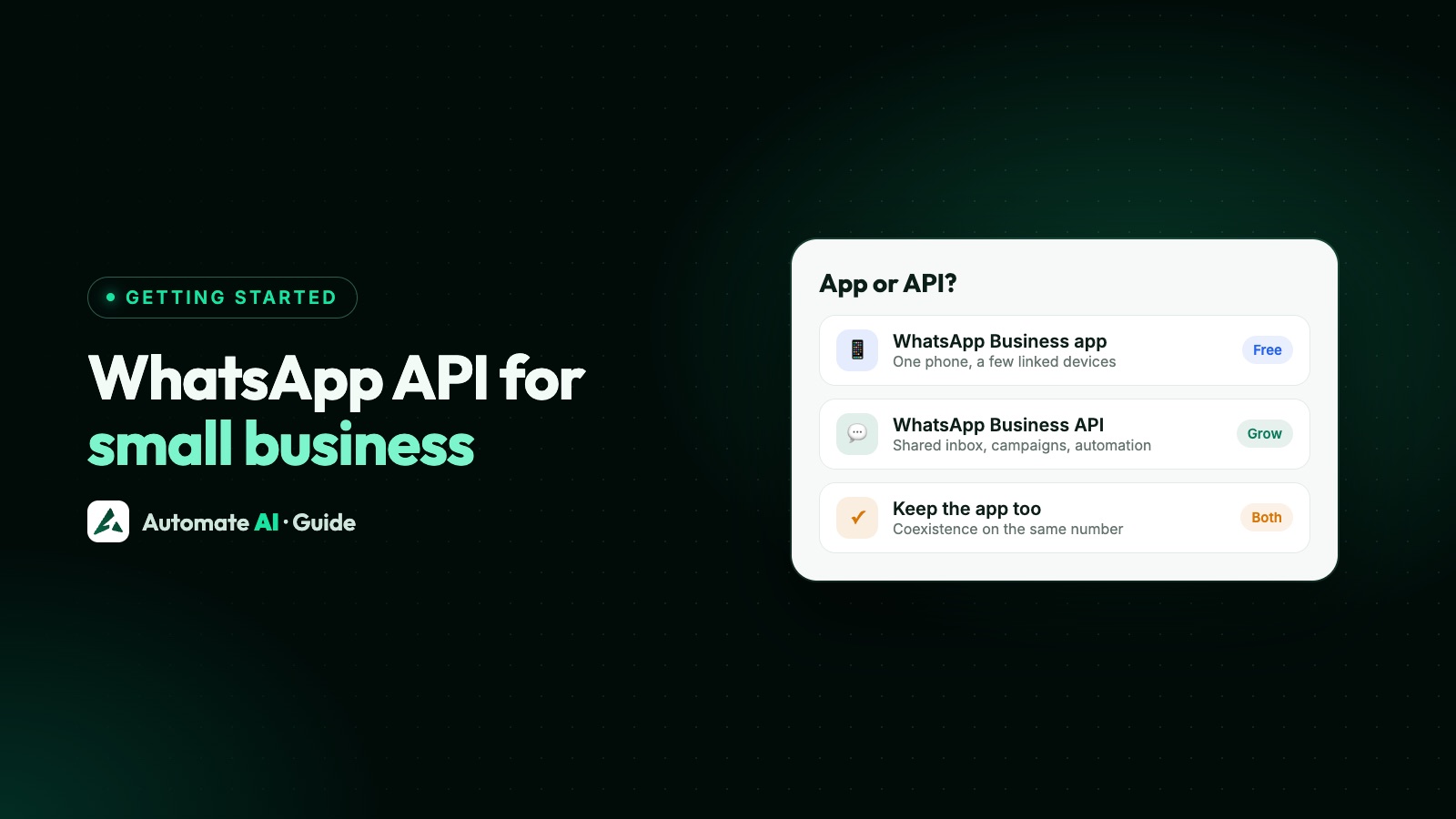
The WhatsApp API is worth it for a small business once more than one or two people answer chats, or once you want to message customers in bulk, automatically or from ads. If you’re one person replying to a few chats a day from one phone, the free WhatsApp Business app is usually enough, and you can move up later without changing your number.
This guide helps you decide, then covers what you need, what you pay in broad terms, keeping the app with coexistence, a 30-day starter plan and the mistakes to avoid. Meta’s rules are as of November 2026.
Key takeaways
- Stay on the free WhatsApp Business app while one or two people reply from one phone and your broadcasts only need to reach people who saved your number.
- Move to the API for a shared inbox, campaigns beyond the app’s broadcast lists, automation that runs without your phone, or chats from ads.
- To start you need a Meta business portfolio, a number you own, a display name that matches your business and approved templates for messages you send first.
- You pay Meta per delivered template, plus service replies above 1,000 a month per number, and your provider’s plan. Messages customers send you are free.
- With coexistence you keep the WhatsApp Business app on the same number while the API works alongside it.
- New portfolios can message 250 people outside open chats in a moving 24 hours, so start small and grow.
App or API: the quick decision
If you answer yes to two or more of the first five questions, the API is worth trying. If only the last one is a yes, stay on the app for now.
| Question | If yes | Why |
|---|---|---|
| Do more than two people answer customer chats? | API | The free app is one phone plus four linked devices, with no chat assignment (paid Meta Verified or Meta One plans add assignment and up to 10 devices, where offered) |
| Should offers reach customers who haven’t saved your number? | API | App broadcast lists hold 256 contacts and only reach people who saved you |
| Should replies and follow-ups go out without someone holding the phone? | API | Keyword replies, chatbots and follow-up sequences run on the API |
| Do you run, or plan to run, Click-to-WhatsApp ads? | API helps | Ad chats land in a shared inbox, and the free window after them covers API messages |
| Should WhatsApp connect to your store, CRM or website forms? | API | The app has no API or webhooks |
| Is it just you, answering a few chats a day? | Stay on the app | It’s free and covers the basics |
Made-up example: Example Salon has three staff sharing one phone. Bookings get missed, and offers only reach clients who saved the number. That’s three yeses, so the salon tries the API and keeps its app through coexistence.
When the free WhatsApp Business app is enough
Plenty of small businesses never need more. The app is free and already has a business profile, a catalogue, quick replies, labels, greeting and away messages, and broadcast lists for regulars who saved your number.
It’s enough when one person (or two, on linked devices) answers, most chats start with the customer, and the people you’d send offers to have saved your number. The full list of limits is in WhatsApp Business app limitations.
Four signs the API pays off
1. A few staff share one number
On the free app, everyone replies as the same business and nobody can see who answered what. On the API, each person has their own login in a shared inbox. In Automate AI, every plan includes unlimited users and the shared inbox, with auto-assignment, internal notes and Owner, Manager or Agent roles.
2. Your broadcasts have outgrown the app
WhatsApp’s Help Center says a broadcast list holds up to 256 contacts, and only people who saved your number receive it. On the API you send an approved template to opted-in contacts, up to your messaging limit, and see who it reached, who read it and who replied. That’s what campaigns do in Automate AI.
3. You want work done while you’re busy
Keyword replies, chatbots that ask questions and route people, and follow-ups that stop when someone replies all run on the API. In Automate AI, keyword replies, chatbots and the AI Assistant (which answers from your own documents and hands over to a person) come with the AI + Automation Plan and Series 4; campaign follow-up steps, which go only to people who haven’t replied, are on every plan. See the chatbot builder.
4. Ads bring the chats
Click-to-WhatsApp ads on Facebook and Instagram open a chat with your number. When someone messages you from the ad on their phone and you reply within 24 hours, Meta opens a free entry point window of up to 7 days, and messages in it aren’t charged. You still pay for the ad. In Automate AI, owners and managers can create these ads on every plan; see Click-to-WhatsApp ads.
How the WhatsApp Business API works, in plain terms
- You connect a number to Meta’s WhatsApp Business Platform, usually through a provider, so it isn’t limited to one phone.
- You work in the provider’s software: a browser inbox, templates, campaigns and automation. The API on its own has no screens.
- When a customer messages you, a 24-hour customer service window opens and you can reply with anything: text, photos, buttons or lists.
- Outside that window, or to message someone first, you can only send a template Meta has approved, and only to people who opted in.
- Meta charges per delivered template, and for service replies above 1,000 a month; your provider charges for its software.
You don’t need a developer: with a provider, connecting means signing in with Facebook and confirming your number with a code. More in what the WhatsApp Business API is.
What you need to get started
- A Meta business portfolio. Meta says you must have one to use the platform. If you don’t have one yet, you can create it during signup.
- A phone number you own, with a country and area code, that can receive an SMS or voice call. Short codes don’t qualify. A number already on WhatsApp can’t be registered unless that WhatsApp account is deleted first, or you connect it with coexistence (below).
- A display name that clearly matches your business. Meta checks it against its guidelines; see WhatsApp display name rules.
- Your first templates. Each is marketing, utility or authentication, and Meta’s review can take up to 24 hours. Our template library has samples to adapt.
- Contacts who opted in. Only message people who agreed to hear from your business; see WhatsApp opt-in.
The full order of steps in Automate AI is in how to get started with the WhatsApp Business API.
Choosing a provider
- Published prices for the plan and each message, with taxes shown.
- Coexistence, if you want to keep the app on your number.
- Users counted per seat, or unlimited.
- The tools you’ll use in month one (inbox, templates, campaigns), and support you can reach in your language and time zone.
Weighing several? Our roundup of WhatsApp API providers puts them side by side.
What it costs, in broad terms
There are two bills: Meta’s charges for messages, and your provider’s plan. Meta charges per message, only when it’s delivered, by the template’s category and the recipient’s country.
| What | Charged? | Notes |
|---|---|---|
| Messages customers send you | Free | Always |
| Your replies inside the 24-hour window | First 1,000 a month per number are free | Charged after that, since 1 October 2026 |
| Marketing templates | Per delivered message | Offers, launches, win-back messages |
| Utility templates | Per delivered message | Order and booking updates; charged inside an open window too, since 1 October 2026 |
| Authentication templates | Per delivered message | One-time passcodes |
| Messages after a Click-to-WhatsApp ad chat | Free for up to 7 days | If you reply within 24 hours; the ad is paid for separately |
| Provider plan | Plan fee | The software: inbox, templates, campaigns, automation |
In Automate AI, plans start at ₹5,499 for 3 months (the Marketing Plan, or ₹17,999 for 12 months, about ₹1,500 a month), with unlimited users, contacts and campaigns. Messages come out of a prepaid wallet: to Indian numbers, a delivered marketing message is ₹0.99 and a utility or authentication message ₹0.19 on the Marketing and AI + Automation plans, including Meta’s fee. Prices are in INR, plus GST.
For month-by-month budgets with worked examples, see how much the WhatsApp API costs per month. The free parts are in is the WhatsApp API free?, and every plan and rate is on the pricing page.
Keep your WhatsApp Business app with coexistence
Worried about losing the number customers know? Meta’s coexistence onboarding connects your WhatsApp Business app number to the API while the app keeps working on your phone.
- You need WhatsApp Business app 2.24.17 or later, connected through a provider (a Meta Solution Partner or Tech Provider).
- Messages you send from the app stay free; messages sent through the API are billed as usual.
- In the app, broadcast lists become read-only, and disappearing messages, view once and live location switch off for one-to-one chats.
- Keep using the app: if the main phone is inactive for about 14 days, Meta disconnects the number from the API.
- Sending speed is fixed at 20 messages per second.
In Automate AI, choose Connect WhatsApp › WhatsApp Business App number › Use my app number. New customer messages, and messages you send from the phone app, show in the shared inbox, and your old chats stay in the app. Ask our team when you connect: we can bring in your WhatsApp Business app contacts and up to 6 months of one-to-one chats, within 24 hours of connecting, if you allowed chat sharing in Meta’s window. A simple split: the owner keeps groups in the app while the team works the inbox. More in WhatsApp coexistence and coexistence with Automate AI.
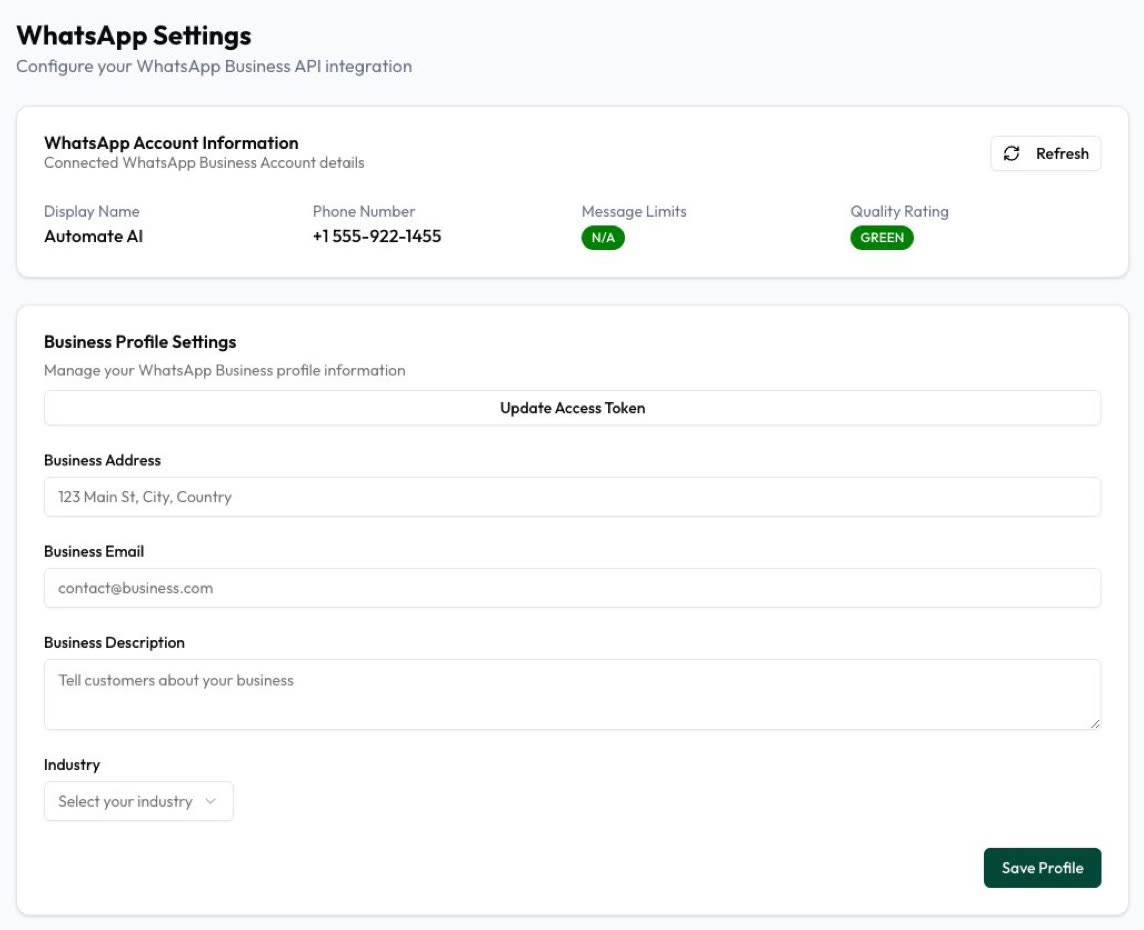
A 30-day starter plan
A realistic first month for a small team, while your limit is 250 people outside open chats in a moving 24 hours:
| When | Do this | Done when |
|---|---|---|
| Days 1 to 3 | Choose coexistence or a new number, sign up, connect the number and fill in your business profile | Your number and display name show as connected |
| Days 4 to 7 | Invite your team, set roles and business hours, and save quick replies for your most common questions | Every new chat has an owner |
| Week 2 | Submit one utility and one marketing template; import only opted-in contacts, in groups such as “Regulars” and “Enquiries” | Both templates approved, contacts grouped |
| Week 3 | Send your first campaign to a small group of recent customers, not everyone, and answer every reply | You’ve seen who got it, read it and replied |
| Week 4 | Add one automation, such as a keyword reply for “PRICE”, check your quality rating, and decide on business verification or a small ad | You know what to repeat next month |
Two sample templates for week 2 (made-up business, with {{1}} for the customer’s name):
- Utility: “Hi {{1}}, your order from Example Bakery is ready to collect today until 7 pm. Reply here if you need a different time.”
- Marketing: “Hi {{1}}, it’s Example Bakery. Weekend cakes are open for orders: reply with your favourite and we’ll set one aside. Reply STOP to opt out”
Mistakes to avoid
- Messaging people who never opted in. WhatsApp’s Business Messaging Policy requires opt-in and says you must respect every request to stop. Bought lists lead to blocks and reports, which hurt your quality rating.
- Using “free WhatsApp API” bulk senders. Tools that automate the WhatsApp app or WhatsApp Web aren’t the API and put your number at risk. See why bulk sender tools get numbers banned.
- Deleting your app account when you wanted to keep it. A full move means deleting the WhatsApp account on that number first. To keep the app and its chats, use coexistence.
- Sending your first campaign to everyone. A first send to people who don’t remember you invites blocks, so start with recent, happy customers.
- Automating with no way out. WhatsApp’s policy says automated replies need a prompt, clear way to reach a person, such as handing the chat to your team.
Frequently asked questions
Is the WhatsApp Business API good for small businesses?
Yes, once more than one or two people answer chats, or you want campaigns, automation or chats from ads. A sole trader replying to a few chats a day is usually fine on the free WhatsApp Business app.
Is the WhatsApp Business API free for a small business?
Not entirely. Messages customers send you are free, and each number gets 1,000 free service replies a month. Templates you send are charged per delivered message, and providers charge for their software.
How does the WhatsApp Business API work?
You connect your number through a provider and work in its inbox. You reply freely for 24 hours after a customer writes; otherwise you send approved templates to opted-in contacts.
Can I keep my WhatsApp Business app number?
Yes. With coexistence (app version 2.24.17 or later) the same number works in the app and through the API. Broadcast lists in the app become read-only.
How many customers can I message at first?
250 unique numbers outside open chats in a moving 24 hours. Business verification is one way to reach 2,000, and limits then rise automatically if your quality stays high and you use at least half your limit over 7 days.
What is the best WhatsApp API for a small business?
The one with published prices, the tools you’ll use in your first month, coexistence if you want to keep the app, and support you can reach.
Sources
- Meta: Pricing on the WhatsApp Business Platform
- Meta: Messaging limits
- Meta: Business phone numbers
- Meta: Templates overview
- Meta: About the WhatsApp Business Platform
- Meta: Onboarding WhatsApp Business app users (coexistence)
- WhatsApp Help Center: Broadcast lists
- WhatsApp Business Messaging Policy
WhatsApp rules and prices change. We check these guides against Meta’s documentation, but always confirm current terms with Meta before you rely on them. Questions? Message us on WhatsApp at +91 836 977 8812.