WhatsApp for Logistics and Delivery Companies: Updates, Slots and Proof of Delivery
How couriers, transport and delivery firms use WhatsApp: shipment updates, delivery slots, proof of delivery, failed-delivery rescheduling and B2B customers.
Logistics and delivery companies use WhatsApp to send shipment updates, confirm delivery slots, rebook failed deliveries and share proof of delivery, all from one business number. Your own system sends approved utility templates through an API, and replies go to a shared inbox so a person can deal with exceptions.
This guide is for couriers, transporters and delivery firms, and it starts with the thing that catches them out: the person receiving a parcel may never have heard of you. If you run an online shop instead, see WhatsApp API for ecommerce.
Key takeaways
- Shipment updates tied to a specific order are utility templates. Add a promotion and they become marketing.
- The receiver must have agreed to hear from you by name. A number passed on by a shipper needs thought.
- A button reply opens the 24-hour window, so your team can rebook a delivery in a normal chat.
- Customers talk to your business number, so drivers’ personal numbers stay private.
- Automate AI has no ready-made courier or TMS connector. Your own system can use its REST API and webhooks instead.
Which messages to send at each stage
A courier’s messages differ from a shop’s, because they’re about a moving parcel and a person who needs to be there. Here’s a typical set:
| Stage | Message | Reply you want | Likely category |
|---|---|---|---|
| Booked or picked up | Consignment number and expected date | None | Utility |
| Before delivery | Slot for tomorrow | Confirm or change | Utility |
| Out for delivery | Today’s window | Change or add a note | Utility |
| Delivered | Delivered, with proof | Raise a problem | Utility |
| Delivery failed | Why it failed and how to rebook | Pick a new time | Utility |
| After delivery | A rating about that delivery | A tap | Utility if tied to it, marketing if general |
| Sales | New routes, rate offers | An enquiry | Marketing |
Meta lists “on its way” and tracking number messages as utility examples. It also says an order update with a promotion is marketing, and a general survey won’t pass as utility. Meta decides the category of every template, so keep operational messages free of sales wording. See WhatsApp templates for how this works.
First, sort out opt-in: the receiver isn’t always your customer
This is the part that catches couriers out. WhatsApp’s policy says you may contact someone only if they gave you their number and agreed to hear from you, and Meta says the opt-in must clearly state the name of the business. In parcel delivery, the receiver gave their number to a shop, not to you. Meta’s page doesn’t address opt-in collected by another company, so don’t assume it carries over.
| Who you’re messaging | A sensible way to get opt-in |
|---|---|
| Your own account customers | Add it to your contract, booking form or customer portal, naming your company |
| Walk-in senders | A line on the booking form or at the counter |
| Receivers of a shipper’s parcels | Ask shippers to name you as delivery partner in their checkout opt-in, or send updates from the shipper’s own account |
| Receivers who message you first | Reply freely for 24 hours, and ask if they’d like updates by WhatsApp |
| Your drivers | Get agreement when they join, in writing |
A click-to-chat link or QR code on a label lets the receiver message you first, so you can reply for 24 hours. Ask in that chat if they want updates, and save the answer before sending templates later. See WhatsApp opt-in for sample wording. Local law may add more, and this isn’t legal advice.
Delivery-slot confirmation and rebooking
A failed first attempt usually means a second trip. Asking before the van leaves is the simplest place to use WhatsApp:
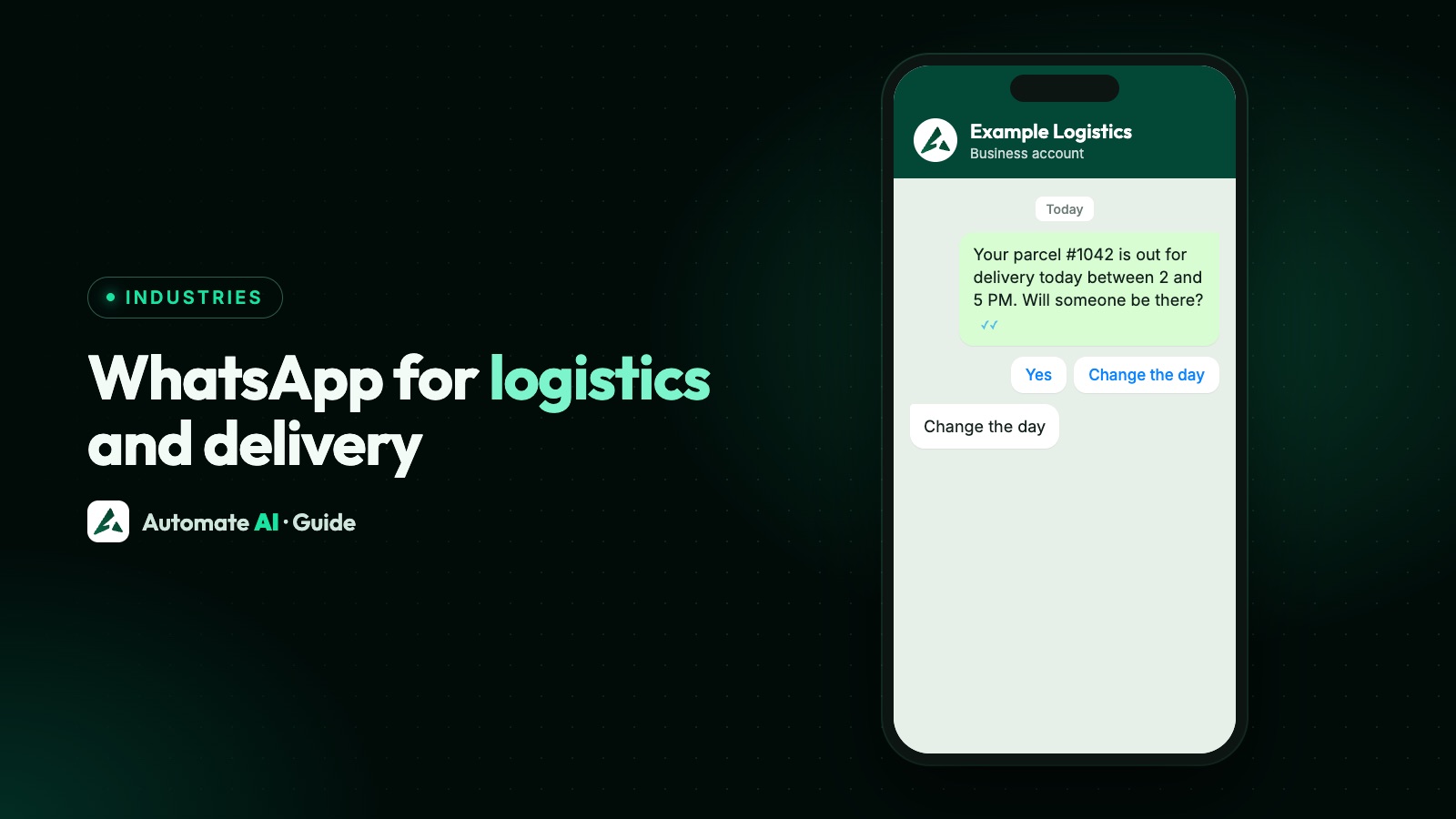
- The evening before, send a utility template with Confirm and Change buttons.
- If they confirm, your team or system marks the stop as confirmed.
- If they tap Change, that reply opens the 24-hour window, so an agent can offer times in a normal chat.
- If nobody replies, try a normal route: a phone call or a note from the driver.
- If the attempt fails, send a template with the reason and a Rebook button.
Sample slot message: “Hi {{1}}, your parcel {{2}} from {{3}} is due tomorrow between {{4}}. Will someone be there?” [Yes, confirm] [Change slot]
Sample failed delivery: “Hi {{1}}, we couldn’t deliver parcel {{2}} today because {{3}}. We’ll keep it until {{4}}. Tap below to pick a new time.” [Rebook]
Customers can also send a location pin or a photo of a gate, and it appears in the chat. That saves the driver from asking for directions. Button taps and replies arrive in the shared inbox, with auto-assign to spread them across your team.
Proof of delivery
WhatsApp won’t replace your proof-of-delivery system, but it’s a good way to share the proof, and to collect it from drivers who have no app:
- Send proof to the customer. A utility template can carry an image or document header, so the “delivered” message can include the doorstep photo or signed note.
- Collect photos from drivers. A chatbot started by a keyword such as POD can ask for the consignment number, then use a Collect Media step to ask for the photo.
- Keep it in one place. The photo stays in the chat with that driver. Save it in your own system too if your contracts need it.
Sample delivered message: “Hi {{1}}, parcel {{2}} was delivered on {{3}} at {{4}} and received by {{5}}. Photo attached. If something’s wrong, reply here.”
Driver and customer contact
If every customer has a driver’s personal number, you lose the record and the driver gets messages after hours. A shared business number fixes both:
- One number, many people. The customer chats with your business, and an agent answers. A driver’s own number stays private.
- Dispatch as the middle. The dispatcher reads the chat, then tells the driver what they need. Internal notes keep this off the customer’s screen.
- Drivers on the inbox. The inbox works on a phone as an installable web app, and agents are unlimited, so a driver can be a team member and see only chats assigned to them, if your setup needs it.
- A way to reach a person. If a bot answers first, the policy requires a clear route to human help.
Automation helps with the repeat questions. A chatbot or AI Assistant can answer “What are your hours?” or “Which areas do you cover?” from your own documents. For “Where’s my parcel?” it needs live data, so see the section on connecting your system below.
B2B customers: fewer messages, more detail
A factory or a distributor doesn’t need a ping per carton. A business customer usually wants one contact, exceptions first, and paperwork on request:
| What they need | How to do it |
|---|---|
| Dispatch advice | A utility template with a document header, for the consignment note or manifest |
| Delay or exception alert | A template to the named contact, with the reason and new time |
| Proof-of-delivery copies | Sent in the chat, so the customer can forward them |
| Invoice follow-up | A utility reminder about a specific invoice, as in WhatsApp payment reminders |
| Rate enquiries | A person in the inbox, or a chatbot that asks for route and weight |
Use contact groups to split customers by branch or route. Campaign messages to these groups should still follow the utility rules: a notice that a route is closed may fit, while a new rate offer is marketing. You can also move enquiries from IndiaMART or JustDial straight into contacts if you buy leads there.
Connecting your own system through the API
Automate AI has no ready-made connector for courier aggregators or transport management systems (TMS). Its integrations include Shopify, for a merchant’s own orders. If you have your own TMS or a developer, the REST API can send a message when a shipment’s status changes:
- Get approved templates in Automate AI, one for each status, and get each template’s ID from
GET /templates. - Create an API key on the Developer page. Owners and managers can do this, and a key is shown only once.
- Save the contact.
POST /contact-webhook/ingestadds or updates a contact from your system, using the key as a Bearer token. Sending needs a saved contact. - Send the template.
POST /chats/<phone>/templatetakes the template ID and variables such as the consignment number. For a media header, pass a URL asheader_imageorheader_document. - Listen for results. Add a developer webhook for
message.status.update(sent, delivered, read, failed) andmessage.received(customer replies and button taps).
Automate AI’s webhook status is about the WhatsApp message, not the parcel. “Delivered” means the message reached the phone, so don’t feed it into your shipment status. Chatbots, the AI Assistant, lead capture, Shopify, and the REST API, SDKs and webhooks are included in Series 2, 3 and 4.
If your system can’t send requests, you can still work from the app. Send to groups as a campaign, or send a template to one person from the chat. For the Meta side of this, see sending templates with the API and Cloud API webhooks. For live tracking in chat, a chatbot’s Webhook step can send the consignment number to your own endpoint. The chatbot can’t show what your endpoint returns, so your system has to send the reply itself through the REST API, and your developer has to build and test that part.
What it costs
Each delivered template is charged by category and by the country of the receiving number. Replies inside the 24-hour window are service messages: each number gets 1,000 free a month, then Meta’s published rate applies. To keep bills down:
- Send fewer status messages. Booked, out for delivery, and delivered or failed are often enough.
- Keep them utility. Marketing costs more, so leave offers out of status updates.
- Let customers choose. Someone who wants every scan can have a tracking link instead.
See pricing for plans and message rates, and WhatsApp API pricing for other countries. Figures for your volume depend on your routes and how many messages you send per parcel, so work them out from your own numbers.
Frequently asked questions
Are shipment updates utility or marketing messages?
Normally utility, if they cover a specific consignment and contain no promotion. Meta lists messages about a package on its way and tracking numbers as utility examples, and it makes the final decision.
Can a courier message a receiver who only gave their number to the shop?
Be careful. WhatsApp needs the person’s number and their agreement to hear from your business, and Meta says the opt-in must name that business. Ask shippers to name you at checkout, or have the first message come from the shipper’s own account.
Can drivers use WhatsApp Business API on their phones?
They can use the Automate AI inbox on a phone as an installable web app. Agents are unlimited, so a driver can be added as a team member, and customers see only your business number.
Does Automate AI integrate with my courier or TMS software?
There’s no ready-made connector for couriers or TMS software. Your system can use the REST API to send templates, and developer webhooks to get replies and message statuses.
Can I send proof of delivery on WhatsApp?
Yes. A utility template can carry an image or document header, and inside the 24-hour window you can send the file in the chat. Leave out personal details the sender doesn’t need.
Can I rebook a failed delivery on WhatsApp?
Yes. Send a template with a Rebook button. The customer’s tap opens the 24-hour window, so an agent or chatbot can agree a new time in the chat.
Sources
- WhatsApp Business Messaging Policy (last updated 23 September 2026)
- Meta: Get opt-in for WhatsApp
- Meta: Template categorization
- Meta: Pricing on the WhatsApp Business Platform
WhatsApp rules and prices change. We check these guides against Meta’s documentation, but always confirm current terms with Meta before you rely on them. Questions? Message us on WhatsApp at +91 836 977 8812.