Facebook Ads for Insurance Agents: What’s Allowed and How to Get Enquiries
Facebook ads for insurance agents: what Meta allows, when verification and a special category apply, what not to ask, and how to turn ad chats into enquiries.
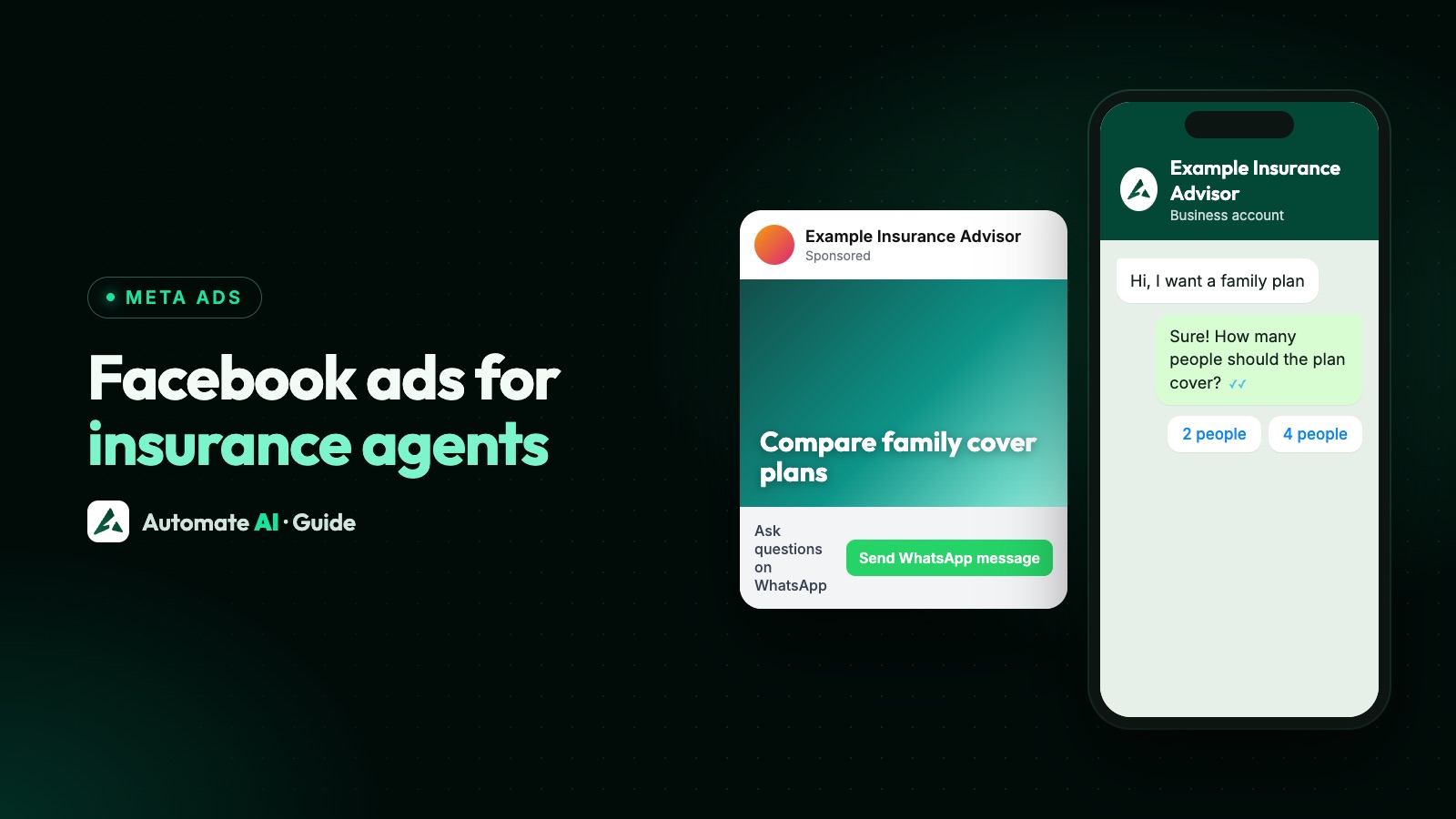
Insurance agents can run Facebook and Instagram ads, but Meta treats insurance as a restricted financial product: the ads must target people aged 18 or over, you may need to verify that you’re licensed (India is one of the countries Meta lists), and you can never ask for financial or insurance details in the ad or its form. The simplest setup that works inside those rules is an ad that opens a WhatsApp chat, followed by a short, careful conversation and a call with a licensed adviser.
This guide covers what Meta allows for insurance ads, when the special ad category applies to you, sample ads that pass the personal attributes rule, what you can and can’t ask on a form or in WhatsApp, and how to run it from Automate AI. It describes Meta’s rules as Meta states them; it isn’t legal or financial advice, and your licence or insurer may have extra rules on ad wording.
Key takeaways
- Meta’s financial and insurance products policy says insurance ads must target people 18 or older, follow legal disclosure rules and not ask for financial information.
- Meta may ask you to verify your licence before insurance ads run; India, the UK, the US, Australia and others are on its list. Brand and purely educational ads are exempt.
- US advertisers, or anyone reaching the US, must choose the Financial products and services category for insurance ads. Homeowners and mortgage insurance count as Housing.
- Lead forms can’t ask for the insurer’s name, plan details, policy numbers or health information. In WhatsApp, never ask for full card, account or ID numbers.
- A Click-to-WhatsApp ad lets people ask questions in their own words; a licensed adviser then takes over the chat.
What Meta allows for insurance ads
Insurance sits under Meta’s Financial and insurance products policy in its Advertising Standards. In short:
| Rule | What Meta says |
|---|---|
| Age | Ads for credit cards, loans or insurance must be targeted to people 18 or older |
| Identity and licence | Advertisers must verify their identity and, where a licence is required in the country they target, show authorisation from the regulator, which Meta may review |
| Disclosures | Follow the disclosure rules and laws that apply where the ad runs |
| Personal and financial information | Ads may not directly ask for it, such as bank account details or card numbers |
| Without authorisation | Brand ads for insurance companies, news articles that don’t offer insurance, and ads that only mention a product with no way to get it |
The same policy bans some loan and investment products outright, such as payday loans, short-term loans of 90 days or less, binary options and initial coin offerings. If you sell loans as well as insurance, read the whole policy before you advertise them.
Verification: proving you’re allowed to sell
Meta’s Help Centre says it may ask financial services advertisers to confirm that a regulator has authorised them, to help prevent fraud and impersonation. It names insurance products among the products that may need a licence, along with mortgages, loans, investments and credit cards.
Ads promoting financial products and services to audiences in these places need verification: Australia, Hong Kong, India, Ireland, Israel, Spain, Taiwan, Thailand, the United Kingdom and the United States. Meta says the requirements differ a lot by country, so open its page and pick your country before you start. For the UK, for example, Meta asks for authorisation by the Financial Conduct Authority.
You generally don’t need verification for brand ads for insurance companies, financial education, or ads that explain a product without letting people get it. An agent’s ad that invites people to ask for a quote isn’t one of those, so expect to verify.
Do insurance ads need a special ad category?
It depends on where you are and who you reach. This is the short version; the full rules, and what each category removes from your targeting, are in Meta special ad categories.
| Your situation | Category to expect |
|---|---|
| Based in the US, or your ad reaches people in the US | Financial products and services (Meta lists insurance products among its US examples) |
| Homeowners or mortgage insurance in the US, Canada or the listed European countries | Housing |
| Insurance ads from India to people in India | Not required by Meta for insurance, but the 18+ rule and verification still apply |
If the category applies and you don’t choose it, Meta says the ad may be rejected. With it, Meta fixes the age range and gender and removes some location and audience tools, so your ad copy has to do more of the filtering.
Writing ads that pass the personal attributes rule
Meta doesn’t allow ads that assert or imply the viewer’s personal attributes, which include age, family status, physical or mental health and vulnerable financial status. You can say “you” or “your” as long as the ad doesn’t point at one of those. Meta’s own example of a breach is a financial services ad for people “who just turned 62”. This matters for insurance, where age, family and health are the whole product.
| Product | Breaks the rule | Works instead |
|---|---|---|
| Term life | “Just became a dad? You need cover now.” | “Term life cover for families. Ask us for a quote on WhatsApp.” |
| Health | “Diabetic and can’t get insured? We can help.” | “Health insurance plans explained in plain words. Chat with a licensed adviser.” |
| Retirement | “Turning 60 this year? Plan your pension.” | “Retirement and pension plans for every stage of life.” |
| Motor (privacy) | “Your car insurance expires next week!” | “Renewing car insurance? Compare a few options on WhatsApp.” |
The motor example is a different problem: it isn’t one of Meta’s listed personal attributes, but it implies you know private details about the viewer, which Meta’s privacy rules don’t allow. Keep claims about price or cover to what you can show, and skip scary pictures of accidents or hospital beds.
Pre-filled messages
A Click-to-WhatsApp ad has a pre-filled message the customer sends. Keep it neutral, such as “Hi, I’d like to know about term insurance” or “Hi, please share car insurance options”. It shouldn’t make the customer state their age, illness or money troubles in the first line.
What you can and can’t ask
Two sets of rules apply: Meta’s list of questions banned on instant forms, and the WhatsApp Business Messaging Policy for the chat.
| Where | Don’t ask for | Fine to ask |
|---|---|---|
| Lead form (Meta) | Insurance company name, plan details, usage or policy numbers; health information; income, credit score or debt; government ID numbers; a child’s date of birth | Type of cover, city, preferred contact time, a rough start date |
| WhatsApp chat (WhatsApp policy) | Full payment card numbers, financial account numbers, personal ID card numbers or other sensitive identifiers | Type of cover, who it’s for (e.g. “just me” or “my family”), the best time to call |
Meta says an instant form with a banned question won’t run. The banned list catches insurance agents in a specific way: “Which insurer are you with now?” and “Any pre-existing conditions?” both look like normal qualifying questions, and both are on it.
Turning ad chats into enquiries
Someone who taps a Click-to-WhatsApp ad is curious, not ready to buy. A short, calm first exchange works better than a list of questions. These are made-up examples for a sample agency:
- Welcome and set expectations: “Hi, thanks for messaging Example Cover Advisors. We help with life, health and motor insurance. Which one are you looking at?” (buttons: Life, Health, Motor)
- Ask one safe question: “Is the cover for you alone, or for your family too?”
- Offer a call: “A licensed adviser can call you to explain the options. Would today evening or tomorrow morning suit you?”
- Keep it on record: “Thanks! You’ll get a call from our adviser, Priya, at the time you picked. You can also reply here with any questions.”
In Automate AI, a chatbot (Automation › Flows, in the AI + Automation Plan and Series 4) can send those buttons and assign the chat to an adviser in the shared inbox. The adviser gives the actual advice: the chatbot shouldn’t recommend a policy.
Lead form ads with a WhatsApp follow-up
If you’d rather collect a name and number first, run a lead form ad with only the allowed questions above. Someone who filled in a form hasn’t messaged you yet, so your first WhatsApp message must be an approved template. With the Facebook Lead Ads integration (AI + Automation Plan and Series 4), each new lead becomes a contact and gets your template straight away. A sample marketing template:
“Hi {{1}}, thanks for asking Example Cover Advisors about {{2}} insurance. Would you like a call from a licensed adviser? Reply with a time that suits you. Reply STOP to opt out”
Set-up is in Facebook Lead Ads to WhatsApp, and timing ideas are in WhatsApp lead follow-up.
Running insurance ads from Automate AI
Meta Ads in Automate AI’s main menu makes Click-to-WhatsApp and lead form ads on your own Meta ad account, on every plan, for account owners and managers. Meta bills the ad spend to your ad account, and nothing is spent until you publish.
- Connect your ad account and Page with Continue with Facebook.
- Describe the offer in a line, such as “term life insurance quotes, licensed advisers, Pune”. AI drafts the text, audience, greeting and the customer’s first message; check every line against the table above.
- Check “Is this ad about any of these?” If the AI drafted the ad, it usually picks Loans, credit or insurance for an insurance ad. Keep it if you’re in the US or reach people there; if you only advertise in India you can set it to None (the 18+ rule and verification still apply). With it on, the app sends all ages and genders, at least 25 km around each place, and no PIN codes, interests, behaviours, demographics or lookalikes.
- Pick the area you serve. With the special category on, the app sets 18 to 65+ and all genders for you. Without it, the app’s lowest age is 18 anyway, so Meta’s 18+ rule is always met.
- Add your own photo or video, set a daily budget, check the preview and publish. Meta reviews the ad, and asks for verification if your account needs it.
Two things the app won’t let you do with the special category on: show the ad in WhatsApp Status, or open more than one chat app from the same ad. Both follow Meta’s rules. More on the builder in Click-to-WhatsApp ads, and if Meta rejects an ad, see Click-to-WhatsApp ad rejected.
Measuring what the ads bring
Nobody can honestly promise a number of policies from an ad, so measure your own results. Automate AI’s Meta Ads shows spend, chats started and cost per chat for every ad in your account, including ones made in Ads Manager. Then mark each contact with a status such as “Call booked”, “Quote sent” or “Policy issued”, so you can see which ad led to real business. Track which ads bring WhatsApp customers shows how.
Once someone is a customer, renewal reminders and policy updates are a different job: see the WhatsApp for finance and insurance page.
Frequently asked questions
Can insurance agents run Facebook ads?
Yes. Meta allows insurance ads if they target people 18 or older, follow the disclosure rules where they run and don’t ask for financial information. Meta may ask you to verify that you’re licensed first.
Do I need to verify my licence to advertise insurance in India?
Meta lists India among the regions where ads promoting financial products and services need verification, and the requirements differ by country. Open Meta’s verification page, pick India and follow its steps.
Do insurance ads need the Financial products and services category?
If you’re based in the US or your ad reaches people in the US, yes: Meta lists insurance products among its US examples. Homeowners and mortgage insurance count as housing. See our special ad categories guide for the rest.
Can I ask about pre-existing conditions on a lead form?
No. Meta bans lead form questions about health, and about insurance details such as the insurer’s name, plan details and policy numbers. Ask about the type of cover and a good time to call instead.
Can I collect policy or ID numbers on WhatsApp?
Don’t. The WhatsApp Business Messaging Policy bars asking people to share full card numbers, financial account numbers, ID card numbers or other sensitive identifiers. Use your insurer’s secure forms for those.
Can an insurance ad show in WhatsApp Status?
Not if it uses a special ad category: Meta excludes those from Status, and Automate AI won’t offer Status for them. Without the category, Meta’s own Status rules still apply, including the countries where Status ads don’t run.
Sources
- Meta Transparency Center: Financial and insurance products advertising policy
- Meta Business Help Centre: About verification requirements that may impact financial services advertisers
- Meta Business Help Centre: About ads for financial products and services
- Meta Business Help Centre: How to choose a Special Ad Category
- Meta Business Help Centre: About the privacy violations and personal attributes advertising policy
- Meta Business Help Centre: Questions prohibited on your instant form
- WhatsApp Business Messaging Policy
WhatsApp rules and prices change. We check these guides against Meta’s documentation, but always confirm current terms with Meta before you rely on them. Questions? Message us on WhatsApp at +91 836 977 8812.