Can You Run Facebook Ads to a WhatsApp Group?
Can Facebook ads send people to a WhatsApp group? What Meta documents, the privacy and size limits of group links, and a 1:1 chat funnel that works better.
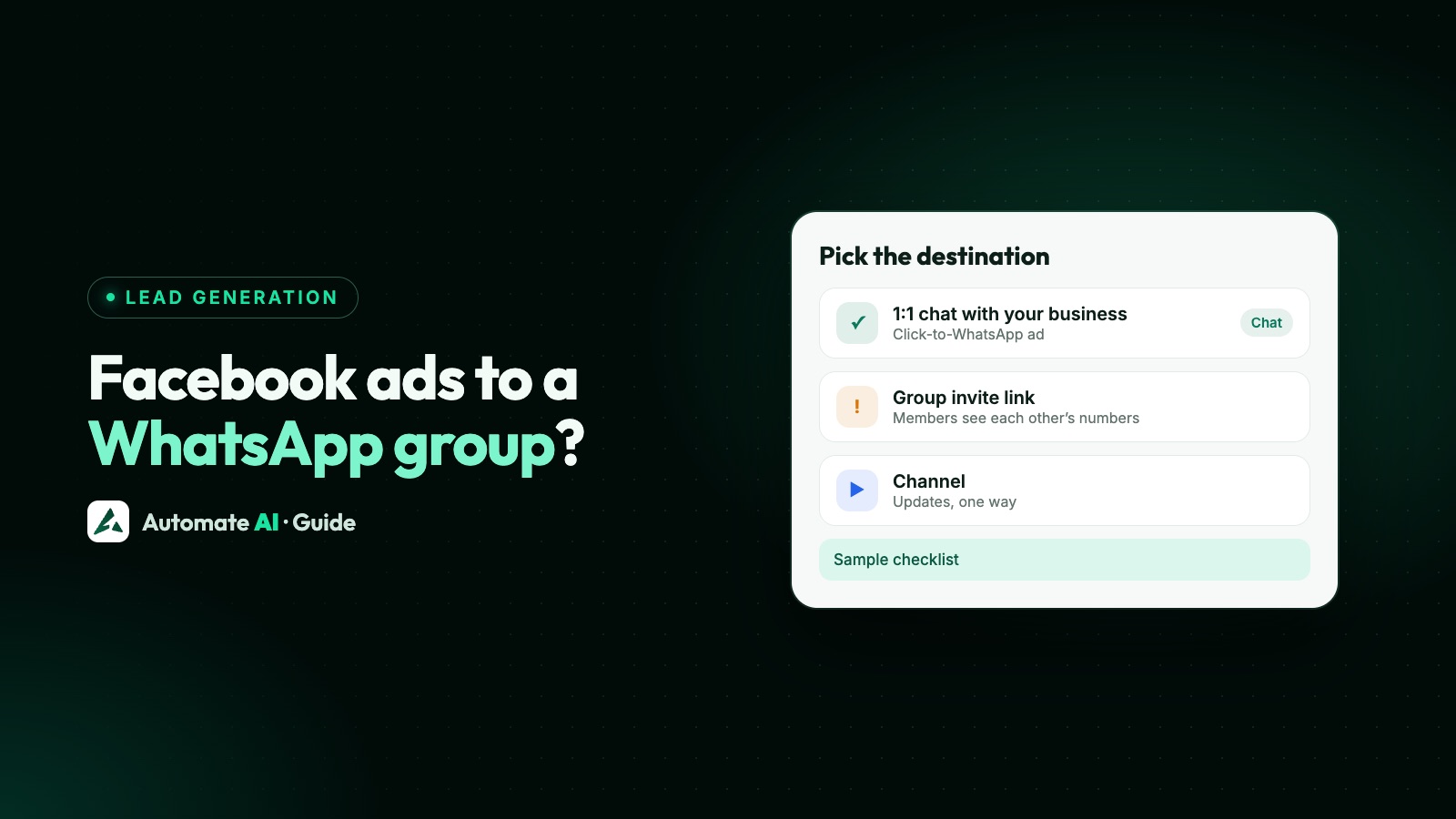
Meta’s WhatsApp ad option doesn’t send people to a group. A Click-to-WhatsApp ad opens a one-to-one chat with your business’s WhatsApp number, and Meta’s documentation doesn’t list a group invite link as an ad destination. If you want an audience on WhatsApp from your ads, the reliable route is a chat ad first, then an opt-in to your broadcasts or your Channel.
This guide explains what Meta does and doesn’t document, what happens if you paste a group link into an ad anyway, what a group means for the people who join it, and a simple funnel you can set up today, with sample messages.
Key takeaways
- A Click-to-WhatsApp ad opens a private chat with your business number, not a group. Meta documents no group destination.
- Meta doesn’t document a group invite link as an ad destination. Ad review looks at where an ad leads, so treat it as untested ground.
- In a WhatsApp group, every member sees every other member’s phone number, and a group holds up to 1,024 members.
- A chat ad gives you things a group link can’t: the person’s own chat, ad data on the message, and Meta’s free entry point window if you reply in time.
- Build the audience with opt-in: a button in the first chat, then broadcasts to people who said yes, or a link to your Channel.
What a Click-to-WhatsApp ad actually opens
Meta’s developer guide says these ads send people who click them straight into a conversation with your business in WhatsApp. The ad set is tied to your Facebook Page and the WhatsApp number linked to it, and the button opens a chat with that number, with a message typed in for the customer to send.
So when people search for “Facebook ads to WhatsApp group”, the honest answer is that the ad type built for WhatsApp leads to you, one person at a time. Each chat is private: nobody who taps the ad sees anyone else who tapped it.
WhatsApp’s own guide to creating these ads follows the same path in Ads Manager: choose an objective, pick Messaging apps and then WhatsApp as the conversion location, set budget and audience, add the creative and the automatic replies, and publish. Nowhere in it is there a choice of group. Full setup and costs are in our Click-to-WhatsApp ads guide.
What Meta documents, and what it doesn’t
Here’s where things stand in the Meta pages we checked for this guide:
| Question | What Meta’s pages say |
|---|---|
| Can a WhatsApp ad open a chat with my business? | Yes. That’s what Click-to-WhatsApp ads do |
| Can a WhatsApp ad open a group? | Not documented. The guide lists one destination for these ads, WhatsApp, and it means a chat with your number |
| Can I paste a group invite link into a traffic ad as the website? | Not documented either way |
| Does Meta review where an ad leads? | Yes. Meta says review may include the ad’s destination, such as a landing page or website |
| Does a group join open Meta’s free messaging window? | No. Meta’s pricing page ties the free entry point window to Click-to-WhatsApp ads only |
If you use a group invite link anyway
Some businesses put a group invite link in a website-traffic ad, or in a landing page the ad points to. Before you do, weigh what you give up compared with a chat ad:
- No conversation with the person. They join a room. You don’t get a private chat where you can ask what they need.
- No ad data on the message. When someone messages you from a Click-to-WhatsApp ad, the message carries details of the ad they came from. A group join doesn’t. See how to track which ads bring WhatsApp buyers.
- No free entry point window. Meta’s pricing documentation gives a free window only to chats started from a Click-to-WhatsApp ad on the WhatsApp phone app.
- No control over who joins. WhatsApp warns that anyone with an invite link can join and can pass it on, which matters when the link sits in a public ad.
- Members are strangers to each other. Ad audiences are, by design, people who don’t know each other. That’s the worst fit for a group, as the next section shows.
If you still want a group, put the link behind a step you control, such as a chat where you share it with people who ask for it, rather than in the ad itself.
What a group means for the people who join
WhatsApp’s Help Center is clear about how groups work, and these points decide whether a group suits an ad audience:
| Fact from WhatsApp Help | Why it matters for ads |
|---|---|
| When you’re added to a group, all members see your phone number | Everyone who joins from your ad exposes their number to every other stranger in it |
| A group can have up to 1,024 members | A successful ad fills it, and you need a second group with a new link |
| Anyone with an invite link can join and share it onward | Your link can spread to people you never targeted |
| Approve new members is off by default | Turn it on so an admin approves each request |
| Admins can reset the link, and the old one can’t be restored | A reset breaks the link in any ad still running |
| In groups with fewer than 33 members, members can create invite links too | Admins can turn this off under Group permissions |
The phone number point is the big one. People who tapped an ad expected to talk to a business, not to share their number with a few hundred other people. That’s how reports and blocks start, and it’s a privacy problem you created. Our Channels, Communities, groups and broadcasts comparison covers the options side by side.
A better funnel: chat ad, then opt-in
You can get the reach of a group without its downsides. Each person talks to you privately, and only people who say yes hear from you again:
- Run a Click-to-WhatsApp ad with a clear offer and a typed-in message such as “Hi, I want the weekly deals”.
- Greet them and answer first. Reply within 24 hours so the conversation, and Meta’s free entry point window, opens.
- Ask for opt-in in plain words, naming your business, with two reply buttons: “Yes, send me offers” and “No thanks”.
- Record the yes. Put people who tap yes on a list you keep for offers, separate from everyone who only asked a question.
- Send broadcasts to that list only, as approved marketing templates, each with a way to opt out.
- Offer your Channel too. Share your Channel link for people who want updates without any chat at all.
Broadcasts reach each person in their own chat, so no one sees who else got the message, and replies come back to you privately. Meta’s rules on asking for consent are in our WhatsApp opt-in guide. A Channel is one-way: WhatsApp says followers can react and vote but can’t reply, and they don’t see the admin’s phone number. Tips for growing one are in how to grow WhatsApp Channel followers.
Sample messages for the funnel
Original samples with a made-up shop. Change the wording to match your offer.
| Step | Sample message |
|---|---|
| Typed-in message in the ad | Hi, I want the weekly deals from Example Store. |
| Greeting when the chat opens | Hi! Thanks for messaging Example Store. What are you shopping for today? |
| Opt-in question | Would you like Example Store to send you our weekly deals on WhatsApp? You can stop any time. [Yes, send me offers] [No thanks] |
| After a yes | Done! You’ll get one message a week with our best deals. Prefer updates with no chat? Follow our Channel: (your Channel link) |
| Weekly broadcast (marketing template) | Hi {{1}}, this week at Example Store: cotton kurtas from ₹799 and free delivery over ₹1,499. Tap below to see them. Reply STOP to opt out |
Keep the opt-in question separate from the answer to their first question. Someone asking about one product hasn’t agreed to weekly offers until they say so. More ideas for the ad itself are in our Click-to-WhatsApp ad examples.
When a group still makes sense
Groups are good for people who already know each other or have a shared reason to talk: a class batch, a residents’ group, a small workshop cohort, or a client’s project team. In those cases you invite people you know, ideally with Approve new members switched on, and you don’t need an ad at all.
On the WhatsApp Business API, Meta’s Groups API lets a business with an Official Business Account create groups of up to 8 participants who join by invite link. That suits a client account team, not an ad audience. We covered it in detail, with pricing and webhooks, in can the WhatsApp API send messages to groups, checked against Meta’s Groups API pages when that guide was written.
| Your goal | Use |
|---|---|
| Turn ad clicks into conversations | Click-to-WhatsApp ad to a 1:1 chat |
| Send offers to people who asked for them | Opt-in, then broadcasts to that list |
| Post updates to a big audience with no replies | A WhatsApp Channel |
| Let a small known group talk together | A group, with Approve new members on |
Setting up the funnel in Automate AI
Automate AI covers the chat side and the broadcast side in one place:
- Meta Ads (in the main menu, every plan, for owners and managers): connect your ad account, describe the offer, and AI drafts the headline, text, audience, the greeting and the message the customer sends. You check and edit anything, add a photo and publish. The ad opens a chat with your connected number. See Click-to-WhatsApp Ads.
- Shared inbox: each chat from the ad arrives as a new contact, so your team or a chatbot can reply quickly. See the shared inbox.
- Chatbot: in Automation › Flows, a reply-button step can ask the opt-in question, and an Add to group step on the yes branch puts the person on a contact group such as “Weekly deals”. A contact group in Automate AI is your own list, not a WhatsApp group: nobody sees who else is on it. See the chatbot builder.
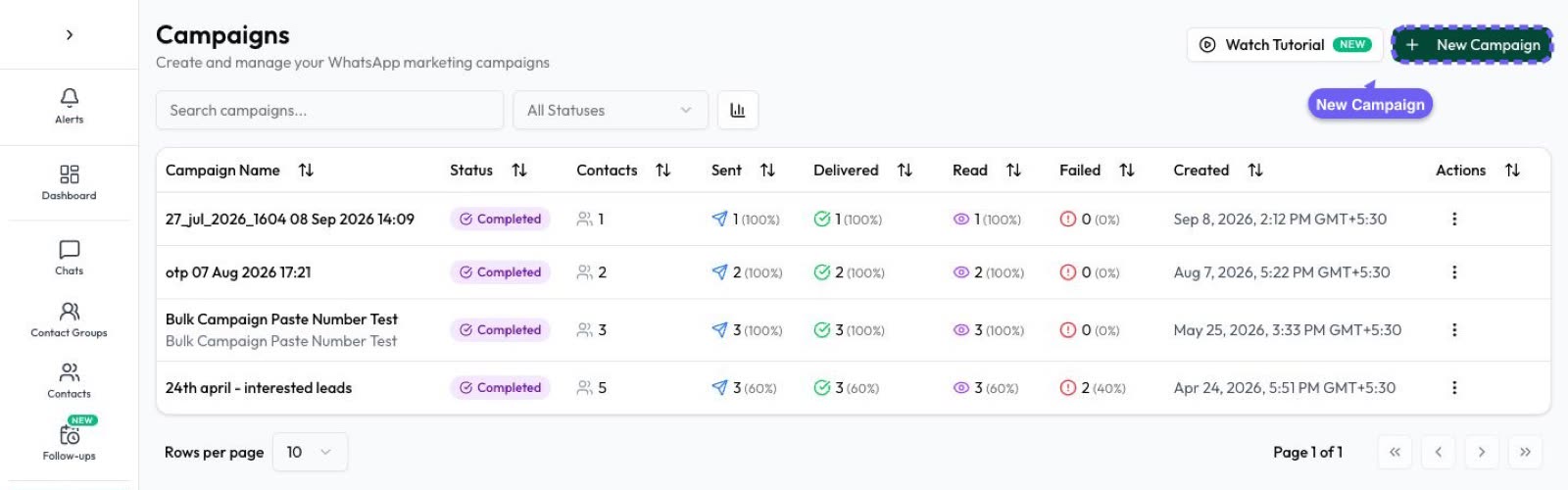
- Campaigns: send an approved template to that contact group, now or on a schedule, and see sent, delivered, read and replied counts. A customer who types STOP is opted out automatically. See WhatsApp campaigns.
Frequently asked questions
Can a Facebook ad open a WhatsApp group directly?
Not with Meta’s documented WhatsApp ad option. A Click-to-WhatsApp ad opens a one-to-one chat with your business number, and Meta’s pages don’t list a group as a destination.
Can I put a WhatsApp group link in a Facebook ad?
Meta doesn’t document it either way. Ad review can look at where an ad leads, and you lose ad data, the free entry point window and control over who joins, so a chat ad is the safer choice.
Can people in a WhatsApp group see my customers’ numbers?
Yes. WhatsApp says that when you’re added to a group, all members see your phone number. That’s why groups don’t suit audiences of strangers from ads.
How many people can join a WhatsApp group?
Up to 1,024 members, according to WhatsApp’s Help Center.
Is a WhatsApp Channel better than a group for ad leads?
For one-way updates, yes: followers don’t see your phone number, and they can’t reply. Pair it with a 1:1 chat for questions and sales.
Do chats from Click-to-WhatsApp ads cost money?
You pay Meta for the ad. If you reply within 24 hours to a chat started from the ad on the WhatsApp phone app, Meta’s pricing page says a free entry point window opens for your messages to that person.
Sources
- Meta Marketing API: Ads that click to WhatsApp
- WhatsApp Business: Create ads that click to WhatsApp
- Meta for Business: Ad review policy guidelines
- Meta: Pricing on the WhatsApp Business Platform (free entry point window)
- WhatsApp Help Center: How to create and invite into a group
- WhatsApp Help Center: How to approve new members as a group admin
- WhatsApp Help Center: Privacy at a glance
- WhatsApp Help Center: About channels
WhatsApp rules and prices change. We check these guides against Meta’s documentation, but always confirm current terms with Meta before you rely on them. Questions? Message us on WhatsApp at +91 836 977 8812.