Meta Advantage+ Explained: Campaigns, Placements and Creative
Meta Advantage+ explained: campaigns, budget, placements and creative enhancements, what turns each one off, and what it means for Click-to-WhatsApp ads.
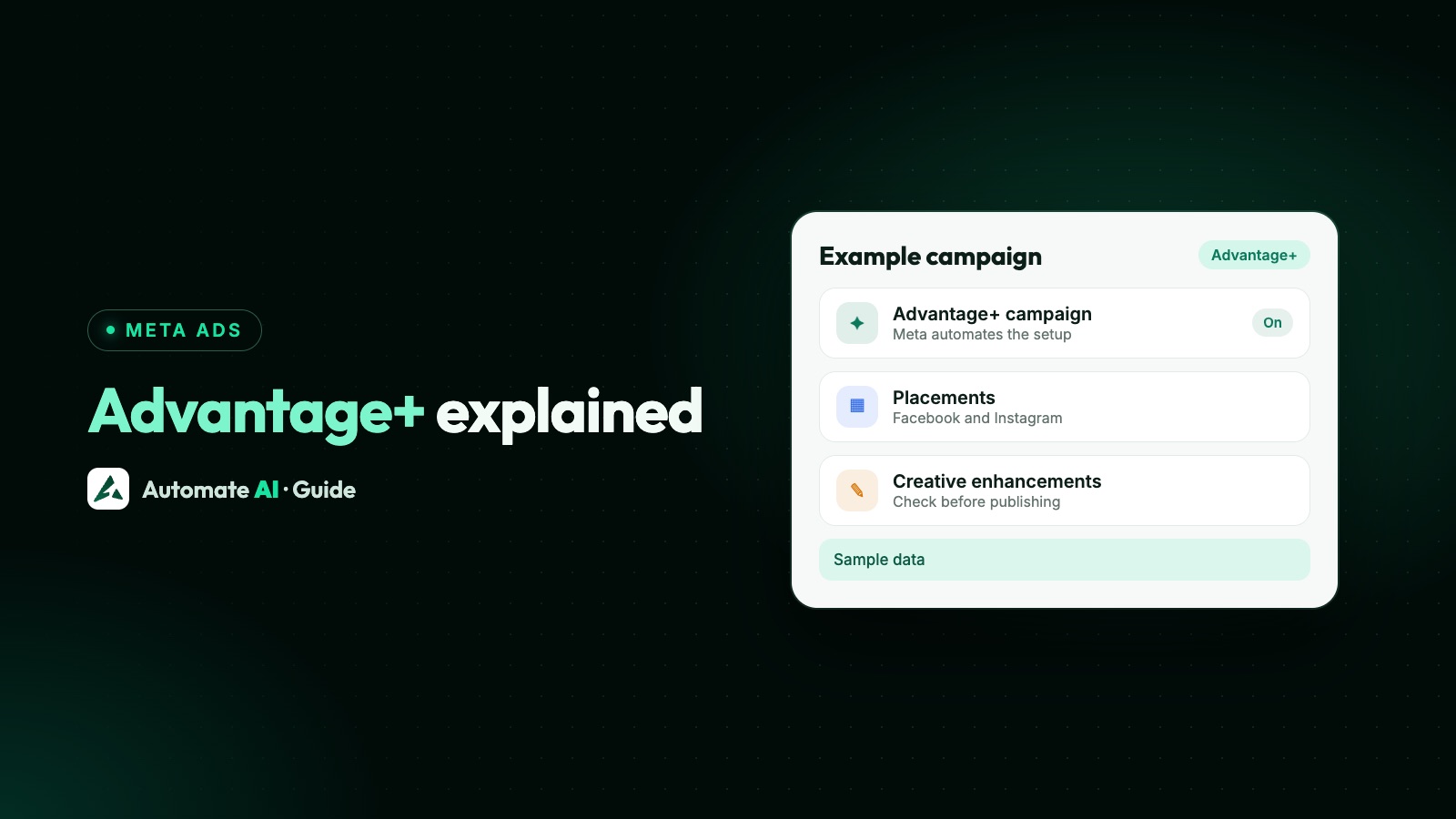
Meta Advantage+ is Meta’s name for the automated settings in Ads Manager: it lets Meta’s AI decide parts of a campaign, such as where the budget goes, who sees the ad, where it appears and how the creative is shown. It isn’t one switch. Some pieces are whole campaign types (Advantage+ sales, leads and app campaigns), and others are single settings you can use in almost any campaign.
This guide explains each piece, what makes Ads Manager show “Advantage+ off”, how to turn options off where Meta allows it, and what it means for ads that open a WhatsApp chat. Audience settings have their own guide: Meta ads targeting.
Key takeaways
- Advantage+ is a family of automated settings: campaigns, campaign budget, audience, placements, creative and catalog ads.
- With the Sales, Leads or App promotion objective, Ads Manager starts with Advantage+ on for budget, audience and placements. Advantage+ shopping campaigns are now called Advantage+ sales campaigns.
- Narrowing the budget, audience or placements too far shows Advantage+ off on that section. Account-level controls don’t.
- Some Advantage+ creative enhancements are on by default and can change your image or text, so check the ad preview before you publish.
- In Automate AI’s Meta Ads menu, automatic placements are on by default and can be switched off, and new ads start with Advantage+ audience off.
What Meta Advantage+ is
Meta calls Advantage+ a suite of AI and automation products. You meet it in two shapes: an end-to-end campaign setup that applies automation to the budget, audience and placements together, and single settings that you switch on or off one by one.
| Advantage+ piece | What Meta automates | Where you find it |
|---|---|---|
| Advantage+ sales, leads and app campaigns | Budget, audience and placements together | Campaign setup, for the Sales, Leads and App promotion objectives |
| Advantage+ campaign budget | One budget at campaign level, shared in real time between ad sets | Campaign level (“Budget with Advantage+ on”) |
| Advantage+ audience | Who sees the ad, going beyond your suggestions when Meta expects better results | Ad set, Audience section |
| Advantage+ placements | Where the ad appears across Meta’s apps | Ad set, Placements section |
| Advantage+ creative | Variations of your image, video and text for each person | Ad level, Advantage+ creative section |
| Advantage+ catalog ads | Which products from your catalog each person sees | Campaign or ad level, with a catalog |
The flexible ad format, which picks between image, video and carousel for you, is covered below with dynamic creative.
Advantage+ sales, leads and app campaigns
When you choose the Sales, App promotion or Leads objective in Ads Manager, you see the Advantage+ setup, with an “Advantage+ on” label at the top. Meta says this means you’re opted into its campaign budget, Advantage+ audience and Advantage+ placements by default.
- Advantage+ sales campaigns are the new name for Advantage+ shopping campaigns, using Advantage+ audience, placements and budget together.
- Advantage+ leads campaigns keep every lead ad option, including instant forms, calls and ads that click to message. It may not be available to every advertiser yet.
- Advantage+ app campaigns do the same for app installs.
If you ran the older versions: the existing customer budget cap in Advantage+ sales campaigns is gone (Meta says you can get a similar result manually), and from version 25.0 Meta’s Marketing API no longer creates the old shopping and app campaign types.
What turns Advantage+ on and off
You don’t lose access to manual settings. If you narrow the budget, audience or placements too far, that section simply shows Advantage+ off, and the campaign no longer gets all of Meta’s automated optimisations. Meta’s own rules:
| Section | Advantage+ stays on if you | Advantage+ turns off if you |
|---|---|---|
| Budget | Use campaign budget, with one or more ad sets, or add optional spending limits | Have several ad sets and don’t use campaign budget |
| Audience | Use your choices as suggestions, raise the minimum age up to 25, or exclude a custom audience | Use “further limit” controls with “Use as a suggestion” unticked |
| Placements | Use Advantage+ placements | Exclude placements in any ad set, or opt out of mobile or desktop devices |
Account controls don’t count. If your business can never advertise to some ages, countries or placements, set that once in the ad account’s controls. Meta applies those limits even with Advantage+ on, and they don’t change a campaign’s Advantage+ state.
Advantage+ campaign budget has one more rule: Meta needs at least 2 hours between switching it on and off. If you turned it on less than 2 hours ago, pause the campaign and make a new one with ad set budgets. More on budgets in Meta ads budget per day.
Advantage+ placements, and how to run Instagram-only ads
Advantage+ placements (once called automatic placements) lets Meta show your ad wherever it expects the best results, across Facebook, Instagram, Messenger, WhatsApp, Threads and Audience Network. It’s selected by default, and Meta recommends it. You can still pick placements yourself when there’s a clear reason, such as a business that only wants Instagram.
For Awareness, Traffic and Engagement campaigns, the steps to choose manual placements in Ads Manager are:
- Create the campaign and go to the Placements section of the ad set.
- Hover over Advantage+ placements, click Edit and select Manual placements.
- Untick the platforms you don’t want. For an Instagram-only ad, untick Facebook, Messenger, Threads and Audience Network.
- Untick any individual placements you want to drop, such as Explore or Reels.
- If you chose Traffic or Engagement, Allow limited spend to excluded placements is usually on by default. Meta can then spend around 5% of the budget on each excluded placement when that’s likely to help. Untick it to exclude placements fully.
For Leads, App promotion and Sales, Meta is gradually changing the setup so these objectives default to Advantage+ placements and the placement picker is removed from ad sets. Where you still see it, open Show more settings and use Placement controls to untick what you don’t want. Excluding any placement there turns Advantage+ off for placements.
Advantage+ creative enhancements
Advantage+ creative makes variations of your ad and shows each person the one Meta expects them to respond to. For images, Meta lists enhancements such as adjusting brightness and contrast, adding your text as an overlay, adding music, or animating an image into a short video. Other formats and placements have other enhancements.
Meta says the enhancements try to keep your core message, but the media and text you upload may be adjusted, and some enhancements are on by default. If your brand rules or a regulator need the ad to look exactly as approved, check them before every publish.
Turning creative enhancements off
- In Ads Manager, create the ad and reach Ad setup. Choose single image or video, or carousel.
- In the ad creative, click Set up creative and go on to Enhancements. Turn off the ones you don’t want.
- In the ad preview, click Expand to open the advanced preview, then the Advantage+ creative tab. Some enhancements can only be turned off here, so check both places.
- Click Save, finish the ad and publish.
For a running ad, select it under Ads, click Edit and open Advantage+ creative, which shows how many enhancements are on. Turn off what you don’t want there and in the advanced preview, then publish.
Flexible format and dynamic creative
Both let you give Meta several pieces of creative instead of one finished ad:
| Flexible ad format | Dynamic creative | |
|---|---|---|
| What you give Meta | Up to 10 images and videos, with text options | Several images, videos, headlines and buttons |
| What Meta does | Picks a format (single image, video or carousel) for each placement and person | Combines the elements into ad variations |
| Set where | Ad setup, at ad level | Turned on at ad set level |
| Objectives | Traffic, Engagement, Sales and App promotion | Not for new Sales or App promotion ad sets since June 2024; Meta suggests the flexible format there |
Dynamic creative reports the results of all variations together, so Meta doesn’t recommend it as a substitute for a split test. It also doesn’t work with ads in several languages or with political content, and with dynamic creative on you can’t select WhatsApp Status as a placement.
Advantage+ audience in one paragraph
With Advantage+ audience, the age, gender, interests and custom audiences you add become suggestions, and Meta may show the ad to other people when it expects better results. Locations, minimum age, languages and excluded custom audiences stay as controls. Meta doesn’t go beyond your locations unless “Reach more people likely to respond to your ads” is ticked. To make a choice strict, use Further limit the reach of your ads and untick Use as a suggestion, which turns Advantage+ off for the audience. Housing, employment, financial and political ads can’t use it. More in our Meta ads targeting guide.
Advantage+ for Click-to-WhatsApp ads
Ads that open a WhatsApp chat can use several objectives. Meta’s pre-filled message feature for these ads works with the Traffic, Engagement, Leads and Sales objectives: with Traffic or Engagement you pick Messaging apps and tick WhatsApp, and with Leads you pick WhatsApp as the conversion location. Which objective you pick decides which Advantage+ setup you see. See Meta ads objectives for how they differ.
- Placements: as with any ad, placements your objective or format can’t use have no tick box. Keep Advantage+ placements on unless your picture only suits one shape.
- Creative: if an enhancement crops a photo with a printed price or offer, check the advanced preview so the ad still matches what your team says in the chat.
- WhatsApp Status: a newer placement from Meta, covered in WhatsApp Status ads. It isn’t available with dynamic creative on.
In Automate AI’s Meta Ads menu
If you create ads from Meta Ads in Automate AI (every plan, account owners and managers), these settings are already made for you, and you can change them:
| Setting | New ads from Automate AI | What you can change |
|---|---|---|
| Placements | Automatic placements on (Meta’s Advantage+ placements) | Switch it off and tick Facebook and Instagram placements, such as Instagram feed, Stories and Reels only |
| Audience | Advantage+ audience off, so Meta keeps to the cities, ages and gender you chose | Turn Advantage+ audience on when you edit the ad set. Meta can then go beyond your interests and age range; the youngest age you set (25 at most) stays a limit |
| Budget | A daily budget on the ad set, not a campaign budget | The amount and the end date |
| Creative | The app has no creative enhancement settings | Check or turn off enhancements on the ad in Ads Manager |
Because the budget sits on the ad set and Advantage+ audience starts off, a lead form ad made in Automate AI is a manual leads campaign rather than an Advantage+ leads campaign. When you turn automatic placements off, the app lets you tick the placements you want. More: Click-to-WhatsApp ads in Automate AI.
When to keep Advantage+ on, and when to switch it off
Meta recommends the Advantage+ settings. Switch a piece off only for a reason you can name:
| Your situation | What to do |
|---|---|
| You serve one city or area | Keep placements on; set the location as a control, and keep the audience broad |
| Your video is vertical only | Choose manual placements: Stories and Reels |
| Your brand or regulator needs exact creative | Turn off the creative enhancements, in both places |
| You must never reach some ages or countries | Use ad account controls, which keep Advantage+ on |
| You’re testing one change against another | Use a proper A/B test, not dynamic creative |
| Results are new and changing daily | Wait. Settings changes can restart learning: see the learning phase |
For WhatsApp ads, judge any setting by chats that turn into customers, not cheaper chats. Track which ads bring WhatsApp customers shows how.
Frequently asked questions
What is Meta Advantage+?
Meta’s set of automated ad settings: whole campaign types (sales, leads and app) and single settings for budget, audience, placements, creative and catalog ads.
Is Advantage+ shopping the same as Advantage+ sales?
Yes. Meta renamed Advantage+ shopping campaigns to Advantage+ sales campaigns. They use the Sales objective with Advantage+ budget, audience and placements together.
How do I turn Advantage+ off?
There’s no single switch. Use ad set budgets with several ad sets, make audience choices strict with “Use as a suggestion” unticked, or exclude placements. Each of these shows Advantage+ off for that section. Creative enhancements are turned off one by one at ad level.
Can I run Meta ads on Instagram only?
Yes. In the ad set, choose manual placements and untick Facebook, Messenger, Threads and Audience Network. With the Sales, Leads or App promotion objective, excluding placements turns Advantage+ off for placements.
Do Advantage+ creative enhancements change my ad?
They can. Meta says the media and text you upload may be adjusted, and some enhancements are on by default. Check the ad preview and the advanced preview before you publish.
Is dynamic creative still available?
For some objectives. Since June 2024 you may not be able to use it for new Sales or App promotion ad sets, and Meta suggests the flexible ad format instead.
Does Automate AI use Advantage+ for WhatsApp ads?
New ads from its Meta Ads menu use automatic placements, which you can switch off, and start with Advantage+ audience off. You can turn Advantage+ audience on when you edit the ad set.
Sources
- Meta Business Help Centre: Add a pre-filled message to ads that click to WhatsApp
- Meta for Business: Meta Advantage+
- Meta Business Help Centre: About the Advantage+ campaign experience
- Meta Business Help Centre: What turns Advantage+ on and Advantage+ off
- Meta Business Help Centre: Create a campaign in the Advantage+ campaign experience
- Meta Business Help Centre: About Advantage+ sales campaigns
- Meta Business Help Centre: Choose ad placements in Meta Ads Manager
- Meta Business Help Centre: Turn off Advantage+ creative enhancements
- Meta Business Help Centre: About dynamic creative in Meta Ads Manager
WhatsApp rules and prices change. We check these guides against Meta’s documentation, but always confirm current terms with Meta before you rely on them. Questions? Message us on WhatsApp at +91 836 977 8812.